

Hit by a purchase error in Magic Chess: Go Go? Here is how to fix the payment failed pop-up, avoid double charges, and restore your diamond shop immediately.
Immediate Triage: What to Do the Second Checkout Fails
Stop tapping your screen.
Spamming the confirm button after a "Purchase Failed Please Try Again Later" alert is the fastest way to trigger duplicate charges or a temporary bank fraud lock. Close the checkout modal immediately. A client-side failure alert does not mean the payment gateway dropped your transaction; processors often debit funds before the handshake back to the game server completes.
Check your store purchase history before taking any other action:
- Android: Open Google Play Store > tap your profile icon > Payments & subscriptions > Budget & history.
- iOS: Open Settings > tap your Apple ID > Media & Purchases > View Account > Purchase History.
If the transaction reads "Pending" or "Completed," the money has left your account. Initiating another purchase will charge you twice. If the order is marked "Cancelled" or "Failed"—or is missing entirely—the gateway blocked the charge, and you can troubleshoot safely without worrying about pending charges.
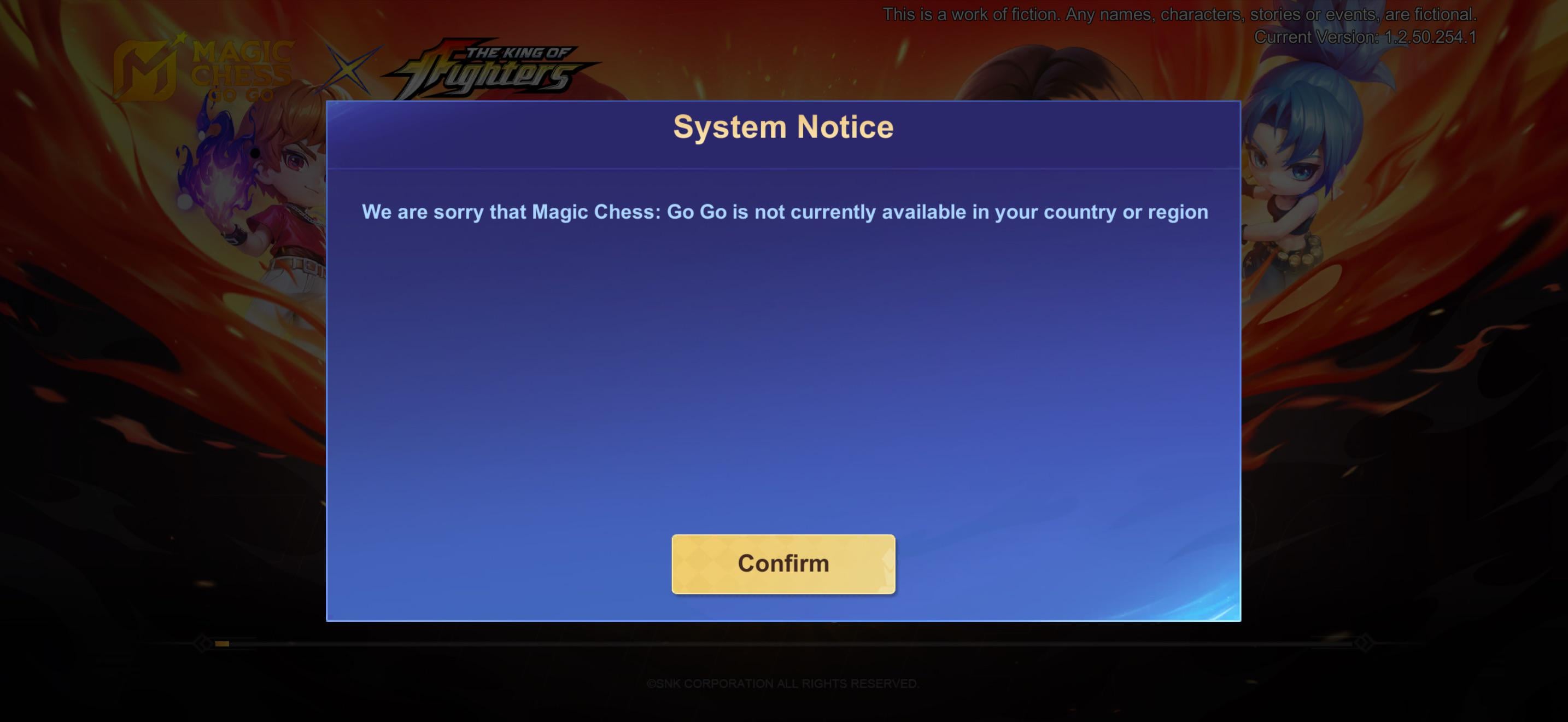

86 Diamonds (78 + 8 Bonus)
 86 Diamonds (78 + 8 Bonus)USD 1.04Buy Now
172 Diamonds (156 + 16 Bonus)
172 Diamonds (156 + 16 Bonus)USD 2.10Buy Now257 Diamonds (234 + 23 Bonus)
257 Diamonds (234 + 23 Bonus)USD 3.13Buy Now344 Diamonds
344 DiamondsUSD 4.19Buy Now514 Diamonds
514 DiamondsUSD 6.29Buy Now706 Diamonds (625 + 81 Bonus)
706 Diamonds (625 + 81 Bonus)USD 8.39Buy Now1346 Diamonds
1346 DiamondsUSD 15.72Buy Now1825 Diamonds
1825 DiamondsUSD 20.96Buy Now2195 Diamonds (1860 + 335 Bonus)
2195 Diamonds (1860 + 335 Bonus)USD 25.16Buy Now3688 Diamonds (3099 + 589 Bonus)
3688 Diamonds (3099 + 589 Bonus)USD 41.92Buy Now5532 Diamonds (4649 + 883 Bonus)
5532 Diamonds (4649 + 883 Bonus)USD 62.87Buy Now9288 Diamonds (7740 + 1548 Bonus)
9288 Diamonds (7740 + 1548 Bonus)USD 104.80Buy NowWeekly Pass
Weekly PassUSD 1.71Buy NowWeekly Pass x2
Weekly Pass x2USD 3.41Buy NowWeekly Pass x3
Weekly Pass x3USD 5.12Buy NowWeekly Pass x4
Weekly Pass x4USD 6.82Buy NowWeekly Pass x5
Weekly Pass x5USD 8.53Buy Now112 Diamonds ( 102 + 10 Bonus )
112 Diamonds ( 102 + 10 Bonus )USD 1.49Buy Now223 Diamonds ( 203 + 20 Bonus )
223 Diamonds ( 203 + 20 Bonus )USD 2.98Buy Now336 Diamonds ( 303 + 33 Bonus )
336 Diamonds ( 303 + 33 Bonus )USD 4.47Buy Now570 Diamonds ( 504 + 66 Bonus )
570 Diamonds ( 504 + 66 Bonus )USD 7.45Buy Now1163 Diamonds ( 1007 + 156 Bonus )
1163 Diamonds ( 1007 + 156 Bonus )USD 14.90Buy Now2398 Diamonds ( 2015 + 383 Bonus )
2398 Diamonds ( 2015 + 383 Bonus )USD 29.78Buy Now6042 Diamonds ( 5035 + 1007 Bonus )
6042 Diamonds ( 5035 + 1007 Bonus )USD 74.45Buy Now59 Diamonds ( 53 + 6 Bonus )
59 Diamonds ( 53 + 6 Bonus )USD 0.91Buy Now85 Diamonds ( 77 + 8 Bonus )
85 Diamonds ( 77 + 8 Bonus )USD 1.21Buy Now170 Diamonds ( 154 + 16 Bonus )
170 Diamonds ( 154 + 16 Bonus )USD 2.41Buy Now240 Diamonds ( 217 + 23 Bonus )
240 Diamonds ( 217 + 23 Bonus )USD 3.40Buy Now296 Diamonds ( 256 + 40 Bonus )
296 Diamonds ( 256 + 40 Bonus )USD 4.02Buy Now408 Diamonds ( 367 + 41 Bonus )
408 Diamonds ( 367 + 41 Bonus )USD 5.76Buy Now568 Diamonds ( 503 + 65 Bonus )
568 Diamonds ( 503 + 65 Bonus )USD 7.88Buy Now875 Diamonds ( 774 + 101 Bonus )
875 Diamonds ( 774 + 101 Bonus )USD 12.13Buy Now2010 Diamonds ( 1708 + 302 Bonus )
2010 Diamonds ( 1708 + 302 Bonus )USD 26.78Buy Now4830 Diamonds ( 4003 + 827 Bonus )
4830 Diamonds ( 4003 + 827 Bonus )USD 62.77Buy Now70 Diamonds ( 64 + 6 Bonus )
70 Diamonds ( 64 + 6 Bonus )USD 1.04Buy Now140 Diamonds ( 127 + 13 Bonus )
140 Diamonds ( 127 + 13 Bonus )USD 2.08Buy Now284 Diamonds ( 254 + 30 Bonus )
284 Diamonds ( 254 + 30 Bonus )USD 4.15Buy Now355 Diamonds ( 317 + 38 Bonus )
355 Diamonds ( 317 + 38 Bonus )USD 5.18Buy Now429 Diamonds ( 383 + 46 Bonus )
429 Diamonds ( 383 + 46 Bonus )USD 6.22Buy Now716 Diamonds ( 633 + 83 Bonus )
716 Diamonds ( 633 + 83 Bonus )USD 10.36Buy Now1084 Diamonds ( 940 + 144 Bonus )
1084 Diamonds ( 940 + 144 Bonus )USD 15.54Buy Now1446 Diamonds ( 1252 + 194 Bonus )
1446 Diamonds ( 1252 + 194 Bonus )USD 20.73Buy Now2976 Diamonds ( 2501 + 475 Bonus )
2976 Diamonds ( 2501 + 475 Bonus )USD 41.43Buy Now7502 Diamonds ( 6252 + 1250 Bonus )
7502 Diamonds ( 6252 + 1250 Bonus )USD 103.58Buy NowWeekly Pass
Weekly PassUSD 1.85Buy Now
Decoding Decline Codes and Gateway Handshake Errors
Payment failures fall into two distinct buckets: soft declines and hard declines. Soft declines account for 70% to 90% of all failed mobile transactions. These occur when temporary network interruptions, bank anti-fraud filters, or gateway timeouts interrupt the authorization token.
Hard declines happen when the billing credential itself is invalid, expired, or permanently blocked by your card issuer. Retrying a hard decline never works; you must update your payment method.
| Error / Decline Code | Trigger Cause | Status Type | Primary Resolution Action |
|---|---|---|---|
| Code 05 / Code 14 | Do Not Honor / Invalid Card Number | Hard Decline | Re-enter card details or replace the payment card |
| Code 51 | Insufficient Available Funds | Soft Decline | Top up account balance or select alternative payment method |
| Code 54 | Expired Payment Method | Hard Decline | Update the card expiration date and CVV in app store wallet |
| Code 41 / Code 43 | Lost or Stolen Card Flag | Hard Decline | Contact card issuer immediately; method permanently locked |
| Code 63 / Code 65 | Security Flag / Exceeded Activity Limit | Soft Decline | Authorize online transaction permissions with your bank |
| Timeout / Error 10003 | Server Sync / Webhook Handshake Drop | Gateway Error | Wait for auto-reconciliation or clear local billing cache |
Takeaway: If your purchase failed under a soft decline, resolving local network blocks or waiting for bank security approval will clear the error, whereas hard declines demand a brand-new payment method.
When a payment gateway experiences a communication timeout at checkout, money can leave your bank account while the in-game shop displays a failure notice. Webhook polling reconciliation verifies broken transactions in the background. If delivery confirmation fails, unfulfilled orders reverse automatically, though banks take 5 to 10 working days to post credit back to your account.
Fixing Google Play and Android Billing Glitches
On Android devices running Android 7.0 (API level 24) or newer, corrupted local billing caches in Google Play Services frequently cause the "purchase failed please try again later" banner. The game client relies on Google Play Services to generate secure purchasing tokens, which break when cache files desynchronize.
Reset your Android payment framework with these steps:
- Force stop the game: Exit Magic Chess: Go Go and remove it from your recent apps list.
- Clear Google Play Services cache: Go to Device Settings > Apps > Google Play Services > Storage, then tap Clear Cache.
- Clear Google Play Store data: Navigate to Device Settings > Apps > Google Play Store > Storage, then tap Clear Cache followed by Clear Data.
- Verify automatic date and time: Go to Device Settings > System > Date & Time and make sure Set time automatically and Set time zone automatically are active. Clock skews of even a few seconds break cryptographic payment tokens.
- Enable background data: Ensure Google Play Services has unrestricted background data access under mobile data settings.
If clearing the local cache does not resolve the glitch, check your Google Pay profile via a browser. Google places holds on accounts with unverified payment instruments, requiring you to confirm a micro-charge or enter an 8-digit verification code within 2 days to restore purchasing.
Resolving iOS and Apple App Store Purchase Freezes
Apple processes in-app microtransactions through a unified validation queue. An unsettled subscription, media rental, or app purchase locks down in-app purchases across every game on your device until that balance clears.
Unblock your iOS billing queue:
- Check payment status: Open Settings > [Your Name] > Payment & Shipping and look for red warning text indicating a failed charge or required update.
- Maintain a valid backup card: Even when paying via Apple Account Balance, Apple's security framework often requires a valid card on file as a secondary identity check.
- Clear pending cart conflicts: If a transaction hangs in authorization, sign out of your Apple ID, restart your device, and sign back in to refresh store entitlements.
Account-level billing holds cannot be modified by game developers. When Apple ID flags persist, Apple Support typically takes 24 to 48 hours to clear account risk holds.

Network Conflicts, VPNs, and Region Sync Issues
Magic Chess: Go Go is an online strategy auto-battler developed by Vizta Games in the Mobile Legends: Bang Bang universe. Because transaction security binds tightly to regional game servers, routing conflicts cause immediate checkout drops.
Active VPNs and proxy tunnels trigger fraud-prevention algorithms when your store account country mismatches your active IP address during checkout.
- Turn off all VPNs and DNS proxies before opening the in-game shop.
- Switch connections: Toggle to mobile data if you are on a restricted Wi-Fi network that blocks secure payment ports.
- Check server stability: Major game updates cause sync timeouts lasting from 4 hours to 24 hours. If store assets fail to load or hang on a loading spinner, wait for server stability to recover before buying.
To skip client-side network issues entirely, you can safely buy Magic Chess Go Go diamonds using external checkout platforms that only need your account ID.
In-Game Diamond Packs and Value Comparison
Diamonds fund commander unlocks, commander skins, tactical board upgrades, and seasonal passes in Magic Chess: Go Go. Evaluating pack tiers helps identify whether an order is worth re-attempting or substituting with a more cost-effective bundle.
| Purchase Item | Cost (USD) | Content / Currency Received | Practical Use & Value Assessment |
|---|---|---|---|
| 55 Diamonds | $0.94 | 55 Base Diamonds | Smallest top-up; best for minor skin shortfalls |
| Weekly Pass | $1.89 | 220 Diamonds + 3,500 Pass Points + 3 Observatory Tokens | Best overall ROI; 80 instant + 20/day over 7 days |
| Go Go Pass | 1,750 Diamonds | Unlocks seasonal premium track rewards | Seasonal progression pass lasting 4 to 6 weeks |
| 6000 Diamonds | $94.99 | 6000 Base Diamonds | Maximum single-tier pack for heavy shop spending |
Takeaway: The Weekly Pass provides the highest currency return per dollar spent, while the seasonal Go Go Pass requires saving or purchasing 1,750 Diamonds inside the game interface.
Targeting the Go Go Pass? Avoid buying multiple $0.94 packs back-to-back. Spamming micro-transactions in rapid succession triggers automated card limits and 48-hour bank fraud blocks. Purchase your exact tier in a single clean checkout.
Contacting Customer Support for Missing Orders
If money left your bank account but your diamond balance has not updated after 48 hours, file a missing payment ticket through Moonton's support channels.
Submit an in-game support request:
- Open Magic Chess: Go Go and locate the top-right corner of the lobby.
- Tap the Customer Service headset icon.
- Initiate a ticket with the support bot, Elva.
- Select the category Events and payment issues.
- Upload your official app store receipt, ensuring your order number (
GPA.for Google Play), transaction date, and charge amount are clearly visible.
If the in-game portal is unreachable, email Moonton support directly at mobilechess.help@moonton.com with your User ID, Zone ID, and PDF receipt attached.
A word of caution: While Google allows unauthorized transaction claims up to 4 months from the charge date, filing a payment dispute directly with your bank before contacting game support will place your account into negative diamond status or lock it entirely.
Bypassing App Store Billing with External Web Recharge
When local device cache issues, Google Play billing, or Apple ID freezes block transactions, you do not need to rely on on-device billing to credit diamonds to your account.
Third-party web stores bypass local operating system frameworks, injecting currency directly into your Moonton account via server-side APIs.
| Feature / Attribute | In-App Mobile Store (Google / Apple) | Direct Web Top-Up |
|---|---|---|
| Device Cache Dependency | High (breaks if app cache is corrupt) | Zero (runs in any standard browser) |
| Required Credentials | Apple ID / Google Pay account login | User ID + Zone ID only |
| VPN / Location Sensitivity | Extremely strict; causes instant declines | Flexible regional processing |
| Payment Method Storage | Locked to app store wallet settings | Open web checkout per order |
| Double-Charge Risk | Moderate (button spam on app UI) | Very low (independent browser session) |
Takeaway: Web-based recharges remove client-side operating system dependencies, making them the most reliable workaround when mobile app stores refuse to process your payment.
To use an external platform, locate your User ID and Zone ID by tapping your player avatar in the top-left corner of the home screen. Your ID appears in the format 123456789 (1234), where the number outside the parenthesis is your User ID and the number inside is your Zone ID.
When mobile app stores freeze during checkout, recharge Magic Chess Go Go diamonds online using account credentials to bypass local billing service crashes.
To purchase currency without mobile pop-up failures, choose a Magic Chess Go Go direct top-up to credit your balance directly.
Frequently Asked Questions
Why does Magic Chess: Go Go say "Purchase Failed Please Try Again Later"?
This error occurs due to payment gateway timeouts, unstable network connections, or billing security declines from your bank or app store. Check your app store purchase history first to confirm whether any money was deducted before retrying.
How can I avoid getting double-charged after a failed purchase?
Do not repeatedly tap the buy button after an error pop-up appears. Open your Google Play "Budget & history" or Apple Purchase History to verify if the charge registered before you initiate any new transaction.
What should I do if money was debited but Diamonds were not credited?
Restart your game client to force an inventory sync with the server. If the balance does not update within 24 hours, contact the in-game support bot Elva or email mobilechess.help@moonton.com with your official order receipt.
How do I fix Google Play billing errors when purchasing Diamonds?
Clear the cache and data for both Google Play Store and Google Play Services in your Android settings. Make sure your system date and time are set to automatic, and confirm that your Google Pay billing address matches your card statement.
Why is my payment failing on iOS devices?
In-app purchase failures on iOS typically stem from an outdated payment method, insufficient Apple ID balance, or an unpaid balance on an earlier transaction. Check your Apple ID Payment & Shipping settings to ensure your cards are validated.
Can I top up Magic Chess: Go Go if my app store is completely broken?
Yes, you can bypass your mobile app store entirely by using direct web recharge platforms. You only need your User ID and Zone ID from your in-game profile to credit Diamonds directly to your account.
Final Verdict on Payment Errors
Resolving the "Purchase Failed Please Try Again Later" prompt comes down to methodical isolation. If the error is a soft decline, repeatedly pressing confirm will only trigger payment profile locks.
Always verify your app store order history first. If no charge occurred, clear your Google Play Services or Apple billing cache, turn off active VPNs, and retry once. When mobile operating systems continue to fail at checkout, switch to a direct web top-up using your User ID and Zone ID to fund your account directly.






Comments