Wallet Balance Top Up: Overview and Advantages for Gamers
A Wallet Balance top up allows you to store funds directly in your XPTopup profile for quick, reliable digital checkouts. Preloading store credit provides complete spending control and eliminates the frustration of re-entering card details or waiting for multi-step bank authorizations during limited-time game sales and item drops.
Maintaining an active digital balance offers distinct practical advantages:
- Zero Friction Checkout: Apply preloaded funds instantly on any game recharge, battle pass, or gift voucher across the entire catalog.
- Budget Management: Set aside your gaming budget in advance to monitor and control your spending throughout the month.
- High-Traffic Reliability: Avoid third-party payment gateway latency or sudden card processing errors during major seasonal updates and flash events.
- Complete Account Security: Top up your balance securely without sharing private account passwords or linking sensitive primary bank accounts directly to recurring external billing systems.
How to Recharge Your Wallet Balance Step-by-Step
Follow these direct steps to complete your wallet balance recharge on XPTopup:
- Log in to XPTopup: Access your personal profile account on the platform.
- Select Your Top Up Tier: Choose the exact balance amount you want to add from the live selection grid.
- Confirm Account Identification: Verify your user account details displayed on screen to ensure accurate crediting.
- Choose Payment Option: Pick your preferred payment method from the available local and international options displayed on the checkout screen.
- Complete the Transaction: Finalize your order. Once payment clears, the funds credit instantly to your available balance.
How to Check Your Account Identifier for Wallet Balance
Your account balance links directly to your registered XPTopup profile. Finding your account ID takes only a few seconds.
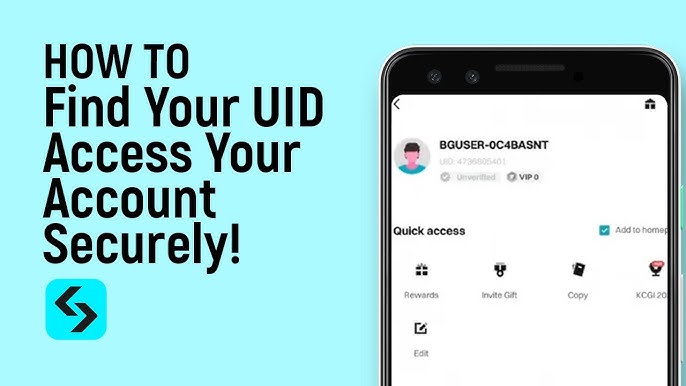
- Click your user avatar or profile icon in the top navigation bar.
- Open your account settings or dashboard view.
- Locate your unique User ID (UID) listed directly beneath your username.
- Ensure you are logged into this verified profile before initiating any balance recharge.
XPTopup will never ask for your account password, email login credentials, or two-factor authentication codes to add funds to your wallet.
Available Wallet Credit Tiers and Spending Flexibility
XPTopup offers structured recharge denominations designed to fit diverse spending requirements. You can select smaller top-up amounts for casual purchases or larger tiers for multi-game transactions and seasonal bundles. Exact pricing and currency conversions update dynamically on the live order page.
| Wallet Credit Tier | Ideal Use Case | Checkout Advantage |
|---|---|---|
| Starter Tier | Small microtransactions and basic item packs | Instant single-click payment without entering card details |
| Standard Tier | Monthly passes, battle passes, and standard currency packs | Covers recurring monthly purchases with zero payment delays |
| Pro Tier | Multi-game top-ups and mid-tier digital bundles | Holds reserve balance ready for scheduled 2026 title updates |
| Elite Tier | High-value currency packs and collector editions | Maximum transaction speed across multiple store items |
All balance tiers remain active in your account until spent, allowing you to use your funds across separate orders at your own pace.
Supported Payment Gateways and Multi-Currency Options
XPTopup provides flexible, region-specific payment processing for users worldwide in 2026. The live checkout automatically recognizes your location and presents compatible local payment gateways, eliminating manual currency conversion hassle.
- Credit and Debit Cards: International Visa, Mastercard, and regional debit networks.
- Digital Wallets and E-Wallets: Localized e-wallet systems for swift mobile payments.
- Direct Online Banking: Secure bank transfer options supported by certified financial clearing networks.
- Localized Payment Terminals: Region-specific retail and online cash options where supported.
Review the live checkout screen for real-time exchange rates, applicable local fees, and final totals before submitting your order.
How to Use Wallet Balance for Faster Checkout on Future Orders
Once you buy wallet balance, spending it is straightforward across the entire digital catalog:
- Browse XPTopup and select the game top-up, currency bundle, or digital voucher you want to purchase.
- Input your player ID, server, or delivery email as required by that specific game product.
- Proceed to the payment screen.
- Select Wallet Balance as your primary payment method.
- Confirm the transaction. The purchase amount deducts immediately from your balance, and your game item processes without external gateway redirection.
If your order total exceeds your available balance, you can combine your wallet funds with another supported payment method on the live checkout screen to complete the remaining difference.
Troubleshooting Common Recharge Issues and Checking Balance Status
If your wallet balance does not display your new funds immediately after completing a transaction, use these verification steps:
- Check Your Order History: Open your profile and visit the My Orders section. Confirm whether your recharge transaction status shows as Completed, Processing, or Pending.
- Refresh Your Account Dashboard: Log out and log back in, or perform a hard refresh on your browser to force a balance sync.
- Verify Payment Deduction: Check your bank or e-wallet account to ensure the transaction successfully cleared on the payment provider side.
- Contact Customer Support: If your payment cleared but your balance does not update within a few minutes, copy your Transaction ID and reach out directly to XPTopup 2026 24/7 customer support for immediate manual verification.
Frequently Asked Questions About Wallet Balance
How do I add money to my wallet balance?
Log in to your XPTopup account, choose your preferred balance recharge denomination, select your payment method on the live checkout screen, and complete the payment. The funds credit directly to your account profile upon successful payment clearing.
What does wallet top up mean?
A wallet top up means adding prepaid credit directly to your XPTopup digital store account. Instead of paying with a debit or credit card for every individual order, you use this preloaded store balance to instantly pay for game currencies, gift codes, and game passes.
How can I use my wallet balance for game purchases?
When buying any digital product on XPTopup, select Wallet Balance as your payment option at checkout. The total amount is deducted directly from your account balance with zero processing delay.
Do I need to provide account passwords to recharge my wallet balance?
No. You never need to share passwords, email access, or sensitive personal login credentials to top up your balance. Recharges process securely through official payment gateways linked to your verified user profile.
What should I do if my wallet balance does not update after recharge?
First, check your order status under My Orders in your account dashboard. If the payment was completed from your banking app but your balance remains unchanged, refresh your session or contact XPTopup customer service with your order reference number for rapid assistance.
Can wallet balance funds be transferred to a bank account?
No. Wallet balance funds represent digital store credit intended solely for purchasing products, top-ups, and vouchers on the XPTopup platform. They cannot be withdrawn, refunded to a bank account, or transferred directly to external financial institutions.
Current package prices
Current package prices are shown below. Prices exclude Tax. Tax, payment fees and applicable coupons are shown at checkout.
| Package | Price |
|---|---|
| 20 USD | USD 18.00 |
| 50 USD | USD 45.00 |
| 100 USD | USD 90.00 |
| 200 USD | USD 180.00 |
| 500 USD | USD 450.00 |