Hoob Live Top Up: Direct and Secure Voice Chat Coin Delivery
Getting your Hoob Live top up allows you to participate actively in dynamic voice rooms, support broadcasters, and customize your profile appearance. Hoob Live connects communities worldwide through real-time audio interaction, social rooms, and interactive mini-games. Coins serve as the primary virtual currency within the platform, enabling users to send digital gifts, enter broadcast rooms with special effects, activate custom entrance animations, and increase their profile prestige.
XPTopup provides an efficient platform to buy Hoob Live coins directly using your unique Player ID. With continuous 24/7 web availability and direct processing, you can top up your account balance at any time without waiting for manual operating windows or scheduled daily maintenance downtime.
How to Top Up Hoob Live Coins on XPTopup
Recharging your balance on XPTopup takes only a few quick steps. Because the process relies exclusively on your numeric Player ID, you never need to share sensitive login credentials.
- Select Your Coin Package: Choose the desired quantity of Hoob Live coins from the package options displayed on the live checkout interface.
- Enter Your Player ID: Input your unique numeric Hoob Live Player ID into the designated field. Double-check the digits to ensure accurate delivery.
- Choose Your Payment Method: Pick your preferred payment method from the available regional and global options shown at checkout.
- Complete Checkout: Finalize the payment. The coins will credit directly to your in-app balance once the transaction processes.
- Check Your In-App Balance: Open the Hoob Live application on your mobile device, access your profile or wallet tab, and verify that your updated coin balance is reflected.
Where to Find Your Hoob Live Player ID
Locating your numeric Player ID inside the Hoob Live app is straightforward and takes less than a minute. You need this number so XPTopup can route your coin package to the correct profile.
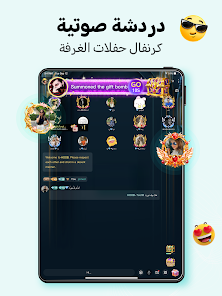
Follow these simple steps inside the mobile app:
- Open the Hoob Live application on your mobile device.
- Tap the Profile or Me icon located in the lower right corner of the main navigation bar.
- Look directly below your profile picture and display name on your personal page.
- Find the label marked ID or UID, followed by a series of numbers.
- Tap the copy icon next to the number or write the digits down carefully to paste directly into the XPTopup checkout field.
Uses of Hoob Live Coins and Gifts in Voice Chat Rooms
Coins are the backbone of interaction in the Hoob Live community. When you recharge your coin balance, you gain access to a variety of social tools and interactive room features:
- Sending Animated Virtual Gifts: Send digital gifts such as flowers, luxury cars, castles, and animated room effects to room hosts and guest speakers. Gifting increases host popularity rankings and places your profile on the room leaderboard.
- Unlocking Exclusive Entrance Effects: High-tier coin expenditures grant custom entrance banners and sound effects, notifying everyone in a voice room when you enter.
- Purchasing Profile Decorations: Use your coin balance to obtain unique avatar frames, chat bubble themes, and special profile badges that display your account level.
- Participating in Room Minigames: Many voice chat rooms host interactive games and lucky draws that require virtual coins to join.
- Supporting Community Broadcasters: Gifting directly supports your favorite room creators, helping them grow their channels and unlock special platform achievements.
Safe and Secure Password-Free Recharge Process
Account safety is essential for voice room community members. Traditional recharge methods that ask for login emails, phone numbers, or passwords expose accounts to potential unauthorized access or suspension.
XPTopup operates on a direct ID-based architecture designed for maximum user security:
- Zero Password Requirement: You only provide your public Player ID. We never ask for your account password, security questions, or linked social media logins.
- No Account Sharing: Your personal account credentials stay completely private on your device.
- Protected Transactions: All checkout channels use industry-standard encryption protocols, ensuring your financial details remain safe and private.
- Continuous 24/7 Availability: Orders process automatically around the clock without manual shift restrictions or daily operational downtime.
Hoob Live Coin Package Sizes and Account Balance Verification
Choosing the right coin package depends on how you interact in voice chat rooms. Whether you want to send casual daily reactions or support major host battle events, XPTopup offers flexible coin tiers. All real-time pricing and currency rates are displayed directly on the live checkout interface.
| Package Tier | Common In-App Uses | Verification Step |
|---|---|---|
| Starter Tiers | Casual room reactions, micro-gifts, basic chat stickers | Check Profile > Wallet immediately after payment |
| Mid-Level Tiers | Multi-gift combos, special entry banners, room minigames | Refresh voice room lobby or reopen the app |
| Event Tiers | High-value room gifts, leaderboard pushes, rare avatar frames | Check in-app transaction log under coin history |
To verify your balance after completing a recharge:
- Exit to your device's home screen and reopen the Hoob Live app to trigger a data refresh.
- Go to Profile > Wallet (or My Coins).
- Verify that your total coin count has increased.
- If the balance has not updated, pull down on the profile screen to refresh the app cache.
Troubleshooting Hoob Live Top Up Delays and Order Errors
While ID-based recharges process rapidly, occasional network lags or input errors can cause temporary delays. Follow these troubleshooting steps if you encounter an issue:
- Double-Check the Entered Player ID: Ensure you copied the exact numeric ID without extra spaces or mistaken digits. If you accidentally entered another user's ID, the order routes to that account upon processing.
- Restart the App: Close Hoob Live completely from your active background applications and relaunch it. Cached balance data often updates only after a fresh session starts.
- Confirm Payment Status: Check your banking or payment account statement to confirm the transaction went through successfully.
- Check In-App Transaction History: Inside the Hoob Live wallet, review the recent coin deposit logs to confirm if the credit has registered on the server.
- Contact 24/7 Support with Details: If your balance does not reflect your purchase after a few minutes, reach out to XPTopup customer service. Provide your order number, payment confirmation, and your Hoob Live Player ID for prompt investigation.
Frequently Asked Questions About Hoob Live Top Up
How do I top up Hoob Live coins using my Player ID?
Select your preferred coin package on XPTopup, enter your numeric Hoob Live Player ID, choose your payment option, and complete the checkout. Your coins will be credited directly to your account.
Where can I find my Hoob Live Player ID in the app?
Open the Hoob Live app, tap the Profile icon in the bottom right corner, and locate the numeric ID displayed under your avatar and username.
Do I need to provide my account password to recharge Hoob Live?
No. Recharging on XPTopup requires only your public Player ID. You should never share your account password or SMS verification codes with anyone.
What should I do if my Hoob Live coins do not arrive immediately?
First, close and restart your Hoob Live app to clear the cache and refresh your wallet balance. If the coins still do not show, verify your payment receipt and contact XPTopup customer support with your order ID and Player ID.
Can I top up Hoob Live coins for a friend with their Player ID?
Yes. You can send coins to friends or favorite room hosts by entering their numeric Player ID instead of yours during the XPTopup checkout process.
What are Hoob Live coins used for in the app?
Hoob Live coins are used to send animated virtual gifts to room hosts, unlock custom profile frames and chat bubbles, activate entrance effects, and participate in room minigames.
Current package prices
Current package prices are shown below. Prices exclude Tax. Tax, payment fees and applicable coupons are shown at checkout.
| Package | Price |
|---|---|
| Hoob live - Hoob live*70000 | USD 0.97 |
| Hoob live - Hoob live*100000 | USD 1.38 |
| Hoob live - Hoob live*200000 | USD 2.76 |
| Hoob live - Hoob live*500000 | USD 6.90 |
| Hoob live - Hoob live*700000 | USD 9.66 |
| Hoob live - Hoob live*1000000 | USD 13.80 |
| Hoob live - Hoob live*2000000 | USD 27.59 |
| Hoob live - Hoob live*5000000 | USD 68.99 |
| Hoob live - Hoob live*10000000 | USD 137.97 |