

Learn how to join Knives Out preview beta server builds on iOS and Android, bypass slot caps, test new tactical maps, and inspect upcoming patches early.
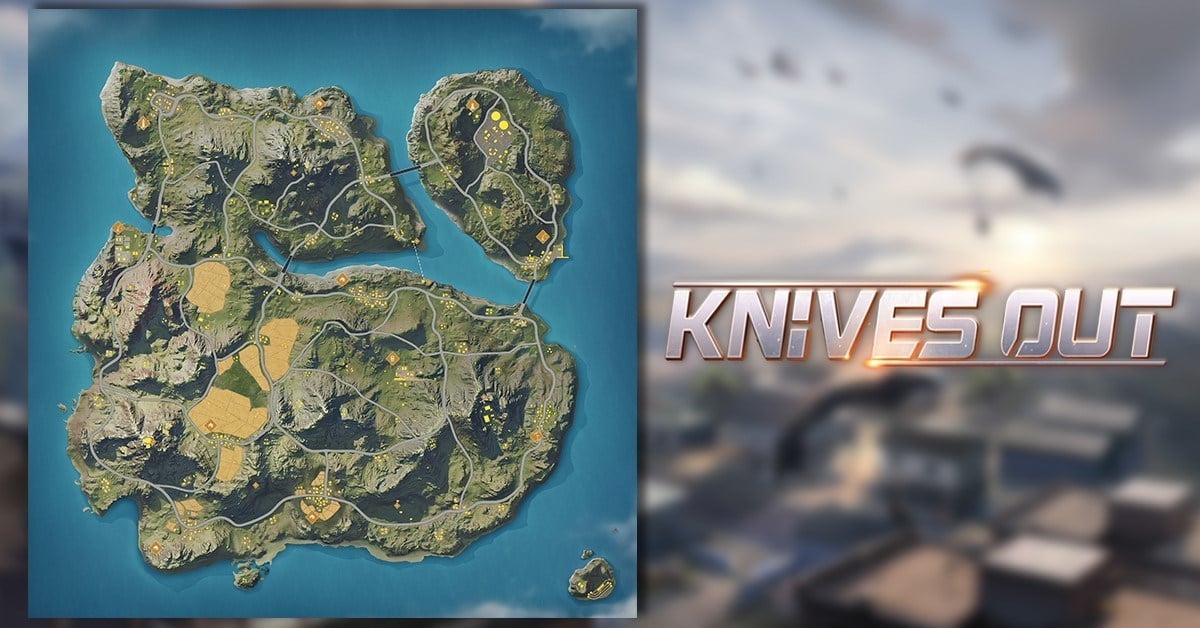
Getting into an advance build for NetEase's tactical battle royale is the fastest way to see where weapon balancing and map design are headed. Knives Out drops 100 players onto a vast 6.4 km by 6.4 km terrain packed with hills, rivers, villages, and dense towns. When the development team retools an urban drop zone or experiments with a new vehicle handling profile, they do not just push it directly to live global servers. They stage it first in an isolated preview environment.
Securing a seat takes preparation. The advance server is not a secondary account for ranking up or hoarding skins; it is a testing environment built to expose broken collision meshes, diagnose memory leaks, and track combat telemetry during 15 to 20 minute matches.
Getting in requires understanding how recruitment cycles run, where to pull valid installation packages, and how seasonal wipes wipe the slate clean.
Knives Out Advance Server Qualification and Access Tiers
NetEase stages preview builds through regional publishing branches in China, Tokyo, Seoul, and Irvine. Depending on which division runs the test, qualification filters down to device stability, regional ping, and historical survey participation.
On Android, the preview client requires Android 5.0 or higher. Running the baseline OS is only the first hurdle; background crash reporting and active telemetry consume noticeable CPU and memory headroom. Testers who file detailed, actionable bug reports consistently get priority entry into subsequent cycles.
Advance server eligibility generally breaks down across two testing groups:
- Internal Developer Groups: Capped strictly at 100 internal developer testers who handle admin, engineering, and marketing builds.
- External Preview Groups: Public and semi-private pools supporting up to 10,000 external participants under standard platform test distribution.
- Device Coverage: Registered testers can run builds across as many as 30 devices per account without needing individual hardware provisioning.
If you drop out of matches frequently or refuse to complete post-match diagnostic surveys, your testing slot gets revoked and reassigned to the waitlist.
Android Installation: Sourcing the Wilderness Action Package
Android offers the most direct path into advance testing, though regional branding often trips up applicants. NetEase distributes the client under the name Wilderness Action across several Asian repositories and storefronts. Searching strictly for "Knives Out Preview" leads to broken links or outdated third-party mirrors. Look for official APK packages carrying the regional title instead.
Here are the platform requirements you must verify before downloading test packages:
| Build Platform | Required Specification | Lobby Capacity & Testing Profile |
|---|---|---|
| Android Preview Build | Android 5.0 or higher | 100-player lobbies, 15–20 min match loop, high storage allocation |
| Apple TestFlight Client | iOS 13.0+ / TestFlight App | Up to 10,000 external seats, automated diagnostic telemetry |
| Desktop PC / Console Client | Windows PC, PS4, Nintendo Switch | Cross-platform build testing across the full 6.4 km x 6.4 km map |
The baseline specifications above ensure your device can handle uncompressed developmental assets without sudden frame drops during intense 100-player encounters.
To install the test APK:
- Confirm your Android version is Android 5.0 or higher through your phone settings.
- Enable third-party installations within your device security preferences for your browser.
- Source the verified Wilderness Action advance test APK package from the official testing announcement.
- Install the package alongside your retail game. Official preview builds install as a separate package ID, meaning you do not have to overwrite your standard retail installation.
- Launch the client and allow the patcher to download initial language packs. Early testing builds historically supply English and Japanese language packs for UI navigation.
Do not install modified APK files from unverified file-sharing forums. Preview clients exchange unencrypted error reports with debugging servers; modified binaries expose your device credentials to serious security risks.
iOS TestFlight Access: The 10,000 Tester Ceiling
iOS testing relies on Apple's TestFlight framework, which enforces strict platform boundaries rather than open APK side-loading.
Apple caps external beta testing groups at 10,000 testers per testing cycle. When NetEase drops an invitation link on official communication boards, that 10,000-seat quota fills up within hours. If you tap an invitation link and see an alert stating the beta is full, you cannot force your way in until the developers purge inactive accounts.
Follow these steps to lock in your iOS preview seat:
- Download and install Apple TestFlight from the App Store on your iOS device.
- Open the official Knives Out preview recruitment notice and locate the public TestFlight invitation URL.
- Tap the link on your mobile browser. If seats remain open, TestFlight opens automatically and displays the Knives Out advance build profile.
- Accept the invitation and tap "Install." The beta client downloads directly to your device.
- If the link displays an error saying the build reached its capacity limit, check back following patch days. NetEase frequently removes non-responsive participants to free up seats for fresh testers.
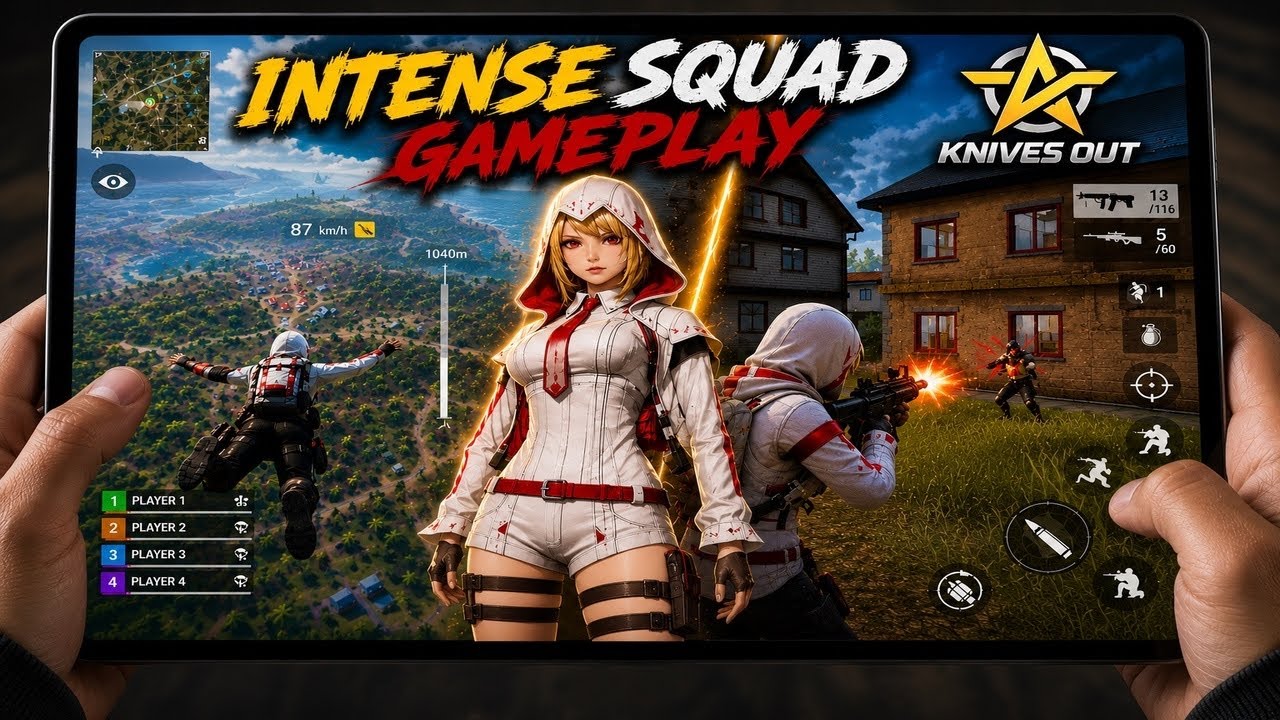
TestFlight provides built-in diagnostic tools that work differently than standard in-game support forms. If your client freezes when driving through a riverbed or dropping into an urban hot zone, you can capture a screenshot, mark it up directly with the native iOS drawing tools, and send the crash log with system diagnostics straight to the engineering team.
Submitting the Knives Out Beta Test Recruitment Form
Before major system updates, the team issues recruitment questionnaires. These intake forms filter out players who do not match the specific hardware or geographic profiles needed for that testing phase. Skipping these forms usually means missing out on closed test invitations.
When the intake window opens, you are asked to provide:
- Your active Knives Out Character ID and server region.
- Exact device specifications (SoC, RAM capacity, and operating system build number).
- Average weekly playtime and preferred modes (solo, duo, or tactical squads).
- Familiarity with alternative battle royale formats and previous testing experience.
Be completely honest about your device specs. NetEase intentionally distributes preview slots across low-end, mid-range, and flagship hardware. If the development team needs to assess frame-rate degradation on an older Android 5.0 chip, falsely claiming you run the latest flagship device gets your application tossed out immediately.
Upcoming Patch Test Builds: Confirmed Roadmap vs Experimental Features
Every test build packages a mixture of confirmed assets destined for global release and experimental prototypes that might never escape the laboratory. Knowing the difference stops you from building false expectations around balance changes.
The core battle royale structure remains consistent across builds. Matches drop 100 airborne players into the 6.4 km by 6.4 km arena, forcing teams into safe zones as poisonous gas spreads across the perimeter. Matches run on a standard 15 to 20 minute pacing cycle, using the virtual directional cross pad on the left of the touch HUD and combat actions—shooting, jumping, ducking—on the right.
Here is how current patch adjustments break down across reliability tiers based on verified developer updates:
| Planned Feature / Mechanic | Implementation Status | Source & Reliability |
|---|---|---|
| Multi-Platform Synchronization | Confirmed | Official developer cross-platform roadmap (High confidence) |
| Dual Language Debug UI (EN/JP) | Confirmed | Active client distribution builds (High confidence) |
| High-Density Urban Mesh Rebuilds | Experimental | Patch preview test cycle logs (Medium confidence) |
| Dynamic Gas Dispersion Timing | Prototype | Internal balance branch trials (Low confidence) |
Confirmed entries represent features moving into global release pipelines, while experimental mechanics remain subject to complete cancellation based on tester feedback.
Notice the distinct gap between confirmed mechanics and experimental tuning. If the dev team tests a radical change to gas closing speeds or vehicle fuel rates, it does not guarantee that change reaches the retail version. In-game surveys let you register whether a mechanic feels tactical or purely frustrating.
Test Server Wipe Rules, Microtransactions, and Economy
Testers frequently log into preview builds and wonder where their cosmetic wardrobe went. Knives Out preview environments run in total data isolation: nothing unlocked, earned, or tweaked inside a test build transfers back to your production profile.
[ Retail Server Account ]                 [ Preview Beta Build ]
       |                                           |
  Rank Progress ---------(NO SYNC)----------> Static Account Data
  Purchased Outfits -----(NO SYNC)----------> Temporary Test Gear
  Vouchers Balance ------(NO SYNC)----------> Staged Currency Pool
       |                                           |
  Global Leaderboards <--(NO SYNC)----------- Local Match Testing
When you participate in beta testing, you operate under strict test server wipe rules:
- Periodic Account Wipes: Every testing phase ends with a total database wipe. Your test match count, kills, and provisional rankings disappear completely when the testing window closes.
- No Store Mirroring: Real-money microtransactions are completely disabled inside test builds. The client gives you temporary developer allowances to test store mechanics, but these credits hold zero cash value.
- Currency Isolation: Knives Out uses Vouchers as its core in-game currency across live platforms to acquire cosmetic outfits, accessories, and seasonal items. Vouchers you own on the retail client will not appear in the test build.
If you want to dress your character in the latest gear, you must do that on your primary global account. You can buy Knives Out vouchers through xptopup to pick up character outfits and weapon finishes on the live retail server without risking your funds in experimental testing builds.
Production Environment vs. Advance Preview Client
Operating both clients on a single device requires understanding their structural differences. The table below illustrates why test servers behave differently than the live environment:
| Operational Factor | Live Production Client | Advance Preview Client |
|---|---|---|
| Primary Server Goal | Competitive stability, matchmaking | Bug tracking, asset stress testing |
| Match Pacing | 15–20 minutes, 100 players | 15–20 minutes, 100 players (bots fill empty slots) |
| Supported Platforms | iOS, Android, PC, PS4, Switch | Primarily Android APK and iOS TestFlight |
| In-Game Economy | Active Vouchers, cosmetics store | Mock currency, all purchases wiped at season end |
| Performance Target | Stable 60 FPS across qualified tiers | Frame drops expected during diagnostic logging |
Running preview builds requires accepting frequent client crashes and visual bugs that would be unacceptable in the live production client.
Because the preview client runs resource-intensive diagnostic logs, performance stutters are common. When you want smooth competitive play, jump back to the standard retail version. When you load your main profile on mobile or PC, you can use Knives Out vouchers top up options to grab passes and accessories on a stable client.

Historical Launch Data and Deployment Realities
Staggered regional milestones explain why preview availability often looks unpredictable. Archive records document the global Open Beta Test launch on November 23, 2017, following an initial regional rollout on November 3 that logged over 50 million downloads. Meanwhile, third-party distribution registries list the game's foundational release date as November 14, 2017.
This gap highlights standard NetEase deployment strategy: code moves across regional milestones rather than through a synchronized worldwide launch. Feature branches progress from Asian testing environments to Western builds over weeks. Testers accessing servers hosted in Tokyo or mainland China should expect higher ping, rough localization, and untranslated interface strings.
Troubleshooting Test Build Failures and Error Prompts
Preview builds break. It is their job to break under edge-case conditions so live servers run cleanly. If you run into installation or connection hurdles, run through these troubleshooting checks:
- "App Not Installed" Error on Android: This almost always means insufficient internal storage. Even if the base package is a modest download, unpacking the 6.4 km terrain assets requires multiple gigabytes of free overhead. Clear unused apps and verify your OS is running at least Android 5.0.
- "Beta Is Full" Notice on TestFlight: Apple's 10,000-user cap is enforced at the platform level. If the developer has not purged inactive accounts, no amount of link refreshing will grant access. Watch for recruitment waves that accompany major patch announcements.
- Network Connection Timeout: Preview servers are frequently hosted in specific regional centers. If matchmaking hangs indefinitely, the test server cluster may be down for maintenance or undergoing an asset hotfix.
- Touch HUD Misalignment: Because test builds introduce unoptimized screen-scaling profiles for newer displays, your virtual directional pad or right-side action buttons might render off-center. Reset your custom layout to defaults within the settings menu to recalculate screen anchors.
If a build crashes repeatedly on startup, avoid brute-forcing restarts. Record your OS build, phone model, and the actions leading to the freeze, then file the log through TestFlight or the official recruitment intake link.
FAQ
How can I join the Knives Out beta or preview test on iOS?
You can join using an Apple TestFlight invitation link or direct email invite sent by the developers. Once accepted, the preview build installs directly to your Apple device via the TestFlight app.
What are the minimum system requirements for the Knives Out Android client?
The Android client requires Android version 5.0 or higher. Ensure your device has sufficient storage to accommodate map and texture downloads.
How many testers can join an iOS preview beta via TestFlight?
TestFlight supports up to 10,000 external testers per testing group. Public links will stop accepting new sign-ups once that limit is reached.
What size is the Knives Out battle royale map used in testing?
The primary Knives Out battleground covers a 6.4 km by 6.4 km mapped area. It features varied environments including towns, rivers, and mountain terrain.
Which game modes can players test in Knives Out?
Players can test solo, duo, and tactical squad modes. All formats drop up to 100 players into the arena for 15 to 20 minute survival matches.
How do preview beta testers report bugs or game crashes on iOS?
Testers can submit bug reports and annotated screenshots directly within the TestFlight app interface. Crash data is logged automatically and routed to the development team.
What virtual currency is used in Knives Out?
The primary virtual currency is called Vouchers. Players use Vouchers to purchase character outfits, weapon cosmetics, and accessories.
Can I transfer skins or rank from the test server to my main account?
No, test servers run on isolated databases that do not sync with live production profiles. All progress, match records, and temporary items granted during a test build are wiped when the testing phase ends.
The Tester's Reality: Advance Servers vs. Live Play
Advance builds offer an unfiltered look at upcoming balance passes and terrain revisions. You can evaluate weapon recoil shifts before they hit public patch notes, inspect structural changes across the 6.4 km by 6.4 km map, and report critical flaws before they reach production servers.
Testing is inherently unstable. Expect sudden disconnects, bot-filled lobbies, frame dips during diagnostic logging, and scheduled database resets that wipe all progress. For persistent rank progression and permanent inventory, remain on the live client.
When you are ready to put down the experimental test build and jump into ranked 100-player lobbies on production servers, pick up your discounted Knives Out vouchers to secure the newest seasonal battle pass and exclusive cosmetics on your permanent account.






Comments