

Tip: need Echoes for Journalist skins or Illusion Hall pulls? Use Identity V Echoes top-up on XPTopup with User ID + server. No password.
Identity V Journalist look back & Insta Orphy cheat sheet (July 2026)
Updated on 2026-07-28: mobile look-back thumb split, hunter-specific camera habits, and Insta Orphy aim-to-pallet rules for Containing Angle.
Skill | What you do | Common fail |
|---|---|---|
Look back | Left thumb holds move direction; right thumb swipes camera to the Hunter | Stare forward the whole chase and eat a surprise hit |
Look front again | Snap the camera forward before a corner, pallet, or vault | Keep looking back and walk into a wall or dead zone |
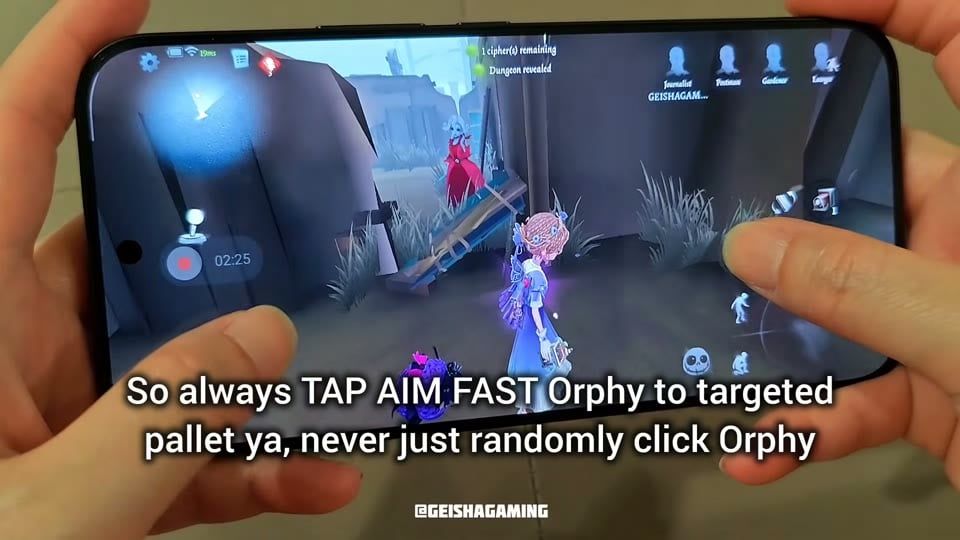
Insta Orphy | Tap Camera, aim the blue frame at a live pallet, confirm fast | Blind-tap Camera with no pallet target |
Hunter read | Change look rhythm by Hunter kit (hooks vs statues vs mirrors) | One camera habit for every Hunter |
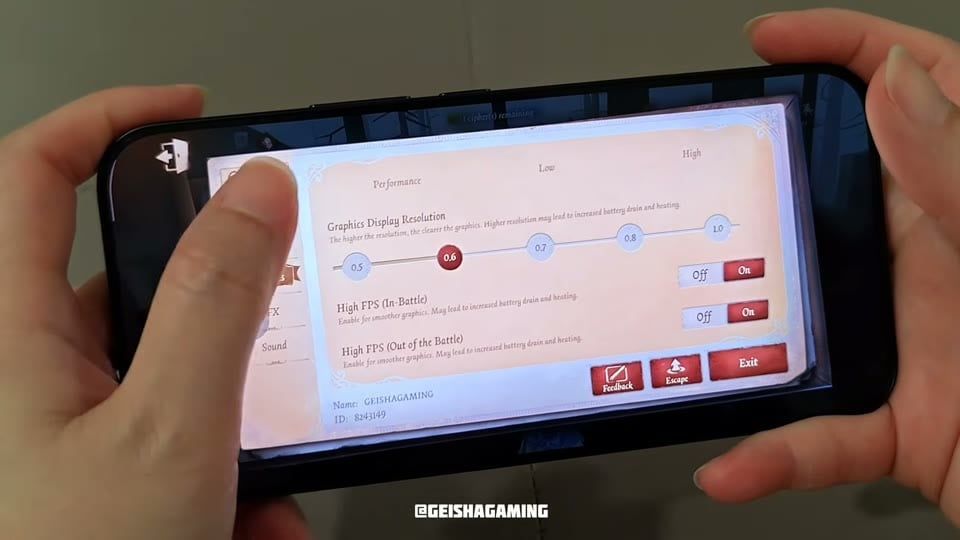
Mobile settings that keep look back and Insta Orphy clean
Setting | Path | Value that helps | Why |
|---|---|---|---|
Camera Control Button | Settings → Combat | Off | Free right-thumb drags for look back while you run |
Graphics Display Resolution | Settings → Performance | ~0.6 | Lower draw cost so High FPS stays stable in chase |
High FPS (In-Battle) | Settings → Performance | On | Smoother camera flicks and Camera taps |
High FPS (Out of Battle) | Settings → Performance | On | Lobby and custom rooms feel the same as match pace |
Official kit baseline for the Camera Tool (Identity V Wiki — Journalist):
Containing Angle: up to 3 illusions that run to a standing pallet and can drop it on the Hunter
Rescuing Angle: 1 illusion that can chair-rescue inside range
Tap places an illusion ahead; hold charges a placeable aim
Insta Orphy is the mobile habit: aim Containing Angle at a specific pallet, then fire before the Hunter commits the hit.

Identity V Echoes
60 + 6 Echoes
 60 + 6 Echoes USD 0.82Buy Now
185 + 18 Echoes
185 + 18 Echoes USD 2.57Buy Now305 + 30 Echoes
305 + 30 Echoes USD 4.15Buy Now690 + 69 Echoes
690 + 69 Echoes USD 8.31Buy Now2025 + 202 Echoes
2025 + 202 Echoes USD 25.68Buy Now3330 + 333 Echoes
3330 + 333 Echoes USD 41.63Buy Now6590 + 659 Echoes
6590 + 659 Echoes USD 83.25Buy Now
How to look back on Identity V mobile
Step 1: Hold the phone landscape. Left thumb owns the move stick. Right thumb owns camera + Camera / interact buttons.
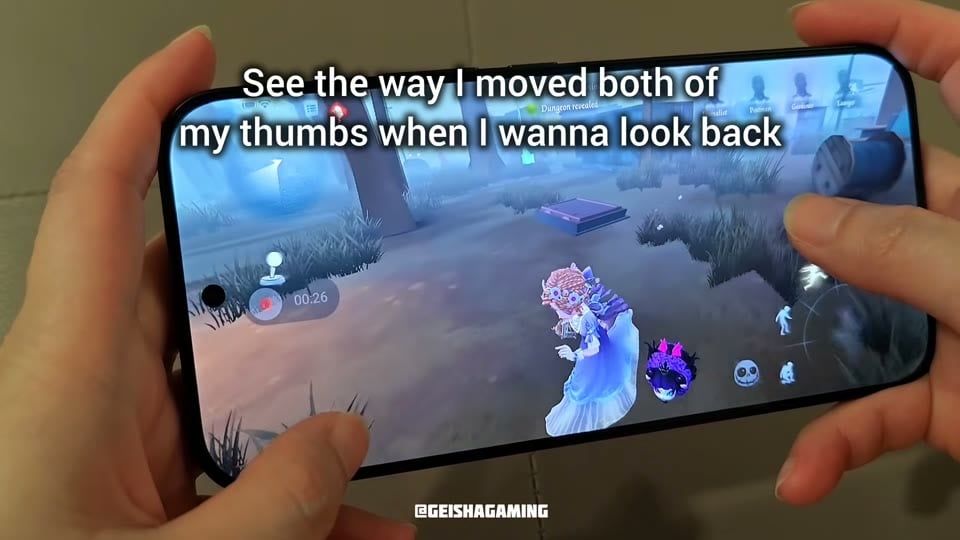
Step 2: During a chase, keep the move stick pointed at your escape line. Swipe the right half of the screen to rotate until you see the Hunter.
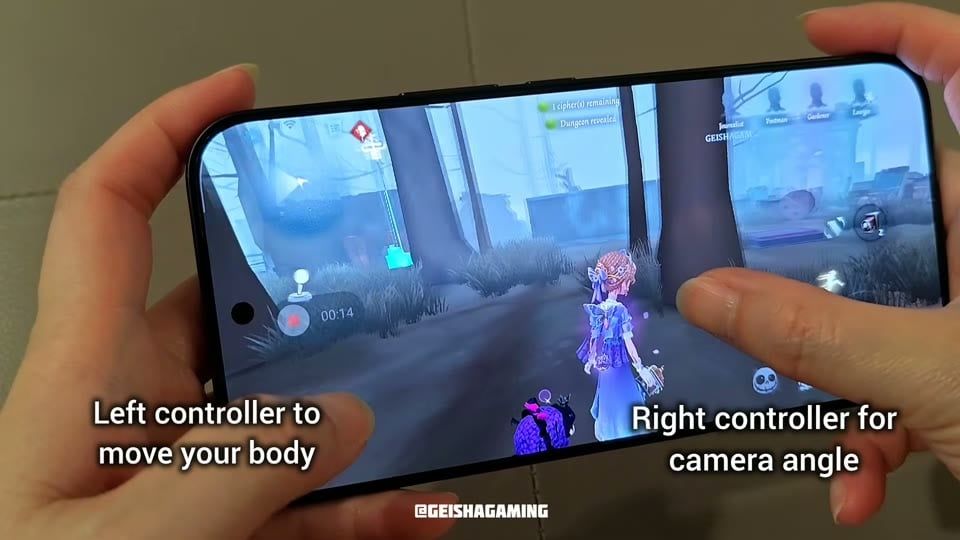
Step 3: Flick forward again before you reach a pallet, window, or tight turn so you do not body-check the map.
Step 4: Match the look rhythm to the Hunter. Gamekeeper / Bane needs more rear checks for hooks. Sculptor needs short front-back swaps so you track statues and your own path. Bloody Queen needs rear checks for mirror placement, then a quick front view so you leave open streets for cover.
Practice loop in Custom:
Spawn Journalist and a Hunter with AI or a friend.
Run a straight lane while you look back every 1–2 seconds.
Add a corner. Look back on the straight, look front before the turn.
Only then add Camera taps.
How to do Insta Orphy as Journalist
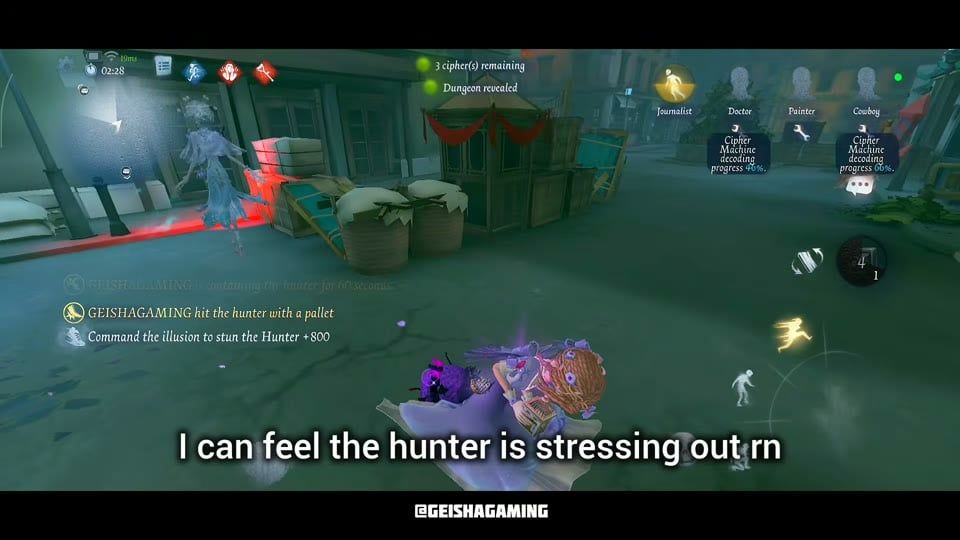
Insta Orphy = Containing Angle aimed at a pallet you plan to sell, with a fast tap-aim-confirm so the illusion arrives before the Hunter’s swing.
Step 1: Switch to Containing Angle before the chase gets messy. Keep at least one charge for the next board.
Step 2: Face a standing pallet that buys a loop (board into a building, market stall, or factory corner). Open Camera aim so the blue frame sits on that pallet.
Step 3: Confirm the cast. Tap, aim fast, fire at the targeted pallet. Blind Camera taps waste charges.
Step 4: Look back so you see when the Hunter walks into the drop window. Stay near the illusion when you want the hit-on-illusion speed boost from Surveying Angle / Exclusive.
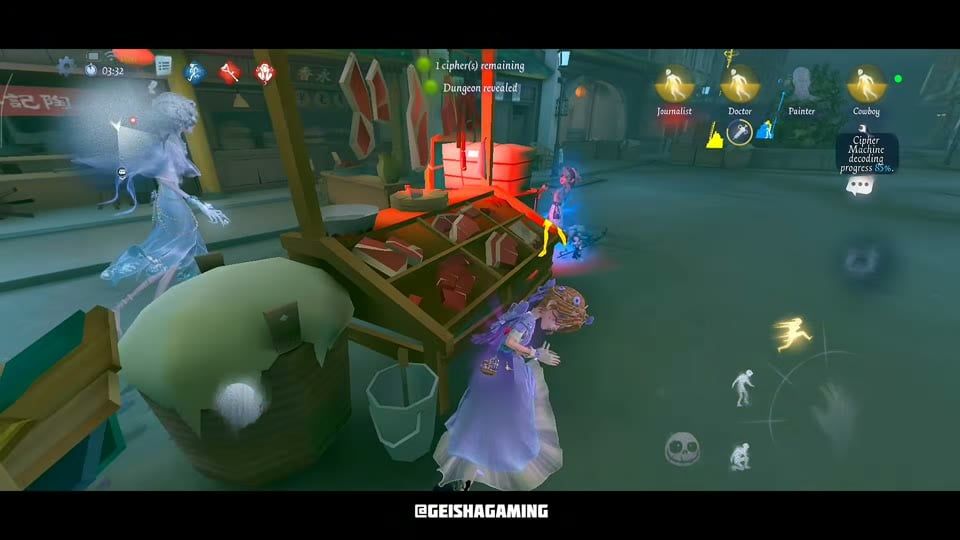
Step 5: Leave open streets that feed Bloody Queen mirrors. Sell Orphy into cover, then rotate.
Insta Orphy timing checklist
Hunter winds up near a standing pallet → aim that pallet, cast
You need a bodyblock into a window → cast on the approach path, then vault
Teammate sits on chair inside Rescuing Angle range → switch angle once; do not burn Containing charges for a free rescue you could take with the rescue charge
Illusion already active → recast cancels it; only cancel if the old path is dead
How to get more value from Journalist chases
Spend 10 minutes in Custom on look-back swaps before ranked so your thumbs learn the rhythm.
Pair Journalist with teammates who decode while you hold time (Doctor, Painter, Cowboy comps fit that job).
Track cipher count. At one cipher, check behind more often; Teleport Hunters jump to gates.
Lock the Camera habit before you spend Echoes on skins. Recharge through XPTopup Identity V Echoes when you want Illusion Hall pulls at listed pack prices.
More recharge walkthroughs sit on the XPTopup Blog.
FAQ
What is Insta Orphy in Identity V?
Insta Orphy is player slang for a fast Containing Angle cast that sends Journalist’s Orpheus illusion to a chosen pallet so it can stun or stall the Hunter. You win the exchange by aiming the cast before the Hunter’s swing lands.
How do I look back while running on Identity V mobile?
Keep the left stick on your escape line. Drag the right side of the screen to rotate the camera toward the Hunter. Set Camera Control Button to Off in Combat settings so a fixed camera button does not fight that swipe.
Do I look back the entire chase?
A locked rear view clips walls and hides vault prompts. Check the Hunter, check the board in front, then check again. Fast swaps beat long stares.
Which Hunters punish bad look-back habits?
Gamekeeper / Bane punish players who skip hook checks. Sculptor punishes players who skip front checks for statue placements. Bloody Queen punishes players who linger in open lanes while her mirror sets up. Change the camera cadence per kit.
Does Journalist need Echoes to learn look back and Insta Orphy?
The Camera Tool and look-back habit work on the base kit. Echoes buy cosmetics and essence pulls. If you top up, pick the correct server with your User ID on XPTopup Identity V.
Conclusion
Identity V Journalist look back and Insta Orphy ask for two thumbs and one aim rule: move with the left, read the Hunter with the right, and fire Containing Angle at a standing pallet. Keep this page bookmarked for the settings table and the hunter-specific camera notes. When you want Echoes for skins or pulls, recharge on XPTopup Identity V Echoes with the right UID and server.


Comments