


If your Magic Chess: Go Go Diamonds do not appear immediately after payment, force close the game client, relaunch it to refresh your server profile, and inspect your in-game mailbox for pending items. Standard top-up transactions normally settle within 15 to 30 minutes, though external payment processing holds can occasionally delay clearance for up to 24 hours.
Immediate Checks: Restart and Mailbox Inspection
Digital top-ups generally clear in seconds. Even so, client-side display lag can keep your in-game Diamond counter from updating until the app resynchronizes with the server.
- Open Magic Chess: Go Go and check the Diamond balance displayed at the top of the main lobby screen.
- If the balance remains unchanged, close the application completely—swiping it out of your recent apps tray—and relaunch it to force a server profile sync (XPTopup).
- Check your in-game mailbox. Certain promotional bundles, pass activations, or event rewards route directly to mail attachments rather than updating the numerical currency counter automatically.
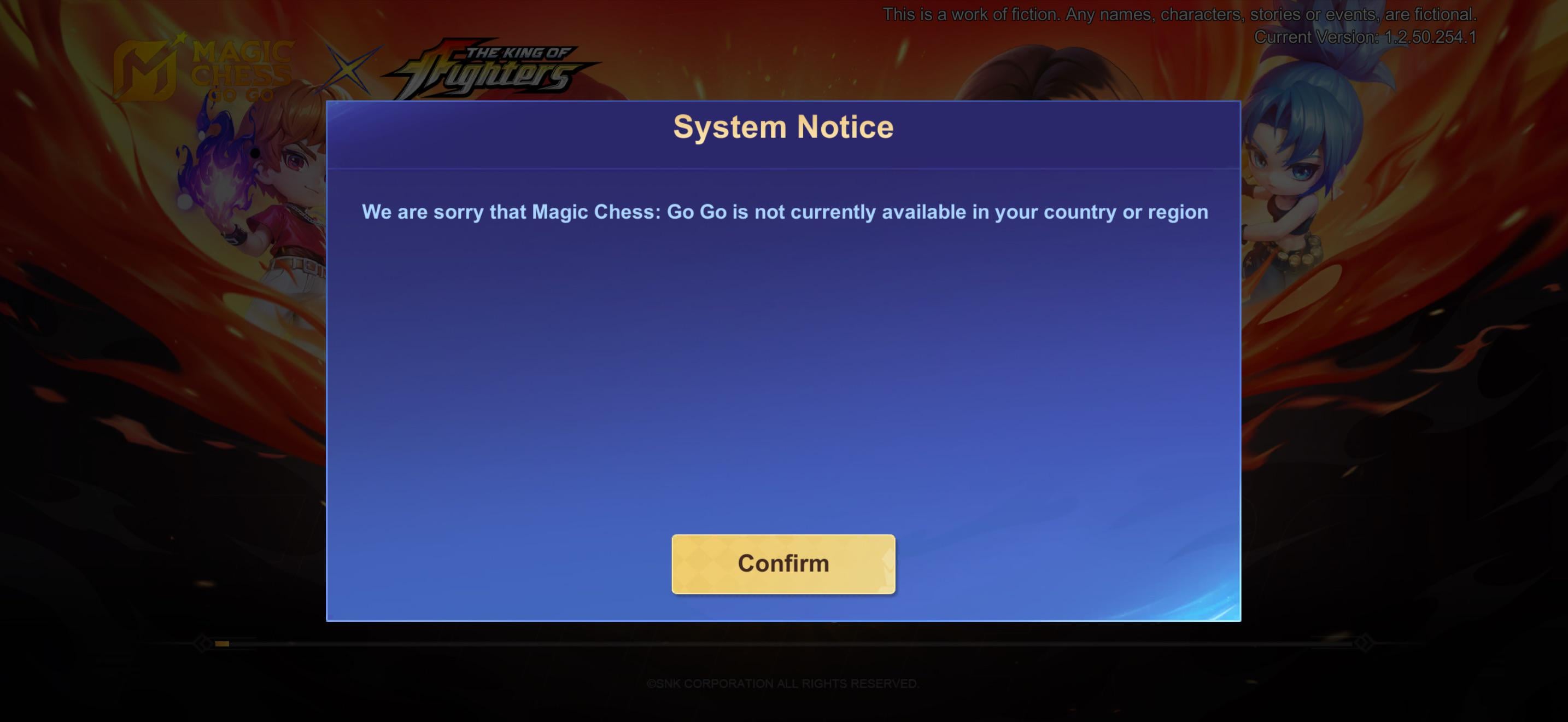
If the mailbox is empty and the counter stays static, your order is either caught in a processing window, stuck at billing clearance, or was directed to an incorrect account ID.

86 Diamonds (78 + 8 Bonus)
 86 Diamonds (78 + 8 Bonus)USD 1.06Buy Now
172 Diamonds (156 + 16 Bonus)
172 Diamonds (156 + 16 Bonus)USD 2.12Buy Now257 Diamonds (234 + 23 Bonus)
257 Diamonds (234 + 23 Bonus)USD 3.18Buy Now344 Diamonds
344 DiamondsUSD 4.24Buy Now514 Diamonds
514 DiamondsUSD 6.36Buy Now706 Diamonds (625 + 81 Bonus)
706 Diamonds (625 + 81 Bonus)USD 8.49Buy Now1346 Diamonds
1346 DiamondsUSD 15.91Buy Now1825 Diamonds
1825 DiamondsUSD 21.21Buy Now2195 Diamonds (1860 + 335 Bonus)
2195 Diamonds (1860 + 335 Bonus)USD 25.46Buy Now3688 Diamonds (3099 + 589 Bonus)
3688 Diamonds (3099 + 589 Bonus)USD 42.44Buy Now5532 Diamonds (4649 + 883 Bonus)
5532 Diamonds (4649 + 883 Bonus)USD 63.65Buy Now9288 Diamonds (7740 + 1548 Bonus)
9288 Diamonds (7740 + 1548 Bonus)USD 106.07Buy NowWeekly Pass
Weekly PassUSD 1.71Buy NowWeekly Pass x2
Weekly Pass x2USD 3.41Buy NowWeekly Pass x3
Weekly Pass x3USD 5.12Buy NowWeekly Pass x4
Weekly Pass x4USD 6.82Buy NowWeekly Pass x5
Weekly Pass x5USD 8.53Buy Now112 Diamonds ( 102 + 10 Bonus )
112 Diamonds ( 102 + 10 Bonus )USD 1.49Buy Now223 Diamonds ( 203 + 20 Bonus )
223 Diamonds ( 203 + 20 Bonus )USD 2.96Buy Now336 Diamonds ( 303 + 33 Bonus )
336 Diamonds ( 303 + 33 Bonus )USD 4.45Buy Now570 Diamonds ( 504 + 66 Bonus )
570 Diamonds ( 504 + 66 Bonus )USD 7.41Buy Now1163 Diamonds ( 1007 + 156 Bonus )
1163 Diamonds ( 1007 + 156 Bonus )USD 14.81Buy Now2398 Diamonds ( 2015 + 383 Bonus )
2398 Diamonds ( 2015 + 383 Bonus )USD 29.61Buy Now6042 Diamonds ( 5035 + 1007 Bonus )
6042 Diamonds ( 5035 + 1007 Bonus )USD 74.03Buy Now59 Diamonds ( 53 + 6 Bonus )
59 Diamonds ( 53 + 6 Bonus )USD 0.91Buy Now85 Diamonds ( 77 + 8 Bonus )
85 Diamonds ( 77 + 8 Bonus )USD 1.24Buy Now170 Diamonds ( 154 + 16 Bonus )
170 Diamonds ( 154 + 16 Bonus )USD 2.48Buy Now240 Diamonds ( 217 + 23 Bonus )
240 Diamonds ( 217 + 23 Bonus )USD 3.48Buy Now296 Diamonds ( 256 + 40 Bonus )
296 Diamonds ( 256 + 40 Bonus )USD 4.11Buy Now408 Diamonds ( 367 + 41 Bonus )
408 Diamonds ( 367 + 41 Bonus )USD 5.89Buy Now568 Diamonds ( 503 + 65 Bonus )
568 Diamonds ( 503 + 65 Bonus )USD 8.07Buy Now875 Diamonds ( 774 + 101 Bonus )
875 Diamonds ( 774 + 101 Bonus )USD 12.42Buy Now2010 Diamonds ( 1708 + 302 Bonus )
2010 Diamonds ( 1708 + 302 Bonus )USD 27.40Buy Now4830 Diamonds ( 4003 + 827 Bonus )
4830 Diamonds ( 4003 + 827 Bonus )USD 64.22Buy Now70 Diamonds ( 64 + 6 Bonus )
70 Diamonds ( 64 + 6 Bonus )USD 1.04Buy Now140 Diamonds ( 127 + 13 Bonus )
140 Diamonds ( 127 + 13 Bonus )USD 2.06Buy Now284 Diamonds ( 254 + 30 Bonus )
284 Diamonds ( 254 + 30 Bonus )USD 4.12Buy Now355 Diamonds ( 317 + 38 Bonus )
355 Diamonds ( 317 + 38 Bonus )USD 5.14Buy Now429 Diamonds ( 383 + 46 Bonus )
429 Diamonds ( 383 + 46 Bonus )USD 6.17Buy Now716 Diamonds ( 633 + 83 Bonus )
716 Diamonds ( 633 + 83 Bonus )USD 10.29Buy Now1084 Diamonds ( 940 + 144 Bonus )
1084 Diamonds ( 940 + 144 Bonus )USD 15.43Buy Now1446 Diamonds ( 1252 + 194 Bonus )
1446 Diamonds ( 1252 + 194 Bonus )USD 20.57Buy Now2976 Diamonds ( 2501 + 475 Bonus )
2976 Diamonds ( 2501 + 475 Bonus )USD 41.12Buy Now7502 Diamonds ( 6252 + 1250 Bonus )
7502 Diamonds ( 6252 + 1250 Bonus )USD 102.80Buy NowWeekly Pass
Weekly PassUSD 1.85Buy Now
Verification Windows: When Is a Top-Up Actually Delayed?
Delivery holdups typically trace back to handoffs between payment processors, banking networks, or Moonton dispatch queues rather than an outright transaction failure.
- Immediate to 15 Minutes: Typical window for automated web shops and direct app store billing to push credit signals to the game server.
- 15 to 30 Minutes: Standard delay window during peak server hours or minor network congestions (Marix).
- 1 Hour: Benchmark waiting time before concluding a transaction requires manual intervention, allowing minor batch processing backlogs to resolve.
- Up to 24 Hours: Extended verification hold window used by regional banks and international payment processors to complete fraud and security checks before releasing settlement funds.
If a full hour passes with no currency delivered and no email receipt showing processing failure, move to billing verification.
Confirming Payment Settlement on Google Play and Banks
A mobile banking notification does not confirm the publisher received settlement; financial institutions routinely hold funds under a temporary authorization status before final posting.
To verify whether Google Play processed your in-app purchase:
- Open the Google Play Store on your mobile device.
- Tap your profile icon in the top-right corner.
- Select Payments & subscriptions > Budget & history (Google Play Help).
- Review the transaction list. You can also view activity across all web transactions at
payments.google.comunder the Activity tab.
If Google Play shows the purchase as cancelled or failed, the charge will revert automatically. Financial institutions can take up to 10 business days to clear authorization holds from bank statements (Google Play Help). For third-party storefronts, check your account order history on that specific platform to confirm whether the status reads pending, processing, or completed.
The Weekly Pass Mechanic: Why Diamonds Seem Missing
Players buying the Magic Chess: Go Go Weekly Pass frequently report missing currency because they expect the full advertised amount to arrive in a single bulk delivery.
| Reward Type | Immediate Delivery | Daily Login Reward | Total Over 7 Days |
|---|---|---|---|
| Diamonds | 80 Diamonds | 20 Diamonds per day (140 total) | 220 Diamonds |
| Pass Points | 0 Pass Points | 500 Pass Points per day (3,500 total) | 3,500 Pass Points |
| Observatory Tokens | 3 Tokens | 0 Tokens | 3 Tokens |
Data sourced from Codashop.
Upon purchasing a Weekly Pass, your account receives only 80 Diamonds and 3 Observatory Tokens immediately. The remaining 140 Diamonds unlock strictly across 7 consecutive daily logins at a rate of 20 Diamonds each day. If your balance only went up by 80, your recharge did not fail; the remaining diamonds require manual daily claims.
Checking for Incorrect User ID or Zone ID
Account delivery hinges on an exact match for both your User ID and Zone ID. A single mistyped digit dispatches the currency to another player's profile.
How to Verify Your IDs
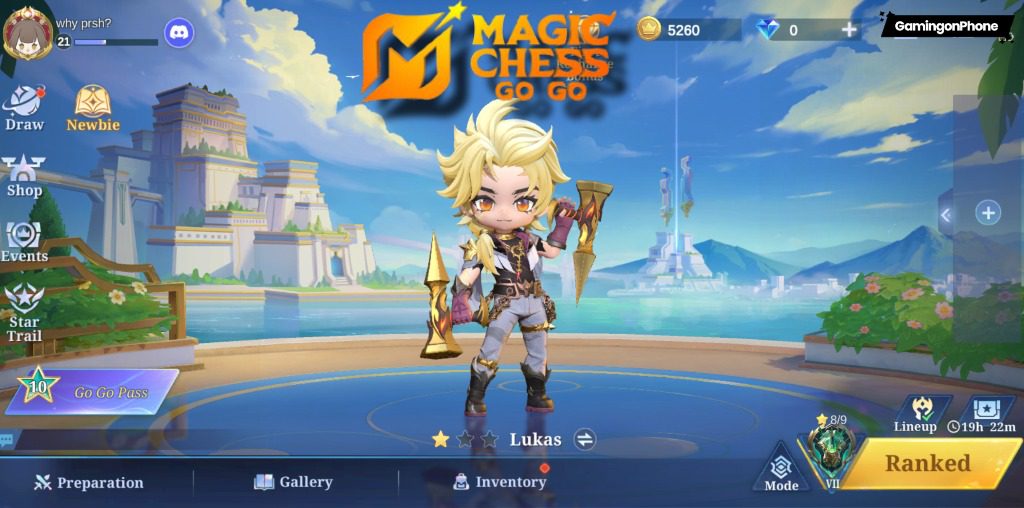
- Tap your Profile Avatar in the top-left corner of the main game lobby.
- Open the Basic Info tab.
- Locate your account identification string displayed beside your avatar. It appears in a format such as
12345678 (1234). - The primary number sequence before the parentheses is your User ID (e.g.,
12345678). The bracketed digits represent your Zone ID (e.g.,1234). - Tap the Copy icon next to the digits to copy both numbers directly to your clipboard (XPTopup).
Compare this copied string against the recipient ID shown on your purchase receipt.
Can You Reverse a Wrong-ID Top-Up?
If you entered an incorrect User ID or Zone ID, contact your storefront support team immediately. Storefronts can update destination numbers only if the order has not yet been processed by the automated dispatch queue. Once a recharge completes and delivers to an existing, valid account matching the mistyped ID, the digital top-up cannot be reversed or refunded (XPTopup).
Escalating Through Customer Support Channels
If 24 hours have passed, billing shows a completed charge, and your account credentials on the receipt match your in-game profile, escalate the issue to customer support.
In-Game Support Ticket (Elva)
- Launch Magic Chess: Go Go on your device.
- Tap the menu icon (three horizontal lines and three dots) in the top-right corner, next to the Battery and Ping icons.
- In the pop-up menu, locate the third section and select Customer Service (GamingonPhone).
- The system routes you to the customer service interface hosted by assistant Elva.
- Select Events and payment issues from the pre-defined issue categories.
- Fill out the payment inquiry form. Describe the issue clearly, enter your User ID and Zone ID, and attach clear screenshot evidence of your purchase invoice or transaction receipt.
- Tap Submit.
Alternative Support Options
If you cannot access the in-game customer service interface due to client errors, submit an inquiry via the official app support email: mobilechess.help@moonton.com (GamingonPhone). Players can also seek developer assistance through official community channels on Discord, X, or Instagram. While general MLBB tickets often route to support.mobilelegends.com, Magic Chess: Go Go lacks a dedicated support website portal, making the in-game Elva assistant and direct app email the verified resolution paths.
When buying Magic Chess: Go Go Diamonds from independent platforms, submit a ticket directly to that merchant's support desk alongside your official game ticket to cross-reference delivery logs.


Comments