

Master controls, secure your account settings, and explore fair games with our Roblox beginner guide. Avoid predatory traps and start your first week right.
Roblox is not a standalone video game. It is a hosting network and game-creation engine running millions of independent, user-built experiences. The foundation traces back to 2004 under the name DynaBlocks, before officially launching as Roblox in September 2006. Today, the catalog spans everything from roleplay towns to difficult obstacle courses.
Because anyone can publish a project, quality and fairness vary wildly. Drop into the catalog without a plan and you will hit aggressive monetization popups, broken clones, and confusing controls. This guide maps out your first seven days, cutting through the clutter so you can play safely.
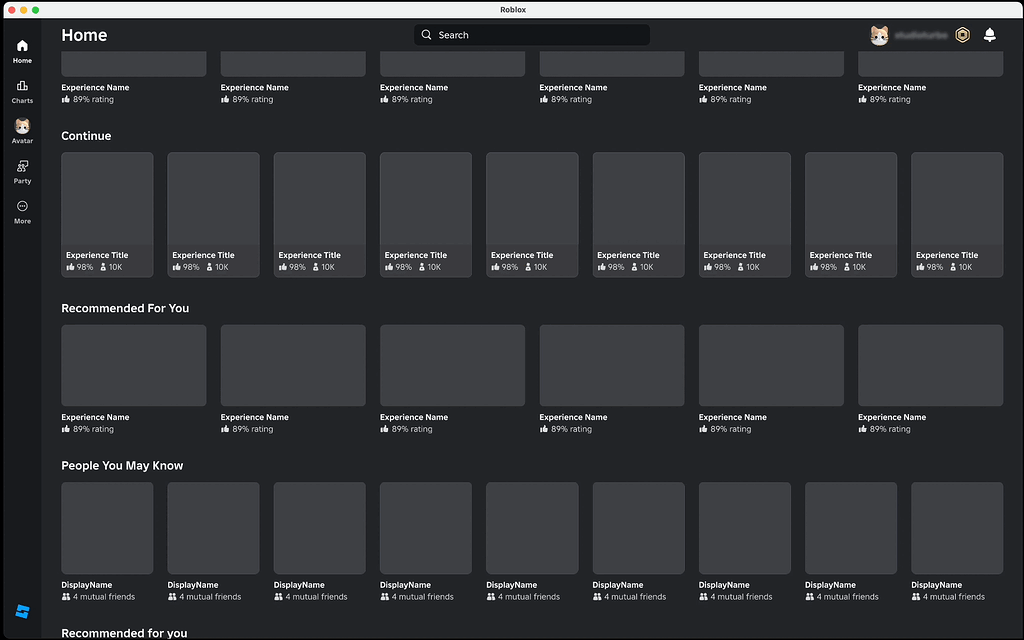
Day 1 Setup: Securing Your Account and Parental Controls
Configure your account settings before launching a single game. Skipping this leaves your profile vulnerable to account takeovers and unwanted contact.
Roblox assigns account features based on the birth date provided during registration. Accounts for players under 13 automatically restrict private messaging: they can post in public group chat inside experiences, but one-on-one direct whispering with unapproved accounts stays disabled. Players under 9 cannot enter experiences tagged with Moderate maturity labels.
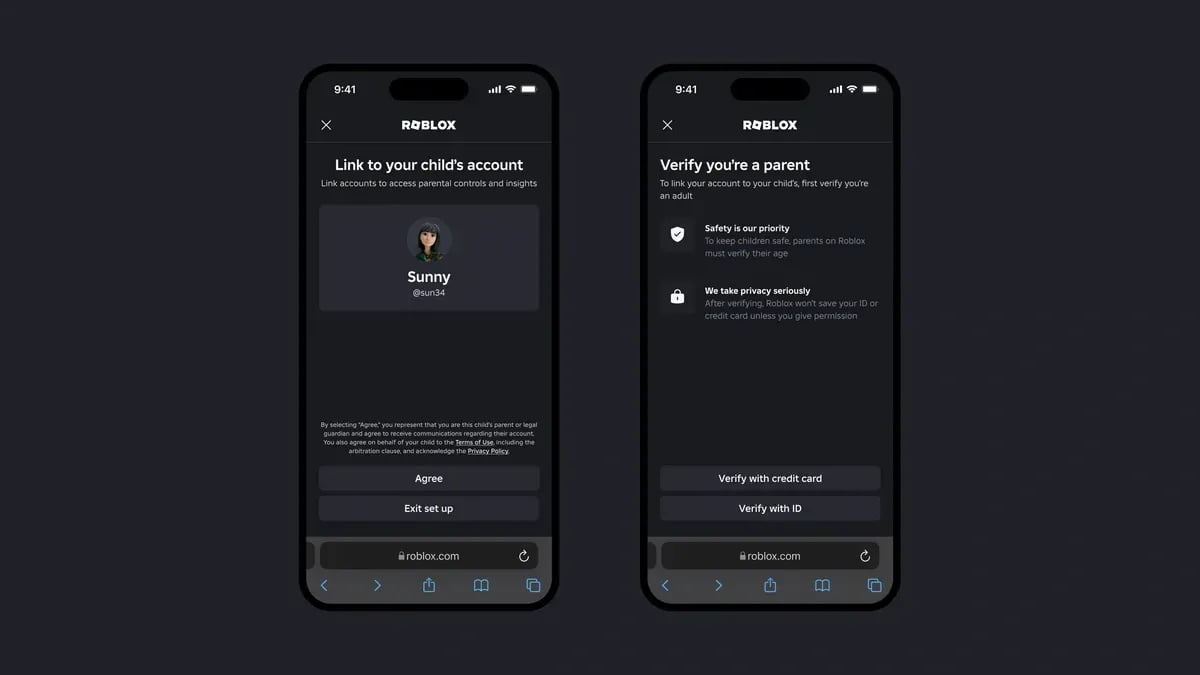
Setting up an account for a child? Link a verified parent account. Parents verify identity using a photo ID or credit card to establish administrative control. Once linked, the parent account can enforce daily screen time limits, disable text chat entirely, and lock down spending.
Third-party blogs often invent informal brackets like "Roblox Kids" (ages 5 to 9) and "Roblox Select" (ages 9 to 15). The platform itself ignores those terms. It relies solely on standardized Content Maturity Labels.
| Maturity Label | Target Audience | Content Parameters Included |
|---|---|---|
| Minimal | All Ages (Under 9 allowed) | Occasional mild violence, light unrealistic blood, or mild fear elements |
| Mild | All Ages (Under 9 allowed) | Repeated mild cartoon violence, heavy unrealistic blood, or crude humor |
| Moderate | Ages 9+ Only | Moderate violence, light realistic blood, moderate crude humor, or unplayable gambling themes |
| Restricted | Ages 17+ Only | Requires government ID and facial verification; strong violence, alcohol, intense mature content |
Takeaway: Restricting an account to Minimal or Mild filters out mature themes and blocks unvetted social experiences automatically.
Parents can also prevent unexpected charges by using a prepaid Roblox gift card balance instead of storing a live credit card on file.
Mastering the Baseline: Roblox Controls Guide
While creators program custom mechanics for individual games, 95% of desktop experiences stick to standard PC keybindings. Learn them early so you do not struggle during precision platforming.
Desktop movement relies on standard WASD or arrow keys. The mouse governs your view: hold down the right mouse button and drag to pivot the camera. Spacebar jumps. On an unrestricted account, pressing forward slash (/) opens the text chat.
Avatars get stuck in geometry. When caught in a physics glitch or a wall seam, never quit out of the client. Press Escape (Esc), open the menu, and select "Reset Character". Your avatar immediately respawns at the latest active checkpoint without dropping your connection to the server.
| Input Command | Default Action | Practical In-Game Application |
|---|---|---|
| W, A, S, D / Arrow Keys | Directional Movement | Forward, left, backward, and right avatar movement |
| Spacebar | Jump | Scaling ledges, leaping gaps in obstacle courses |
| Right Mouse Button (Hold & Drag) | Camera Rotation | Adjusting situational awareness and line of sight |
/ (Forward Slash) | Open In-Game Chat | Instant access to public text channels |
Esc Key | Main In-Game Menu | Accessing settings, volume, and the Reset Character option |
| Mouse Scroll Wheel | Camera Zoom | Switching between first-person view and third-person perspective |
Takeaway: The Esc menu Reset Character button is your quickest fix for physical avatar bugs and broken geometry.
Console players sometimes run into the system error: "You cannot see content other people make." This is not a server crash. It means your console-level privacy settings conflict with the game client. Open your console family safety settings and switch "You can see and share content" to "Everybody".
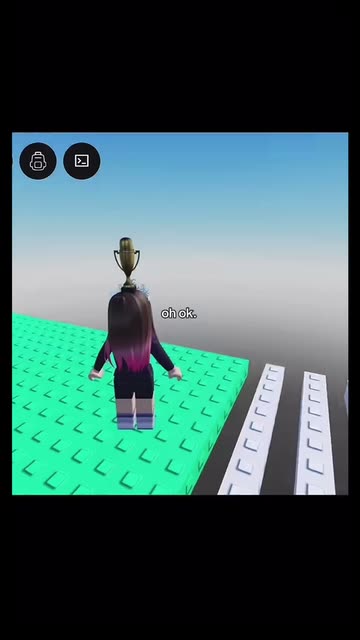
Starter-Friendly Genres Versus Predatory Clones
Targeting the right genres in week one builds familiarity while keeping you away from copycats built solely to drain currency.
Obstacle Courses (Obbies)
Obbies present linear jumping puzzles. They are the fastest way to get comfortable with avatar physics, jump timing, and camera angles. Well-designed obbies reward execution. Shoddy cash-grabs shrink landing hitboxes to pixel-width slivers and pelt you with popups demanding paid "Skip Stage" passes. If a stage demands cash to pass a basic jump, close the game.
Tycoon Experiences
Tycoons give you a plot of land and a basic income drop. Stepping on colored pads spends accumulated cash to assemble walls, hire workers, and deploy machines. They teach basic resource loops with low physical stress. The good ones save your progress when you leave.
Social and Roleplay Towns
These spaces center on outfit customization, interior decoration, and open-ended play. There is no combat. Watch out for predatory clones that lock standard doors or color palettes behind paid game passes.
Private instances make social worlds far more manageable. A dedicated private room costs between 50 and 200 Robux monthly. Funding an instance with a verified Roblox digital code lets you hang out strictly with invited friends, cutting out public lobby chaos.
Your Day-by-Day First Week Roadmap
Stay off the trending tab on Day 1. Follow this daily sequence to build movement skills, verify security, and identify fair games.
Day 1: Account Lockdown and Control Calibration
- Register your account, input your real birth date, and enable two-step verification.
- Complete the tutorial inside a basic obstacle course to practice WASD movement and camera control.
- Test the Escape menu and practice using "Reset Character" to recover from geometry bugs.
- Check the Account Status Safety Dashboard to confirm your account standing shows "All Good".
Day 2: The Linear Obby Challenge
- Search for a popular, high-rated obstacle course labeled with a Minimal maturity rating.
- Clear at least 25 stages without buying skips or movement buffs.
- Keep your camera centered straight behind your avatar before lining up narrow beam jumps.
Day 3: Progression Mechanics in Classic Tycoons
- Pick an established single-player or plot-based tycoon.
- Complete the first two operational floors to see how passive income cycles work.
- Practice ignoring upsells whenever the game prompts you to buy "2x Cash" passes.
Day 4: Social Worlds and Avatar Customization
- Join an active roleplay or hangout world to test out avatar editing menus.
- Equip free catalog items, hair assets, and clothing to build a custom look without spending Robux.
- Check your privacy status: confirm you can see public chat while direct whispers from strangers stay blocked.
Day 5: Team-Based Mini-Game Compilations
- Join a multi-round survival or mini-game compilation server.
- Adapt to forced perspectives, switching between overhead views and first-person stages.
- Coordinate using public chat commands while ignoring unsolicited trade requests.
Day 6: Identifying Traps and Predatory Clones
- Search for trending keywords and evaluate the search results.
- Check like-to-dislike ratios, active player numbers, and developer descriptions before joining.
- Quit immediately if an experience spawns your avatar in a walled pen requiring currency to leave.
Day 7: Inspecting the Platform Architecture
- Open your browser and read the developer documentation to see how experiences are built.
- Check the game passes on titles you enjoy to differentiate between permanent perks and consumable boosts.
- Set a strict weekly cap for any cosmetic or pass purchases.
Recognizing Exploits, Scams, and Account Theft
Roblox accounts are frequent targets for hijacking. Scammers rarely attack core platform security; they trick users into giving away access.
Off-platform migration is the most common tactic. Built-in chat filters automatically scrub external links. To bypass this protection, scammers ask players to join outside voice channels or chat servers, where they send links disguised as test servers or trading portals. Never leave the platform to finish a trade or talk to someone you just met in-game.
Technical theft often relies on file extraction. Posing as artists offering free 3D character renders, attackers tell players to open browser developer tools, export an HTTP Archive (.har) file, or paste a script into their bookmarks bar. Both methods surrender session cookies. Once the attacker holds those tokens, they bypass passwords and two-factor authentication instantly.
Trading menus have their own traps. In "double trades," scammers negotiate two exchanges at once, put up high-value items to establish confidence, and pull them out right as both parties hit confirm.
| Scam Methodology | Attack Mechanism | Correct Defensive Action |
|---|---|---|
| Off-Platform Migration | Luring users to external chat apps to bypass platform filters | Refuse all external invites; keep all communication inside official servers |
| HAR File Theft | Requesting browser network logs under the guise of making free avatar art | Never export, inspect, or send .har files or session strings to anyone |
| Script Bookmarks | Tricking users into running JavaScript bookmarklets in their browser bar | Never paste unknown code into your URL bar or bookmarks manager |
| Double Trading | Swapping or removing promised items/currency seconds before trade confirmation | Verify every trade item box independently before pressing the final accept button |
| Fake Generator Portals | Websites claiming to award free currency in exchange for login info | Avoid completely; currency is never generated through third-party web forms |
Takeaway: No legitimate artist, administrator, or trader will ever need your network session data, browser cookies, or external chat presence.
Moderation Realities: Bans, Appeals, and Error 600
Knowing how platform penalties work keeps you from panicking over minor technical roadblocks.
The Account Status Safety Dashboard displays your current record. The meter runs from "All Good" down to suspension warnings and "Banned". When an automated filter or moderator flags a chat log or asset upload, the exact infraction details show up here.
Appealing an unfair moderation strike requires fast action. Most global players have 30 days from the strike date to submit an appeal ticket. European Union residents receive up to six months under regional consumer laws. Once that window shuts, the strike remains permanently on your record.
Developer bans differ from account terminations. Error Code 600 means an individual developer has banned or kicked you from their specific game. Your overall profile remains intact, and you can play any other title across the site.
Building vs Playing: The Studio and Economy Basics
Curiosity about game creation usually follows your first week of playing. Just keep in mind that building requires dedicated hardware.
Roblox Studio is the standalone engine used to build 3D environments, write Lua scripts, and upload games. It requires a PC running Windows or macOS. Mobile phones and tablets cannot run Studio; their apps exist strictly for playing, testing, and browsing.
Monetization unlocks if your game gains traction. Developers earn Robux through game passes, private server fees, and consumable products. Converting that virtual currency into real funds through the Developer Exchange (DevEx) requires you to be at least 13 years old and hold a minimum balance of 50,000 earned Robux.
For everyday customization without developing, an official Roblox game card offers a predictable funding method. Denominations typically range from $10 to $200 and frequently include a bonus virtual item on redemption.
FAQ
Is Roblox free to download and play?
Yes, Roblox is completely free to install across PC, Mac, mobile devices, and gaming consoles. The core experiences do not require upfront payment, though optional character cosmetics, game passes, and VIP private servers are purchased using the virtual currency Robux.
Can I build a Roblox game on a phone or tablet?
No, Roblox Studio cannot run on mobile operating systems. You need a desktop environment running Windows or macOS to build, script, and publish experiences, while mobile devices can only be used to play and test published games.
What should I do if a site or player offers free Robux?
Ignore and report the offer immediately. All third-party "generators" and external reward sites are scams designed to compromise your account or steal session tokens. Virtual currency can only be acquired legitimately through authorized platform channels and official retail gift cards.
How do parents disable private messaging for children?
Parents can open the account settings, navigate to Parental Controls and Privacy, and adjust the communication permissions. Toggling Direct Chat to "Off" completely prevents direct whispers from strangers, and setting up a parent PIN ensures the player cannot revert these protections.
What does Error Code 600 mean when joining an experience?
Error Code 600 indicates an experience-specific ban implemented by the game's independent creator rather than a platform-wide ban. Your account is still active and safe, meaning you can freely play any other game across the platform.
How does the Roblox Account Status meter work?
The Safety Dashboard provides a color-coded meter running from "All Good" to "Banned" that shows your current profile standing. If your account receives a moderation strike, it appears in the log, and you generally have 30 days (or six months for EU residents) to file a formal appeal.
Final Verdict: Building a Safe, Rewarding Routine
Roblox offers massive creative variety, but it demands active digital hygiene. Treat the platform like a public park rather than an offline console title. Lock your account privacy settings before launching a game, stick to experiences that reward skill instead of spending, and treat every request for off-site chat links or browser files as an account compromise attempt. Clear those hurdles, and your first week sets you up for safe play.






Comments