


A Tango Live login error usually happens because the service blocks virtual VoIP phone numbers, hits a 10 to 15-minute rate limit after repeated SMS requests, or clashes with an existing profile tied to the same number. Resolving the lockout requires switching to a standard mobile carrier line, allowing temporary cooldown timers to expire, or bypassing mobile Single Sign-On (SSO) glitches by linking both a Google Account and a verified cellular number.
Why Tango Live Rejects Phone Numbers and SMS Requests
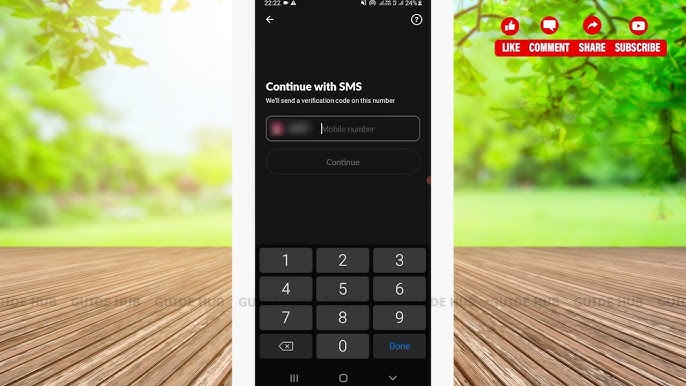
Tango enforces strict security rules around text verification. If an SMS code never arrives, the issue typically stems from automated telecom filters or platform account restrictions rather than a general network outage.
VoIP and Virtual Number Blocks
Security documentation from OTPGrove confirms that Tango automatically filters out VoIP numbers. Web calling apps, temporary online numbers, and forwarding services are frequently recycled for automated spam, so Tango drops their verification requests without dispatching a code. Only standard SIM lines from a mobile carrier will receive the SMS.
One-to-One Account Mapping
Each phone number can belong to only one Tango profile (OTPGrove). Entering a line tied to an older or forgotten account triggers a "Number already registered" error. To reuse that number, you must sign in to the original account and replace its registered credentials.
Cooldown Timers and Rate Limits
Repeatedly tapping "Resend Code" triggers rate limits across your IP address and phone line. OTPGrove notes that seeing a "too many attempts" alert requires waiting 10 to 15 minutes before requesting another code; firing off new requests before then resets the freeze timer.
| Issue | Root Cause | Fix |
|---|---|---|
| Code never arrives | VoIP or virtual phone number used | Switch to a direct non-VoIP SIM card line (OTPGrove) |
| "Number already registered" | Phone number is tied to another profile | Log in to the original account or use a unique line (OTPGrove) |
| "Too many attempts" | Rapid resend button requests | Wait 10 to 15 minutes without requesting new codes (OTPGrove) |
| Google SSO app freeze | iOS authentication connection bug | Try mobile browser or link backup phone login (Sikayetvar) |


Step-by-Step Fixes for Tango SMS Verification Failures
If you cannot log in to your Tango Live account because the six-digit code will not arrive, work through these diagnostic steps in order.
- Check your international country prefix. Tango requires the correct international dialing code before your local phone digits. Ensure the country selector matches your carrier's home region and drop any leading zero from your domestic area code.
- Swap out VoIP numbers for a mobile SIM. Confirm your line is not issued through Google Voice, Skype, TextNow, or similar web calling services. Tango drops these requests silently.
- Halt resend requests for 15 minutes. If you tapped resend multiple times, step away from the app. Continuing to request codes resets the cooldown window. Let the 10 to 15-minute timer fully clear before requesting one code.
- Verify SIM reception and SMS spam folders. Some mobile operating systems automatically route automated short-code texts into a "Spam and Blocked" folder. Check your native messaging app settings to ensure short-code automated numbers are allowed through.
- Check for prior registrations. If you changed phone numbers recently, your current number might have belonged to a previous Tango user. In that scenario, you will need a different unique line to clear the prompt.
Once access is restored, you can top up Tango Live Coins to send gifts and join live battles.
Resolving Google Login Connection Errors on iOS
Authentication failures on Tango also stem from third-party Single Sign-On (SSO) integrations.
Multiple community reports from November 30, 2025, documented by Sikayetvar, show that iPhone users experienced persistent connection failures when attempting to authenticate through Google. Tapping the Google SSO button caused the Tango Live application to hang or freeze completely, preventing account access across both mobile data connections and home Wi-Fi networks.
If your iOS app freezes on the Google authentication screen: - Force close the Tango Live app and restart your device. - Attempt to log in through the Tango web portal via Safari instead of the native app. - Use your linked phone number as an alternate login method instead of tapping the Google prompt.
Google Single Sign-On accounts do not generate standard password reset emails. If you registered exclusively via Google SSO and lose access, Tango's email password reset form will fail. You must either authenticate through Google directly or register a new profile with that same email address to establish a dedicated password.
Securing Your Account with Dual Login Methods
Tango requires SMS verification during signup, logins on new devices or web browsers, two-factor authentication changes, account recovery, and broadcaster payout linking, as outlined by OTPGrove. Relying on a single login method leaves you vulnerable to lockouts if you switch phone numbers or experience an SSO glitch.
Linking both a phone number and a Google Account provides a backup login path if one method experiences a service disruption (Tango Help).
To link a backup login method: 1. Open the Tango app on your mobile device. 2. Tap your profile avatar to open the side menu. 3. Open Account Settings. 4. Select Login Methods. 5. Attach your secondary method by adding either your Google Account or a verified mobile phone number.
Keeping both channels active ensures you never lose access to your broadcaster status, followers, or stored Tango Live Coins.
Avoiding Other Services Named Tango
A common mistake during account recovery is contacting the wrong company. Several unrelated commercial products share the name Tango, and their support desks cannot help with Tango Live stream accounts:
- help.tango.me / tango.me: The live-streaming broadcast platform for viewers, creators, and coin top-ups.
- tangocard.com / help.rewardsgenius.com: A corporate B2B rewards and digital gift card delivery service.
- help.tango.ai: A digital workflow and documentation creation tool.
Submitting account retrieval forms or password reset requests to Tango Card or Tango.ai will not resolve a Tango Live login error.



Comments