


If your Eggy Party top up is not received after completing checkout, force close the game client from your device's app switcher and relaunch it to trigger an immediate server synchronization. In-game balances frequently fail to update on an active session, while bonus items from promotional bundles may route directly to your in-game mailbox rather than the primary wallet counter.
Eggy Party Eggy Coins serve as the premium currency for NetEase's multiplayer party title, used to acquire seasonal outfits, access premium battle pass tiers, and customize characters. When funds leave your bank account but your coin balance remains unchanged, several technical bottlenecks could be responsible, ranging from payment clearing latency to account restrictions.
Refreshing the Client and Checking In-Game Mail
The game client does not continuously poll the billing database during active gameplay. If you completed a purchase while standing in the lobby, your local device cache might simply show an outdated balance.
- Force close the application: Swipe Eggy Party away completely from your device's background application switcher. Do not merely minimize it to the home screen.
- Relaunch the game: Restarting forces the client to authenticate with NetEase servers and sync your current currency tallies (XPTopup).
- Inspect your in-game mailbox: Certain event packages, bonus currencies, and promotional bundles do not credit straight to the top bar wallet. Check the system mailbox located in the main menu to manually claim pending attachments.


60 + 3 Eggy Coins
 60 + 3 Eggy CoinsUSD 0.60Buy Now
120 + 6 Eggy Coins
120 + 6 Eggy CoinsUSD 1.21Buy Now300 + 24 Eggy Coins
300 + 24 Eggy CoinsUSD 3.02Buy Now700 + 57 Eggy Coins
700 + 57 Eggy CoinsUSD 7.15Buy Now1380 + 144 Eggy Coins
1380 + 144 Eggy CoinsUSD 13.90Buy Now2080 + 216 Eggy Coins
2080 + 216 Eggy CoinsUSD 21.26Buy Now3450 + 423 Eggy Coins
3450 + 423 Eggy CoinsUSD 34.75Buy Now6880 + 903 Eggy Coins
6880 + 903 Eggy CoinsUSD 69.29Buy Now
Payment Processing Latency and Banking Clearance
A charge appearing on your mobile banking app does not guarantee that the merchant gateway has cleared the funds to the game server. Settlement speeds differ between credit cards, e-wallets, and direct carrier billing (XPTopup).
During peak sale events or network congestion, payment gateways may keep transactions in a pending verification state. Until the gateway issues an automated settlement confirmation to the game's fulfillment server, the delivery trigger remains dormant. Retain your banking transaction reference number, invoice ID, and digital receipt immediately after paying so you have verifiable proof of clearance.
Server Maintenance and Payment Anomalies
Delivery delays can stem from central server disruptions rather than your individual device. NetEase official service notices confirm that server-side abnormalities periodically trigger login problems, payment anomalies, and display irregularities across friend lists and profile inventories (NetEase Notice).
Unscheduled maintenance or payment pipeline outages queue transactions automatically. Submitting another payment while an order is queued risks duplicate charges. Wait for technical repairs to conclude, log out of your account, and check official notices before retrying.
Account Discrepancies and User ID Errors
Typing errors during checkout represent one of the most common causes of missing coins. How the system responds depends entirely on whether the mistyped number belongs to another registered account.
| Issue Scenario | System Behavior | Resolution Path |
|---|---|---|
| Invalid / Non-Existent UID | Delivery engine fails to locate target profile; transaction enters automated hold (XPTopup). | Customer support can locate the pending order and update the UID after you provide proof of identity. |
| Valid Third-Party UID | Delivery executes automatically to the active third party (XPTopup). | Cannot be recalled or refunded once completed on-server; contact support immediately if noticed prior to completion. |
| Storefront Field Mismatch | Delivery stalls if required server or nickname validation fails. | Ensure you supply all fields required by your specific merchant platform. |
Storefront input requirements differ across third-party recharge platforms. Retailers such as BUFFBUFF and Eneba require buyers to input their Character Name, Server, and User ID at checkout. Conversely, platforms such as TOPUPLIVE and XPTopup process top-ups using only the numeric User ID string. Providing inconsistent server data on sites requiring full profile verification can place your order into a pending verification queue.
Parental Controls and Purchasing Blocks on Minor Accounts
If you are topping up an account belonging to a minor, built-in safety controls may block transactions entirely. NetEase enforces strict digital consent compliance based on regional age thresholds, such as ages 13, 14, or 17 depending on local legislation (NetEase Notice).
On designated minor profiles, in-game purchases, social chat, and custom usernames remain disabled by default. Parents must complete age verification through Kids Web Services (SuperAwesome) to enable purchasing permissions. If a transaction stalls or fails in-client, open the Settings menu, access Parental Controls, and authorize payment permissions using the security PIN.
Gathering Order Evidence and Contacting Support
When standard sync steps fail and banking settlement is verified, escalate the issue by submitting a support ticket. Incomplete support requests lead to long back-and-forth delays, so assemble the necessary identifiers before filing your report.
Locating Your Exact User ID
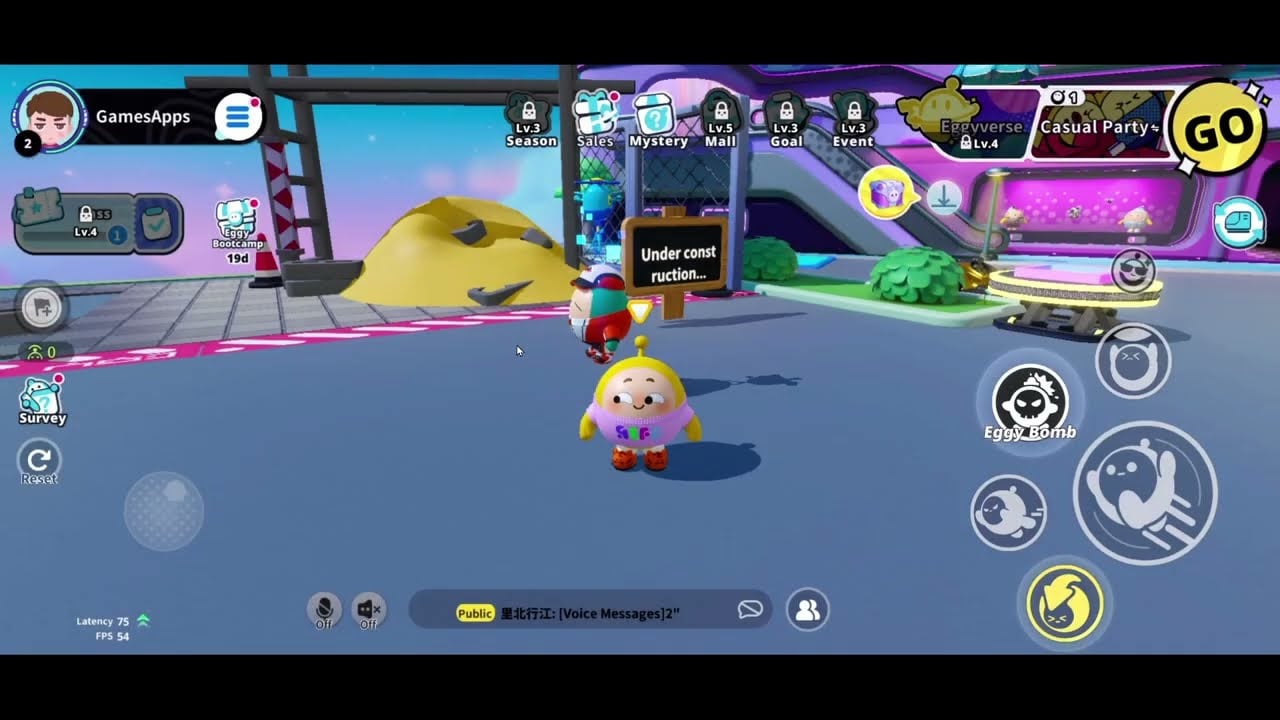
- Launch Eggy Party and enter the main lobby.
- Tap your character avatar in the top-left corner.
- Navigate to the Basic Info tab.
- Locate the numerical string beneath your player nickname and tap the copy icon (XPTopup).
Preparing the Ticket Dossier
To submit a complete ticket to Eggy Party support or your third-party merchant, include: - Your exact numerical UID and in-game nickname. - The specific coin bundle or package selected. - Exact timestamp of the transaction. - Official transaction reference number or invoice ID from your payment provider. - An uncropped screenshot of the final payment confirmation receipt showing the merchant name and clearance status.
Customer service personnel require the banking reference code to match the outgoing charge against their payment gateway logs. If the automated delivery pipeline held the order due to a non-existent UID, agents can apply the missing currency directly once ownership of the receipt is verified.


Comments