


To find your Douyin ID, open the mobile app, tap the 我 (Me) tab in the bottom-right corner of the screen, and locate the line labeled 抖音号: positioned directly beneath your profile avatar and display name (XPTopup). Tapping this alphanumeric string or the small overlapping icon next to it copies the identifier directly to your clipboard.
Douyin ID Location on the Profile Screen
Douyin's profile screen gathers account metrics, published clips, and personal details in one place. Because the default interface is in simplified Chinese, finding the ID string can be tricky if you do not read the language.
Finding your ID requires only two screen actions on both iOS and Android:
- Select the 我 icon on the bottom navigation bar.
- Look at the primary card near the top of the screen. Directly below your avatar and bold display name sits the secondary text row marked
抖音号:.
| UI Element | Screen Position | Functional Purpose | Visual Reference |
|---|---|---|---|
| Profile Tab (我) | Bottom-right navigation bar | Switches from video feed to your profile |  |
| Display Nickname | Top profile header | Shows your public vanity name | 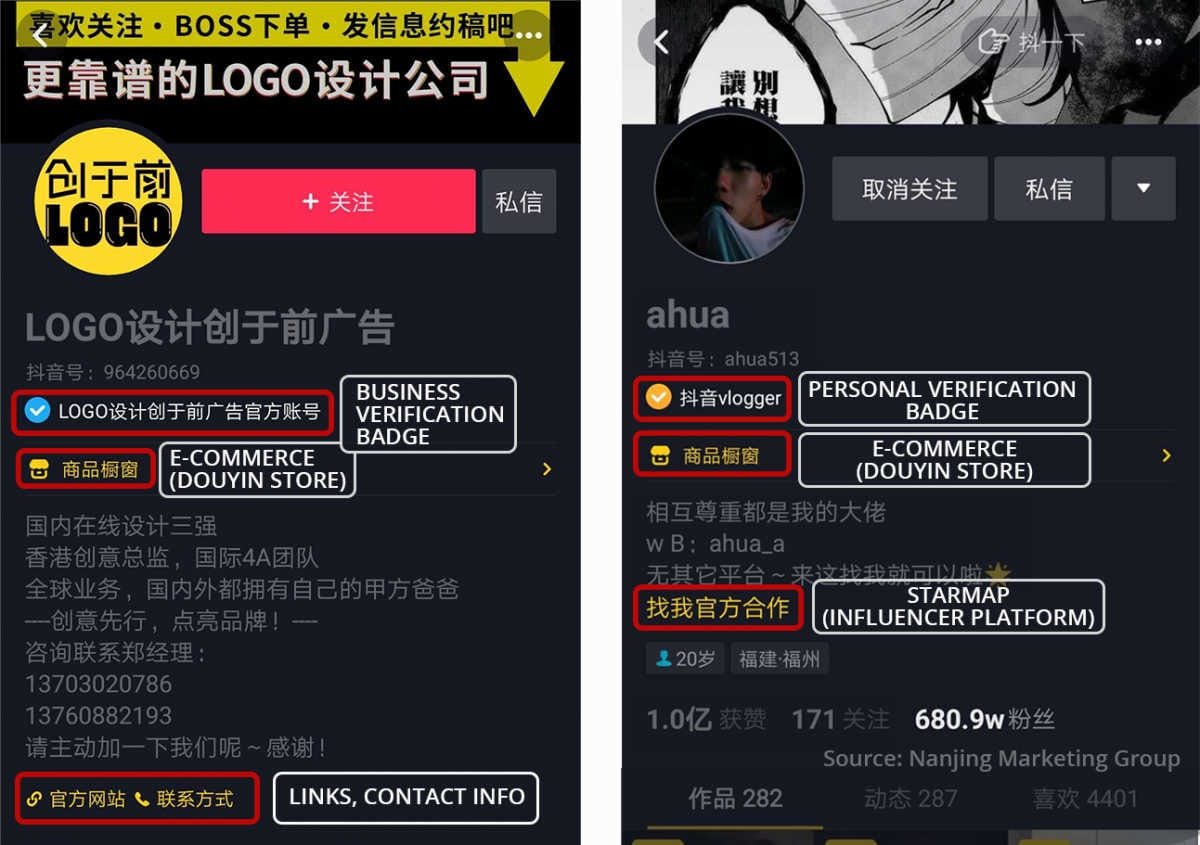 |
| Douyin ID (抖音号) | Directly beneath display nickname | Permanent system identifier for linking and verification |  |
The interface layout is identical on iOS and Android. The characters following 抖音号: make up your official UID.
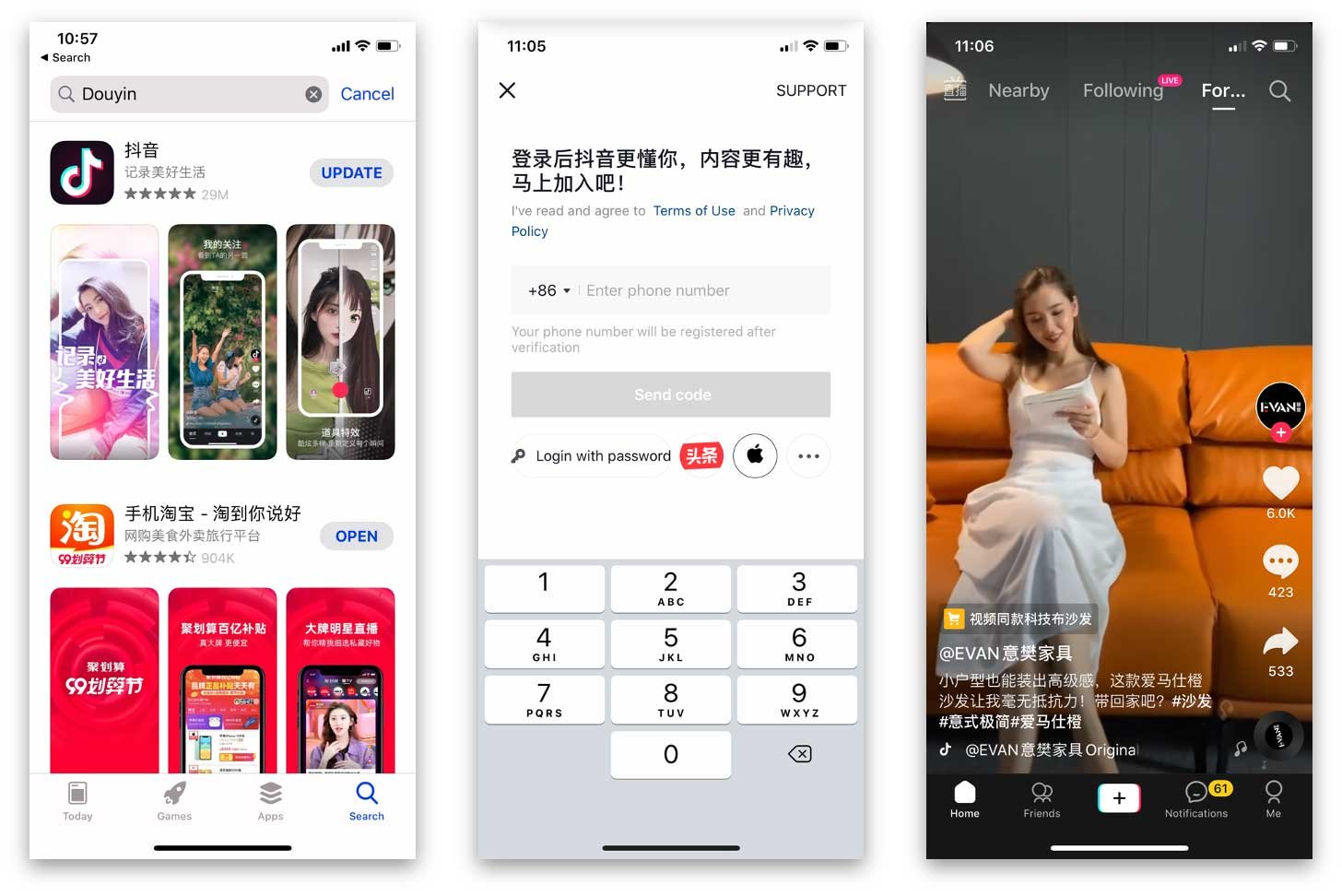

Douyin TikTok(CN) - 300 Coins
 Douyin TikTok(CN) - 300 CoinsUSD 4.31Buy Now
Douyin TikTok(CN) - 600 Coins
Douyin TikTok(CN) - 600 CoinsUSD 8.61Buy NowDouyin TikTok(CN) - 980 Coins
Douyin TikTok(CN) - 980 CoinsUSD 14.07Buy NowDouyin TikTok(CN) - 1980 Coins
Douyin TikTok(CN) - 1980 CoinsUSD 28.41Buy NowDouyin TikTok(CN) - 2000 Coins
Douyin TikTok(CN) - 2000 CoinsUSD 28.70Buy NowDouyin TikTok(CN) - 2980 Coins
Douyin TikTok(CN) - 2980 CoinsUSD 42.73Buy NowDouyin TikTok(CN) - 3000 Coins
Douyin TikTok(CN) - 3000 CoinsUSD 43.05Buy NowDouyin TikTok(CN) - 5000 Coins
Douyin TikTok(CN) - 5000 CoinsUSD 71.74Buy NowDouyin TikTok(CN) - 5180 Coins
Douyin TikTok(CN) - 5180 CoinsUSD 74.31Buy NowDouyin TikTok(CN) - 6000 Coins
Douyin TikTok(CN) - 6000 CoinsUSD 86.09Buy NowDouyin TikTok(CN) - 8000 Coins
Douyin TikTok(CN) - 8000 CoinsUSD 114.78Buy NowDouyin TikTok(CN) - 10000 Coins
Douyin TikTok(CN) - 10000 CoinsUSD 143.47Buy NowDouyin TikTok(CN) - 15980 Coins
Douyin TikTok(CN) - 15980 CoinsUSD 229.29Buy NowDouyin TikTok(CN) - 19800 Coins
Douyin TikTok(CN) - 19800 CoinsUSD 284.07Buy NowDouyin TikTok(CN) - 20000 Coins
Douyin TikTok(CN) - 20000 CoinsUSD 286.93Buy NowDouyin TikTok(CN) - 30000 Coins
Douyin TikTok(CN) - 30000 CoinsUSD 430.40Buy Now
How to Copy Douyin ID Without Manual Typing
Typing an alphanumeric ID manually often leads to typos, particularly with mixed characters and numbers. Douyin includes a native clipboard shortcut directly in the profile header.
To copy your identifier:
- Tap directly on the string of text after the
抖音号:prefix. - Alternatively, tap the small square copy icon positioned immediately to the right of the text.
A brief on-screen banner appears once the text is copied (XPTopup). You can then paste the string into recharge forms, creator contacts, or search bars without transcription errors.
Douyin ID vs Nickname: Understanding the Difference
A frequent source of confusion on Douyin is the distinction between your display nickname (名字) and your Douyin ID (抖音号). Entering a nickname when a platform asks for an account ID will cause transactions and searches to fail.
Your display nickname is the prominent name shown at the top of your profile and across comments. You can edit this name frequently to change branding, styling, or personal handles.
Your Douyin ID operates under much stricter platform rules:
- When an account is registered, Douyin assigns an automatic numeric string as the account identifier.
- Douyin permits users to customize this initial numeric string into an alphanumeric handle only once (XPTopup).
- Both your original numeric sequence and a customized alphanumeric handle function as valid UIDs across platform tools and balance management services.
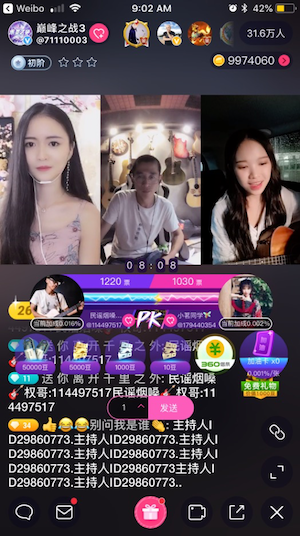
If you plan to recharge Douyin Diamonds (抖币) to interact with livestream creators or participate in competitive PK battles, always provide the exact 抖音号: string, never the display nickname.
Identifier Differences Across ByteDance Platforms
ByteDance operates several video apps across domestic and international markets. Many users assume their account credentials or balances transfer between these apps. They do not.
Mainland Douyin, Douyin Volcano Edition, and international TikTok operate on completely isolated user databases (XPTopup). An ID created on one platform cannot receive funds, follow requests, or profile queries from another.
| Platform | Required Identifier Format | Transferable to Douyin? | Source Documentation |
|---|---|---|---|
| Douyin (抖音) | Douyin ID (抖音号) | Native system ID | XPTopup |
| Douyin Volcano Edition (抖音火山版) | Volcano ID / Douyin ID | Regional variant only | XPTopup |
| International TikTok | TikTok Username / UID | No (separate database) | XPTopup |
Entering an international TikTok username on a Douyin service will result in an immediate delivery failure. Always verify that the account you want to manage originates from the mainland Douyin client.
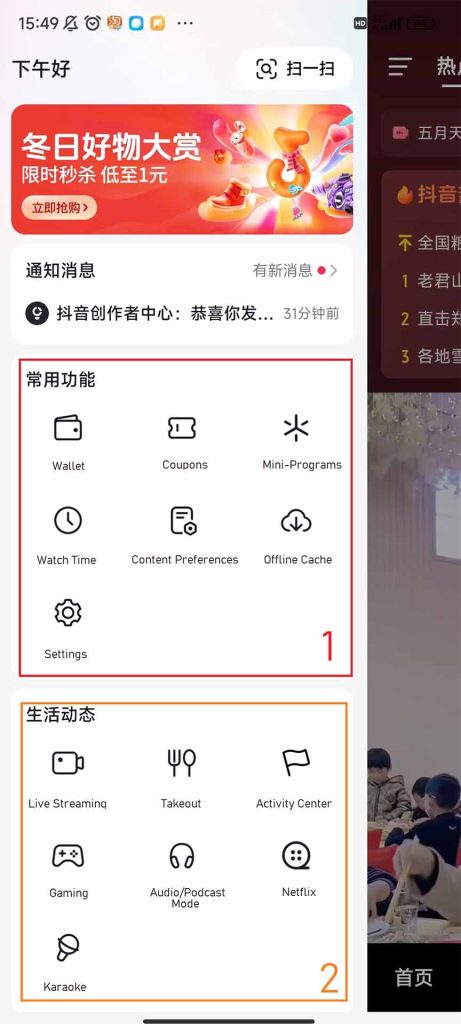
How to Recover an Account When You Cannot See Your Profile
If you are logged out and cannot open the 我 tab, Douyin provides an in-app recovery path. Use this route if you lost access to your registered phone number, forgot your ID, or need to reset linked security credentials.
You can access this tool from inside the app settings:
- Open Douyin and access Settings.
- Tap Feedback & Help.
- Tap How to Recover Your Account/Change Binding.
- Select Forget Douyin ID and Phone Number (Zhihu).
Following the guided verification steps allows real-name verified users to identify their account and regain profile access.
Frequently Asked Questions
Can I change my Douyin ID more than once?
Platform policy allows you to convert the initial system-assigned numeric ID into a custom handle only once (XPTopup). Once chosen, the handle remains permanent.
Does my Douyin ID change if I change my display nickname?
No. Your display nickname can be edited separately without altering your permanent 抖音号:. Third-party services tracking your account via the Douyin ID will continue to identify your profile correctly.
Can I use my international TikTok username to link my Douyin account?
No. Mainland Douyin and international TikTok maintain separate servers, account directories, and balance ledgers (XPTopup). A TikTok username cannot be used within the Douyin system.






Comments