
CHATA Top Up: What is the CHATA App and What Are Credits Used For?
CHATA is an interactive global live streaming, video chat, and social entertainment platform designed to connect creators and communities worldwide. Users can join live broadcasting rooms, participate in multi-guest voice rooms, follow their favorite streamers, and interact in real time across dynamic digital spaces.
To clarify a common search confusion, CHATA is a dedicated social live-streaming application. It is completely unrelated to telecommunications carriers (such as Chatr Mobile) or commercial beverage brands.
Inside the CHATA app, credits serve as the primary virtual currency. When you complete a CHATA top up, your in-app balance allows you to access premium interactive features:
- Sending Virtual Gifts: Support content creators during live broadcasts by sending customized digital gifts, stickers, and animated badges.
- VIP Entrance Effects & Banners: Stand out in crowded broadcast rooms with exclusive entry animations, personalized chat bubbles, and recognized fan tags.
- Interactive Voice & Video Rooms: Unlock premium social rooms, direct chat capabilities, and interactive party games with community members.
- Broadcaster Rankings & Leveling: Help your favorite streamers climb weekly and monthly leaderboards through gift contributions while leveling up your own user profile.
How to Find Your CHATA Player ID in the App
Recharging your account on XPTopup requires only your numerical Player ID. You do not need to share login credentials, passwords, or phone numbers.
Follow these steps to locate your CHATA Player ID accurately:
- Open the CHATA app on your Android or iOS device.
- Tap the Profile (or Me) icon located at the bottom right corner of the main screen.
- Locate your profile avatar and display name at the top of the screen.
- Directly beneath your username, you will see your unique numeric Player ID (or User ID).
- Tap the small Copy icon next to the number to copy it to your clipboard.
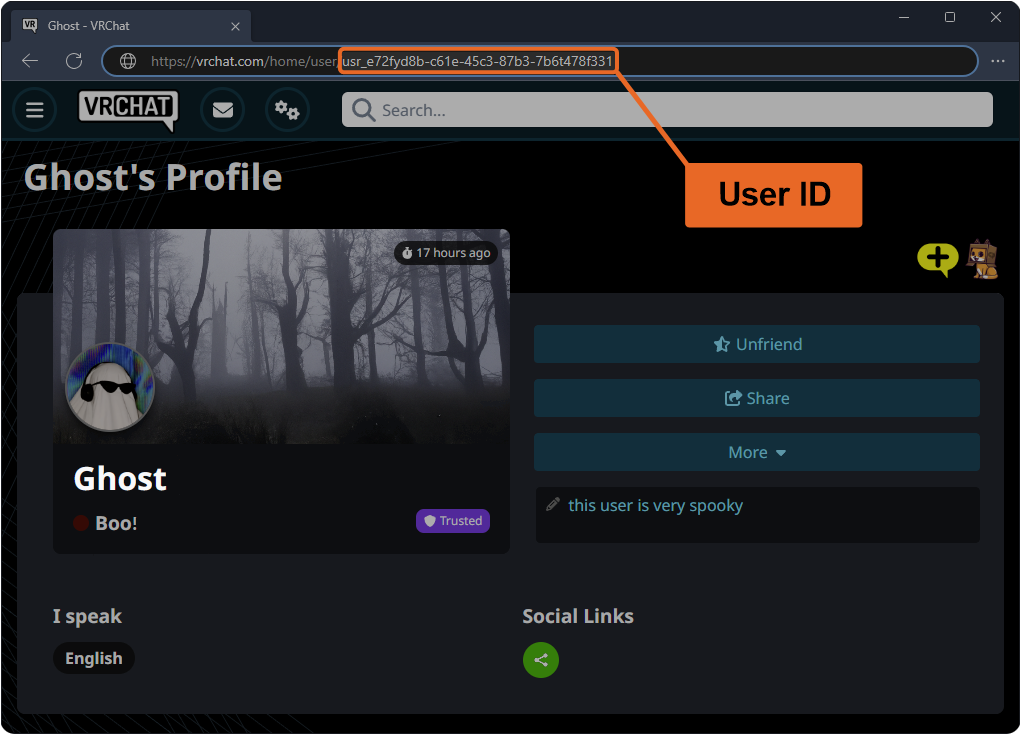
Always double-check that you have copied the full sequence of numbers before placing your order to prevent any delivery errors.
Step-by-Step Guide: How to Top Up CHATA Credits on XPTopup
Buying CHATA credits on XPTopup is designed to be direct, quick, and reliable. Follow this walkthrough to complete your recharge:
- Select Your Credit Amount: Choose the CHATA credit package that matches your gifting or interaction requirements from the catalog options above.
- Enter Your CHATA Player ID: Paste your numeric Player ID into the designated input field on the page.
- Verify Account Details: Review the entered Player ID carefully to ensure the credits are delivered to the intended recipient.
- Proceed to Checkout: Select your preferred payment method from the secure global and regional options available at checkout.
- Receive Your Credits: Once payment is confirmed, the automated delivery system processes your order and sends the credits directly to your CHATA in-app balance.
Available CHATA Credit Packages and Denominations
XPTopup provides multiple credit tiers to suit casual viewers, active community participants, and dedicated gifting supporters. The table below outlines standard tier options and their typical in-app usage:
| Credit Package Tier | Primary In-App Utility | Recommended User |
|---|---|---|
| Starter Pack | Basic chat stickers, standard broadcast entry, small token gifts | Casual viewers exploring new live rooms |
| Standard Pack | Animated gifts, custom chat bubbles, streamer support | Daily active chatters and community regulars |
| Popular Pack | Deluxe animated room effects, fan club badges, leaderboard pushes | Dedicated fans supporting top creators |
| Mega / VIP Pack | High-tier screen-wide gifts, exclusive VIP badges, private room access | Power users, gifting enthusiasts, and top contributors |
Note: Exact pricing, package sizes, and real-time exchange rates are displayed dynamically on the live product checkout screen above.
Safe & Secure Recharge: No Account Password Required
Account safety is a core priority when purchasing digital currencies. Traditional recharge methods that ask for direct account access create severe security risks, including account theft and unauthorized data exposure.
Why Player ID Top-Ups Are Safer
- Zero Password Exposure: XPTopup only requires your public Player ID. You will never be asked for your account password, email login, or SMS verification codes.
- No Account Sharing: Your private chats, personal details, and account control remain solely in your hands.
- Anti-Scam Protection: Legitimate recharges never require third parties to log into your social apps. Direct ID-based top-ups eliminate the danger of third-party account lockouts.
- Encrypted Transactions: All payment processing on XPTopup utilizes industry-standard encryption protocols to protect your billing information.
Why Choose XPTopup for Your CHATA Recharge?
- Direct ID Delivery: Enter your Player ID, complete checkout, and have credits credited directly to your live app profile.
- Live Checkout Transparency: View available denominations and exact total costs transparently before submitting your order.
- Comprehensive Payment Options: Pay with confidence using secure credit/debit cards, regional e-wallets, and localized checkout channels.
- 24/7 Customer Support: If you have questions about your order status or transaction details, our multilingual support team is available around the clock to assist you.
Troubleshooting CHATA Recharge Issues and Delivery Support
While most recharges process automatically, occasionally network or profile delays occur. Use these steps to resolve common issues:
- Credits Not Showing Immediately: Completely close the CHATA app from your device background apps, reopen it, and check your profile wallet balance again.
- Check Your Order Status: Log into your XPTopup account or check your confirmation email to ensure the payment status shows as completed.
- Incorrect Player ID Entered: If an order was placed with an incorrect ID, contact customer support immediately with your transaction receipt number. If the order has already been processed by the automated system to an active ID, transactions cannot be reversed.
- Payment Deducted but Order Pending: If your bank or payment provider delayed confirmation, the order will complete automatically once clearance is received. If the status does not update, provide your payment transaction proof to our 24/7 support team for fast verification.






























