Fast and Direct Ume Chat Top Up via UID
Ume Chat is a global social audio platform where users connect through voice chat rooms, live audio entertainment, dynamic interactive games, and community discussions. To enhance your experience inside voice rooms and support your favorite hosts, Ume Chat uses an in-app currency known as Gold. Gold allows you to send virtual gifts, activate premium profile frames, customize room themes, and acquire special entrance effects.
XPTopup provides a direct Ume Chat recharge service that credits Gold straight to your account balance using only your numeric User ID (UID). You do not need to share passwords, verify account credentials, or link external social profiles. Select your package, submit your UID, complete your payment, and watch your Gold balance update directly inside the app.
How to Top Up Ume Chat Gold on XPTopup
Adding Gold to your Ume Chat account takes less than a minute. Follow these simple steps to complete your order:
- Select Your Gold Package: Review the available Gold denominations listed above and pick the quantity that matches your in-app needs.
- Enter Your Ume Chat UID: Type your numeric User ID accurately into the player ID input field. Double-check your numbers to avoid sending Gold to an incorrect account.
- Select Your Payment Method: Choose from available local and international payment channels supported on XPTopup.
- Confirm and Pay: Check your order summary, finalize the transaction through the secure checkout interface, and receive immediate order confirmation.
- Check Your In-App Balance: Open Ume Chat, go to your profile, and your newly purchased Gold will be ready for immediate use.
Step-by-Step Guide to Finding Your Ume Chat User ID
To ensure your Gold reaches the right voice room account, you need your unique numeric UID. You can locate this identifier directly inside your mobile application profile.
- Launch the Ume Chat app on your Android or iOS device.
- Tap the Profile or Me tab positioned at the bottom right corner of your main navigation bar.
- Look at the top section of the screen, situated directly underneath your avatar picture and display name.
- You will see a dedicated line showing ID: XXXXXXX.
- Tap the copy icon next to the number to copy your UID directly to your clipboard, then paste it into the XPTopup order box.
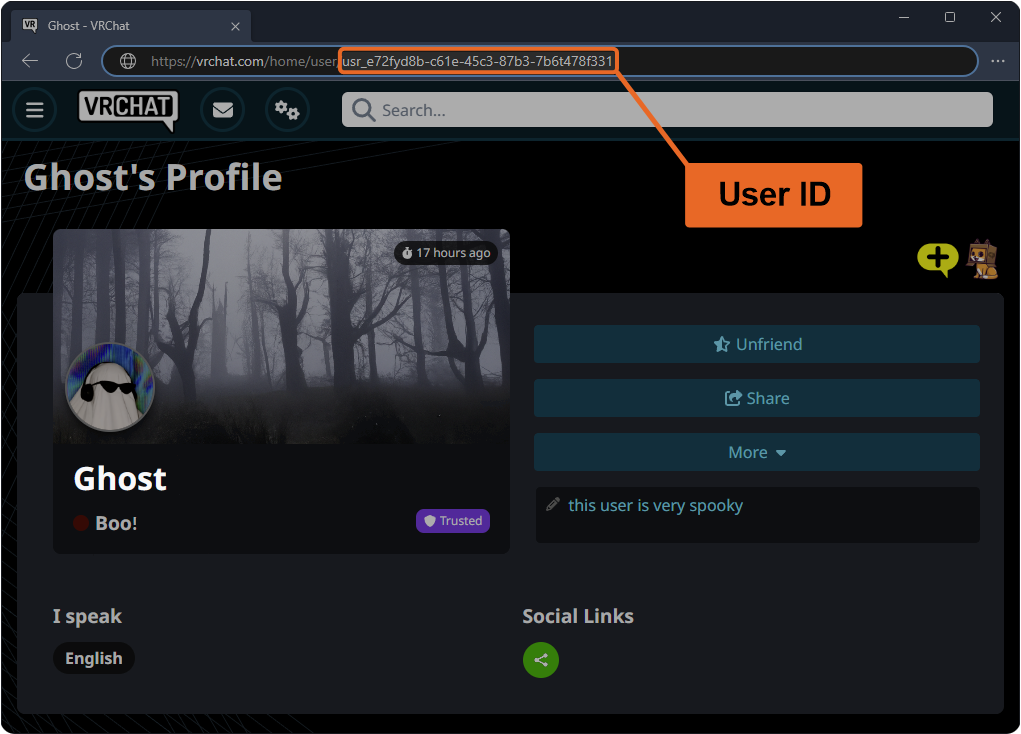
Always verify that you copy the numeric UID rather than your custom display name. Custom nicknames cannot receive direct balance top-ups.
Safe and Secure Recharge: Why Passwords Are Never Required
Account safety is a critical priority for active community members. Third-party services that ask for login passwords, email verification codes, or social media logins expose your account to unauthorized access, stolen items, and potential chat suspensions.
XPTopup uses a direct UID top-up system. Because top-ups are routed strictly through public account IDs, your private credentials remain completely untouched.
| Top-Up Factor | Direct UID Method on XPTopup | Risky Login Sharing Methods |
|---|---|---|
| Password Required | No (Never requested) | Yes (Exposes full account) |
| Account Privacy | 100% Protected | Compromised |
| Verification Codes | Not needed | Often requested by third parties |
| Delivery Method | Direct server credit | Manual login by strangers |
| Security Risk | Zero risk of account theft | High risk of unauthorized changes |
By keeping your password private and relying solely on your UID, you maintain total ownership of your Ume Chat profile while enjoying rapid Gold delivery.
Uses and Benefits of Ume Chat Gold, Gifts, and Nobility Badges
Gold serves as the primary driver of social engagement across Ume Chat voice rooms. Having an active Gold balance gives you access to multiple in-app perks:
1. Sending Animated Virtual Gifts
Show appreciation to room hosts, performers, and friends by sending animated gifts. Gifts range from simple tokens of appreciation to full-screen luxury animations that spotlight your contribution across the entire room.
2. Nobility and VIP Statuses
Unlock distinct Nobility tiers to display exclusive badges beside your name in public chat streams. Nobility status unlocks luxury vehicle entrance animations, preventing your arrival from going unnoticed when you enter popular voice rooms.
3. Room Enhancements and Personalization
Use Gold to customize your own voice chat rooms. Access premium background themes, unlock special audio effects, pin announcements, and host community events that attract active listeners.
4. Interactive In-Room Activities
Participate in interactive games, lucky draws, and community challenges hosted inside voice rooms. Gold allows you to join friendly competitions and celebrate milestones with other room members.
Supported Global Payment Options and Instant Gold Delivery
XPTopup supports a broad selection of regional and global payment solutions, enabling users around the world to recharge their Ume Chat balance smoothly. Current pricing, currency conversion, and active payment channels are displayed directly on the live checkout screen.
Once payment processing completes, our automated fulfillment system routes the Gold to your entered UID. Transactions are processed around the clock without manual approval delays, giving you access to your Gold whenever your favorite voice rooms go live.
Troubleshooting Ume Chat Balance Delays and Input Errors
If you experience any delay after completing your transaction, use these straightforward troubleshooting steps:
- Refresh Your Profile: If you were inside Ume Chat during payment, pull down on your profile screen to refresh the interface, or close the app completely and reopen it.
- Verify Your UID Submission: Check your order confirmation email to ensure the submitted UID matches your in-app account number.
- Check Payment Status: Ensure your payment provider completed the charge. If a payment is pending review on your bank's side, Gold delivery will trigger automatically once cleared.
- Contact Customer Support: If your balance has not updated after verifying your ID and transaction status, contact XPTopup support with your order number for fast assistance.
Frequently Asked Questions About Ume Chat Recharge
How do I find my Ume Chat UID for top-up?
Open Ume Chat, tap the Profile or Me icon at the bottom right, and locate the numeric ID displayed under your avatar. Copy this number and paste it into the UID field on XPTopup.
Do I need to share my Ume Chat account password to recharge?
No. XPTopup only requires your public numeric UID to deliver Gold. You should never share your password, login tokens, or SMS verification codes with anyone.
What can I purchase with Ume Chat gold in the app?
You can use Gold to send animated gifts to room hosts, purchase Nobility tiers, unlock entrance effects, customize chat bubbles, and participate in interactive room activities.
How long does it take for Ume Chat gold to appear after payment?
Gold is credited directly to your account immediately after your payment is confirmed by our automated billing system.
What should I do if I entered the wrong UID during top up?
Top-ups are processed instantly. If you notice an error before payment completion, edit the field immediately. If the order has already processed to a valid UID belonging to another user, completed digital deliveries cannot be reversed. Contact support right away if the order is still pending.
Is the Ume Chat app free to use without purchasing gold?
Yes. The Ume Chat app is free to download, and users can join public voice rooms, listen to audio streams, and chat with friends without spending money. Gold is optional and used for premium gifts, profile customization, and VIP perks.
Current package prices
Current package prices are shown below. Prices exclude Tax. Tax, payment fees and applicable coupons are shown at checkout.
| Package | Price |
|---|---|
| Ume Chat - Ume Chat*100000 | USD 1.81 |
| Ume Chat - Ume Chat*500000 | USD 9.07 |
| Ume Chat - Ume Chat*1000000 | USD 18.14 |
| Ume Chat - Ume Chat*5000000 | USD 90.72 |
| Ume Chat - Ume Chat*10000000 | USD 181.44 |
| Ume Chat - Ume Chat*50000 | USD 0.91 |