Honkai: Star Rail top up on XPTopup delivers Oneiric Shards or the Express Supply Pass to the UID you enter, on the server you choose. Delivery is automatic and usually completes within a few minutes after payment is confirmed.
Honkai: Star Rail top-up specs
- Currency: Oneiric Shards, plus the Express Supply Pass
- Shard ladder: 60, 300+30, 980+110, 1980+260, 3280+600 and 6480+1600; 8080 Oneiric Shards also comes as multiples of 2, 4 and 8
- Required: UID and Server (picked from a list)
- Region: follows the Server you pick; no area code is set for this product
- Delivery: automatic, usually within minutes of confirmed payment
- Login needed: no
Where to read your UID and what to select as server
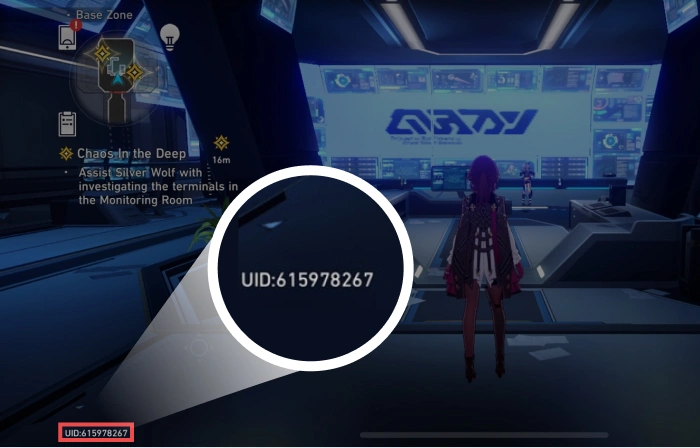
Open Honkai: Star Rail and look for your UID on the main screen and in your profile in the in-game menu; if you cannot see it at first glance, open the profile page and look under your trailblazer name. Then choose the server your character was created on: America, Europe, Asia, or TW, HK and MO. If you play on more than one server, you hold a separate UID on each, so pair the number with the right server before you pay.
Oneiric Shards, Warps and the Express Supply Pass
Oneiric Shards are the paid currency in Honkai: Star Rail. They convert into Stellar Jade, and Stellar Jade is spent on Star Rail Special Passes, which are the tickets for Warps on the banners. The 60 and 300+30 packs are for a quick top-off before a pull. 980+110 and 1980+260 suit the build-up to a limited character banner; 3280+600 and 6480+1600 fit a character plus a Light Cone banner, and the 8080 multiples are for saving ahead of a patch. The Express Supply Pass is a separate item rather than a currency pack: it rewards you over time while it is active, so it suits players who log in every day. Read its terms in the in-game shop. The live price table below lists current prices, which may change.