

Deciding between Blockman Go UID vs CDK codes? Compare risks, region locks, and delivery speed to see why direct ID recharge wins for buying GCubes.
Buying premium currency in Blockman Go should not feel like a gamble. When you need extra resources to pick up gear in Bed Wars, revive your character mid-match, or grab a new seasonal cosmetic, you want your balance updated immediately. Yet players constantly hit a fork in the road: should you hunt down a CDK gift code, or should you use direct player ID recharge?
I have seen players waste hours troubleshooting dead voucher codes or waiting for seller support to answer a dispute ticket. In the matchup of Blockman Go UID vs CDK vouchers, the two methods take completely different technical paths to credit your account. One relies on legacy code redemption through in-game menus, while the other deposits currency straight into your player profile using your public identification number.
Examining both pipelines reveals why manual code redemption causes frequent account friction while UID recharge bypasses it entirely.
The Core Differences: Direct Player ID vs Digital Gift Codes
Direct UID top-ups connect directly to the game server using only your public numeric ID. Pick a package, enter the digits, and submit. The server credits GCubes straight to your balance on the spot—no login credentials, no third-party web portals, and no raw voucher strings.
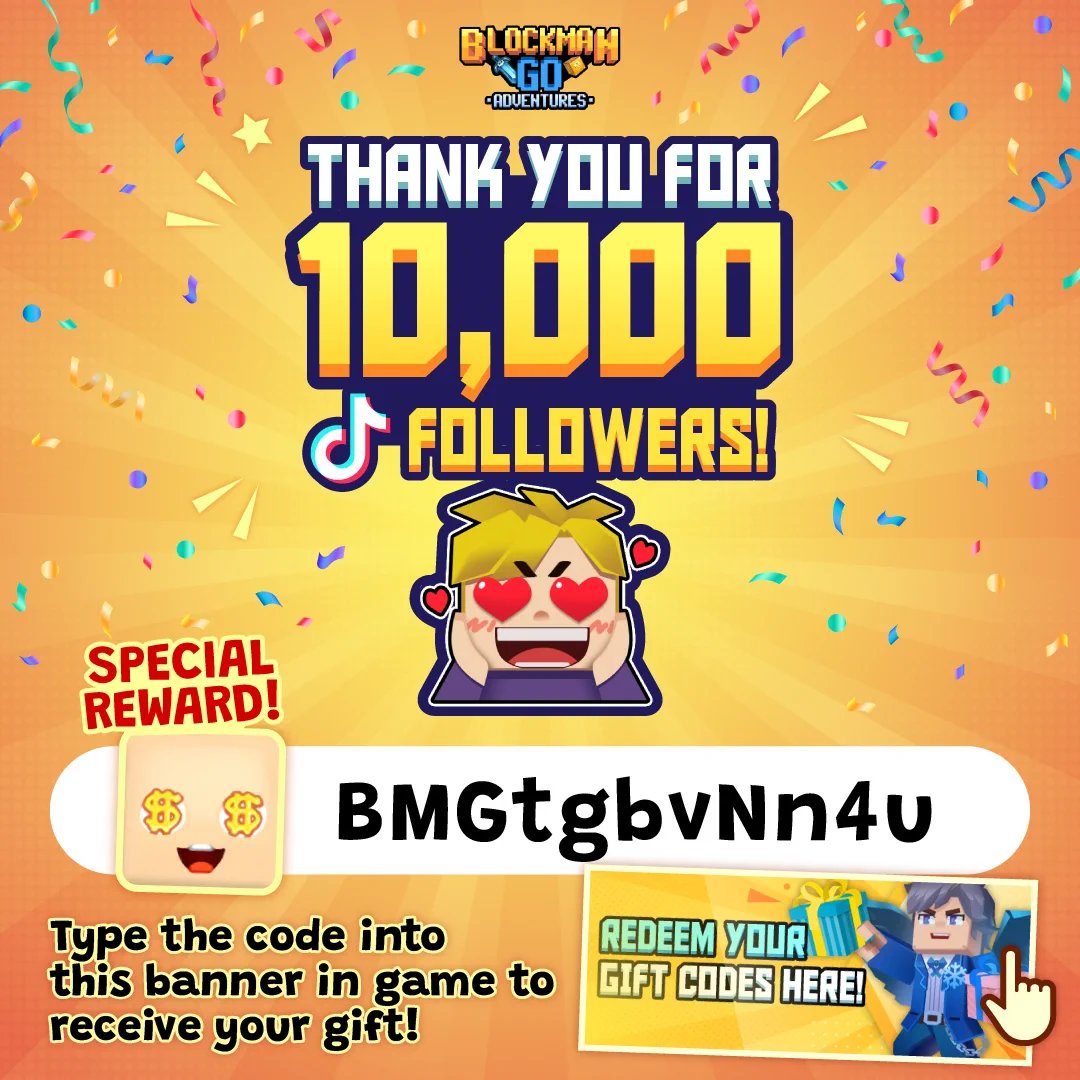
A CDK (Content Distribution Key) is an alphanumeric promotional string. Claiming it requires launching the client, finding the redemption menu, entering the string without typos, and pulling the reward from your in-game mailbox.
A CDK is only a promise of currency that expires if unredeemed. Direct top-ups fund your wallet before you even tab back into the client. For the cheapest way to buy Blockman Go GCubes without manual hurdles, skipping vouchers saves time and eliminates failed codes.

60 GCubes
 60 GCubesUSD 0.87Buy Now
300 GCubes
300 GCubesUSD 4.19Buy NowPremium Monthly Card
Premium Monthly CardUSD 4.19Buy NowPremium Pass
Premium PassUSD 5.87Buy Now600 GCubes
600 GCubesUSD 8.38Buy NowLuxury Monthly Card
Luxury Monthly CardUSD 8.38Buy NowSubscription LV.2
Subscription LV.2USD 8.38Buy NowDeluxe Pass
Deluxe PassUSD 10.90Buy Now1650 GCubes
1650 GCubesUSD 20.96Buy NowSubscription LV.3
Subscription LV.3USD 20.96Buy Now3600 GCubes
3600 GCubesUSD 41.90Buy Now8400 GCubes
8400 GCubesUSD 83.82Buy Now
How Direct UID Recharge Operates
Direct recharge requires just one piece of data: your public numeric User ID.
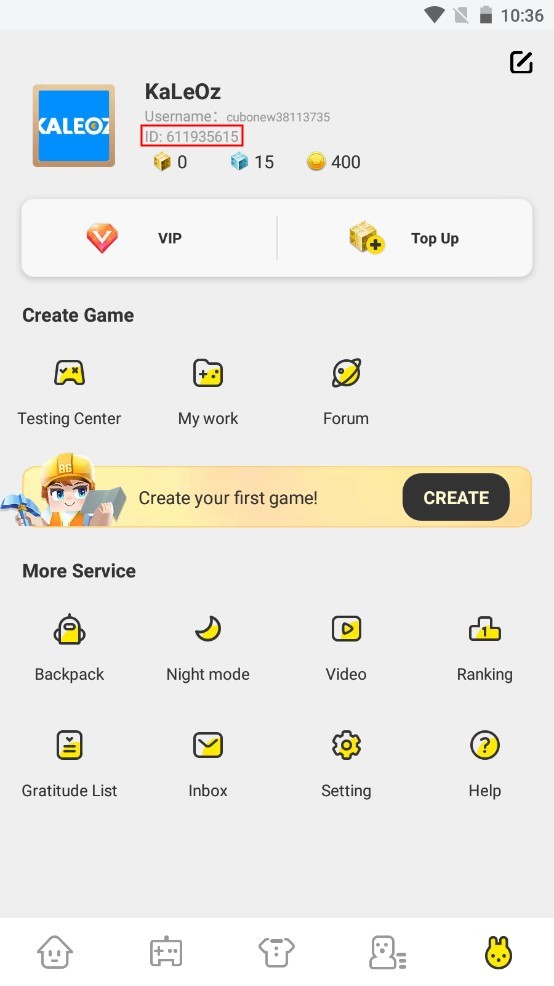
To find your number, open the app, head to the "Me" tab or tap your profile avatar on the home screen. Right below your display name, you will see a sequence of digits. That sequence is your permanent account identifier. It never changes, even if you update your player name or link different social logins.
Because direct top-ups only need this public number, you never expose passwords or linked emails. The store hands the order directly to the fulfillment pipeline, crediting GCubes immediately without email delays or secondary storefront activations.
Breaking Down CDK Redemption and Hidden Friction
Promotional codes and CDKs sound simple until you attempt to redeem them during an active event. The redemption flow has distinct points of friction that trip up players every day.
First, sources show conflicting steps for finding the redemption field in the app. Depending on your game version and region, you either enter the Activity Center from the main page and select "Enter Giftcode Here", or you have to locate an Event section buried inside an Ongoing Events tab. If the game client updates its user interface, tracking down that button becomes an annoying chore.
Redemption Flow: Home Screen -> Activity Center -> Enter Giftcode Here -> Submit -> Check Mailbox
Second, precision formatting is mandatory. Gift codes require exact character matching without trailing spaces, incorrect capitalization, or rogue hyphens. If you accidentally paste a space at the end of the text box, the client spits out a validation error.
Third, CDK code rewards do not deposit directly into your spendable balance. Instead, the game routes items, blocks, and currency into your in-game mailbox. You must exit the redemption portal, open your mail screen, and click claim. If your mailbox is cluttered with system notifications or event announcements, sorting through to find your voucher payout adds another pointless barrier.
Finally, promotional gift codes are strictly single-use per player account and carry hard expiration windows. Milestone rewards and social drop codes go inactive without warning once the developer's promotional campaign ends. If you purchase a CDK code from a third-party seller that was scraped from an old distribution batch, you risk buying an expired or already claimed voucher with zero recourse.
Comparing UID Recharge and CDK Codes Head-to-Head
Evaluating both methods side-by-side reveals sharp contrasts across security, speed, and cross-platform flexibility.
Here is how the two fulfillment pipelines compare across credentials, limits, and delivery channels:
| Feature | Direct UID Recharge | CDK Redeem Code |
|---|---|---|
| Credential Required | Public numeric User ID only | Alphanumeric voucher string |
| Redemption Location | External store (automatic deposit) | In-game Activity Center / Event tab |
| Delivery Channel | Direct wallet balance update | In-game mailbox attachment |
| Expiration Risk | None (instant fulfillment) | High (campaign windows & batch limits) |
| Usage Limit | Unlimited repeat purchases | Strictly 1 redemption per account |
| Typing Error Margin | Low (numeric string verification) | High (case-sensitive letters & symbols) |
| Region Constraints | Global cross-region compatibility | Often locked to local store currencies |
Direct UID delivery eliminates manual code handling and sends currency straight to your balance.
Standard GCube Packages and Pricing Structure
GCubes represent the core transactional currency across Blockman Go's multi-game sandbox. While free-tier gameplay awards basic gold and cosmetic coupons, GCubes unlock specialized mini-game equipment, revives in survival rounds, and VIP account statuses.
Standard GCube recharge packages follow structured denominations that remain consistent across mobile clients running Android 6.0 or higher and PC installations running on Windows 7 and above (which require a basic Intel or AMD processor, 4GB of RAM, and 5GB of free storage).
These five primary recharge tiers apply to both the mobile and PC clients:
| Bundle Tier | Currency Amount | Practical In-Game Application |
|---|---|---|
| Entry Tier | 300 GCubes | Basic cosmetic items and low-cost mini-game consumable props |
| Standard Tier | 600 GCubes | Mid-tier utility items, tools, and routine consumables |
| Competitor Tier | 1650 GCubes | Competitive loadouts, regular revives, and Bed Wars gear sets |
| Collector Tier | 3600 GCubes | Rare costume sets, high-end power-ups, and monthly card extensions |
| Whale Tier | 8400 GCubes | Comprehensive cosmetic collections, persistent VIP status, and top equipment |
Fixed package sizes let you purchase the exact volume required for your upcoming play session without leaving leftover loose currency on an unwanted voucher card.
Platform Restrictions and Region Lock Headaches
Digital gift codes frequently suffer from geographic locks. While aggregator sites list PC activation keys around 6.35 euros, those platform gift cards enforce rigid territorial boundaries.
If you purchase a platform gift card tied to a US or European storefront, the redemption will fail if your store account country and local IP address do not match that exact currency. Google Play vouchers, for instance, block redemption when triggered outside the issued territory. You end up stuck with an error code and an unusable voucher.
Direct UID recharge bypasses platform geo-locks entirely. Because the balance is applied via your global player User ID directly to the game servers, your device operating system and local store settings do not block the delivery. Whether you play on mobile or the standalone PC client, a direct Blockman Go GCube package credits to your profile without currency conversion blocks or country restrictions.
Account Security: What Real Services Ask For vs Scams
Phishing campaigns routinely target Blockman Go's younger player base with fake top-up generators.
Legitimate recharge providers never ask for your password. Game servers accept deposits using public IDs alone. Any website demanding your password or email login is attempting an account takeover.
Use this simple comparison to spot bad actors immediately:
Legitimate Top-Up Channels Ask For:
- Your numeric User ID copied from your profile tab.
- Your in-game character nickname (used strictly to verify that the ID matches the correct account before dispatching the order).
- Standard checkout processing through secure billing windows.
Fraudulent Portals and Phishing Traps Demand:
- Your account password or social login credentials (Google, Facebook, or Twitter auth tokens).
- Two-factor authentication (2FA) verification codes sent to your phone or email.
- "Account verification" tasks requiring you to download third-party software or fill out external ad surveys.
- Requests to log into your account directly to "manually inject" GCubes.
If any platform asks for your password to supply GCubes, close the tab immediately. Direct UID top-up keeps your login credentials on your device, where they belong.
Currency Mechanics: GCubes, Coupons, and Privilege Cards
Confusing GCubes with Coupons is a common mistake that leaves players unable to buy what they want.
Coupons are restricted strictly to cosmetic purchases within the dressing system. You can use them to purchase shirts, pants, hats, and standard avatar accessories. However, Coupons cannot buy utility items in Bed Wars, revive your character, purchase weapons in survival modes, or pay for VIP memberships.
GCubes, on the other hand, act as the universal premium tender. They fund your gameplay consumables, power-ups, and structural account upgrades. If you develop games inside the Blockman Editor platform, payouts are even calculated in GCubes before being converted to real-world withdrawals. Beyond standard top-ups, regular spenders can also activate monthly subscription cards for recurring resources.
Blockman Go divides premium utility and cosmetics across separate currencies and passes:
| Currency / Asset | Core Function | Exclusive Benefits & Rules |
|---|---|---|
| GCubes | Universal premium currency | Buys gear, character revives, VIP perks, and editor payouts |
| Coupons | Cosmetic avatar currency | Strictly limited to dressing room items; no gameplay utility |
| VIP Membership | Account status upgrade | Flat 20% discount on decorations, daily gifts, bonus gold |
| Gold Monthly Card | Tiered subscription card | Daily resource distribution, baseline login rewards |
| Dazzling Monthly Card | Premium subscription card | High-tier recurring daily drops and expanded game perks |
| Points Mall Currency | Spend-tracking rewards | Earned by store top-ups; unlocks specific skins & equipment |
Investing in GCubes provides complete utility across every mini-game mode, whereas buying cosmetic coupons limits your balance strictly to visual outfits.
Choosing Your Strategy by Player Spender Tier
How you buy currency depends on your weekly session volume and whether you play casually or run competitive matches.
Free-to-Play and Casual Explorers
If you drop into mini-games once or twice a week, do not spend money on speculative CDK vouchers from third-party key sellers. Rely on official social media campaigns and milestone event drops to grab free promotional codes. When you find an active promotional string, type it into the Activity Center immediately before the expiration window closes. If you just need a small bump to finish an avatar set, stick to standard cosmetic Coupons earned from in-game tasks.
Regular Mini-Game Competitors
If you play Bed Wars, Sky Block, or custom mini-games daily, hunting for codes is an inefficient waste of time. Promotional codes rarely award meaningful amounts of GCubes, handing out vanity blocks or basic consumables instead. Buy fixed 600 or 1650 GCube packages via direct UID recharge. You avoid redemption errors, gain immediate access to revives, and ensure your competitive matches are never held up by billing delays.
Hardcore Enthusiasts and Guild Leaders
For players maintaining elite gear sets, running custom events, or sustaining top cosmetic rankings, direct UID top-up is the only viable option. Pair an 8400 GCube bundle with an active VIP membership. The VIP status grants an instant 20% discount across dressing system decorations, compounding the purchasing power of your GCubes. Direct recharge also channels spending toward Points Mall reward currency, letting you unlock exclusive skins and props that cannot be bought directly with vouchers.
Step-by-Step Guide: How to Top Up Blockman Go with UID
Use this walkthrough to credit your account through direct UID recharge without errors or checkout delays.
Step 1: Copy Your Numeric User ID
Launch Blockman Go on your mobile device or PC. Navigate to the profile screen by tapping your character avatar in the upper corner or selecting the "Me" tab on the lower navigation bar. Locate the numeric string positioned directly beneath your username. Press the copy icon next to the number, or write it down carefully.
Step 2: Select Your Preferred Package
Head over to the recharge portal and locate the Blockman Go catalog. Browse the available denominations—from entry-level 300 GCube packs to full 8400 GCube bundles—and select the tier that fits your needs.
Step 3: Enter Your Details
Enter your numeric User ID into the account field. Double-check the digits against your in-game profile to ensure there are no missing or transposed numbers. Legitimate platforms will confirm your public player nickname automatically to ensure the currency goes to the right account.
Step 4: Complete the Transaction
Proceed through the checkout screen. Once the order completes, the system pushes the GCubes directly into the game's fulfillment queue.
Step 5: Verify Your New Balance
Open your Blockman Go client or tap back into the app. Your GCube counter in the top corner will reflect your updated total immediately. You do not need to check your mailbox or enter any confirmation strings—your balance is ready to spend right away.
When you need an efficient, dependable way to buy GCubes safely through UID top-up, following this routine eliminates errors and keeps your login credentials completely safe.
FAQ
What is the key difference between UID top-up and CDK gift code redemption in Blockman Go?
UID top-up sends GCubes straight to your account balance using only your public numeric player ID, requiring zero manual code handling. CDK codes are alphanumeric vouchers that you must manually enter inside the game's Activity Center to receive items via your in-game mailbox.
Where can I find my Blockman Go User ID?
Open Blockman Go and select the "Me" tab or tap your character avatar on the main home screen. Your numeric User ID is displayed directly below your username, where it can be copied directly to your clipboard.
Do I need to share my account password for a UID top-up?
No, legitimate UID recharge platforms only require your public numeric User ID and your character nickname to route the delivery. You should never share your password, email logins, or two-factor authentication codes with any top-up service.
Why does a Blockman Go CDK code show an invalid or error message?
A CDK code triggers an error message if it has passed its expiration date, was already claimed on your account, or contains formatting errors like accidental spaces or incorrect letter casing. Gift codes are strictly single-use and become invalid once their promotional window closes.
Where do rewards go after successfully redeeming a CDK code?
Unlike UID top-ups that update your balance immediately, CDK rewards are sent directly to your in-game mailbox. You must open your mailbox tab in the main interface and manually claim the attached items or currency to add them to your inventory.
Can I use Coupons instead of GCubes to buy gameplay props?
No, Coupons can only be spent on cosmetic clothing and accessories within the avatar dressing system. GCubes are the required currency for purchasing gameplay items, mini-game equipment, character revives, and VIP memberships.
Are platform gift card codes region-locked?
Yes, digital platform gift cards and wallet vouchers are locked to the specific country and currency where they were purchased. Attempting to redeem a voucher registered to an unsupported region will trigger account validation errors.
Final Verdict: Why Direct UID Top-Up Takes the Crown
Between the two methods, direct UID recharge wins on speed, reliability, and security.
CDK codes serve a purpose for developer giveaways, social milestone rewards, and free community drops. But spending actual money on third-party CDK vouchers is an unnecessary headache. You face strict expiration windows, single-use restrictions, capitalization errors, region locks, and the friction of fishing rewards out of your in-game mailbox.
Direct UID top-up skips the hassle. It requires only your public numeric ID, keeps your passwords off third-party servers, ignores regional storefront locks, and credits your balance before your next match begins.






Comments