

Learn how to earn Marvel Rivals Twitch drop rewards and free Units. Follow our setup guide, avoid tracking bugs, and claim your exclusive 2026 hero skins.
Earning free cosmetics in Marvel Rivals feels great until your progress bar freezes at twenty percent after four hours of streaming. NetEase rewards viewers with recolors, sprays, and battle pass tokens. But strict account links, browser checks, and delivery queues cause headaches every season.
To bank Will of Galacta skins, free Units, and tournament drops without babysitting a stream, you need to know how the tracking engine actually behaves. Passive farming works, but only if your browser and account are configured correctly from the jump.
The Official Free Reward System: How Drops and Units Work
Marvel Rivals uses two main cosmetic currencies alongside seasonal tokens: Units and Lattice. Units purchase hero costumes, profile cosmetics, and name change cards from the in-game shop. Premium skins generally demand real cash, but NetEase offers a few official ways to claim currency stashes and skins without paying.
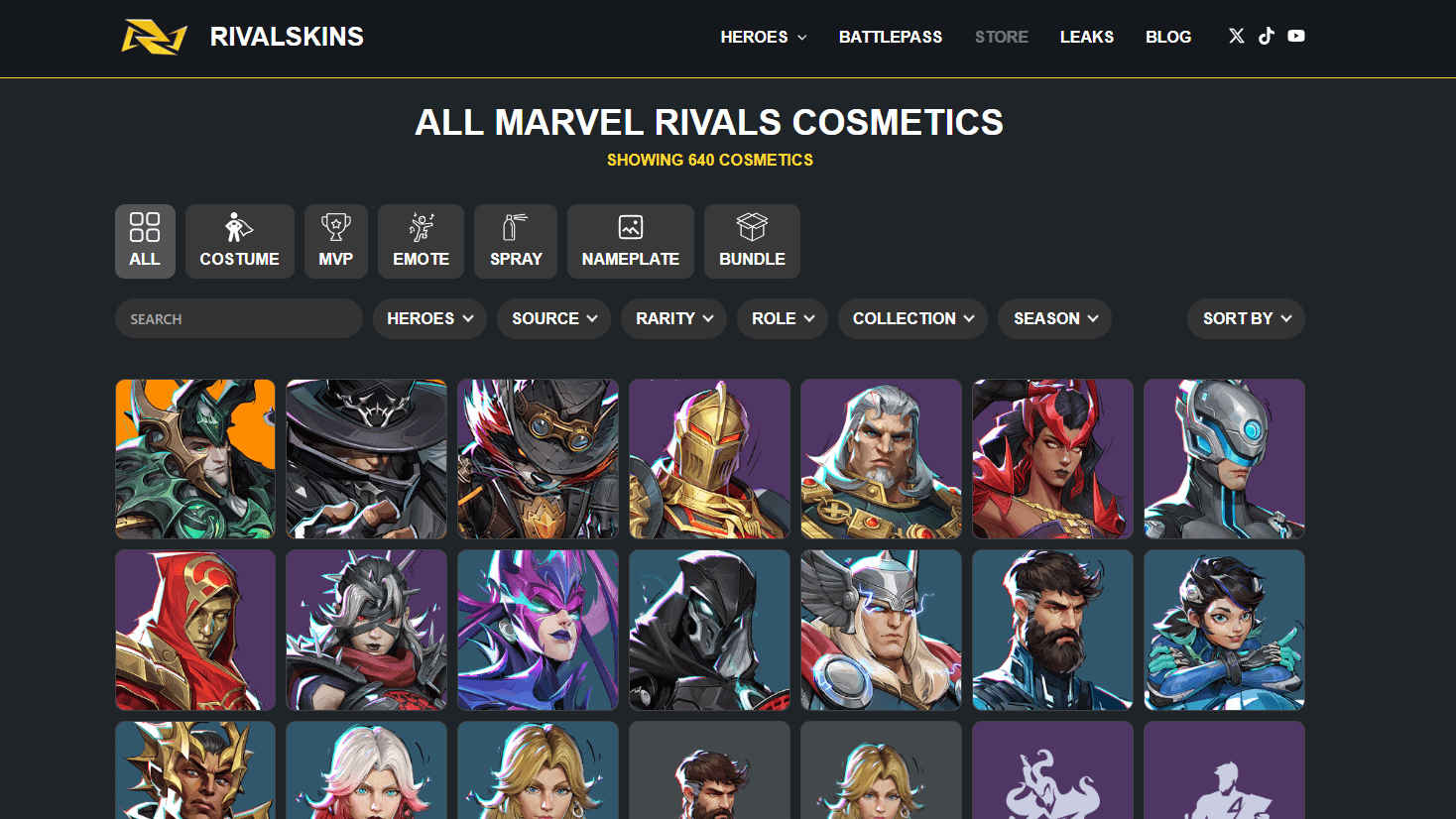
Seasonal Twitch drop campaigns provide the main cosmetic stream, launching alongside major patches, mid-season updates, and esports broadcasts.
You can also grab an immediate one-time payout through Discord account binding. Generate an invite code inside the client's Community menu, then drop it into the official Marvel Rivals Discord server (#in-game-binding channel). NetEase credits 100 free Units straight to your wallet.
After that initial 100-Unit bump, stream drops serve as your ongoing source for zero-cost loot. Here is what you can earn and the time commitment required:
| Acquisition Method | Reward Payout | Cumulative Watch / Action Time | Reset & Claim Limits |
|---|---|---|---|
| Discord Account Binding | 100 Units | 2 minutes (one-time setup) | One claim per game account |
| Seasonal Twitch Drops Tier 1 | Hero Spray | 30 minutes active watch time | 1 per seasonal campaign |
| Seasonal Twitch Drops Tier 2 | Player Nameplate | 1 hour cumulative watch time | 1 per seasonal campaign |
| Seasonal Twitch Drops Tier 3 | Hero Emote | 2 hours cumulative watch time | 1 per seasonal campaign |
| Seasonal Twitch Drops Tier 4 | Will of Galacta Hero Skin | 4 hours cumulative watch time | 1 per seasonal campaign |
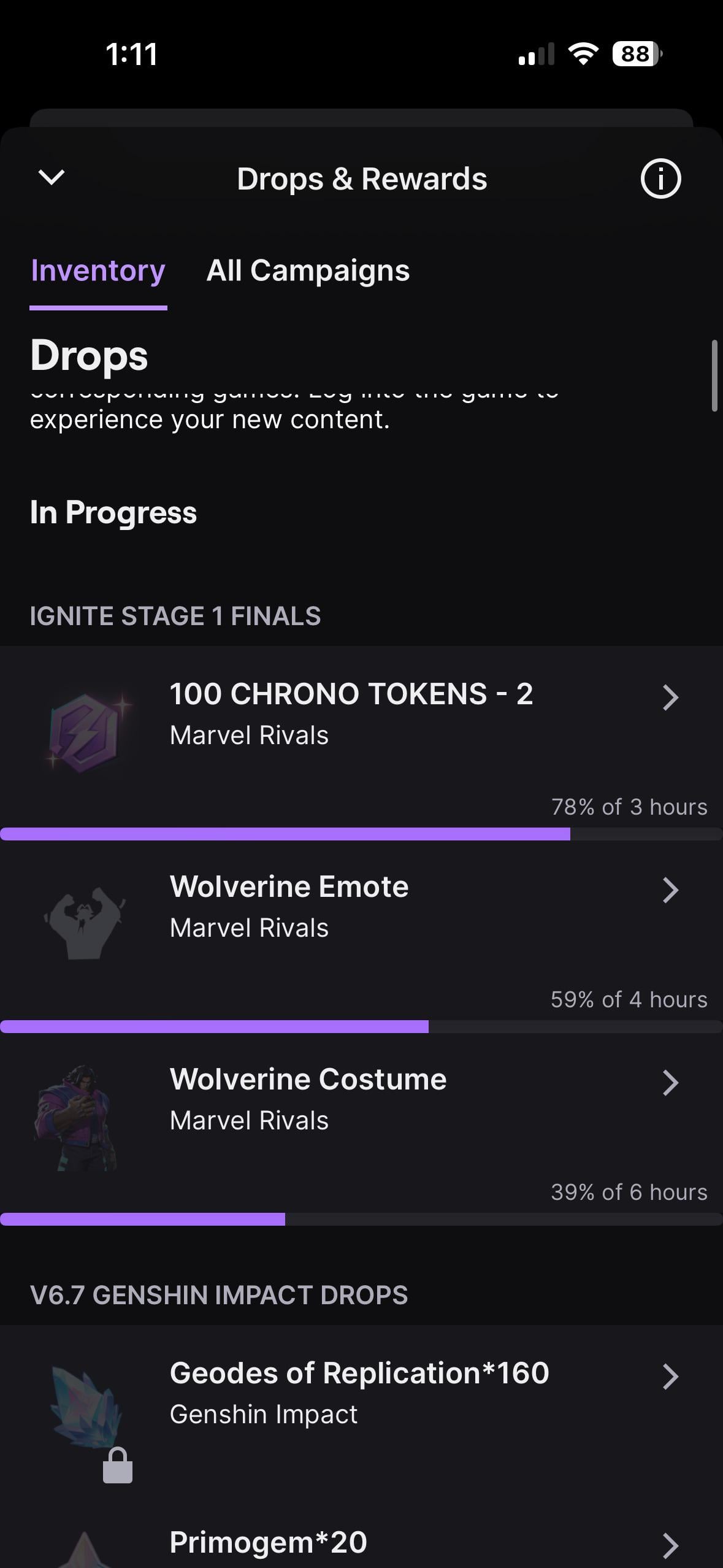
| IGNITE Esports Mid-Season | 100 Chrono Tokens + Skin | 2 hours (Tokens), 4 hours (Skin) | Active only during tournament finals |
Takeaway: Free streams will dress your roster in recolors and provide modest token payouts, but direct Units through community activities remain strictly capped by NetEase.

Standard Milestone Tiers: What You Unlock Every Four Hours
Regular campaigns follow an unvarying four-tier milestone structure. Once an official event goes live, any Twitch broadcast under the Marvel Rivals category carrying the Drops Enabled tag counts toward your active bar.
You do not unlock the final hero skin right away. Rewards unlock sequentially, meaning you must clear earlier milestones before tracking starts on the next tier:
- 30 Minutes (Tier 1): Unlocks a character-specific Will of Galacta spray. It unlocks quickly and verifies your account link.
- 1 Hour (Tier 2): Unlocks the themed Will of Galacta player nameplate for your pre-match loading card.
- 2 Hours (Tier 3): Grants a unique hero emote (or battle pass tokens during competitive events).
- 4 Hours (Tier 4): Delivers the flagship prize: a full Will of Galacta hero costume recolor.
During special tournament broadcasts like the IGNITE competitive circuit, NetEase modifies Tier 3. During the IGNITE Mid-Season Finals, two hours yielded 100 Chrono Tokens alongside an emote, speeding up seasonal battle pass leveling.
| Tier Milestone | Reward Type | Typical Content | Implementation Purpose |
|---|---|---|---|
| 30 Minutes | Spray | Will of Galacta Hero Spray | Fast verification of account binding |
| 1 Hour | Nameplate | Themed Profile Banner | Profile customization |
| 2 Hours | Emote / Progression | Duty Calls or Chrono Tokens | Emote wheel or battle pass tier acceleration |
| 4 Hours | Character Costume | Will of Galacta Flagship Skin | Full cosmetic model variation |
Takeaway: Because the four-hour grind operates sequentially, missing even forty minutes of an event window can lock you out of the hero costume entirely.
Marvel Rivals Twitch Drops Schedule 2026 and Past Drops
The 2026 calendar packed community drops and esports broadcasts close together. Tracking the schedule helps you catch items before balance patches wrap.
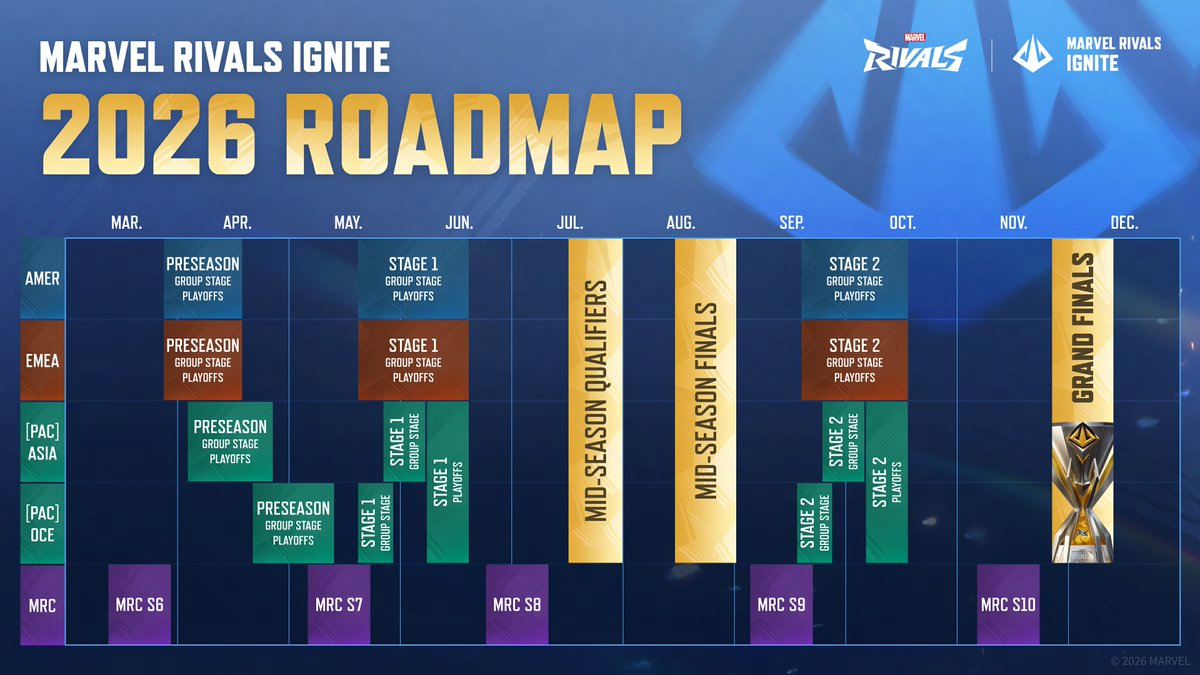
Season 7 kicked off the year with drops for the Scarlet Witch Will of Galacta skin, running from March 19 through April 16, 2026. Concurrently, NetEase launched the IGNITE Preseason tournament circuit from March 27 to May 17, 2026. This circuit partnered with regional broadcast channels across AMER, EMEA, OCE, ASIA, JP, and ESP to distribute a tournament Gambit skin.
Summer 2026 brought back-to-back updates. Season 8.5 ran from June 12 to July 10, 2026, offering Storm cosmetics and her Reading on the Wind emote. Season 9 followed immediately on July 10 through August 7, 2026, featuring Captain America gear and the Duty Calls emote. Alongside Season 9, Twitch hosted the Summer Drop Fest (July 10–24), where gifting a channel sub unlocked a Jubilee chat badge.
The IGNITE Mid-Season Finals closed out July (July 29 – August 1, 2026), granting 100 Chrono Tokens and the IGNITE Daredevil skin. Most recently, Season 9.5 offered Elsa Bloodstone Will of Galacta gear between August 7 and September 4, 2026.
| Campaign Name | Active Date Window (2026) | 4-Hour Hero Costume Reward | Distinctive Features |
|---|---|---|---|
| Season 7 Drops | March 19 – April 16 | Scarlet Witch Will of Galacta | Standard seasonal campaign launch |
| IGNITE Preseason 2026 | March 27 – May 17 | Tournament Gambit Skin | Multi-region esports stream broadcast |
| Season 8.5 Drops | June 12 – July 10 | Storm Will of Galacta | Included Reading on the Wind emote |
| Twitch Summer Drop Fest | July 10 – July 24 | Jubilee Chat Badge | Sub gifting campaign running beside Season 9 |
| Season 9 Drops | July 10 – August 7 | Captain America Will of Galacta | Featured Duty Calls emote at 2 hours |
| IGNITE Mid-Season Finals | July 29 – August 1 | IGNITE Daredevil Skin | Granted 100 Chrono Tokens at 2-hour tier |
| Season 9.5 Drops | August 7 – September 4 | Elsa Bloodstone Will of Galacta | Late-summer seasonal costume reward |
Takeaway: Tournament drops operate on compressed timelines of three to four days, whereas seasonal drops give you roughly four weeks to complete your watch hours.
Connect Twitch to Marvel Rivals Account Without Losing Progress
Account linking sounds straightforward, but cross-progression mechanics harbor traps. If you alternate between PC and console, you risk binding rewards to an inactive secondary profile.
Follow these steps to connect your profiles cleanly:
- Log into your primary client (Steam, Epic Games Store, PlayStation, or Xbox) and make sure your main hero profile loads.
- Open the official Marvel Rivals account connection portal in your browser.
- Sign in using your master NetEase credentials or platform login.
- Locate the Twitch connection banner and click Link Account.
- Authorize the NetEase application when redirected to Twitch.
- Confirm that your in-game UID and platform appear as "Connected" in the Marvel Rivals portal.
Watch out for cross-progression sync issues. Marvel Rivals lets you link multiple platforms so character progression mirrors across devices, but third-party bindings do not sync automatically. If you bound Twitch to your PC profile, your PlayStation profile will not collect those drops until you explicitly verify Twitch connectivity on that unified master profile.
Be deliberate before altering connections. Unlinking a platform from your cross-progression setup triggers a strict 180-day unlinking cooldown. Community posts mentioning a seven-day window refer strictly to minor social links. Detaching a core gaming platform locks that slot for six months.
Switching your designated "primary character" across platforms also triggers a one-hour system cooldown. Set your primary platform first, link Twitch second, and leave the setup alone.
If you want to bypass the watch-time grind and pick up outfits immediately, you can top up Marvel Rivals Units to grab shop bundles without waiting on monthly campaign rotations.
Marvel Rivals Watch Rewards Claiming Guide and Audio Workarounds
Linking accounts is only half the battle. Walk away from a stream for four hours, and your progress will likely stall.
The Browser Mute Trap
Twitch detects when its embedded HTML5 player is silenced. Clicking the speaker icon inside the video frame flags your account as inactive, halting progress toward your Will of Galacta skin within minutes.
Keep the video volume slider set above 10%. To silence the stream, right-click the actual browser tab in Chrome, Edge, or Firefox and select Mute Tab (or Mute Site). The player continues outputting audio data to Twitch's script, but your speakers stay quiet.
Single Stream Limitations
You cannot run four streams across four tabs to finish in one hour. Twitch tracking servers credit watch time to only one active stream per account. Opening concurrent streams often desyncs the tracking socket, halting progress across every tab. Pick one reliable broadcast and leave it running.
Claiming Before Expiration
Once your progress reaches 100%, go to your Twitch Drops Inventory page and click Claim. Claim drops immediately upon unlocking them. Community guides often debate whether unclaimed inventory items survive 24 hours or the entire campaign window, but once an event officially ends, unclaimed items can disappear permanently.
Marvel Rivals Drop Rewards Not Received: Fixes and Mailbox Rules
Twitch claims do not dump cosmetics straight into your locker. The item routes through NetEase's API into your in-game mailbox, which creates two common choke points: server delays and mail expiration.
Drops usually arrive within five to ten minutes. During season launches and IGNITE tournament weekends, delivery queues back up. NetEase confirms that delivery can take between 24 to 72 hours under heavy server load. If items fail to show up after an hour or two, avoid unlinking your accounts—wait for the queue to clear.
Keep an eye on your mailbox timer. In-game mail items feature a strict 30-day expiration window. If you claim an item on Twitch while away from your PC or console and fail to log in within 30 days, the mail deletes itself and your item is lost.
If 72 hours pass and your inventory confirms the claim without delivering the item in-game, contact support. Join the official Discord and direct message your Twitch ID, in-game UID, and inventory screenshots to Marvel Rivals Support#4674 for a manual check.
Free Units from Marvel Rivals Streams vs Premium Top-Ups
Free drops provide decent recolors, but they will not fund an entire wishlist. Drop campaigns reward pre-selected cosmetics rather than flexible currency, with the sole exceptions being the 100 Units from Discord binding and occasional tournament Chrono Tokens.
If your main hero is not featured in the current Will of Galacta rotation, four hours of streaming will not help you get the outfits you actually want. A legendary costume or exclusive store bundle demands Units or Lattice directly in your game wallet. When free drops do not provide the currencies you need for a limited-time skin, finding a safe Marvel Rivals Lattice recharge ensures you can grab your chosen cosmetics before the store rotates.
Twitch drops are worth the effort when you want the featured skin. When you want store-exclusive bundles or legendary costumes on a tight deadline, you can purchase Marvel Rivals Units online instead of waiting for tournament schedules to feature your hero.
Frequently Asked Questions
How do I earn Marvel Rivals Twitch drop rewards?
Link your Marvel Rivals game account to Twitch through the official NetEase connection portal, then watch any broadcast tagged with Drops Enabled in the Marvel Rivals category. Once you hit the required watch-time milestones, visit your Twitch Drops Inventory page to claim your items.
How can I get free Units in Marvel Rivals without paying?
You can earn 100 free Units by linking your game account to the official Marvel Rivals Discord server. Generate a binding code from the in-game Community menu and submit it to the #in-game-binding channel to receive the currency instantly.
Why has my Twitch drop watch progress stopped updating?
Progress tracking usually stalls because your Twitch video player is muted or running in a hidden background tab that your browser has throttled. Keep the video player volume above 10%, mute the browser tab itself, and ensure you are only watching one Marvel Rivals stream at a time.
How long do I have to collect Twitch drops from my in-game mailbox?
Rewards sent to your in-game mailbox will permanently expire after 30 days if left unclaimed. You must log into Marvel Rivals and manually open the system mail before this deadline passes to move items into your hero locker.
Can I watch multiple Marvel Rivals streams at once to earn drops faster?
No, Twitch tracks watch time on only a single active stream per account. Opening multiple broadcasts simultaneously will not accelerate your progress and frequently breaks tracking altogether.
How long does it take for claimed drops to appear in-game?
Most drops arrive in your in-game mailbox within a few minutes, but heavy server traffic during tournament weekends can cause delays between 24 and 72 hours. If your rewards still have not arrived after 72 hours, submit a support ticket to Marvel Rivals Support#4674 on Discord.
Do my Twitch drops carry over if I set up cross-progression?
Drops belong to your master account, but third-party platform bindings do not automatically sync across every console. Make sure your primary gaming platform is bound to Twitch in the NetEase portal, and keep in mind that unlinking a platform incurs a strict 180-day cooldown.
Final Verdict: Is Grinding Twitch Drops Worth Your Bandwidth?
Running Twitch drops in a muted tab makes complete sense if you want the Will of Galacta skins. Getting a free skin for Captain America, Storm, or Elsa Bloodstone for running a background tab requires very little effort.
Do not expect stream drops to build a mountain of currency. Beyond the one-off 100-Unit Discord reward and occasional Chrono Tokens, you will not earn liquid Units. Run drops when you want the featured hero skin, follow tab audio rules to avoid tracking freezes, and rely on top-ups for everything else.






Comments