

Paid for UC but your game balance is empty? Learn how to verify transaction delays, check in-game mail, and submit a missing purchase ticket to PUBG support.
Few things in mobile gaming frustrate more than seeing a bank deduction alert, opening the lobby, and finding your Unknown Cash balance still sitting at zero. Whether you planned to grab the active Royale Pass or spin an upgradable crate before it resets, an uncredited top-up stops everything cold.
Server handshakes between payment processors, platform app stores, and game servers frequently desynchronize. Before submitting a dispute that could lock your profile, run through this diagnostic sequence.
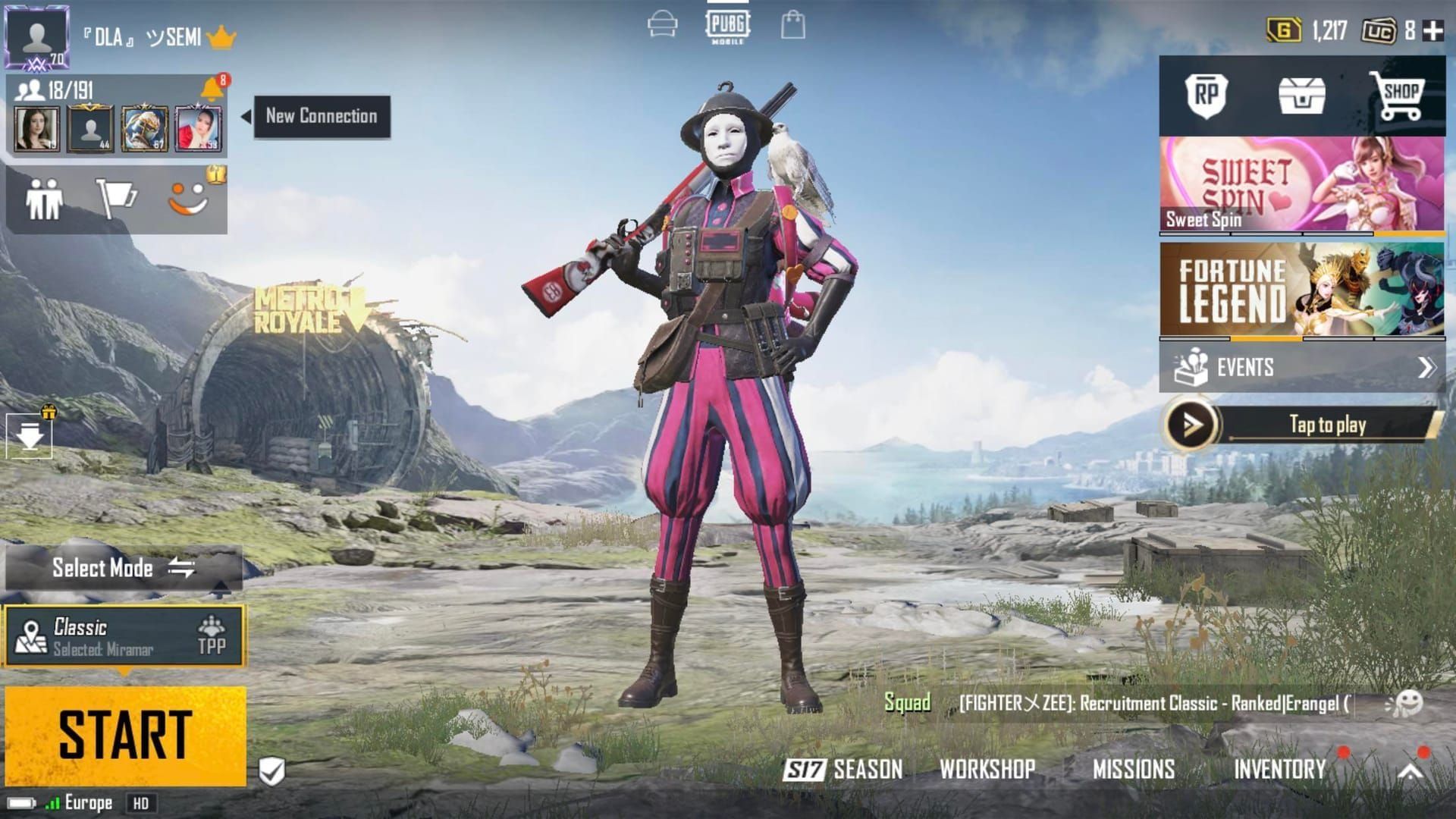
Immediate Checks: Gateway Processing vs. In-Game Mailbox
When your money leaves your bank account, it does not land instantly inside the game database. Payment gateways run authentication checks, exchange data tokens with the platform store, and finally tell the game server to adjust your account balance. Latency can happen at any of these junctions.
Official support guidance notes that transactions routinely require 10 to 30 minutes to synchronize during normal operating conditions. If the game client was running while the payment was approved, your local balance counter will often fail to update automatically. The quickest fix is to force-close PUBG Mobile completely, clear it from your active app switcher, and reboot the game to force a clean server handshake.
Check your in-game mailbox immediately after logging back in. Depending on the exact package or crate voucher purchased, delivery does not always credit straight to the top-right UC counter. Certain promotional bundles, system gifts, and redeemed codes land inside your in-game mailbox or directly in your inventory screen as redeemable crates. Look for the envelope icon in the lower navigation bar to claim pending items.
The delivery timeframe also hinges on the top-up route you used. The table below outlines standard fulfillment windows across the ecosystem.
| Top-Up Channel | Typical Delivery Window | Support Escalation Threshold |
|---|---|---|
| In-App Purchase (Google Play / App Store) | 5–15 minutes | 24 hours |
| Direct Authorized Web Top-Up | 1–5 minutes | 24 hours |
| Official Redemption Center Codes | Minutes to 24 hours | 24 hours |
| Digital Third-Party Key Marketplaces | 5–30 minutes | 48 hours |
Takeaway: Always allow a baseline processing buffer of up to 24 hours during network traffic peaks before assuming an order has failed completely.

60 UC
 60 UCUSD 0.78Buy Now
300 + 25 Bonus UC
300 + 25 Bonus UCUSD 3.93Buy Now600 + 60 Bonus UC
600 + 60 Bonus UCUSD 7.87Buy Now1500 + 300 Bonus UC
1500 + 300 Bonus UCUSD 19.68Buy Now3000 + 850 Bonus UC
3000 + 850 Bonus UCUSD 39.37Buy Now6000 + 2100 Bonus UC
6000 + 2100 Bonus UCUSD 78.74Buy Now12000 + 4200 Bonus UC
12000 + 4200 Bonus UCUSD 157.49Buy Now18000 + 6300 Bonus UC
18000 + 6300 Bonus UCUSD 236.24Buy Now24000 + 8400 Bonus UC
24000 + 8400 Bonus UCUSD 314.99Buy Now30000 + 10500 Bonus UC
30000 + 10500 Bonus UCUSD 393.74Buy NowELITE PASS PLUS
 ELITE PASS PLUSUSD 21.24Buy Now
ELITE PASS
ELITE PASSUSD 8.65Buy Now
Why Your Payment Succeeded but UC Is Missing
A cleared bank charge does not mean the game database has received the confirmation token. Technical bottlenecks occur at three distinct points between checkout and delivery:
First, distinguish between an actual settled charge and a temporary authorization hold. Google Play and the Apple App Store frequently place a temporary 1 USD authorization hold on your card to verify active billing status before processing the real order amount. If you see an unfamiliar small charge alongside your pending order, it is a temporary verification hold that drops off automatically within a few business days.
Second, regional operating system pricing rules create backend mismatches. Because platform storefronts adjust for local taxes and app store fees, prices occasionally differ between Android and iOS versions of the app. If a payment hits a currency conversion conflict at the gateway level, the transaction remains in a "pending" status on the banking side while the game server waits for complete settlement.
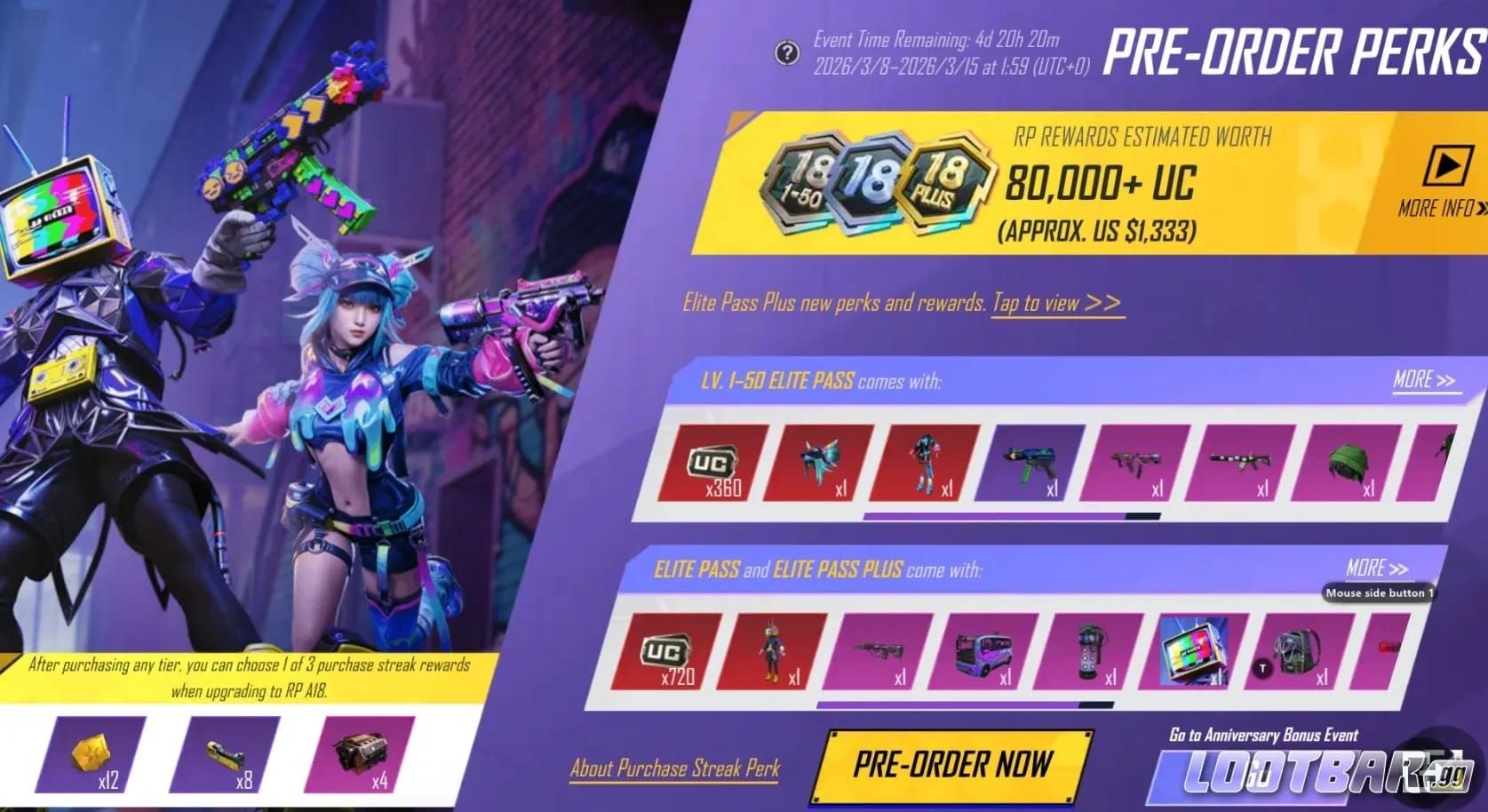
Third, seasonal traffic spikes cause severe delivery queues. When a new Royale Pass launches—costing 360 UC for the standard track or 960 UC for the Elite Pass Plus bundle—millions of players flood checkout gateways at the exact same hour. Payment queues back up. When planning your seasonal pass upgrades through a PUBG Mobile UC top up, knowing your store's transaction status saves unnecessary panic while servers clear processing queues.
How Wrong Player IDs and Regional Clients Block Delivery
Account targeting errors become the primary suspect once 30 minutes pass without a balance update. When buying currency outside standard in-app storefronts, fulfillment relies entirely on the numeric Player UID submitted at checkout.
Your numeric UID is the only string that matters. If you entered a typo in your UID during web checkout, the game server delivers the currency to that wrong account the instant the payment clears. PUBG Mobile treats successful transactions to valid numeric UIDs as final. Once credited to a stranger's account, those funds cannot be recalled, transferred, or refunded.
Regional client restrictions present another barrier. Global redemption keys do not work across distinct regional game builds. If your account runs on a separate localized client—such as the Korea (KR), Japan (JP), China, Taiwan (TW), or Vietnam (VN) editions—a global UC voucher code will fail to register. Always verify your client version before attempting web-based redemption.
Prepaid regional Game Credit vouchers also carry strict redemption mechanics. These cards are single-use assets that must be redeemed in full during a single transaction. You cannot split a voucher balance across multiple accounts or save partial values for later.
Step-by-Step Ticket Escalation to Customer Support
Escalate the transaction directly to customer support once the 24-hour mark passes without delivery. Avoid opening duplicate inquiries; submit a single detailed ticket containing the required billing documentation.
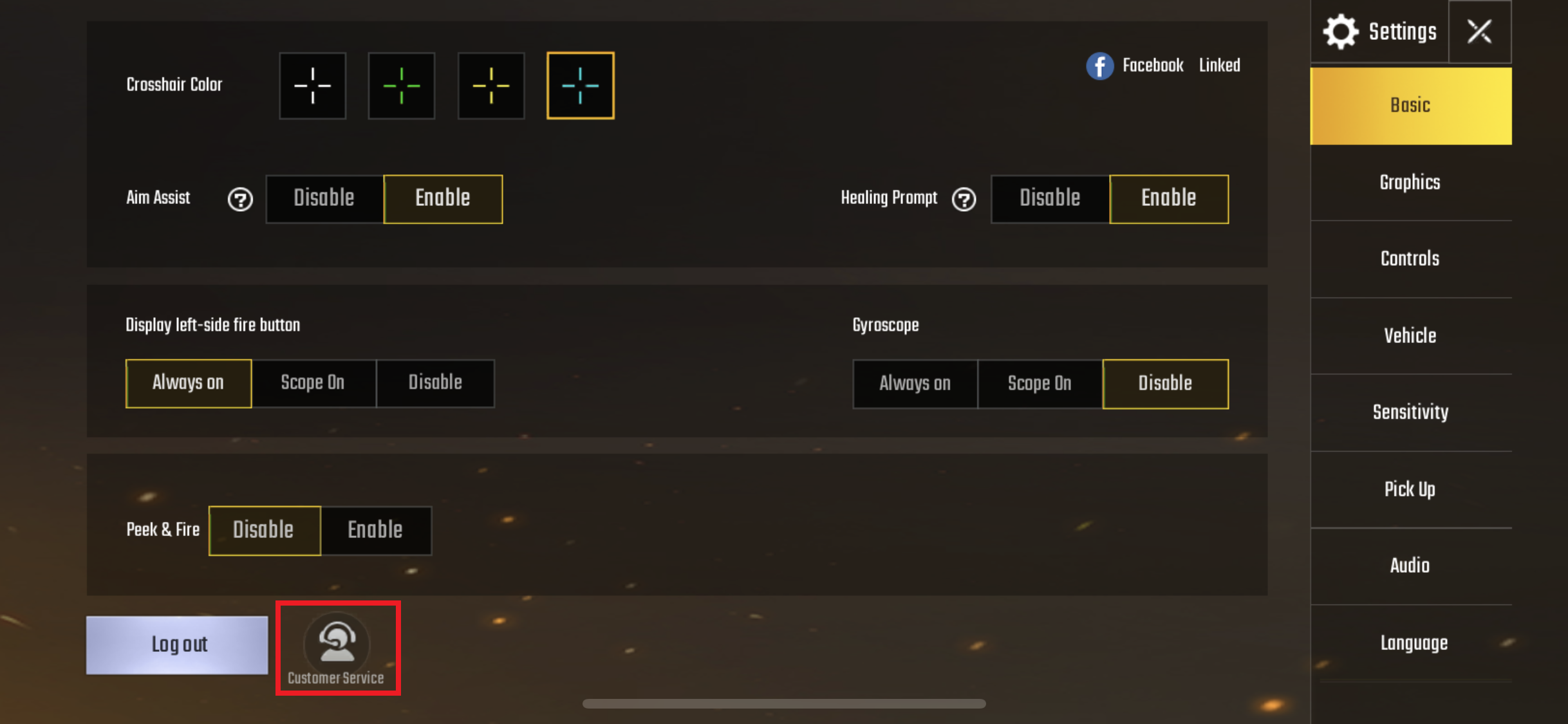
To file a ticket in-game, tap the Settings gear icon in the bottom-right corner of the lobby screen and select "Customer Service." Tap the chat or inquiry icon in the upper corner to begin an automated dialogue, then select "Payment Issue" to reach the missing UC form.
Every platform requires specific transaction identifiers to trace lost funds. Prepare the exact data fields listed in the table below before opening your ticket.
| Purchase Platform | Mandatory Information Required | Identifying Receipt Code Format |
|---|---|---|
| Google Play Store | Account email, exact date/time, item name, GPA order number | GPA.XXXX-XXXX-XXXX-XXXXX |
| Apple App Store | Apple ID, invoice date, total cost, official email receipt screenshot | Document Number / Invoice ID |
| Samsung Galaxy Store | Samsung account ID, transaction number, character name, purchase date | Galaxy Apps Invoice ID |
| Web / Third-Party Voucher | Order ID, numeric UID, redemption code, merchant receipt | Partner Invoice / Redemption Reference |
Takeaway: Providing the full transaction code on your first ticket submission cuts support review times significantly and prevents automated script rejections.
Make sure your attached screenshot shows the complete, uncropped electronic receipt. It must clearly display the purchase date, exact timestamp, currency amount, and the platform invoice number. Bank SMS alerts or debit card push notifications are rarely accepted because they lack internal transaction numbers.
Refund Policies and Credit Expiration Realities
Missing currency disputes often tempt players to request immediate chargebacks through their payment provider. Before disputing the charge, review how publisher policies handle refunds.
There is a direct contradiction in published policy documents that catches many players off guard. Legal terms for regional Game Credit cards claim that all voucher purchases are completely non-refundable once issued. However, official PUBG Mobile customer support policies state that refund requests can be evaluated if submitted within 7 days of purchase—provided that all purchased items and currency remain completely unused and unopened in the account.
                    [ PURCHASE COMPLETED ]
                              │
               Did UC arrive within 30 mins?
                    ┌─────────┴─────────┐
                   YES                  NO
                    │                    │
             [ ENJOY GAME ]     Restart game & check mail
                                         │
                                 Has 24 hours passed?
                                ┌────────┴────────┐
                               YES                NO
                                │                  │
                     Collect Store Receipt    Wait for buffer
                                │
                     Submit Support Ticket
If you initiate a forced payment chargeback through your bank or credit card provider while the game balance issue is pending, the automated billing system will flag your account for negative balance or payment fraud. This can result in a permanent account suspension. Always attempt resolution through official support tickets first.
Expiration rules also vary between direct wallet balances and prepaid vouchers. The comparison below clarifies how long your funds stay valid.
| Balance Type | Expiration Term | Usage Rules |
|---|---|---|
| In-Game Wallet UC | Indefinite (No official expiration) | Usable anytime across all active in-game events. |
| Regional Game Credit Cards | 12 Consecutive Months | Expires if unredeemed after 12 months of account inactivity. |
| Promotional Mail Attachments | 30 Days (Typical) | Must be claimed from in-game mailbox before deletion. |
Takeaway: While your standard in-game UC wallet balance does not expire, unredeemed credit vouchers and mailbox attachments will vanish if neglected.
Safe Purchasing Habits: Legitimate Top-Ups vs. Account Phishing
Third-party recharge stores become tempting when in-app purchases stall, but search results are littered with fraudulent recharge portals and phishing traps.
Legitimate external top-up services require only your public numeric Player UID and character nickname. They query the official server API to confirm your account name matches your UID before you send payment. They will never ask for your game password, linked social media credentials (Twitter, Facebook, Google), or two-factor authentication codes.
If you want to skip app store markup and avoid login phishing risks, you can safely recharge PUBG Mobile Unknown Cash using only your character UID.
Watch out for these classic red flags when buying game currency online:
- Portals requesting your game account password or social login credentials.
- Websites offering impossible discounts, such as 10,000 UC for 5 USD.
- Sellers asking you to disable account security or share SMS verification codes.
- Platforms that lack secure HTTPS encryption on checkout pages.
- Direct private messages on Discord, Telegram, or social media claiming to be official staff.
One more critical safety habit: never execute rapid duplicate payment attempts when a checkout stalls. If an order displays a "pending" status, pressing the purchase button repeatedly risks triggering anti-fraud security blocks on your bank card and may cause duplicate charges that take days to clear.
UC Spending Strategy for Royale Pass and Crates
Managing your UC properly prevents overspending and ensures you always have enough currency on hand when major seasonal drops arrive. Match your purchase habits to your budget tier.
Free-to-Play and Minimalist Spenders
If you spend sparingly, your goal is self-sustainability. Buy the baseline 360 UC needed for the standard Royale Pass. As you progress through the 100 ranks of the pass, the track awards back all 360 UC in milestone rewards. If you resist spending that currency on random crates, you can roll those exact same 360 credits into every subsequent season indefinitely without spending another dollar.
Mid-Tier Collectors
If you play daily and want cosmetics alongside your seasonal rank, budget for the 960 UC Elite Pass Plus bundle. This grants an instant 24-rank head start, exclusive frames, and immediate cosmetic unlocks. Combine this with scheduled top-ups during server-side purchase rebate events, which reward bonus crate coupons and material fragments when hitting specific top-up thresholds.
Heavy Spenders and Lab Upgraders
If you are targeting mythic outfits or upgrading firearms in the Gun Lab, purchase currency in structured batches. Avoid placing massive back-to-back orders within seconds of each other during peak crate launch hours. Before dropping funds into seasonal lucky spins, buying PUBG Mobile UC online in calculated batches prevents payment queue bottlenecks and keeps your transaction records organized if an order needs verification.
Frequently Asked Questions
Why is my PUBG Mobile UC not showing up after purchase?
Server latency frequently delays communication between payment processors and the game database. Restart your game completely to refresh the balance, and check your in-game mailbox to ensure items were not delivered as claimed attachments.
How long should I wait before contacting support for missing UC?
Wait at least 10 to 30 minutes for standard network processing and up to 24 hours during peak server traffic periods. If your balance does not update after 24 hours, file an official customer service ticket with your receipt details.
What details are needed when submitting a missing UC ticket?
You must provide your numeric Player UID, in-game character nickname, the exact date and timestamp of the order, the purchased item name, and an uncropped screenshot of your official store receipt showing the invoice number.
Can I get a refund if my UC purchase did not arrive?
Official support evaluates refund requests submitted within 7 days of purchase, provided the purchased currency or items remain entirely unused and unopened. Direct chargebacks through banks risk permanent account bans, so resolve the issue through in-game tickets first.
Why do I see a 1 USD charge on my bank statement?
Google Play and the Apple App Store often place a temporary 1 USD authorization hold to verify your payment method's validity. This hold is not an extra fee and is automatically reversed by your financial institution within a few business days.
What happens if I entered the wrong Player ID during checkout?
Top-ups delivered to an incorrect numeric UID are final and irreversible once processed by the server. PUBG Mobile support cannot transfer currency between accounts or recall spent credits from third-party players.
Do unused PUBG Mobile UC credits expire?
Standard UC balances stored inside your active game wallet remain indefinitely. However, unredeemed regional Game Credit vouchers expire after 12 consecutive months of account inactivity under regional terms.
Action Plan: What to Do in the Next 24 Hours
If your UC is missing right now, follow this strict three-step protocol:
- Reboot and verify: Close PUBG Mobile completely, clear your background cache, reboot the app, and open your in-game mailbox to check for voucher deliveries.
- Inspect your receipt: Open your email or platform purchase history. Confirm that the transaction status shows "Completed" rather than "Pending" and locate your unique transaction code (
GPAnumber for Android or Invoice ID for iOS). - Submit after 24 hours: If the funds cleared your bank but 24 hours pass without delivery, open the in-game Customer Service tab, submit your uncropped receipt, and let the billing team manually credit your wallet.
Avoid spamming multiple purchases while waiting. Give the payment pipeline time to resolve, secure your proof of purchase, and let official support match your transaction ID.






Comments