

Master the StarMaker best audio settings in 2026. Dial in custom EQ, low-latency reverb, and mic calibration to lock in SSS scores and win live PK battles.
Winning a live PK battle or scoring SSS on StarMaker rarely comes down to raw vocal talent. The app runs your voice through an automated engine evaluating strict digital metrics. High latency, muddy low-mids, or washed-out reverb tails will cost you points before the first chorus ends.
Default presets like "KTV" muddle vocal clarity. Reaching the top of leaderboards requires manual hardware calibration, targeted EQ cuts, and strict latency control.
The 2026 AI Scoring Engine: How StarMaker Rates Your Voice
StarMaker evaluates recorded tracks across five metrics: pitch accuracy, rhythm, vocal technique, emotional expression, and song selection. At the end of a performance, the app generates a composite score alongside a five-point radar chart.
Pitch and rhythm carry the heaviest weight. Drifting off-tempo by even a few milliseconds registers as late strikes on the beat grid. Meanwhile, emotional expression and technique track dynamic contrast and transient clarity. If your microphone clips or distorts, the engine flags vocal power as digital noise.
Song selection establishes the algorithm's baseline expectations. StarMaker's catalog contains over 14 million backing tracks spanning Pop, K-pop, R&B, and regional genres (older platform estimates cited roughly one million). Tracks with dense note guides demand strict pitch control. To unlock full song access and join high-tier room events, you can top up StarMaker coins for VIP upgrades and gifts.

60 + 5 Bonus Coins
 60 + 5 Bonus CoinsUSD 0.63Buy Now
300 + 25 Bonus Coins
300 + 25 Bonus CoinsUSD 3.15Buy Now1,000 + 110 Bonus Coins
1,000 + 110 Bonus CoinsUSD 10.74Buy Now1,200 + 150 Bonus Coins
1,200 + 150 Bonus CoinsUSD 13.06Buy Now1,600 + 200 Bonus Coins
1,600 + 200 Bonus CoinsUSD 17.42Buy Now2,100 + 300 Bonus Coins
2,100 + 300 Bonus CoinsUSD 23.23Buy Now2,700 + 400 Bonus Coins
2,700 + 400 Bonus CoinsUSD 30.00Buy Now3,000 + 450 Bonus Coins
3,000 + 450 Bonus CoinsUSD 33.39Buy Now3,400 + 550 Bonus Coins
3,400 + 550 Bonus CoinsUSD 38.22Buy Now5,000 + 850 Bonus Coins
5,000 + 850 Bonus CoinsUSD 56.61Buy Now6,000 + 1,100 Bonus Coins
6,000 + 1,100 Bonus CoinsUSD 68.71Buy Now6,500 + 1,200 Bonus Coins
6,500 + 1,200 Bonus CoinsUSD 74.51Buy Now7,000 + 1,300 Bonus Coins
7,000 + 1,300 Bonus CoinsUSD 80.32Buy Now10,000 + 1,900 Bonus Coins
10,000 + 1,900 Bonus CoinsUSD 115.16Buy Now14,000 + 2,800 Bonus Coins
14,000 + 2,800 Bonus CoinsUSD 162.58Buy Now
Latency Calibration and Hardware Setup for Zero Delay
Audio lag destroys rhythm scores faster than poor pitch. In mobile karaoke apps, audio delay and headphone desync account for 17% of 1- to 3-star negative reviews. When input signals lag behind backing audio, the scoring engine marks strikes as late—even when you sing perfectly in time.
Aim for a total mic latency below 50ms. Flagship Android phones hit 35–50ms under optimal loads, mid-range hardware sits at 50–80ms, and budget chipsets often push past 80–100ms. Bluetooth connections inject 100–200ms of wireless delay, making wireless buds unusable for competitive sessions.
Stick to wired 3.5mm or USB-C in-ear earphones to lock input latency under 20ms.
Before tracking vocals, navigate to ME > Settings > Latency Adjust and run the built-in calibration utility. Turn off software echo cancellation when using wired earphones. Since in-ear monitors prevent backing tracks from bleeding into the mic capsule, leaving echo cancellation active burns CPU cycles and adds 15–25ms of processing delay.
The following table outlines the hardware latency performance across common mobile setups.
| Hardware / Connection Type | Average Input Latency | Scoring Viability for SSS / PK |
|---|---|---|
| Wired In-Ear Earphones (3.5mm / USB-C) | <20ms | Optimal (Mandatory for high rank) |
| Flagship Android Internal Interface | 35-50ms | Excellent (Within AI tolerance) |
| Mid-Range Smartphone Audio Driver | 50-80ms | Moderate (Requires manual offset) |
| Budget Mobile Hardware | 80-100ms+ | Poor (Noticeable rhythm deduction) |
| Bluetooth Earbuds / Wireless Headsets | 100-200ms | Unusable (Causes severe desync) |
Wired monitoring instantly eliminates latency penalties on your rhythm radar score.
Mic Positioning, Input Gain, and Auto-Denoise Calibration
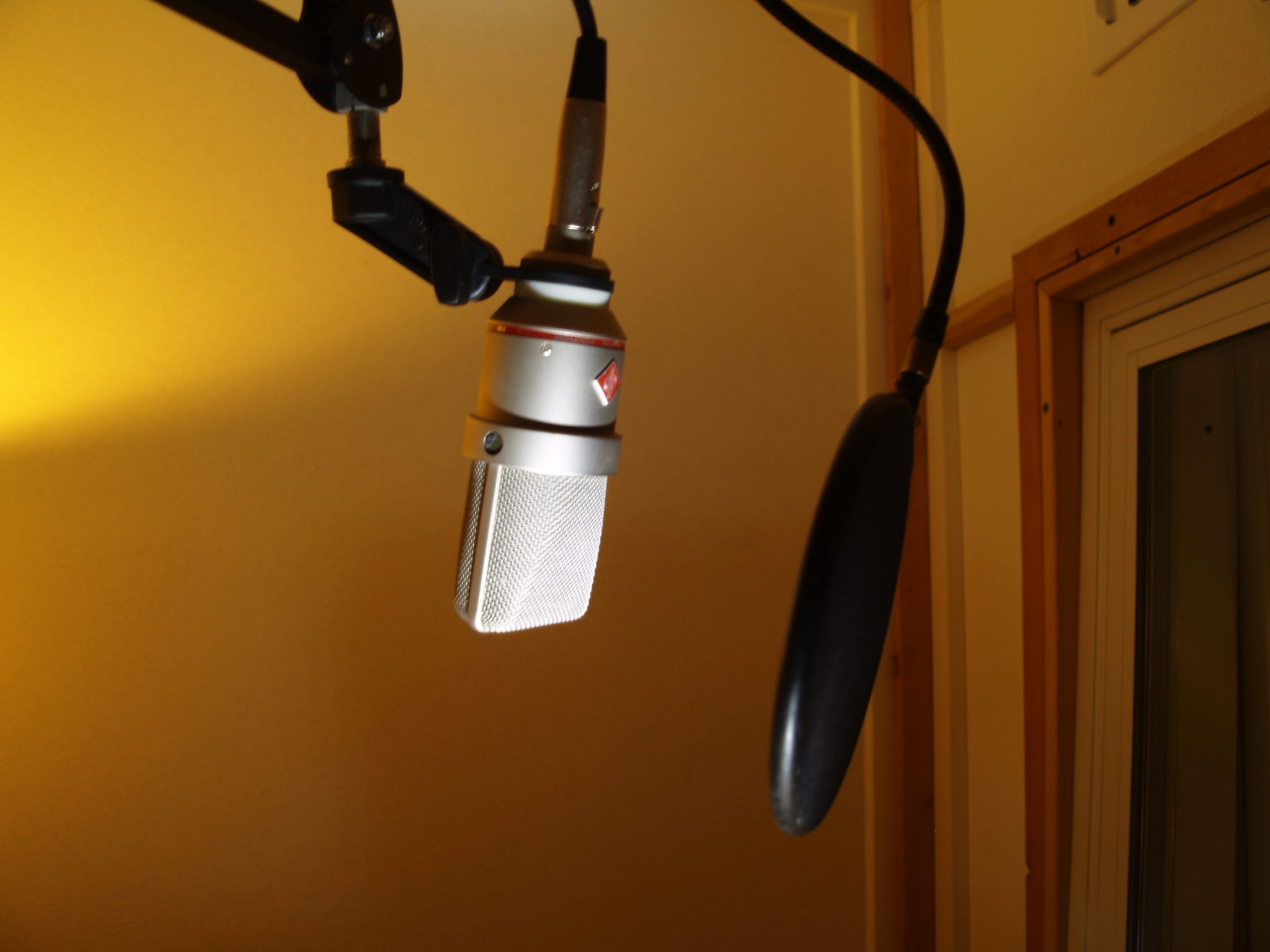
Mic placement directly dictates signal purity. Pressing a headset mic or phone edge against your mouth triggers plosive bursts on "P" and "B" consonants while overdriving the input buffer.
Keep the capsule 6 to 8 inches from your mouth, angled at 45 degrees. The offset directs your breath stream across the diaphragm instead of directly into it. Step back to 8 inches for harmonies and 10 inches for backing vocal stacks to create natural acoustic depth.
Calibrate Auto-Denoise before hitting record:
- Open the recording interface or audio settings in the ME tab.
- Tap the Auto-Denoise calibration tool.
- Stay silent for 2 to 3 seconds while StarMaker captures your room's ambient noise floor.
- Adjust the intensity slider: Low (20–40%) for quiet bedrooms; Medium (40–60%) for typical residential rooms with light background noise; High (60–80%) only when dealing with unavoidable AC hum or traffic.
Keep denoise below 80%. Aggressive gating chokes harmonic overtones and thins your vocal timbre. In the final mix, set vocal gain to 50%–70% prominence over the instrumental track so your lead cuts through without masking the beat.
Custom Equalizer Settings: Fixing Muffled Vocals and Harsh Highs
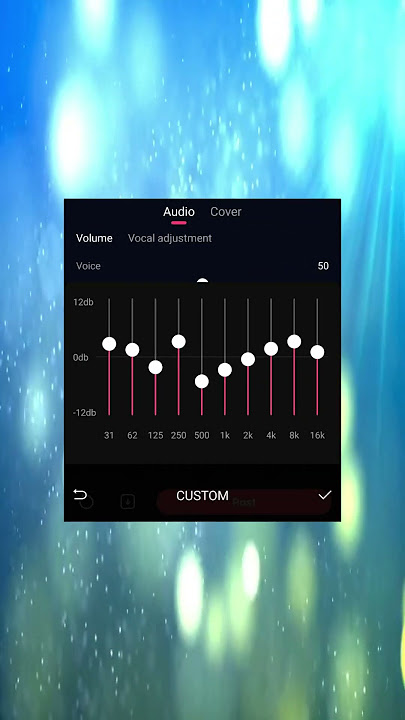
Stock EQ curves apply flat, generalized profiles that ignore individual vocal ranges. Male and female voices carry distinct resonant peaks, meaning mud removal and clarity boosts require tailored parametric cuts.
Start with a high-pass filter. Roll off frequencies between 80 Hz and 130 Hz for male singers, and up to 150 Hz for female singers. This strips room rumble and handling noise without sacrificing body.
Clear out boxiness with a 2 to 4 dB cut in the low-mids. Male boominess gathers between 200 Hz and 400 Hz. Female vocal congestion shifts higher, centering between 300 Hz and 600 Hz (often peaking around 500–600 Hz).
For presence, boost 2 to 3 dB across the 3 kHz to 5 kHz range (within the broader 1.5 kHz–5 kHz presence pocket). This sharpens consonant definition and helps the AI recognize lyric articulation. Finish with a 1 to 3 dB high-shelf boost between 10 kHz and 12 kHz to add top-end shimmer.
| Frequency Band | Target Adjustment | Primary Purpose / Vocal Impact |
|---|---|---|
| Low-End High-Pass (80 - 150 Hz) | Roll-off / Cut (-6dB or steep drop) | Cleans mic rumbles and sub-bass mud |
| Male Low-Mids (200 - 400 Hz) | Cut 2 to 4 dB | Removes chest boominess and boxy resonance |
| Female Low-Mids (300 - 600 Hz) | Cut 2 to 4 dB (center at 500 Hz) | Removes nasal congestion and hollow tones |
| Vocal Presence (3 kHz - 5 kHz) | Boost 2 to 3 dB | Enhances consonant clarity and lyric recognition |
| Air & Sheen (10 kHz - 12 kHz) | High-Shelf Boost 1 to 3 dB | Adds top-end brilliance and professional shine |
Carving out low-mid mud before boosting high frequencies prevents the sibilant spikes that trip the app's limiter.
Reverb and Spatial Effects: Presets That Will Not Ruin Pitch Accuracy
Reverb adds space, but long decay times blur note transitions. If a reverb tail bleeds into the next lyric, StarMaker's pitch tracker cannot isolate your fundamental frequency, dinging your pitch score.
Studio Reverb is the most reliable preset for scoring runs. Its tight 0.3–0.6 second decay adds just 8–12ms of latency, keeping uptempo Pop, Hip-Hop, and R&B lines clean. Room Reverb offers a balanced 0.5–1.0 second decay (15–20ms latency) suited for indie and acoustic tracks. Hall Reverb stretches to a 2.0–4.0 second decay with a 25–35ms latency penalty; reserve it strictly for slow, sparse ballads.
| Reverb Preset | Decay Time & Latency | Recommended Vocal Genre & Use Case |
|---|---|---|
| Studio Reverb | 0.3 - 0.6s decay (8-12ms latency) | Best for fast Pop, Hip-Hop, and R&B lead vocals (35-45% depth) |
| Room Reverb | 0.5 - 1.0s decay (15-20ms latency) | Natural acoustic presence for folk and indie tracks (40-50% depth) |
| Hall Reverb | 2.0 - 4.0s decay (25-35ms latency) | Spacious, dramatic atmosphere suited for slow ballads (45-55% depth) |
Set your global reverb depth between 35% and 55% in 5% increments. For lead vocals, a 20% wet / 80% dry mix keeps transients crisp. Backing harmonies can sit wetter at 40%–50% to push them behind the lead.
Dynamics, Pitch Correction, and the Optimal Signal Chain
A 3:1 compression ratio keeps loud belting from clipping while lifting quieter verses into audible range. Set attack between 20ms and 30ms (5–10ms for fast rhythmic delivery) with a release of 100–200ms. This tames dynamic peaks without audible pumping.

Dial in pitch correction based on your song style:
- 40% to 60% Strength (Optimal): Corrects minor pitch drift on the scoring radar while retaining natural vibrato and dynamic expression.
- 70% to 100% Strength: Delivers a hard auto-tune aesthetic. Great for hyper-pop and trap, but it reduces expression points on ballads and acoustic sets.
Audio processing must follow a clean signal chain:
- Noise Reduction: Filters background room hum before amplification.
- Equalization (EQ): Cuts sub-bass rumble and carves out low-mid boxiness.
- Compression: Smooths volume swings and caps dynamic spikes.
- Pitch Correction: Locks in pitch on the clean, compressed signal.
- Reverb / Spatial Effects: Layers spatial depth onto the processed vocal.
- Final Limiting: Holds output peaks between -6dB and -3dB to prevent digital distortion.
Step-by-Step Audio Setup Routine Before Entering Live PK Rooms
Run through this checklist before hitting record or stepping into a live party battle:
- Plug In Wired Monitoring: Use 3.5mm or USB-C in-ear monitors. Ensure the inline mic hangs free from clothing.
- Calibrate Audio Latency: Open settings, run the latency test tool, and disable echo cancellation.
- Sample Room Acoustics: Trigger Auto-Denoise from your singing position. Stay silent for 2–3 seconds and dial intensity to 20%–60%.
- Dial In EQ Filters: Apply the high-pass cutoff (80–130 Hz male, 150 Hz female), dip 2–4 dB at 300–500 Hz, and boost 2–3 dB at 3–5 kHz.
- Apply Studio Reverb: Set decay to 0.3–0.6s with wet depth at 35%–45%.
- Set Pitch Correction: Lock correction between 40% and 60% for natural pitch guidance.
- Check Input Gain: Sing your loudest note in the preview screen. Confirm vocal volume sits at 50%–70% relative to the instrumental, with peak levels between -6dB and -3dB.
For competitive events or hosting high-tier rooms, you can complete a StarMaker Coins Recharge to keep gifts ready for active rounds.
Live Party Room PK Strategy: Dominating the Microphone
Live PK battles demand a two-pronged strategy: satisfying the scoring engine while engaging the audience. The algorithm scores raw pitch and timing, but viewers vote and gift based on vocal punch and mix clarity. A tailored EQ profile cuts through phone speakers far better than stock presets.
Avoid slow ballads that require heavy Hall Reverb during competitive PK battles. Uptempo Pop and R&B numbers let you run low-latency Studio Reverb (8–12ms delay), locking your rhythm directly to the track.
Balance lead vocals at roughly 65% above the backing track so lyrics stay crisp over mobile speakers. If you run themed party rooms or enter tournaments, you can purchase StarMaker coins to trigger room boosts, host events, and support PK teammates during tight rounds.
Frequently Asked Questions
What are the best audio settings to score SSS on StarMaker?
Use wired earphones with Auto-Denoise set between 20% and 60%, choose Studio Reverb at 35% to 45% depth, and set pitch correction between 40% and 60%. Calibrate your latency in the ME tab settings and keep your vocal volume balanced at 50% to 70% over the instrumental track.
Why does my voice sound delayed or out of sync during playback?
Audio lag is almost always caused by Bluetooth latency (which adds 100-200ms of delay) or an uncalibrated audio buffer. Switch immediately to wired 3.5mm or USB-C headphones and run the automatic latency calibration under your account settings.
Should I turn on Echo Cancellation when using headphones?
Disable echo cancellation whenever you are singing with wired in-ear headphones. Because wired earphones physically isolate the audio output from entering your mic, leaving software echo cancellation active merely wastes system resources and adds 15-25ms of input lag.
How should I set the EQ to stop my voice from sounding muffled?
Apply a high-pass cut below 80-130 Hz, cut 2 to 4 dB around 300-500 Hz to eliminate boxy low-mid congestion, and boost 2 to 3 dB between 3 kHz and 5 kHz. Adding a gentle 1 to 3 dB high-shelf boost at 10 kHz provides extra vocal shine and clarity.
What is the recommended microphone distance for recording on StarMaker?
Maintain a distance of 6 to 8 inches between your mouth and the microphone capsule, positioned at a 45-degree angle. This positioning prevents breath pops and plosives from distorting the signal while maintaining full vocal warmth.
How much pitch correction should I use for PK battles?
Keep pitch correction set to a moderate 40% to 60% strength for competitive singing. This level tightens pitch tracking on the AI radar chart while preserving your natural vocal timber and vibrato.
Final Setup Verdict
Stock presets are tuned for casual use, not high-level scoring. Hitting SSS grades and winning live PK matches requires total control over your signal chain. Use wired monitoring to bring latency below 20ms, scoop out low-mid mud between 200 Hz and 500 Hz, boost consonant clarity at 3–5 kHz, and keep reverb decays tight. These adjustments feed the scoring algorithm a clean, readable signal on every pass.






Comments