


A direct mathematical comparison between in-game client purchases and third-party web storefronts cannot be completed because current baseline cash shop prices from official PC and mobile app stores are not published in available verification data. While web storefronts like XPTopup list fixed denominations ranging from 60 to 7250 Crystals alongside recurring ticket passes, final checkout costs depend on platform payment fees and regional taxes added during transaction processing.
Available Crystal Tiers and Recurring Passes
Tarisland uses Crystals as its primary currency for Battle Passes, character cosmetics, mounts, and resource conversion. When purchasing outside the game client, platforms organize inventory into standard standalone denominations and duration-based access passes.
Catalog listings on XPTopup feature six standalone Crystal denominations:
- 60 Crystals
- 330 Crystals
- 700 Crystals
- 1800 Crystals
- 3600 Crystals
- 7250 Crystals
Recurring subscriptions provide access over set calendar intervals rather than immediate lump-sum currency payouts:
- Weekly Ticket
- Monthly Ticket
- Semiannual Ticket
Base catalog prices exclude checkout taxes, local payment processing fees, and promotional coupons (XPTopup Tarisland Catalog). The final total appears only after selecting an active payment method at checkout.

60 Crystals
 60 CrystalsUSD 0.71Buy Now
Weekly Ticket
Weekly TicketUSD 0.87Buy NowMonthly Ticket
Monthly TicketUSD 2.57Buy Now330 Crystals
330 CrystalsUSD 3.45Buy Now700 Crystals
700 CrystalsUSD 7.01Buy NowSemiannual Ticket
Semiannual TicketUSD 14.47Buy Now1800 Crystals
1800 CrystalsUSD 16.54Buy Now3600 Crystals
3600 CrystalsUSD 33.12Buy Now7250 Crystals
7250 CrystalsUSD 70.43Buy Now
Platform Price Data Limits and Cash Shop Differences
Determining whether an external store or the official client provides better value requires identical conditions. You must evaluate the same regional profile, matching currency, identical pack sizes, and net checkout costs including taxes and payment provider surcharges.
Available dataset records do not include baseline numeric in-game store prices for PC or mobile platforms. Because mobile app stores take platform commissions and PC direct checkouts use regional payment gateways, in-game pricing varies by operating system and territory. Without verified baseline figures for the official in-game store, declaring a specific channel superior is impossible.
Other secondary market platforms handling Tarisland transactions include MMOEXP, Lotkeys, TOPUPlive, U7BUY, GGPick, and Kaleoz. Always inspect live checkout totals on both your game client and the web storefront before completing a purchase.
Account Security and UID Delivery Mechanics
Direct UID top-ups differ fundamentally from account-sharing services: legitimate storefronts credit currency directly via server APIs without logging into your account.
Authorized direct delivery via platforms such as XPTopup and Lotkeys requires only two pieces of public information:
- Your numeric User ID (UID)
- Your assigned regional server
Legitimate web shops never ask for game passwords, linked email logins, or two-factor authentication codes (XPTopup Tarisland Catalog). Avoiding credential sharing eliminates the risk of account compromise and prevents automated bans triggered by logins from unfamiliar IP addresses.
Regional Server Clusters and Routing IDs
Global player accounts are split across regional server clusters. Selecting the wrong cluster during checkout routes currency to another profile or causes transaction failure.
| Region | Server Name | Numeric Server ID |
|---|---|---|
| Asia | ASIA-1 | 30001 |
| Asia | ASIA-2 | 30002 |
| Asia | ASIA-3 | 30003 |
| North America | NA-1 | 35001 |
| Latin America | LATAM-1 | 40001 |
| Latin America | LATAM-2 | 40002 |
| Europe | EU-1 | 45001 |
| Europe | EU-2 | 45002 |
| Europe | EU-3 | 45003 |
| Eastern Europe | EE-1 | 50001 |
Regional availability varies significantly by seller. For example, G2G provides a Tarisland Drop Link recharge service but restricts its availability exclusively to Indonesia (G2G Tarisland Drop Link). In contrast, XPTopup supports the full list of global server clusters shown above. Note that G2G's product page contains erroneous descriptive text describing gameplay as a sheepdog in Scotland, conflicting with Tarisland's fantasy MMORPG identity.
Finding Your User ID and Server in the Client
To ensure currency reaches the intended character, retrieve your account information directly from the game interface:
- Launch Tarisland and proceed to the character selection screen or log into your character.
- Open the main menu from the bottom right corner of the screen and select Settings.
- Navigate to the User Center or Account tab.
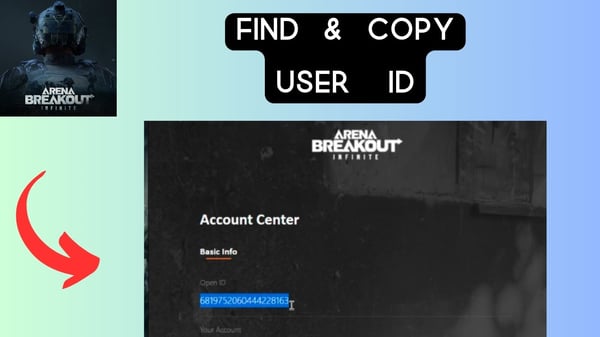
- Copy the numeric User ID and note the exact server name displayed beside your character profile.
Paste this numeric string into the top-up field without manual typing to prevent routing mistakes.
Resolving Missing or Delayed Crystal Deliveries
Web purchases typically process automatically, but database delays occasionally occur between external payment gateways and the game server.
If your purchased Crystals do not update in the top-bar wallet, follow these resolution steps:
- Restart the client: Completely exit Tarisland on your PC or mobile device and restart the application (XPTopup Tarisland Catalog). Forcing a full client restart triggers a fresh synchronization with the server database.
- Check your in-game mailbox: Certain promotional bundles or ticket passes arrive as claimable mail items rather than direct wallet increments.
- Verify the order destination: Check your transaction receipt to confirm that the numeric UID and server ID matched your active character.
- Contact customer support: If the balance remains missing after restarting and checking mail, contact the store's support team with your transaction Order ID and character UID for manual resolution.
Comments