

Stuck on the Undawn purchase failed please try again later prompt? Use our technical guide to fix store cache, bank holds, and account sync issues right now.
Immediate Fixes for the In-Game Checkout Crash
Tapping to buy RC in Undawn only to trigger "Purchase Failed Please Try Again Later" abruptly closes the checkout overlay and dumps you back into the store interface without your package. This error indicates that the connection between the Undawn game client, your device's native app store billing engine (Google Play or Apple App Store), and the payment processing gateway failed during handshake verification.
To clear this error immediately, follow these sequential steps:
- Force close the Undawn application: Do not leave it suspended in your recent apps drawer. Fully swipe it away so all active background threads terminate.
- Disconnect all VPNs and proxies: Active tunneling protocols cause instant fraud flag rejections at the payment gateway level.
- Clear your app store cache: On Android, open Settings > Apps > Google Play Store > Storage & Cache > Clear Cache.
- Restart your network connection: Toggle Airplane Mode on for ten seconds, then reconnect to a stable local Wi-Fi or mobile data network.
- Relaunch Undawn and retry: Open the in-game mall and attempt the transaction once more.
If the prompt reappears immediately without even opening the operating system's native checkout tray, your local payment service is locked out or desynchronized. When in-app billing stalls permanently, many players bypass the mobile operating system layer entirely through reliable Undawn RC top up options to get their currency delivered directly to their character ID.

50 + 5 RC
 50 + 5 RCUSD 0.68Buy Now
Ravens Value Pack
Ravens Value PackUSD 0.66Buy NowRavens Advanced Pack
Ravens Advanced PackUSD 1.32Buy Now150 + 20 RC
150 + 20 RCUSD 2.06Buy NowRavens Deluxe Pack
Ravens Deluxe PackUSD 1.98Buy NowWeekly Card
Weekly CardUSD 1.98Buy NowRookie Enhance Pack
Rookie Enhance PackUSD 2.48Buy Now250 + 35 RC
250 + 35 RCUSD 3.43Buy Now250 + 30 RC
250 + 30 RCUSD 4.10Buy NowMonthly Card
Monthly CardUSD 3.30Buy NowS21 Normal Pass (Renew)
S21 Normal Pass (Renew)USD 6.34Buy Now500 + 75 RC
500 + 75 RCUSD 6.85Buy NowS21 Normal Pass
S21 Normal PassUSD 6.85Buy Now500 + 70 RC
500 + 70 RCUSD 7.77Buy NowGrowth Funds
Growth FundsUSD 6.55Buy NowValue Accessory Pack
Value Accessory PackUSD 8.19Buy NowS21 Advanced Pass
S21 Advanced PassUSD 10.27Buy Now750 + 110 RC
750 + 110 RCUSD 11.91Buy NowS21 Advanced Pass (Renew)
S21 Advanced Pass (Renew)USD 11.99Buy Now1000 + 160 RC
1000 + 160 RCUSD 13.70Buy NowSuper-Value Modification Pack
Super-Value Modification PackUSD 13.11Buy Now1000 + 150 RC
1000 + 150 RCUSD 16.04Buy Now1500 + 250 RC
1500 + 250 RCUSD 20.55Buy NowElite Chip Pack
Elite Chip PackUSD 24.56Buy Now2250 + 450 RC
2250 + 450 RCUSD 30.83Buy Now2000 + 375 RC
2000 + 375 RCUSD 27.40Buy Now2500 + 500 RC
2500 + 500 RCUSD 40.96Buy Now5000 + 1200 RC
5000 + 1200 RCUSD 68.47Buy Now7600 + 1850 RC
7600 + 1850 RCUSD 119.10Buy Now
Decoding Android Error Codes Behind the Failure Prompt
Android players run into this problem far more frequently than iOS users. The issue rarely originates inside the Undawn game files themselves; rather, it stems from the Google Play services billing library communicating with merchant endpoints.
Under Google Pay Android API integration standards, failure code OR_BIBED_07 triggers automatically if your handheld device runs a Google Play services library version below 8.4. When the Undawn client invokes an in-app billing intent on an outdated system library, the operating system shuts down the API call before an external transaction request even registers. Updating Google Play services via the Play Store immediately resolves OR_BIBED_07.
Another frequent culprit is Google Play error OR-FGEMF-20. This code signifies corrupted local payment credentials or a stalled billing session in the background. The most reliable fix for OR-FGEMF-20 is cycling your Google account: remove the account under your phone's Settings > Accounts menu, reboot the device, re-add the Google account, and clear the Play Store's storage data.
| Failure Code / Error Event | Core Technical Trigger | Required Resolution Action |
|---|---|---|
| OR_BIBED_07 | Google Play services library below version 8.4 | Update Google Play services via Play Store app settings |
| OR_BIBED_06 | Merchant API parameter mismatch or unsupported gateway | Server-side merchant issue; retry in several hours or use web recharge |
| OR-FGEMF-20 | Corrupted cached billing tokens or desynced wallet | Clear Play Store storage or remove and re-add primary Google account |
| Discontinued Billing | Deprecated regional methods (e.g., Netbanking discontinued Oct 2025) | Switch to an active credit, debit, or local digital wallet method |
These codes distinguish local software conflicts from external gateway deprecations on modern Android devices.
Keep in mind that certain regional payment rails undergo permanent deprecation. For example, Vodafone and Idea mobile carrier billing was suspended on July 31, 2024, and Netbanking was discontinued on Google Play starting in October 2025. If your saved payment profile still points to an obsolete gateway channel, Google Play instantly returns a failed prompt to the Undawn client.
Soft vs Hard Declines: Why Your Card Bounced
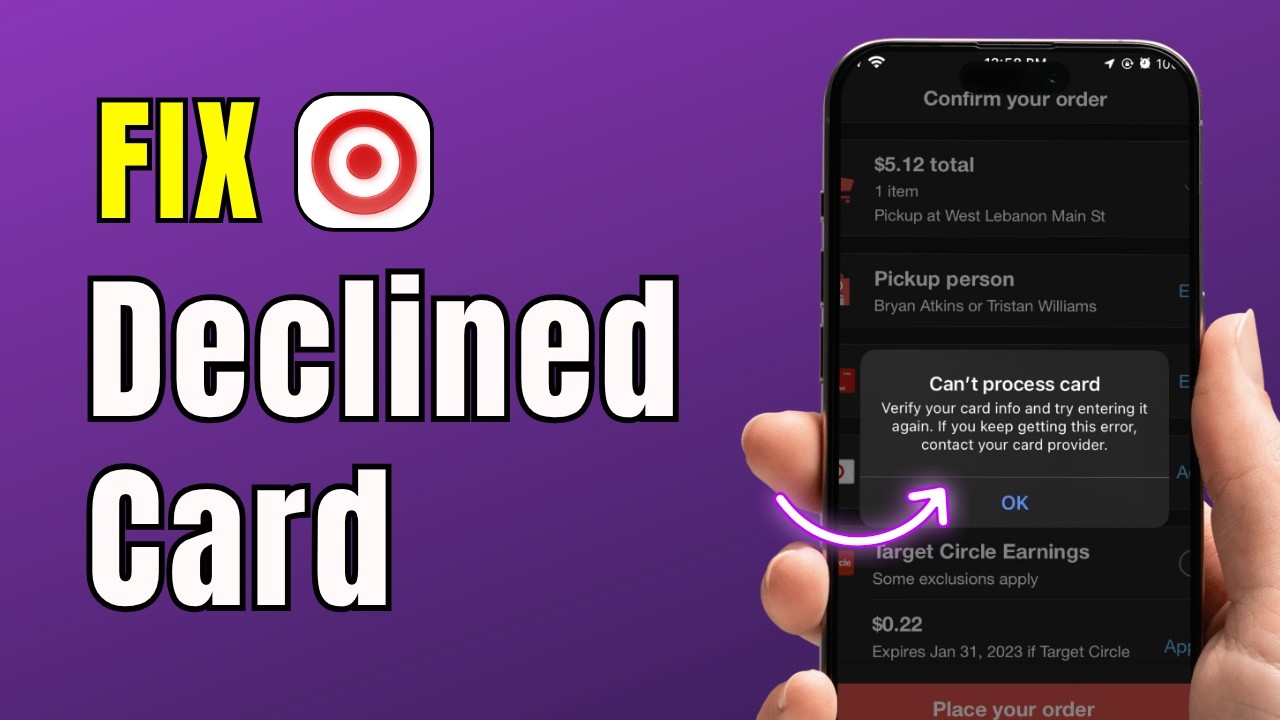
When Undawn tells you to "try again later," it usually masks an outright bank decline. Payment processors split card rejections into soft declines and hard declines. Knowing the difference stops you from hammering the buy button and triggering a fraud lock on your card.
Soft declines account for 70 percent to 90 percent of all card-not-present transaction failures. These happen when a momentary issue blocks payment completion: a temporary server timeout, an aggressive anti-fraud algorithm flagging a microtransaction, or insufficient funds. Soft declines can be safely retried once you address the underlying trigger.
Hard declines are permanent. If your card has expired or the issuing bank has completely blacklisted the merchant category code associated with gaming purchases, no amount of retrying will push the transaction through.
| Decline Code | Meaning | Classification | Actionable Fix |
|---|---|---|---|
| Code 05 | Do Not Honor | Issuer Block | Contact your bank to authorise international gaming transactions |
| Code 51 | Insufficient Funds | Soft Decline | Top up bank balance or switch to an alternate billing source |
| Code 54 | Expired Card | Hard Decline | Update card expiration date or add a new valid payment method |
| Code 65 | Credit Limit Exceeded | Soft Decline | Settle card balance or adjust transaction spending limits |
Distinguishing between soft and hard decline codes stops you from repeatedly attempting an invalid transaction and triggering an issuer fraud freeze.
If you see a Code 05 decline, do not keep spamming checkout. Financial institutions automatically interpret three or four rapid-fire attempts as card theft, freezing your entire card. Pick up the phone, call the fraud prevention number on the back of your card, and explicitly tell them to clear transactions from Undawn's merchant profile.
Bypassing Mobile Store Glitches on Android and iOS
Operating system restrictions frequently cause checkout crashes that mimic server errors. Both mobile ecosystems have quirks that kill the purchase dialog.
Resolving iOS Screen Time Blocks
On Apple devices, in-app purchases can be quietly blocked by system-level restrictions without displaying a clear alert. If you share a device or configured Screen Time previously, the operating system silently suppresses the transaction:
- Launch the Settings app on your iOS device.
- Tap on Screen Time.
- Select Content & Privacy Restrictions.
- Tap iTunes & App Store Purchases.
- Select In-app Purchases and ensure it is set to Allow.
If this was set to "Don't Allow", Undawn has zero permission to initiate checkout. Changing it back instantly restores normal functionality.
Clearing Android Account Stalls
Android handles multiple accounts poorly when in-app purchases are involved. If your device has multiple Google accounts logged in, the Play Store might try to bill Account B while your game installation is licensed to Account A.
To resolve this: - Open Google Play Store > tap your profile icon > navigate to Payment methods. - Check if you have configured a secondary backup payment method. Setting up a secondary card enables Google Play to automatically route the charge if your primary source experiences a soft decline. - If a specific payment method shows a "Verification Needed" banner, Google has likely placed a temporary security hold. Google issues a small authorization charge labeled "GOOGLE TEST" featuring an 8-digit verification code. This code appears on your online bank statement within 2 days. Entering that 8-digit code inside your Google payments profile unlocks the suspended card.
When direct phone checkouts continue to freeze up, switching to a dedicated Undawn RC recharge service provides a straightforward workaround that completely avoids native mobile OS store glitches.
Regional Storefront Mismatches and the 90-Day Rule
Payment gateways demand strict geographic alignment. If your Undawn client region, your Google Play or Apple ID country, your IP address, and your bank card's issuing territory do not match, the transaction will fail.
Active VPNs and proxy tunnels are the most common source of this error. If you are connected to a foreign VPN server for lower ping or web privacy, the payment gateway detects that your IP address originates in one country while your billing method resides in another. The fraud engine terminates the request instantly.
Changing your store country to clear regional blocks is not a simple switch. Google Play enforces strict rules regarding storefront regional updates:
| Account & Region Parameter | Platform Rule / Policy | Operational Impact |
|---|---|---|
| Storefront Country Cooldown | 90-day waiting period between changes | Cannot swap back and forth quickly to purchase regional currency |
| Profile Sync Delay | Up to 48 hours for full propagation | Newly switched regions will throw payment errors if used immediately |
| Identity Verification Review | Up to 48 hours for manual document review | Suspended profiles remain unusable until compliance confirms your identity |
| Temporary Payment Holds | Funds held for up to 30 days | Banks retain pre-authorized pending funds before dropping the hold |
Attempting purchases before these synchronization and verification windows clear triggers immediate checkout errors.
There is widespread confusion regarding the Google Play country switch rule. Legacy guides frequently claim that users can only switch their store country once every 365 days. That annual restriction has been revised: the current policy enforces a 90-day cooldown between country updates. However, once you update your country profile, account synchronization takes up to 48 hours to propagate across all merchant endpoints. Attempting to purchase RC in Undawn during that 48-hour sync window results in an immediate "Purchase Failed" prompt.
What to Do If Your Money Left the Account but RC Is Missing
Nothing is more stressful than seeing your bank balance drop while Undawn insists the purchase failed. Before you panic, check the status of the charge on your banking app.
Authorization Hold vs. Settled Charge
When you initiate a purchase, your bank immediately places an authorization hold on the requested amount. If the Undawn server fails to validate the transaction token, the platform never captures the funds.
The money has not transferred to the publisher; it sits as a pending pre-authorization. Your bank will release these held funds back into your available balance within a few minutes up to 30 days, depending on their policy.
Recovering Missing In-Game Currency
If the charge transitions from "Pending" to "Settled" on your statement and your RC still has not arrived, you must file a ticket with customer support.
Per the Undawn End User License Agreement (EULA) published by Proxima Beta Pte. Limited, all in-game currencies and virtual purchases are strictly non-refundable once delivered, and statutory withdrawal rights expire immediately upon receipt. However, if the service failed to deliver the items you paid for, support can manually credit your profile.
To file an effective ticket:
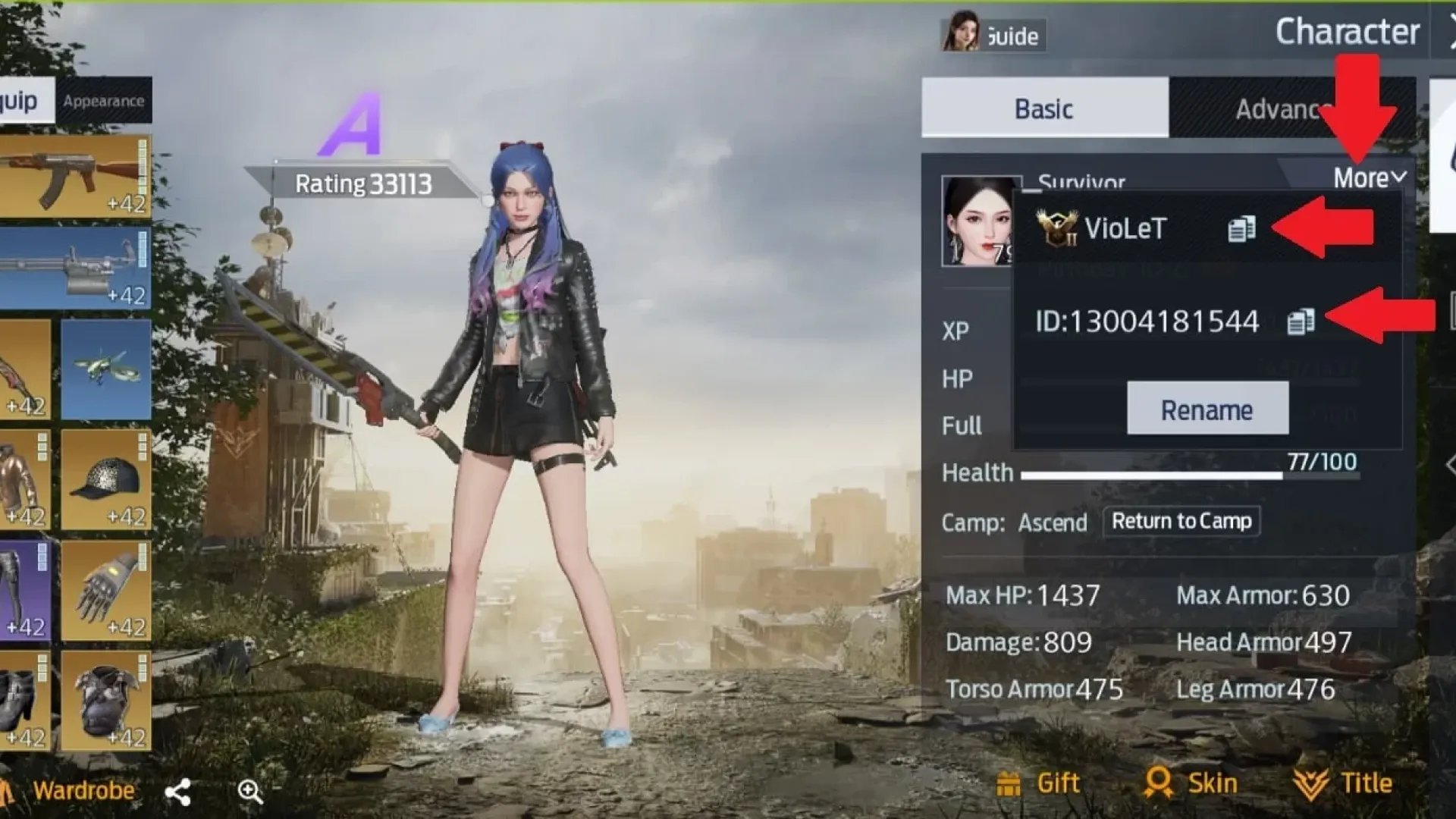
1. Collect your unique Support ID from the Undawn in-game settings menu.
2. Obtain the official store receipt. On Android, this is the order number found in your receipt email or Google payments center, structured strictly as GPA.XXXX-XXXX-XXXX-XXXXX.
3. On iOS, locate the official invoice in your Apple purchase history.
4. Submit a ticket through the in-game support portal or write directly to customer service at contact@undawn.game.
Provide the GPA number, your server name, and your character ID right away. Tickets without an official GPA or Apple order identifier will face severe processing delays.
Direct Top-Up Routes When In-App Checkouts Refuse to Clear
If your mobile app store profile is tangled in verification freezes or regional blocks, fixing it through official channels can take days. Identity verification reviews for suspended payment profiles take up to 48 hours to clear, and waiting 30 days for a pending bank hold to drop does not help you get the resources you need right now.
When the mobile checkout engine breaks down, ordering your currency externally cuts out the buggy client-side payment overlay. Taking advantage of a secure top up for Undawn RC allows you to credit your character profile directly without relying on Google Play services or Apple ID payment validation.
You simply input your character ID and server, pick your package, and complete the order. Because this bypasses the local mobile operating system libraries, you will not encounter OR_BIBED_07, Screen Time restrictions, or mobile cache corruption.
The Recommended Troubleshooting Protocol
Isolate and resolve the error systematically, working from your bank outward to the client application.
First, check your bank statement. If a charge appears as pending, do not re-attempt the purchase in the game client. You risk stacking duplicate authorization holds that tie up your money for up to 30 days.
Second, eliminate local network and device conflicts. Kill any active VPNs, verify that your Google Play services is updated past version 8.4, and purge your app store cache. If you are on an Apple device, verify that Screen Time in-app purchase restrictions are switched to Allow.
Finally, if you suspect an account suspension or a regional mismatch, check your payment profile for identity verification prompts. If you just changed your store country, respect the 48-hour sync window. When native billing continues to fail and you need your RC immediately, bypass the mobile store overlay entirely and use an external web recharge method.
FAQ
Why does Undawn display 'Purchase Failed Please Try Again Later' on mobile?
This error occurs when the payment gateway fails to complete the order due to cached billing data, bank declines, active VPNs, or store region mismatches. It acts as a generic catch-all alert when the handshake between the game client and the mobile app store drops.
How can I fix the purchase failure on Android devices?
Clear the Google Play Store cache via your device settings, verify that Google Play services is updated past version 8.4, and disconnect any active proxies or VPNs. If the error continues, cycle your Google account or check your Google payments center for verification holds.
What should iOS players do when in-app purchases fail?
Open your iPhone or iPad Settings and navigate to Screen Time > Content & Privacy Restrictions > iTunes & App Store Purchases. Confirm that In-app Purchases is toggled to Allow, and check your Apple ID to ensure you have no unpaid balances blocking new checkouts.
Does using a VPN cause the Undawn transaction to fail?
Yes, running a VPN creates an immediate mismatch between your device IP address and your billing account's home region. Payment processors flag this as potential fraud and reject the transaction on the spot.
Will I be double-charged if I retry a failed purchase?
Retrying a failed transaction typically generates temporary pending authorization holds rather than completed charges. However, these pending holds can temporarily tie up your available funds for up to 30 days before your bank automatically drops them.
What details are needed if money was deducted but currency was not delivered?
You will need your Undawn character Support ID, server name, and the official purchase receipt. For Android purchases, ensure you provide the complete Google order number matching the GPA.XXXX-XXXX-XXXX-XXXXX format.






Comments