

Struggling with iOS menus? Learn where to find FC Mobile UID on iPhone in three taps so you can copy your exact account ID without opening the wrong panel.
EA Sports FC Mobile buries critical account identifiers beneath several UI submenus. Tap your profile banner on the main screen, and you will see your squad rating or vanity name—neither of which customer support can use to look up your account.
Support tickets and redemption forms reject manager display names and alphanumeric EA handles with an "account does not exist" error. Only the numeric User ID (UID) generated by the iOS client ties directly to your save file on EA's servers.
Grab that number in three taps:
The Three-Tap Path to Your FC Mobile UID on iOS
Start directly from the main lobby screen:
- Tap the Cogwheel Icon: Tap the gear icon in the top-right corner of the main home screen to open Settings.
- Select Customer Service: Find Account Management in the options list, then tap the arrow beside Customer Service.
- View and Copy Your UID: The redirect screen displays your technical account information. Tap the copy icon beside the numeric User ID, or press and hold the numbers to copy them directly to your iOS clipboard.
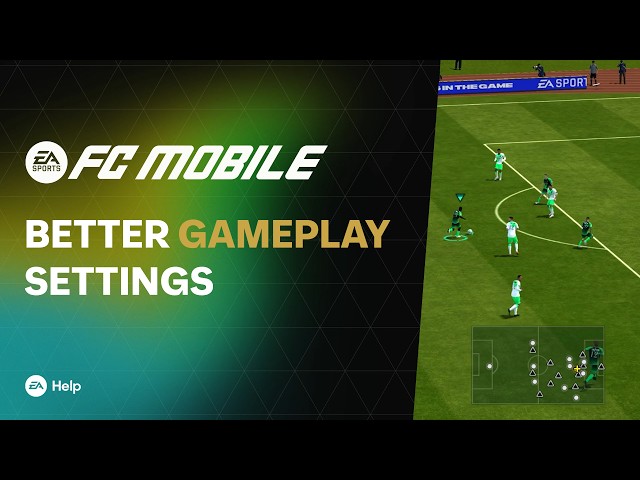
If you see your squad OVR or club badges, back out. The fc mobile user id location in settings sits exclusively behind that Customer Service redirect arrow.
To ensure how to copy fc mobile user id on ios stays hassle-free, paste the copied numbers immediately into Apple Notes. iOS memory management often purges or overwrites clipboard buffers when switching between the game and external apps.

39 Silver
 39 SilverUSD 0.29Buy Now
40 FC POINTS
40 FC POINTSUSD 0.29Buy Now100 FC POINTS
100 FC POINTSUSD 0.69Buy Now99 Silver
99 SilverUSD 1.03Buy Now499 Silver
499 SilverUSD 4.82Buy Now520 FC POINTS
520 FC POINTSUSD 4.82Buy Now1070 FC POINTS
1070 FC POINTSUSD 10.35Buy Now999 Silver
999 SilverUSD 10.35Buy Now1999 Silver
1999 SilverUSD 20.02Buy Now2200 FC POINTS
2200 FC POINTSUSD 20.02Buy Now4999 Silver
4999 SilverUSD 47.63Buy Now5750 FC POINTS
5750 FC POINTSUSD 47.63Buy Now12000 FC POINTS
12000 FC POINTSUSD 102.88Buy Now9999 Silver
9999 SilverUSD 102.88Buy Now1070 FC POINTS
1070 FC POINTSUSD 9.16Buy Now40 FC POINTS
40 FC POINTSUSD 0.41Buy Now100 FC POINTS
100 FC POINTSUSD 0.93Buy Now520 FC POINTS
520 FC POINTSUSD 4.71Buy Now2200 FC POINTS
2200 FC POINTSUSD 19.14Buy Now5750 FC POINTS
5750 FC POINTSUSD 47.26Buy Now12000 FC POINTS
12000 FC POINTSUSD 97.96Buy Now39 Silver
39 SilverUSD 0.41Buy Now99 Silver
99 SilverUSD 0.93Buy Now499 Silver
499 SilverUSD 4.71Buy Now999 Silver
999 SilverUSD 9.24Buy Now1999 Silver
1999 SilverUSD 19.14Buy Now4999 Silver
4999 SilverUSD 47.26Buy Now9999 Silver
9999 SilverUSD 97.15Buy Now40 FC POINTS
40 FC POINTSUSD 0.44Buy Now100 FC POINTS
100 FC POINTSUSD 1.07Buy Now520 FC POINTS
520 FC POINTSUSD 5.21Buy Now1070 FC POINTS
1070 FC POINTSUSD 9.79Buy Now2200 FC POINTS
2200 FC POINTSUSD 20.70Buy Now5750 FC POINTS
5750 FC POINTSUSD 52.31Buy Now12000 FC POINTS
12000 FC POINTSUSD 104.63Buy Now39 Silver
39 SilverUSD 0.44Buy Now99 Silver
99 SilverUSD 1.07Buy Now499 Silver
499 SilverUSD 5.16Buy Now999 Silver
999 SilverUSD 9.79Buy Now1999 Silver
1999 SilverUSD 20.70Buy Now4999 Silver
4999 SilverUSD 52.31Buy Now9999 Silver
9999 SilverUSD 104.63Buy Now520 FC POINTS
520 FC POINTSUSD 3.50Buy Now1070 FC POINTS
1070 FC POINTSUSD 7.01Buy Now2200 FC POINTS
2200 FC POINTSUSD 14.04Buy Now5750 FC POINTS
5750 FC POINTSUSD 34.99Buy Now12000 FC POINTS
12000 FC POINTSUSD 70.11Buy Now99 Silver
99 SilverUSD 0.69Buy Now499 Silver
499 SilverUSD 3.50Buy Now999 Silver
999 SilverUSD 7.01Buy Now1999 Silver
1999 SilverUSD 14.04Buy Now4999 Silver
4999 SilverUSD 34.99Buy Now9999 Silver
9999 SilverUSD 70.11Buy Now40 FC POINTS
40 FC POINTSUSD 0.41Buy Now39 Silver
39 SilverUSD 0.41Buy Now
UID vs EA ID: Don't Confuse Your Profile Identifiers
Your EA ID and your FC Mobile UID connect to completely separate backend systems.
An EA ID is an alphanumeric account name used for Electronic Arts web services and desktop billing settings. Modifying an EA ID, name, or linked phone number in EA profile management requires a one-time verification security code sent to your email.
Your FC Mobile UID, however, is a static numeric string tied exclusively to your mobile installation. Support staff use this mobile UID to locate lost player items or fix broken login sessions directly in the database.
| Identifier Type | Format | Where It Is Managed | Security / Verification Rules | | :--- | :--- | :--- | :--- | :--- | | FC Mobile UID | Numeric sequence | In-game Settings -> Customer Service | Static; read-only; copied directly from iOS app | | EA ID | Alphanumeric handle | EA Account & Billing web portal | Editable; requires email security verification codes | | Manager / Team Name | Custom text string | Club customization screen | Public vanity name; not valid for database lookups |
The technical identifier depends on the platform system handling your request.
External portals require different credentials depending on the action. Claiming voucher codes at redeem.fcm.ea.com requires your linked EA Account login, while purchasing EA Sports FC Mobile FC Points & Silver relies on your exact profile details to route delivery to your active club.
Account Linking Rules and What Happens to Your User ID
Account linking in FC Mobile is permanent. Once tied to an Apple Account, Game Center, Facebook, LINE, or an EA Account, a mobile UID cannot be detached. If you accidentally bind your squad to a secondary Apple ID or a family Game Center profile, EA support cannot undo the connection.
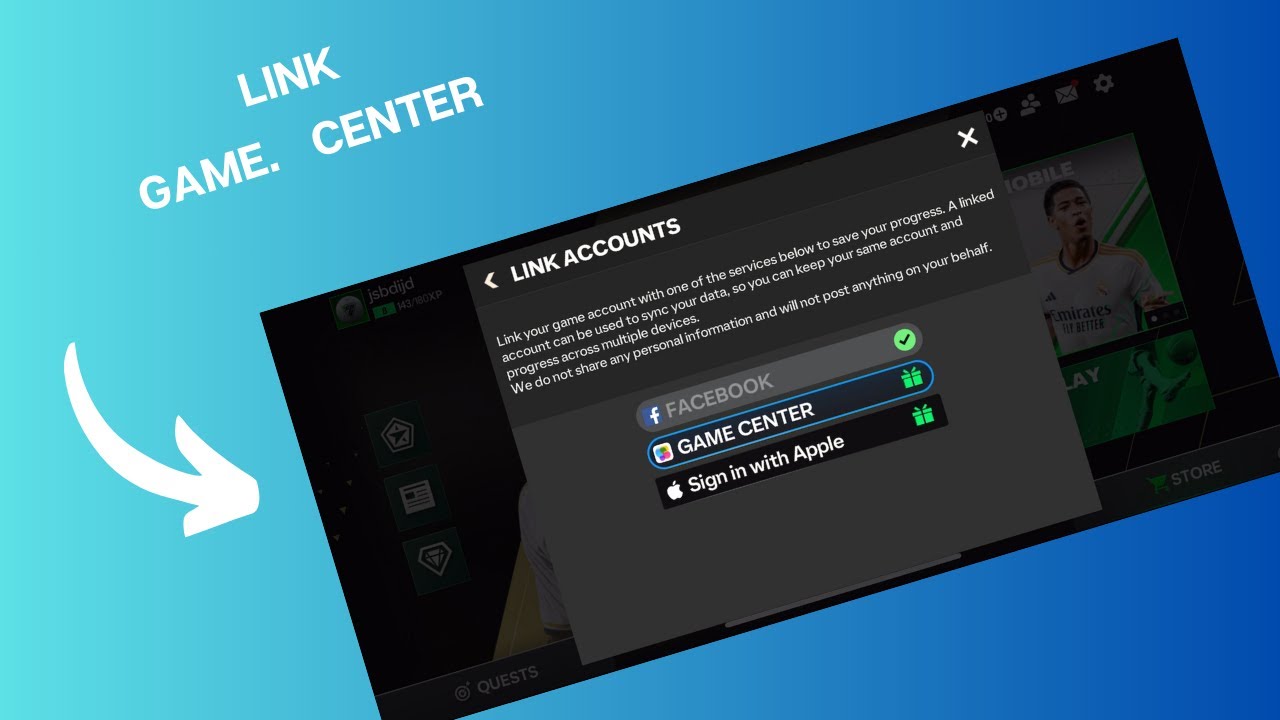
EA issues two distinct rewards for linking:
- Reward 1: Awarded for linking to an Apple Account, Game Center, Facebook, LINE, or Google Play.
- Reward 2: Awarded separately for connecting an EA Account.
Claiming both payouts requires linking across both categories. Connect your personal Apple Account first via native iOS authentication, then sign into an EA Account through the in-game browser.
| Link Option | Supported on iOS | Unlink Policy | Reward Category |
|---|---|---|---|
| Apple Account | Yes (Native Sign-in) | Permanent (No unlinking) | Platform Link Bonus (Tier 1) |
| Game Center | Yes (iOS System Settings) | Permanent (No unlinking) | Platform Link Bonus (Tier 1) |
| EA Account | Yes (In-game browser) | Permanent (No unlinking) | EA Account Exclusive Bonus (Tier 2) |
| Facebook / LINE | Yes (External Auth) | Permanent (No unlinking) | Platform Link Bonus (Tier 1) |
Review your active Apple ID in iOS device settings before tapping link buttons in FC Mobile, as associations cannot be undone.
Before tapping any binding button, find fc mobile uid for account linking verification by pulling the number from Customer Service first. If an authentication sheet freezes mid-sync, having your raw UID ready lets support locate your profile.
Handling iPhone Notches and Screen Padding Glitches
Hardware cutouts like the iPhone notch and Dynamic Island can obstruct top-corner buttons or clip the edges of text strings. When safe-area margins misalign after a patch, the Settings cogwheel may fail to register touches, or the last digits of your UID can sit behind the camera housing.
When the fc mobile player id number iphone screen cuts off or refuses touch inputs, use these workarounds:
- Rotate Your Device 180 Degrees: Flipping your iPhone shifts the physical cutout to the opposite edge, clearing the blocked menu buttons immediately.
- Reset In-Game Preferences: Navigate to Settings -> Preferences and check your display and control scaling. High-resolution rendering presets can push UI elements past screen borders on compact iPhone displays.
- Check iOS Display Zoom: In your iPhone's system Settings, tap Display & Brightness and verify Display Zoom. The "Larger Text" setting pushes app margins beyond standard safe-area limits. Switch to "Default" to restore original dimensions.
If the copy icon remains unclickable, take a screenshot using Volume Up and Side buttons. Open the image in Apple Photos, press down on the digits, and let iOS Live Text extract the numeric UID string directly.
Underage Accounts and Support Desk Roadblocks
Accounts registered with a birth date under 18 years old operate under strict data locks. You cannot manually edit your age, birth date, or linked profile fields inside the settings menu. Correcting an erroneous birth year requires submitting an identity verification ticket directly to EA support.
Do this directly inside the app rather than placing a phone call.
Third-party consumer review data reflects poor outcomes for EA phone support: only 17% of callers reach a live agent, and reported resolution rates across phone queues sit at just 4%. Phone wait estimates also conflict sharply across tracking sites, with one source reporting under 1 minute for dedicated sports lines and another logging hold times exceeding 30 minutes for general support.
Filing an in-game ticket from the Customer Service menu bypasses telephone queues entirely. Submitting via the app automatically bundles your client logs and numeric UID with your request, ensuring technicians receive the exact account data needed to adjust age settings.
Controls, Market Bots, and Nested Preferences
On-pitch gameplay controls and market mechanics also live inside the Settings hierarchy.
Under Settings -> Preferences, you can toggle advanced passing, manual double-tap through-balls, and contextual skill inputs. On fresh accounts, skill move buttons remain unresponsive during matches until your profile hits account level 7.
Trading introduces another automated rule: every transaction on the FC Mobile transfer market routes through the EA Bot system, which enforces a mandatory 10% deduction on the final sale price of every card.
| Feature / Setting | Menu Location | Level / Value Threshold | Operational Rule |
|---|---|---|---|
| Skill Moves | Team / Controls | Account Level 7 | Gesture buttons locked until account reaches level 7 |
| Advanced Passing | Settings -> Preferences | Unlocked at start | Enables manual tap and double-tap through-ball gestures |
| Market Transaction Fee | In-Game Market | 10% Deduction | EA Bot automatically deducts 10% from final player card sales |
| Age Alterations | Settings -> Customer Service | Under 18 Restriction | Requires direct in-game support ticket; cannot edit manually |
Review control requirements and transaction deductions before investing training materials or listing expensive squad assets.
Because that 10% tax cuts into every player sale, an EA Sports FC Mobile top up lets you build coin balances directly without selling off key squad assets.
Manager Mode Cycles and Reward Caps
Leaving Manager Mode on auto-play will eventually burn iPhone battery for zero return once you hit daily reward caps.
Automation filters limit payouts to 5 daily match rewards and 4 daily safety rewards. Once your queue reaches those caps, additional matches yield no reward packs until the daily server reset.
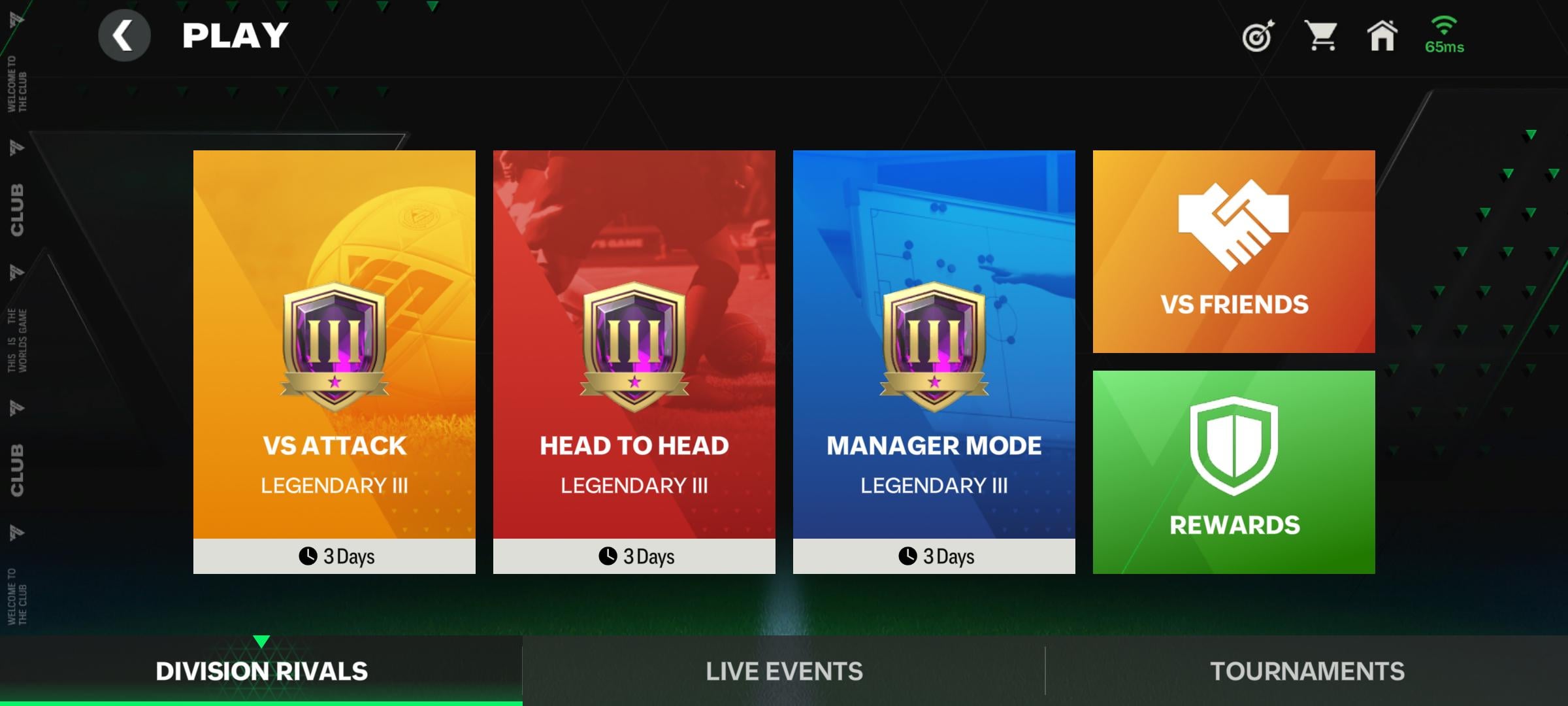
Division Rivals runs on 10-match evaluation blocks. Your standings update according to standard competitive scoring:
- Win: 3 Points
- Draw: 1 Point
- Loss: 0 Points
Relegation thresholds are unforgiving. In Pro III, finishing a 10-game block with fewer than 4 points demotes your club immediately.
Documentation archives show conflicting terms for the top rank—legacy texts call it "FIFA Champion" while current client menus label it "FC Champion"—but the point rules and 10-game cycle structure remain identical.
| Match Result | Points Awarded | Cycle Evaluation Rule |
|---|---|---|
| Win | 3 Points | Contributes directly toward promotion threshold across 10-match cycle |
| Draw | 1 Point | Contributes toward division retention threshold across 10 matches |
| Loss | 0 Points | Failing to hit 4 total points across 10 games causes Pro III relegation |
Manager Mode evaluates performance strictly over fixed 10-game blocks; track your point accumulation closely to avoid sudden division drops.
The 2026 Numero Event and Live Service Licensing
Live event deadlines leave zero room for lost account credentials. The FC Mobile 26 Numero event runs for 28 days, from August 27 to September 24, 2026, featuring player drafts, milestone chapters, and daily event matches.
If a draft reward hangs or a pack purchase fails during a time-gated chapter, general troubleshooting cannot help you. Identifying where is ea sports fc mobile uid beforehand ensures you can submit a prioritized missing-content ticket before the event cycle closes.
Licensing integrity carries over across these seasonal updates. Since splitting from the FIFA brand ahead of EA Sports FC 24, EA has retained over 300 football partner licenses, keeping real-world leagues, tournaments, and player likenesses in the 2026 build.
To push through tiered drafts before the September 24 deadline, picking up FC Mobile points and silver packages provides instant squad depth. Verifying your numeric UID and linked EA Account beforehand guarantees purchases route to your primary squad without delays.
Frequently Asked Questions
Where do I find the Settings menu on iPhone in FC Mobile?
Tap the cogwheel icon in the top-right corner of the main lobby screen. This opens the master options menu containing Account Management, Customer Service, and Preferences.
How can I access my account information or customer support on iOS?
Open Settings via the cogwheel, then tap the arrow next to Customer Service. The technical screen displays your numeric User ID alongside direct support ticket routing.
Can I unlink my FC Mobile account from Game Center or Apple ID later?
No. EA treats all mobile credential bindings—including Apple Account, Game Center, Facebook, and EA Accounts—as permanent. They cannot be unlinked once authorized.
Is my EA ID the same thing as my FC Mobile numeric UID?
No. An EA ID is an alphanumeric account name managed online through EA Account and Billing Settings. Your mobile UID is a dedicated numeric identifier tied directly to your iOS client installation.
What rewards do iPhone players get for linking accounts?
EA awards two distinct milestone rewards: one for binding a platform account (Apple Account, Game Center, or Facebook) and a second separate reward for connecting an EA Account.
What should I do if the iPhone notch or home bar obscures buttons?
Rotate your iPhone 180 degrees to move the hardware notch to the opposite edge, or set iOS Display Zoom back to "Default" under system Display & Brightness settings. You can also take a screenshot and copy the numbers using iOS Live Text.
How do underage accounts update account information?
Accounts registered under 18 years of age cannot change age or birth details directly. You must open an in-game support ticket through Settings -> Customer Service and provide verification documents to an EA agent.
Final Checklist for iOS Account Verification
Locating your numeric User ID comes down to a strict sequence: tap the Settings gear, select the arrow beside Customer Service, and copy the digits directly from the panel. Never submit your club display name or EA ID when filing support tickets; customer service databases require the numeric mobile string.
Secure both account linking bonuses by connecting your Apple Account and EA Account, but verify your active profiles before confirming—all bindings are permanent. Stash a verified copy of your numeric UID in Apple Notes so your account data is always accessible during live event cycles and device transfers throughout 2026.






Comments