Instant Hawa Top Up for Voice Chat and Live Rooms
Hawa is a popular interactive voice chat and social entertainment platform where users join multi-guest audio rooms, host live community events, play casual party games, and connect across global communities. This top-up catalog is built exclusively for the Hawa mobile voice chat application (distinct from industrial sliding door hardware or unrelated homeware brands that share a similar name).
Within the Hawa platform, Coins serve as the primary in-app currency. They allow you to participate in active room discussions, support your favorite creators, purchase premium visual cosmetics, and access interactive in-room minigames. Refilling your balance through XPTopup gives you direct access to coins delivered straight to your account through your user ID (UID).
What Are Hawa Coins and How Are They Used?
Hawa Coins unlock the full interactive potential of the app. Whether you host your own audio party or hang out in community rooms across the MENA region, Southeast Asia, or global servers, having an active coin balance lets you stand out and support other users.
Core Uses for Hawa Coins
- Animated Virtual Gifts: Send dynamic gifts ranging from roses and sparkling fireworks to luxury sports cars, private jets, and royal castles during live voice broadcasts to show appreciation to room hosts.
- Profile and Room Customization: Purchase exclusive avatar frames, glowing nameplates, dynamic entrance banners, and customized room backgrounds.
- Interactive In-Room Games: Use coins to join popular voice-room mini-games such as Ludo, Jackpots, and lucky draw wheels with friends.
- VIP Badges and Tier Status: Accumulate gifting activity to level up your account VIP status, unlocking special chat bubble designs and priority seating in high-traffic audio rooms.
| Coin Utility | Primary Benefit | In-App Location |
|---|---|---|
| Gifting | Boost host rankings & trigger screen-wide animations | Voice Rooms & 1-on-1 Chats |
| Profile Frames | Display exclusive borders & VIP recognition | User Profile & Room Guest Lists |
| Entrance Effects | Play signature arrival animations upon joining rooms | Public & Private Audio Rooms |
| Mini-Games | Participate in party games and community challenges | Room Activity Panel |
How to Find Your Hawa UID in the Mobile App
To ensure your coins arrive without delay, you must provide your exact numeric Hawa User ID (UID). You do not need to share your account username, phone number, or password.
- Open the Hawa app on your Android or iOS device.
- Tap the Profile or Me icon located in the bottom-right corner of the main screen.
- Look beneath your avatar and display name near the top of the profile page.
- Find the numeric sequence labeled UID (typically 9 to 11 digits).
- Tap the copy icon next to the number to copy your UID directly to your clipboard.
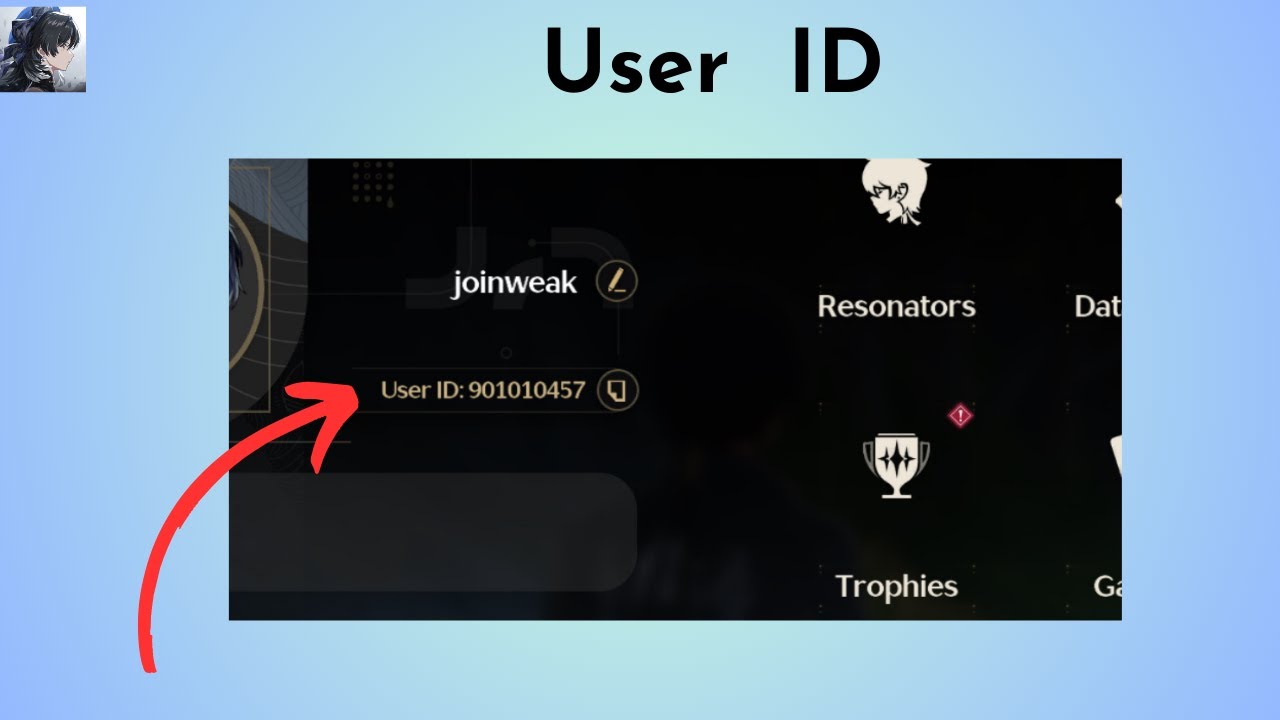
Double-check that you copy the numeric UID rather than your custom room ID or public nickname to ensure correct routing.
How to Top Up Hawa Coins on XPTopup
Ordering your Hawa Coins on XPTopup requires only a few simple steps:
- Select Your Package: Browse the available coin bundles on the product page and choose the amount that fits your needs.
- Enter Your Hawa UID: Paste your numeric UID into the designated field.
- Review Order Details: Confirm that your UID and selected denomination are correct.
- Complete Payment: Choose your preferred payment option from the live checkout menu and finalize the transaction.
- Check Your In-App Balance: Once the order is processed, open the Hawa app and refresh your wallet balance in your profile settings.
All bundle costs and live rates are displayed directly on the checkout screen prior to payment.
Passwordless UID Top-Up: 100% Secure Account Recharges
Account safety is a core priority when buying digital currencies online. XPTopup processes Hawa recharges using only your public numeric UID.
- No Password Required: You will never be asked for your account password, email login credentials, or SMS verification codes.
- No Account Sharing: Your profile remains completely in your control on your personal device at all times.
- Zero Phishing Risk: Because direct UID recharges bypass login interfaces, your linked Google, Apple ID, or mobile login data is never exposed.
- Safe for Gifting: You can safely send coins to friends or creators simply by entering their UID during checkout.
Supported Regions and Server Availability
Hawa maintains an active global community with massive adoption across the Middle East, North Africa (MENA), and Southeast Asia. Direct UID top-ups on XPTopup route directly to global user accounts regardless of where your account was registered.
| Region | Supported Features | Delivery Method |
|---|---|---|
| MENA (Saudi Arabia, UAE, Egypt, Iraq, etc.) | Voice Rooms, Gifting, Ludo, VIP Badges | Direct UID Recharge |
| Southeast Asia (Indonesia, Malaysia, Philippines) | Audio Chat, Live Broadcasts, Mini-Games | Direct UID Recharge |
| Global / International | Community Rooms, Custom Avatars, In-App Wallet | Direct UID Recharge |
Troubleshooting Common Hawa Recharge Issues
If you experience any delay or balance discrepancy after placing an order, use the following troubleshooting steps:
1. In-App Balance Has Not Updated
- Fully close the Hawa application and relaunch it.
- Navigate to your Me tab, open the Wallet section, and pull down to refresh the screen.
- Check that your device has a stable Wi-Fi or mobile data connection.
2. Typo in the Submitted UID
If you entered an incorrect UID during purchase, contact XPTopup customer support immediately with your order reference number and the corrected UID. If the order has not yet been processed by the automated dispatch system, our team can help update the destination ID.
3. Payment Completed but Status Pending
During peak network hours, payment validation may take a brief moment. Keep your transaction receipt or payment reference handy and monitor your order status on your XPTopup dashboard. You can reach out to 24/7 customer support for live status verification.
Frequently Asked Questions About Hawa Top Up
How do I find my Hawa UID for top-up?
Open the Hawa mobile app, tap the Me or Profile tab at the bottom right, and look directly below your profile name. Your numeric UID is displayed there with a convenient one-tap copy button.
Do I need to provide my Hawa account password to recharge coins?
No. Recharges on XPTopup require only your public numeric UID. You should never share your password, SMS login codes, or private social credentials.
What can Hawa Coins be used for in the app?
Hawa Coins can be spent on sending animated 3D gifts to broadcasters, unlocking VIP avatar frames and entrance effects, joining voice-room mini-games like Ludo, and customizing your private audio rooms.
Can I top up Hawa Coins for a friend using their UID?
Yes. As long as you have your friend's correct numeric Hawa UID, you can enter it during checkout on XPTopup to send coins directly to their account balance.
How long does it take for Hawa Coins to reflect in my account?
Most UID recharges process promptly after payment authorization. Once confirmed, reopen your Hawa wallet to see your updated coin balance.
What should I do if I entered the wrong Hawa UID during purchase?
If you realize you submitted an incorrect UID, contact XPTopup customer support as soon as possible with your transaction details. If the order has already been finalized and delivered to the wrong existing account, digital currency transfers cannot be reversed, so always double-check your UID before confirming payment.
Current package prices
Current package prices are shown below. Prices exclude Tax. Tax, payment fees and applicable coupons are shown at checkout.
| Package | Price |
|---|---|
| 13,000 Hawa Coins | USD 6.82 |
| 27,000 Hawa Coins | USD 14.16 |
| 42,500 Hawa Coins | USD 22.29 |
| 85,000 Hawa Coins | USD 44.59 |
| 100,000 Hawa Coins | USD 52.45 |
| 150,000 Hawa Coins | USD 78.68 |
| 180,000 Hawa Coins | USD 94.42 |
| 200,000 Hawa Coins | USD 104.91 |
| 250,000 Hawa Coins | USD 131.14 |
| 500,000 Hawa Coins | USD 284.13 |