MateMet Top Up: Get Credits Instantly for Live Video Chats
MateMet connects users across the world through private video calls, real-time matching, and interactive live broadcasts. To start 1-on-1 video chats, send animated gifts to your favorite broadcasters, or use discovery filters, you need a balance of MateMet credits.
XPTopup provides a direct, secure MateMet top up service that credits your profile using only your User ID (UID). You do not need to buy third-party gift cards or deal with voucher redemption codes. Pick your credit bundle, enter your UID, complete your payment, and get back to chatting within moments.
How to Find Your MateMet UID in the App
Your MateMet User ID (UID) is a unique number linked to your profile. XPTopup uses this number to route your credits directly to your account without needing your account credentials.
Follow these steps to find your UID:
- Open the MateMet application on your mobile device.
- Tap the Profile icon ("Me") located in the bottom-right corner of the navigation bar.
- Look at the top section of the screen, directly under your profile avatar and username.
- Find the numeric UID displayed on the screen.
- Tap the copy icon next to the number to copy your UID directly to your clipboard.
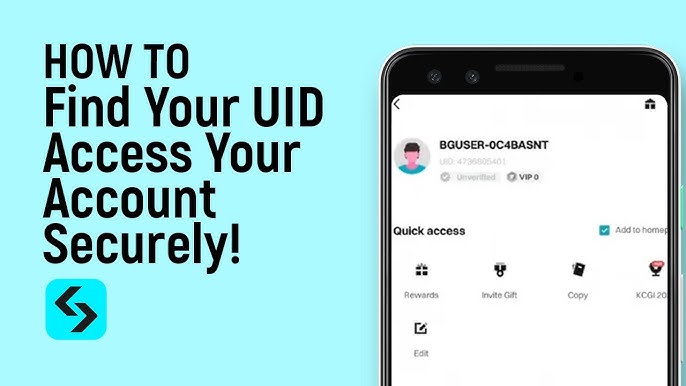
Always double-check your UID before completing your checkout. Entering the exact digits ensures your credit balance updates without delays.
Step-by-Step Guide: How to Recharge MateMet on XPTopup
Recharging your MateMet account on XPTopup takes only a couple of minutes:
- Select Your Credit Amount: Look at the product catalog above and choose the credit denomination you want. Live prices reflect current rates in your selected currency on the checkout screen.
- Enter Your MateMet UID: Paste or type your numeric UID into the required input field.
- Confirm Your Account Info: Double-check the entered digits to ensure they match your in-app profile.
- Choose Payment Option: Select your preferred payment method from the available options.
- Complete Checkout: Finalize your payment. The automated system processes your order and sends credits directly to your account.
- Verify Balance in App: Open MateMet and check your profile wallet to see your updated credit total.
What Can You Unlock with MateMet Credits?
MateMet credits power the primary social and interactive features across the app. Here is how you can use your balance:
- 1-on-1 Video Calls: Initiate private video calls with creators and matched users. Calls deduct credits per minute, letting you manage your spending based on your call duration.
- Virtual Gifts in Live Streams: Send animated 3D gifts, dynamic effects, and special tokens to hosts during live broadcasts to show appreciation and gain recognition.
- Match Preferences and Filters: Use location and gender filters to discover contacts in specific countries or languages that match your preferences.
- Direct Messaging and Media Access: Send text messages and private voice notes to stay in touch with friends between video calls.
- Profile Perks and Badges: Active gifting and credit spending can earn you profile frames, animated entry effects, and higher ranking in chat rooms.
Safe and Password-Free Top-Up on XPTopup
Account safety is a top priority when purchasing digital currencies online. XPTopup offers a secure top-up environment designed to keep your profile protected:
- No Passwords Required: You only need to provide your public MateMet UID. XPTopup never requests your password, SMS verification codes, or social media login details.
- Zero Account Risk: Recharging through official UID channels ensures your profile remains compliant with app terms, protecting your account from unauthorized access or suspensions.
- Transparent Pricing: The live price you see on the checkout page is what you pay, with no surprise hidden fees added during payment.
- Protected Transactions: Checkout transactions run through encrypted payment gateways to ensure your financial details stay secure.
MateMet Top-Up Denominations and Usage Guide
Different activities on MateMet require varying credit amounts. Use this reference table to decide which credit bundle suits your needs:
| Usage Goal | Recommended Package | App Activities |
|---|---|---|
| Casual Chats | Starter Credit Packs | Quick introductory video calls and private text messaging |
| Stream Support | Standard Bundles | Sending interactive virtual gifts during live broadcasts |
| Long Video Calls | High-Tier Packs | Extended 1-on-1 private video calls with favorite hosts |
| VIP Community Standing | Max Bundles | Luxury gifting animations, special badges, and top live room status |
All package options and current live rates are displayed in the product catalog above.
Troubleshooting and Order Verification Tips
If your credits do not appear right away after completing a purchase, keep these points in mind:
- Refresh the Profile Screen: Pull down to refresh your profile page or restart the MateMet app. This forces the app to sync with the server and display your new balance.
- Check Order Status: Review your order confirmation email from XPTopup to verify that payment went through successfully.
- Contact Customer Support: If your balance does not update within a few minutes, reach out to the XPTopup support team with your order number and UID for fast assistance.
Frequently Asked Questions
How do I find my MateMet UID for top up?
Open the MateMet app and tap the Profile tab in the bottom-right corner. Your numeric UID is displayed right below your avatar and nickname. Tap the copy icon next to the number to copy it to your clipboard.
Do I need to share my MateMet login password to recharge?
No. You only need your MateMet UID to top up on XPTopup. Never share your password, login credentials, or verification codes with anyone.
What can I purchase with MateMet credits?
MateMet credits allow you to start 1-on-1 private video calls, send animated virtual gifts in live streams, use location and search filters, and send direct messages to other users.
How long does it take for MateMet credits to reflect in my account?
In 2026, MateMet recharges on XPTopup process automatically upon successful payment. Credits typically appear in your account balance within a few moments. If they do not show immediately, restart the app to refresh your wallet.
What should I do if I entered the wrong MateMet UID during checkout?
Contact XPTopup customer support immediately with your order number. If your order has not yet been processed by the automated system, support can correct the UID. Once credits have been delivered to an account on the network, completed transactions cannot be reversed.
Is it safe to top up MateMet credits on XPTopup?
Yes. XPTopup uses direct UID delivery, meaning your personal login information is never requested or stored. All transactions are handled through secure, encrypted payment channels.
Current package prices
Current package prices are shown below. Prices exclude Tax. Tax, payment fees and applicable coupons are shown at checkout.
| Package | Price |
|---|---|
| MateMet - MateMet*15000 | USD 2.35 |
| MateMet - MateMet*20000 | USD 3.13 |
| MateMet - MateMet*25000 | USD 3.92 |
| MateMet - MateMet*50000 | USD 7.83 |
| MateMet - MateMet*100000 | USD 15.66 |
| MateMet - MateMet*500000 | USD 78.31 |
| MateMet - MateMet*1000000 | USD 156.62 |
| MateMet - MateMet*10000 | USD 1.57 |