Mobile Legends: Adventure M-Cash Top Up – Direct Account Delivery
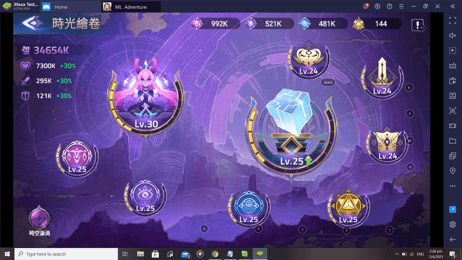
Mobile Legends: Adventure (MLA) is an idle RPG where team composition, hero evolution, and resource management determine your progress through the campaign, Tower of Babel, and tinted mirage events. M-Cash serves as the premier currency in MLA, enabling players to obtain high-tier heroes, activate monthly passes, and acquire essential awakening materials.
XPTopup provides a direct Mobile Legends: Adventure M-Cash top up system that delivers currency straight to your game profile using only your User ID and Server ID. You never need to share account passwords or link third-party social media profiles to complete an order.
What is Mobile Legends: Adventure (MLA) M-Cash and Its In-Game Benefits
M-Cash functions as a direct substitute for real-money transactions inside Mobile Legends: Adventure. Instead of charging each microtransaction directly through app store payment gateways, players convert M-Cash directly into in-game items, privilege cards, and event packages.
Key benefits of holding M-Cash include:
- Direct Bundle Purchases: Exchange M-Cash for limited-time event packs, skin chests, and growth funds at a 1:1 conversion rate with standard in-app currency tiers.
- Pass Activation: Purchase the Monthly Card, Deluxe Monthly Card, and event-exclusive Battle Passes using your M-Cash balance.
- Hero Summoning Support: Convert M-Cash into premium summons to pull Chaos, Order, and hybrid heroes required for high-level progression.
- VIP Progress: Recharging M-Cash counts directly toward your in-game VIP level, unlocking permanent idle resource boosts and extra dungeon attempts.
Available MLA M-Cash Denominations: From 1,499 to 65,999 M-Cash Packs
Players can select from a wide range of denominations on XPTopup based on their current event goals and resource requirements. Live prices and local payment methods are clearly shown on the live checkout interface.
| M-Cash Pack | Recommended In-Game Use | Required Checkout Data |
|---|---|---|
| 1,499 M-Cash | Daily supply packs, small stamina refills | User ID + Server ID |
| 2,999 M-Cash | Standard weekly pass, summon ticket packages | User ID + Server ID |
| 5,999 M-Cash | Monthly Card activation, milestone chests | User ID + Server ID |
| 14,999 M-Cash | Deluxe Monthly Card, Tinted Mirage passes | User ID + Server ID |
| 29,999 M-Cash | Hero awakening material bundles, limited skins | User ID + Server ID |
| 65,999 M-Cash | Maximum hero ascension bundles, high-tier event milestones | User ID + Server ID |
Best Uses for M-Cash: Summons, Event Passes, and Legendary Gear
To get the highest return on your M-Cash recharges, prioritize high-value permanent and long-term account boosts:
- Monthly Cards and Passes: Activating the standard or Deluxe Monthly Pass provides the highest cumulative Diamond and resource yield per M-Cash spent over a 30-day period.
- Tinted Mirage Event Bundles: Mirage passes offer exclusive rewards, including copies of newly released heroes and ancient artifacts that are difficult to obtain once the event cycle concludes.
- Sacred Oath Summons: Chaos and Order heroes provide faction bonuses that standard element teams cannot easily counter. Using M-Cash to back Sacred Oath pulls speeds up your ascension route for core carries.
- Soul Core and Glory Gem Packs: End-game progression heavily relies on Soul Vessels and Glory Gems. Direct pack purchases via M-Cash bypass weeks of idle stage farming.
How to Locate Your MLA User ID and Server ID in 2026
To ensure your M-Cash arrives without delays, enter your exact 8-digit User ID and 5-digit Server ID during order placement.
Follow these steps inside Mobile Legends: Adventure:
- Open Mobile Legends: Adventure on your iOS or Android device.
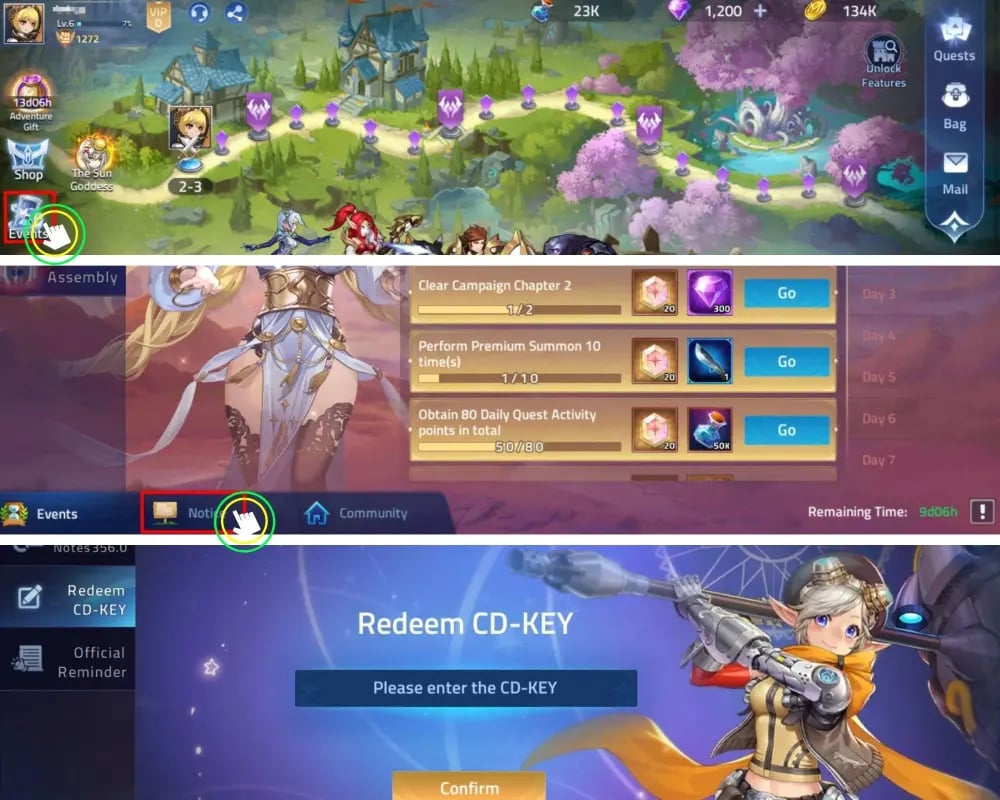
- Tap your Avatar icon located in the top-left corner of the main home screen.
- Open the Details or System tab inside your player profile.
- Locate your account numbers near the top right of the profile card. Your User ID is the 8-digit sequence (e.g.,
12345678), and your Server ID is the 5-digit number shown inside parentheses next to it (e.g.,(70012)).
How to Top Up MLA M-Cash on XPTopup Using User ID and Server ID
Recharging your account on XPTopup takes only a few simple steps:
- Choose your required M-Cash denomination from the available options.
- Type your 8-digit User ID into the first input field.
- Type your 5-digit Server ID into the second field.
- Select your preferred payment method on the live checkout screen.
- Click Buy Now and finalize the payment.
- Open Mobile Legends: Adventure. Your M-Cash balance will update automatically in your in-game wallet or appear in your system mailbox.
Direct UID Top-Up vs M-Cash PIN Redemption
Understanding how your top-up is processed ensures a hassle-free experience:
- Direct UID Top-Up: On XPTopup, orders are fulfilled directly to your server profile via your User ID and Server ID. You do not need to visit external redemption websites or manually copy long digital codes.
- PIN Redemption: Digital codes require visiting a separate web redemption portal, logging in, and typing code strings manually. Direct UID recharge eliminates the risk of code expiration or copy-paste errors.
Safe and Passwordless UID Checkout for MLA Players
Account safety is essential. XPTopup utilizes a direct-to-account delivery API that requires zero login credentials:
- No Password Required: We never ask for your Moonton account password, Apple ID, Google Play credentials, or social logins.
- No Account Sharing: All recharges occur strictly through external player identification, keeping your account entirely under your personal control.
- Global Server Compatibility: The direct UID system supports all official global servers across both Android and iOS versions.
Troubleshooting MLA Top-Up Delays and Server Mismatches
If you encounter any issues receiving your M-Cash, use this quick checklist to resolve the situation:
- Verify Your Server ID: Ensure you entered the numerical Server ID (e.g.,
70001) rather than your guild ID or stage progress number. Accounts with mistyped server IDs will experience processing holds. - Restart the MLA App: If your M-Cash balance does not visually update immediately after purchase, force-close the game and reopen it to refresh your server profile connection.
- Check In-Game Mail: In specific event periods, top-up items and bonus M-Cash are sent directly to your system mailbox rather than added straight to your visual inventory bar.
- Contact Support: If your order remains pending, copy your transaction number and reach out to XPTopup customer service with your User ID and Server ID for direct verification.