What Is Pocket Chat Credit Top Up?
A Pocket Chat top up adds digital credits directly to your Pocket Chat account balance. Pocket Chat is a popular social voice and live interactive app where users connect in audio rooms, share moments, and interact with broadcasters.
In-app credits are the core currency of the platform. You use them to:* Send virtual animated gifts to room hosts and community members.* Gain access to exclusive voice room features and private group chats.* Customize your user profile with animated frames, entrance effects, and chat bubbles.* Support creators during live voice events and interactive competitions.
App Credit Recharge vs. Mobile Carrier Refill
Many new users confuse a Pocket Chat recharge with a cellular top-up. A Pocket Chat credit top up is exclusively for in-app balance to spend on digital gifts and social interactions inside the Pocket Chat application. It does not add calling minutes or cellular mobile data to your physical SIM card.
How to Top Up Pocket Chat Credits with Player ID
Adding credits to your balance on XPTopup takes less than a minute. You only need your numeric Player ID. Follow these steps to complete your order:
- Select Your Credit Amount: Choose your desired credit package from the live catalog on this page.
- Enter Your Player ID: Type your Pocket Chat numeric Player ID into the designated field.
- Verify Your Details: Double-check that your Player ID is entered accurately to prevent sending credits to another user.
- Proceed to Checkout: Select your preferred payment option supported in your country.
- Receive Your Balance: Once payment is confirmed, credits are credited directly to your Pocket Chat account. Open the app to view your updated balance.
How to Find Your Pocket Chat Player ID
Your Pocket Chat Player ID is a unique numeric identifier linked to your profile. You do not need to link your social accounts or disclose any login passwords to buy credits.
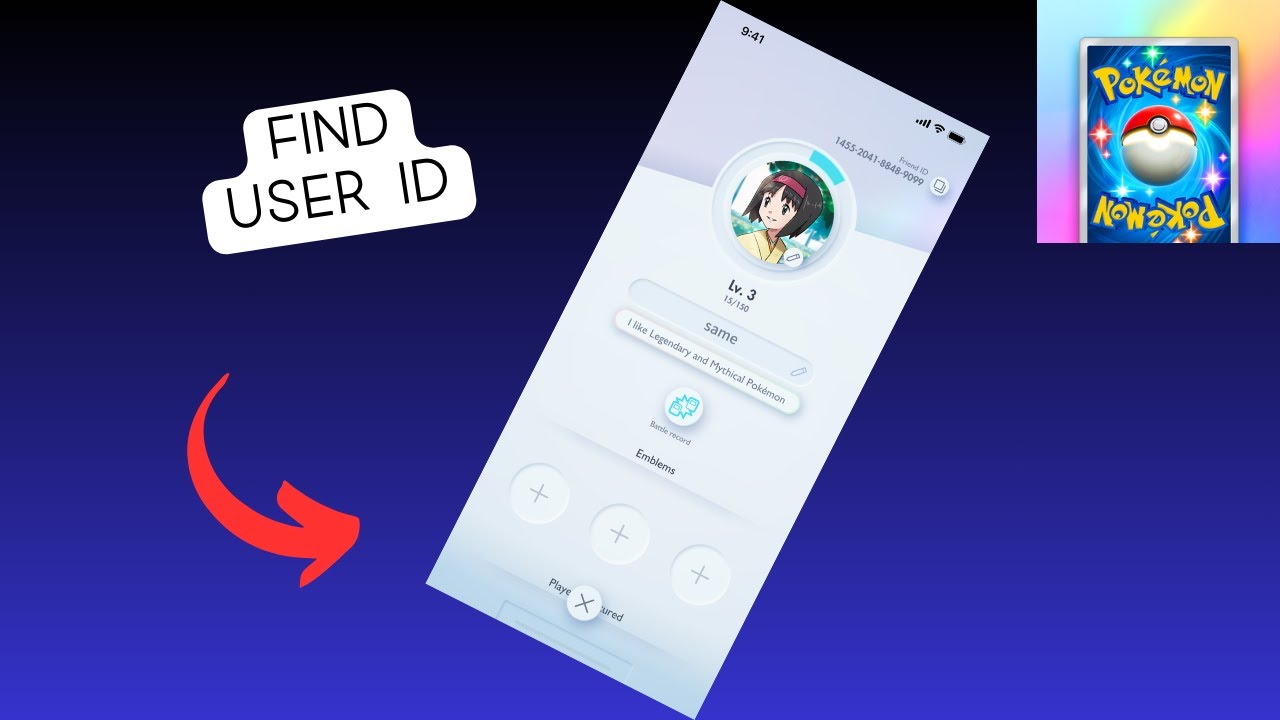
To locate your Player ID inside the app:1. Open the Pocket Chat app on your mobile device.2. Tap the Profile or Me icon located in the bottom navigation bar.3. Locate your profile avatar and display name at the top of the screen.4. Your Player ID / UID is displayed directly beneath your username.5. Tap the Copy icon next to the number, or write it down carefully to paste into the XPTopup checkout field.
Available Pocket Chat Credit Packs and Top-Up Options
XPTopup provides a wide selection of credit tiers to match your activity level in voice rooms and group chats. Current prices and live currency conversions are shown dynamically on the checkout selection above.
| Credit Package Tier | Common Use Case | Recommended For |
|---|---|---|
| Starter Tier | Small direct messaging perks, standard chat stickers | Casual listeners and new room participants |
| Standard Tier | Entry-level room gifts, temporary chat entrance badges | Active chatters and daily voice room visitors |
| Popular Tier | Animated gifts, custom profile frames, host tipping | Regular supporters and community hosts |
| VIP Tier | Large event gifts, full room visual effects, ranking pushes | Top room contributors and leaderboard supporters |
Note: Exchange rates and local currency totals update automatically on the live checkout interface.
Safe and Secure Recharge: No Account Password Required
Account safety is essential when purchasing digital credits online. XPTopup uses a direct ID-based delivery system that requires zero sensitive login information.
- No Password Sharing: We will never ask for your Pocket Chat account password, phone verification codes, or third-party login credentials (such as Google, Facebook, or Apple ID).
- Encrypted Transactions: All payment flows are protected with industry-standard SSL encryption protocols.
- Official Delivery Method: Credits are pushed directly to the account tied to the Player ID you submit.
- Privacy Protection: Your personal financial details are processed securely without being stored on public servers.
Troubleshooting Delivery and Checking Your Pocket Chat Balance
In most cases, credits reflect immediately after a completed order. If your balance does not update right away, use the following steps to verify your account status:
Step 1: Refresh the Pocket Chat Application
Close the Pocket Chat app completely from your recent apps screen, then reopen it. Navigate to your Me / Wallet section to check if the updated balance appears.
Step 2: Verify Your Internet Connection
Ensure your device is connected to a stable Wi-Fi or mobile data connection. A slow connection can delay the app from updating the display counter on your profile.
Step 3: Check Order Confirmation
Verify that your payment was completed successfully on XPTopup and that you received an order confirmation receipt.
Step 4: Contact Customer Support
If your credits do not appear within a short window, reach out to XPTopup customer support. Provide your XPTopup Order Number, the Pocket Chat Player ID used during checkout, and your payment receipt for prompt verification.
Why Buy Pocket Chat Credits on XPTopup?
- Transparent Live Checkout: View accurate denominations, regional pricing, and live currency conversions before completing your payment.
- Fast Order Processing: Orders are processed automatically as soon as payment confirmation is received.
- Global and Localized Payment Methods: Choose from secure credit/debit cards, e-wallets, and regional payment solutions tailored to your location.
- Hassle-Free UID Fulfillment: Complete your order in seconds with just your Player ID.
Frequently Asked Questions
How do I top up credits for Pocket Chat?
Select your credit denomination on this page, enter your Pocket Chat Player ID, choose your preferred payment option, and complete the payment. Your credits will be delivered directly to your in-app balance.
Where can I find my Pocket Chat Player ID?
Open Pocket Chat, tap the Me or Profile tab in the bottom right corner, and look directly below your profile name and avatar. Your numeric Player ID is shown there with a convenient copy button.
Do I need to share my Pocket Chat password to recharge?
No. You only need to provide your numeric Player ID. XPTopup will never ask for your account password, email access, or verification codes.
How quickly will Pocket Chat credits appear in my account?
Credits are dispatched automatically upon payment confirmation. Most orders credit to your balance shortly after completing checkout.
What payment methods are accepted for Pocket Chat top up on XPTopup?
XPTopup supports a wide variety of localized and international payment methods, including major credit/debit cards, regional digital wallets, and online banking systems. Available options for your country appear during checkout.
What should I do if I entered the wrong Player ID during checkout?
Double-check your Player ID carefully before completing payment. Because digital credits are transferred automatically based on the submitted ID, completed orders sent to an active, valid ID cannot be reversed. If you notice an error before payment completes or if the ID does not exist, contact XPTopup customer support immediately with your transaction details.
Current package prices
Current package prices are shown below. Prices exclude Tax. Tax, payment fees and applicable coupons are shown at checkout.
| Package | Price |
|---|---|
| Pocket Chat - Pocket Chat*10000 | USD 2.14 |
| Pocket Chat - Pocket Chat*30000 | USD 6.43 |
| Pocket Chat - Pocket Chat*50000 | USD 10.71 |
| Pocket Chat - Pocket Chat*70000 | USD 14.99 |
| Pocket Chat - Pocket Chat*100000 | USD 21.42 |
| Pocket Chat - Pocket Chat*200000 | USD 42.84 |
| Pocket Chat - Pocket Chat*500000 | USD 107.11 |
| Pocket Chat - Pocket Chat*700000 | USD 149.95 |
| Pocket Chat - Pocket Chat*1000000 | USD 214.22 |
| Pocket Chat - Pocket Chat*2000000 | USD 428.44 |