Top War Gold Bricks Top Up: What Are Gold Bricks and How to Use Them
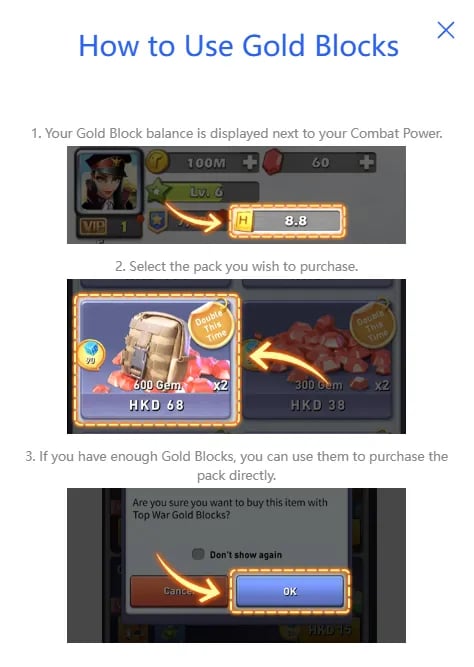
Top War Gold Bricks are the core premium currency used across the game to unlock tactical advantages, accelerate island progression, and secure high-tier military assets. Unlike standard in-game gold coins gathered from production buildings or resource tiles, Gold Bricks function as direct purchasing credits that can be converted into limited bundles, speed-ups, exclusive recruitment tickets, and VIP progression.
Primary Uses for Gold Bricks in Top War
- Hero Recruitment and Skill Shards: Secure elite hero recruitments during special recruit pool rotations. Gold Bricks allow you to acquire exclusive hero shards and level up commander skills for land, naval, and air forces.
- Base and Tech Speed-Ups: Skip extensive upgrade timers for your Command Center, Research Center, and unit synthesis factories.
- Event Participation: Enter competitive seasonal challenges and limited-time 2026 events that require premium tickets or token exchanges.
- Decorations and Base Skins: Purchase specialized military base skins and march skins that grant permanent combat stat bonuses across attack, defense, and march speed attributes.
- Direct Bundle Purchases: Exchange Gold Bricks directly for special value packs, daily stamina bundles, and component chests without making separate transactions for each item.
Step-by-Step Guide: How to Find Your Top War Player ID
To ensure your Gold Bricks arrive safely at your headquarters, you only need your unique Top War Player ID. You do not need to share your game password or social account credentials.
- Launch the Top War: Battle Game app on your mobile device or emulator.
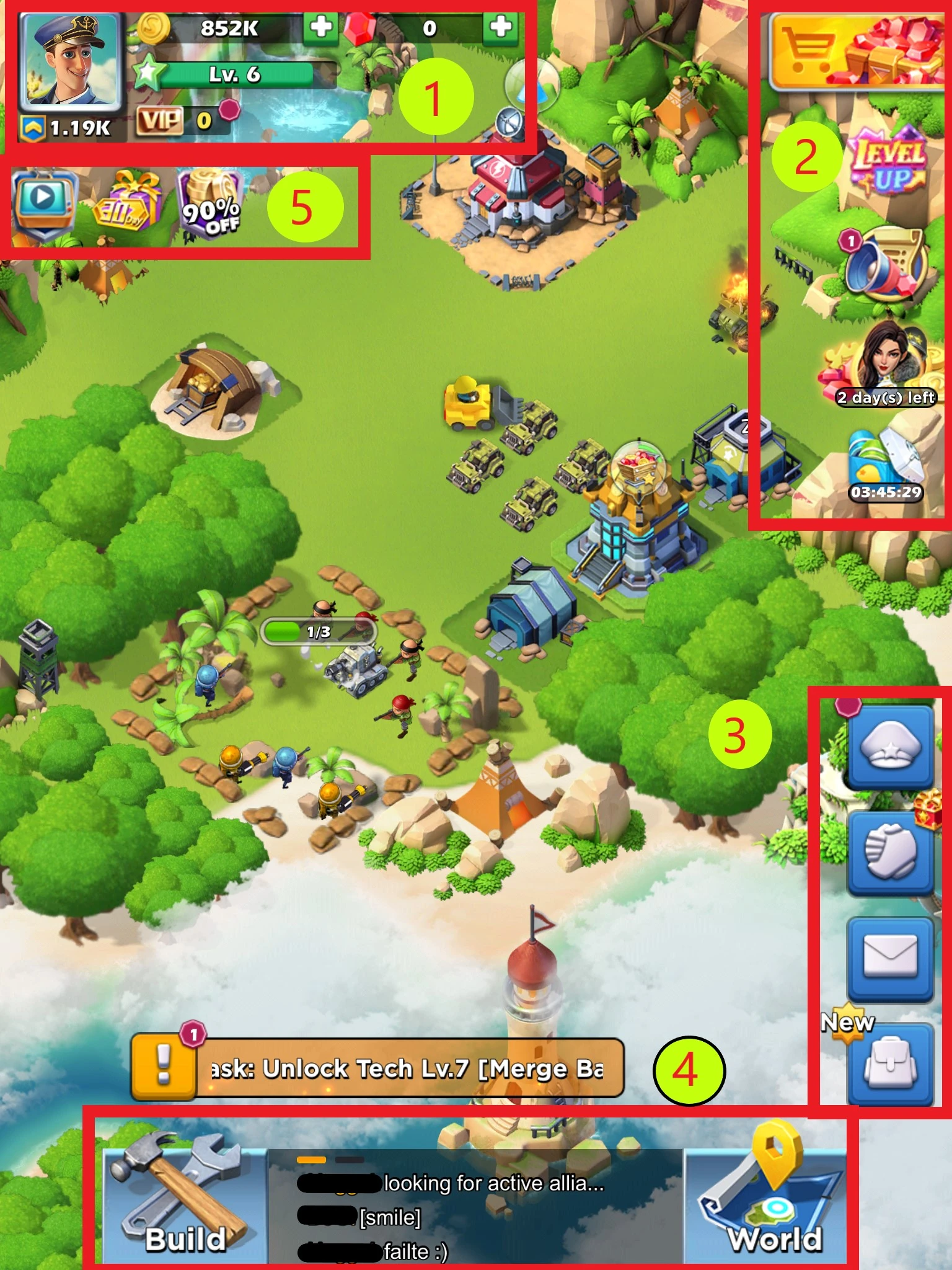
- Tap your Avatar icon located in the upper-left corner of the main command screen.
- Your Commander Profile window will open.
- Locate your Player ID (a series of numeric digits) displayed clearly beneath your Commander Name and Server information.
- Tap the Copy icon next to your Player ID to copy it directly to your clipboard.
Double-check your copied Player ID before initiating your order to avoid sending currency to an inactive or alternate account.
How to Top Up Top War Gold Bricks on XPTopup
Recharging your balance on XPTopup takes only a few simple steps. The entire process uses your Player ID for a direct, safe delivery.
- Select Your Gold Bricks Package: Browse the denomination list on XPTopup and select the amount of Gold Bricks required for your next upgrade or event.
- Enter Your Account Details: Paste your Top War Player ID into the designated input field.
- Confirm Selection: Check the pack size and verify that the Player ID entered matches your in-game profile.
- Select Payment and Complete Order: Choose your preferred payment method on the live checkout screen and complete the transaction.
- Check Your In-Game Balance: Open Top War. Your Gold Bricks will be added directly to your account balance, ready for immediate use.
Top War Gold Bricks Denominations and VIP EXP System
When you top up Gold Bricks, each purchase adds to your account's VIP points. Higher VIP levels grant permanent combat buffs, extra daily free rewards, increased march queues, and exclusive access to the VIP shop.
| Gold Bricks Pack | Common In-Game Applications | VIP EXP Value |
|---|---|---|
| 60 Gold Bricks | Small daily supplies, basic stamina replenishment | 60 VIP EXP |
| 300 Gold Bricks | Weekly supply chests, basic commander training | 300 VIP EXP |
| 680 Gold Bricks | Growth funds, intermediate speed-up bundles | 680 VIP EXP |
| 1280 Gold Bricks | Lucky roulette spins, premium skill chests | 1280 VIP EXP |
| 3280 Gold Bricks | High-tier hero upgrade shards, tech research packs | 3280 VIP EXP |
| 6480 Gold Bricks | Exclusive event bundles, ultimate base progression | 6480 VIP EXP |
Note: Current pricing, regional currency availability, and special order options are displayed directly on the live checkout interface on XPTopup.
Why Choose Player ID-Only Top Up (Account Safety & No Password)
Account safety is a top priority for competitive strategy games like Top War. Many account compromises happen when players share their login credentials, passwords, or linked social media profiles with third parties.
- Zero Password Requirement: XPTopup requires only your public Player ID. Your login credentials, email passwords, and social logins remain strictly confidential on your own device.
- No Account Sharing Risks: Because no operator logs into your account, there is zero risk of unauthorized item usage, accidental troop dismissal, or account lockouts.
- Direct Balance Updates: Recharges go straight to the official game servers, crediting your Gold Bricks and VIP EXP directly to your commander profile without manual code redemptions.
- Protected Payment Channels: Transactions on XPTopup are processed through encrypted payment gateways to ensure data privacy for every purchase.
Troubleshooting Top War Gold Brick Delivery Issues
Deliveries are processed directly upon payment verification. If you experience any delay in seeing your new balance, follow these troubleshooting steps:
- Restart the Top War App: Close the Top War application completely from your device's active task manager and reopen it. This forces the game client to refresh data from the server.
- Switch In-Game Zones: Move between your home island and the world map, or enter a battle simulation to trigger a real-time account data sync.
- Check Transaction Status: Review your order details in your XPTopup user dashboard to verify that your transaction shows as completed.
- Verify Your Player ID: Check your receipt to confirm that the Player ID submitted matches your active character profile.
- Contact Support: If your Gold Bricks have not appeared after completing the steps above, reach out to XPTopup customer support with your Order ID and Player ID for prompt verification and assistance.
Frequently Asked Questions
What can I use Gold Bricks for in Top War?
Gold Bricks can be used to purchase hero recruitment tickets, speed up base buildings and research timers, acquire exclusive commander skins, purchase daily and weekly supply bundles, and participate in limited-time events.
Where can I find my Top War Player ID?
Open Top War, tap your Commander Avatar in the upper-left corner of the screen, and locate the numeric ID displayed below your commander name. Tap the copy icon next to it to copy your Player ID.
Do I need to provide my Top War account password to top up Gold Bricks?
No. Top up on XPTopup requires only your Top War Player ID. You never need to share your game password, Google account, Apple ID, or Facebook login details.
Do Top War Gold Bricks grant VIP EXP when recharged?
Yes. Recharging Gold Bricks adds corresponding VIP EXP to your commander profile, helping you unlock higher VIP tiers and permanent account perks.
How quickly will the Gold Bricks be credited to my Top War account?
Gold Bricks are credited directly to your in-game balance shortly after payment confirmation. Once the transaction completes, open or refresh Top War to see your updated total.
What should I do if my Top War Gold Bricks have not arrived after purchase?
First, restart your Top War app to force a server balance refresh. If the currency is still missing, check your order status on XPTopup and contact customer support with your transaction details for assistance.
Current package prices
Current package prices are shown below. Prices exclude Tax. Tax, payment fees and applicable coupons are shown at checkout.
| Package | Price |
|---|---|
| 5 Gold Bricks | USD 4.18 |
| 10 Gold Bricks | USD 8.36 |
| 30 Gold Bricks | USD 24.88 |
| 60 Gold Bricks | USD 49.08 |
| 100 Gold Bricks | USD 81.31 |