How to Complete a Rooh Top Up with UID on XPTopup
Topping up your Rooh account on XPTopup is direct, fast, and does not require sharing your private account credentials. Follow these clear steps to add credits to your account:
- Select Your Credit Amount: Review the available credit denominations listed on the live product catalog and select the pack that matches your voice room gifting needs.
- Enter Your Rooh UID: Input your unique numeric Rooh User ID into the UID field. Always double-check this number to ensure accurate delivery to your profile.
- Proceed to Checkout: Click the purchase button to access the secure payment gateway. Current prices in your preferred currency are displayed clearly on the live checkout screen.
- Complete the Transaction: Select your preferred payment method and confirm the payment.
- Check Your In-App Balance: Open the Rooh app, head to your profile wallet, and confirm that your updated credit balance has arrived.
Where to Locate Your Rooh App User ID (UID)
Your Rooh UID is a unique identifier assigned to your profile. You only need this number to process an order on XPTopup.
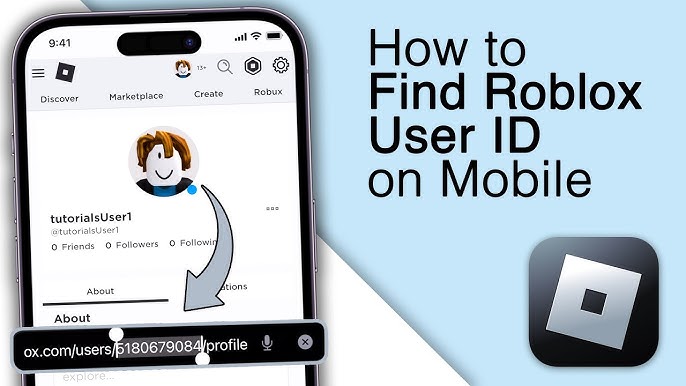
To find your Rooh UID quickly:
- Launch the Rooh application on your mobile device.
- Tap the Profile or Me icon located in the bottom-right corner of the main screen.
- Look directly beneath your profile picture and display name.
- Locate the numeric string labeled ID or UID.
- Tap the Copy icon next to the number to copy it to your clipboard, preventing manual typing errors during checkout.
Rooh Credits Explained: Voice Rooms, Virtual Gifts, and Room Boosting
Rooh is a popular interactive voice chat community where users connect, host audio parties, sing karaoke, and build social circles. Rooh in-app credits serve as the core currency that powers engagement across the platform.
Interactive Virtual Gifting
Credits allow you to send animated virtual gifts to room hosts, guest speakers, and friends during live voice broadcasts. Sending premium gifts shows appreciation, triggers full-screen special visual effects, and increases your personal contributor rank within the room.
Voice Room Boosting and Ranking
When you spend credits inside a voice party room, the room earns popularity points. Higher popularity pushes the room to the top of the Rooh explore tab, attracting new listeners and active participants.
Exclusive Entrance Effects and Avatar Frames
Active credit holders can unlock customized profile accessories, including dynamic entry banners that announce your arrival when entering any voice room, customized chat bubbles, and glowing avatar frames.
Noble and VIP Privileges
Accumulating and spending credits enables users to unlock tiered VIP memberships. VIP members gain access to exclusive voice emotes, anti-kick protection in standard rooms, and dedicated badge displays on their public profiles.
Available Rooh Credit Packs and Pricing Options in 2026
XPTopup provides flexible credit tiers suited for every type of Rooh user, whether you want to send a single greeting gift or support high-energy room events.
| Rooh Credit Tier | Recommended Use Case | In-App Benefits |
|---|---|---|
| Small Pack | Casual Gifting | Send basic animated emojis and support friends in casual chat rooms |
| Medium Pack | Room Interaction | Send featured gifts, activate entry effects, and join room prize events |
| Large Pack | Room Boosting | Support audio party rankings, send luxury gifts, and climb contributor leaderboards |
| Elite Pack | VIP & Major Events | Unlock noble status perks, large-scale event gifts, and custom profile styling |
Note: Exact bundle values, promotional bonuses, and currency conversions are updated in real time directly on the XPTopup checkout screen.
Safe and Password-Free Rooh Recharge Security
Protecting your user data is critical when recharging social and gaming platforms. XPTopup operates strictly under a direct-to-ID delivery model:
- No Passwords Required: You never have to share your Rooh login password, verification codes, or linked social media accounts. All orders are processed using only your public numeric UID.
- Encrypted Checkout: All personal billing information is handled through secure payment gateways with industry-standard encryption protocols.
- No Account Takeover Risks: Because no third-party ever gains access to your login credentials, your account remains fully under your personal control at all times.
Delivery Time and Checking Your Rooh In-App Balance
Orders submitted on XPTopup are processed automatically once payment confirmation is received. Follow this checklist to verify your delivery:
- Keep the App Refreshed: If Rooh is running in the background during your purchase, force-close the app and reopen it to trigger a wallet balance update.
- Navigate to Your Wallet: Go to Profile (Me) > Wallet / Balance to view your total credit amount.
- Check Transaction History: You can review your incoming balance records inside the Rooh app transaction logs under your profile settings.
If you experience minor network delays, allow 2 to 5 minutes for the server synchronization to complete before refreshing your wallet view.
Troubleshooting Common Rooh Top-Up Issues
If your credits do not appear immediately after completing payment, review these common solutions:
- Incorrect UID Submission: If you accidentally entered another user's UID during checkout, orders that have already been delivered cannot be reversed. Always use the in-app copy button to verify your ID before confirming.
- Pending Payment Status: Some local payment providers require additional confirmation time. Check your payment receipt to ensure the transaction status is marked as successful.
- App Display Lag: Clear your Rooh app cache through your phone settings or log out and log back in to force the app to retrieve the latest account state from the server.
- Contact Support: If your payment went through but your credits have not appeared after 15 minutes, reach out to XPTopup customer support with your Order ID and Rooh UID for fast manual verification.
Frequently Asked Questions About Rooh Top Up
Where can I find my Rooh UID in the app?
Open the Rooh app, tap the Me or Profile tab in the bottom-right corner, and locate the numeric ID displayed under your username and avatar. Tap the copy icon to grab your exact UID.
Do I need to provide my Rooh account password for top up?
No. XPTopup only requires your numeric Rooh UID. We will never ask for your account password, email login, or SMS verification codes.
How long does it take for Rooh credits to arrive after recharge?
Credits are dispatched directly to your Rooh account via automated delivery immediately after your payment is confirmed.
What can I buy with Rooh credits inside the voice chat app?
Rooh credits can be used to send animated virtual gifts in voice rooms, boost room popularity rankings, unlock VIP noble privileges, and purchase customized entrance effects or profile frames.
What should I do if I entered the wrong Rooh UID?
Because top-up transactions are processed automatically to the provided UID, completed transactions cannot be recalled. If you notice an error before the payment completes, cancel the prompt and re-enter the correct UID. If the order is already processed, contact support immediately with your transaction details.
Which payment methods are accepted for Rooh top up on XPTopup?
XPTopup supports a wide selection of international and local payment options, including major credit/debit cards, e-wallets, and regional online banking systems. Available payment options and exact regional pricing are shown at checkout.
Current package prices
Current package prices are shown below. Prices exclude Tax. Tax, payment fees and applicable coupons are shown at checkout.
| Package | Price |
|---|---|
| Rooh - Rooh*20000 | USD 1.49 |
| Rooh - Rooh*25000 | USD 1.87 |
| Rooh - Rooh*50000 | USD 3.74 |
| Rooh - Rooh*100000 | USD 7.47 |
| Rooh - Rooh*500000 | USD 37.36 |
| Rooh - Rooh*1000000 | USD 74.73 |
| Rooh - Rooh*5000000 | USD 373.64 |
| Rooh - Rooh*15000 | USD 1.12 |