Sawalfna Top Up: Send Gifts and Level Up Your Voice Rooms
Sawalfna is an interactive social audio platform where communities gather in real-time voice rooms to talk, sing, compete, and share moments. Inside these audio rooms, digital credits serve as the core in-app currency. Having an active credit balance allows you to participate fully in voice room activities, support talented room hosts, stand out in public leaderboards, and express appreciation using customized animated gifts.
To keep your profile active and ready for any live event, XPTopup provides a direct Sawalfna top up service. By processing refills exclusively through your numeric User ID (UID), you receive your credits straight to your account balance without sharing sensitive personal details or login credentials.
How to Top Up Sawalfna Credits with UID
Adding credits to your Sawalfna account on XPTopup takes only a few quick steps. Follow this simple guide to complete your recharge:
- Select Your Credit Amount: Review the available Sawalfna credit packs displayed at the top of this page and pick the bundle that matches your needs.
- Enter Your Sawalfna UID: Type or paste your unique Sawalfna User ID into the provided UID input box.
- Verify Your Details: Double-check your entered UID to ensure the credits are sent to the correct account.
- Proceed to Checkout: Select your preferred payment method on the live checkout screen and confirm the order.
- Check Your In-App Balance: Once payment verification completes, open the Sawalfna app and refresh your profile wallet to see your updated credit balance.
How to Find Your Sawalfna User ID in the App
Your Sawalfna UID is a unique numeric identifier assigned to your account upon registration. You do not need to share your phone number, email address, or password to purchase credits—only this numeric ID is required.
Follow these steps to locate your UID:
- Launch the Sawalfna app on your Android or iOS mobile device.
- Log into your account if you are not already signed in.
- Tap on the Profile or Me tab located in the bottom-right corner of the main screen.
- Look directly below your display name and profile picture on the personal center page.
- You will see a line labeled ID followed by a string of numbers.
- Tap the Copy icon next to the number to copy your UID directly to your clipboard.
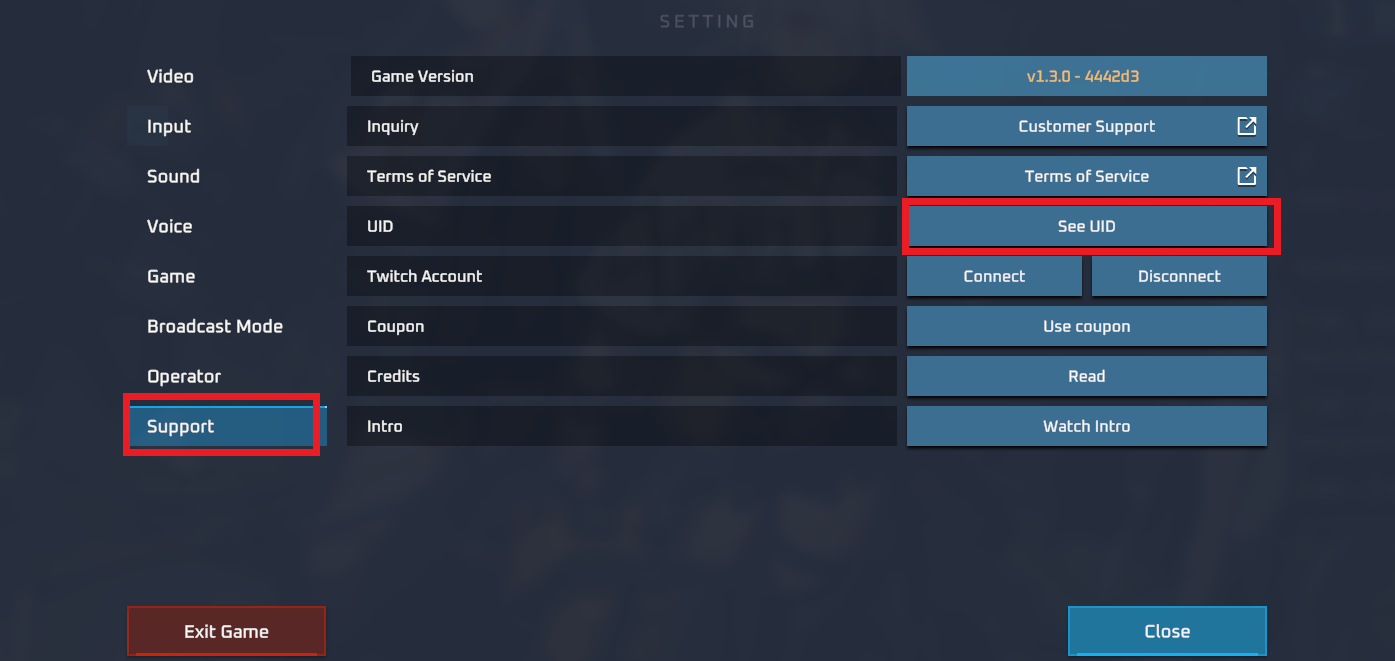
Paste this copied number directly into the UID field on XPTopup before finalizing your checkout to avoid any manual typing errors.
Available Sawalfna Credit Packs and Pricing
Sawalfna credits can be purchased in multiple pack sizes depending on how you plan to use them in the app. Smaller bundles are suitable for sending everyday chat stickers and greeting gifts, while larger bundles give you the balance needed for luxury entrance animations, special room themes, and high-tier gifting battles.
| Pack Category | Intended In-App Use | Key Benefits |
|---|---|---|
| Starter Bundles | Casual room interactions and light gifting | Instant access to basic animated stickers and chat reactions |
| Community Bundles | Daily voice room participation and host support | Mid-tier gifts, custom text bubbles, and room badge progress |
| Premium VIP Bundles | Gifting competitions, events, and room hosting | Exclusive virtual gifts, special entrance banners, and ranking boosts |
All up-to-date pricing, regional currency options, and credit counts are displayed live on the checkout panel above. Check the top of this page for current 2026 pricing and available denominations.
Account Security: Why Passwords Are Never Required
Protecting your social account is essential when purchasing digital items online. The Sawalfna top up system on XPTopup operates entirely via direct UID transfer. This offers several key security protections:
- Zero Password Sharing: You never need to enter your Sawalfna password, linked phone number, or social login credentials on our website.
- No Risk of Account Takeover: Because we do not access your login portal, your personal messages, voice room management rights, and linked private data remain entirely secure.
- Safe Third-Party Gifting: You can recharge credits for friends, family members, or your favorite room hosts simply by entering their UID during checkout without ever needing their account access.
Accepted Payment Methods and Order Processing
XPTopup offers a clear, dependable purchasing environment designed for voice chat app communities around the world. Orders placed through our system are processed using automated routing to deliver credits directly to your Sawalfna profile.
During checkout, you can select from a wide range of verified payment channels based on your region, including major credit cards, debit cards, digital wallets, and local banking options. Once your payment is approved, our automated delivery queue verifies the UID and credits the account balance immediately.
Troubleshooting Common Sawalfna Recharge Issues
If you encounter any delays or balance discrepancies after completing your order, check the following troubleshooting steps:
- Restart the App: In some cases, the Sawalfna app cache does not refresh wallet balances automatically while a voice room is active. Close the app completely from your background tasks and reopen it.
- Verify the Submitted UID: Check your XPTopup order confirmation receipt to make sure the UID you entered matches your exact in-app ID number.
- Check Your Internet Connection: A weak mobile data or Wi-Fi signal may prevent the app from syncing updated server data. Switch network connections and check your profile again.
- Contact Customer Support: If your credits do not appear within a few minutes after payment confirmation, reach out to XPTopup customer support with your Order ID and Sawalfna UID for swift assistance.
Frequently Asked Questions About Sawalfna Top Up
How do I find my Sawalfna UID to complete a top up?
Open the Sawalfna app, go to your personal profile tab from the bottom navigation bar, and look beneath your profile photo. Your numeric ID is displayed there with a convenient copy button next to it.
Do I need to share my account password to buy Sawalfna credits?
No. XPTopup only requires your numeric Sawalfna UID. We will never ask for your account password, email login, or verification codes.
What are Sawalfna credits used for in the app?
Sawalfna credits allow you to purchase virtual gifts, unlock special entrance animations, customize your profile flair, support live audio room hosts, and climb the room contributor rankings.
Can I recharge Sawalfna credits for a friend using their UID?
Yes. Because the top-up process only requires a UID, you can easily surprise a friend or support a host by entering their numeric ID into the order form during checkout.
What should I do if my Sawalfna credits are not delivered?
First, restart your Sawalfna application to force a wallet refresh. If the balance remains unchanged after a few minutes, contact XPTopup customer support with your transaction reference number and UID.
Which payment options are supported on XPTopup for Sawalfna?
XPTopup supports a comprehensive range of secure payment methods, including credit and debit cards, regional digital wallets, and localized payment gateways. Select your region at checkout to see all active options.
Current package prices
Current package prices are shown below. Prices exclude Tax. Tax, payment fees and applicable coupons are shown at checkout.
| Package | Price |
|---|---|
| Sawalfna - Sawalfna*15000 | USD 1.36 |
| Sawalfna - Sawalfna*20000 | USD 1.82 |
| Sawalfna - Sawalfna*25000 | USD 2.27 |
| Sawalfna - Sawalfna*50000 | USD 4.55 |
| Sawalfna - Sawalfna*100000 | USD 9.09 |
| Sawalfna - Sawalfna*500000 | USD 45.45 |
| Sawalfna - Sawalfna*1000000 | USD 90.89 |
| Sawalfna - Sawalfna*10000 | USD 0.91 |