Valorant Points Top Up: Get Weapon Skins and Battle Passes
Valorant Points (VP) serve as the primary premium in-game currency in Riot Games' tactical shooter, VALORANT. Players use VP to customize their tactical loadouts, unlock cosmetic content, and accelerate progression across seasonal acts.
What You Can Buy with Valorant Points
- Weapon Skin Bundles & Ultra Editions: Purchase exclusive rotating bundles, Kuronami, Reaver, Prime, and seasonal 2026 skin collections directly from the in-game store.
- Daily Rotating Offers: Acquire specific weapon skins that rotate through your four daily store slots.
- Act Battle Passes: Unlock the premium Act Battle Pass track to earn weapon skins, gun buddies, player cards, sprays, and Radianite Points through match XP.
- Agent Unlocks: Instantly recruit newly released agents without grinding kingdom credits.
- Radianite Points (RP): Convert VP into Radianite to evolve weapon skin visual effects, reload animations, finishers, and custom color variants.
To upgrade your inventory immediately, an online Valorant Points top up through XPTopup delivers points directly to your Riot account balance without delay.
How to Recharge Valorant Points on XPTopup
To top up your VP balance, follow these direct steps:
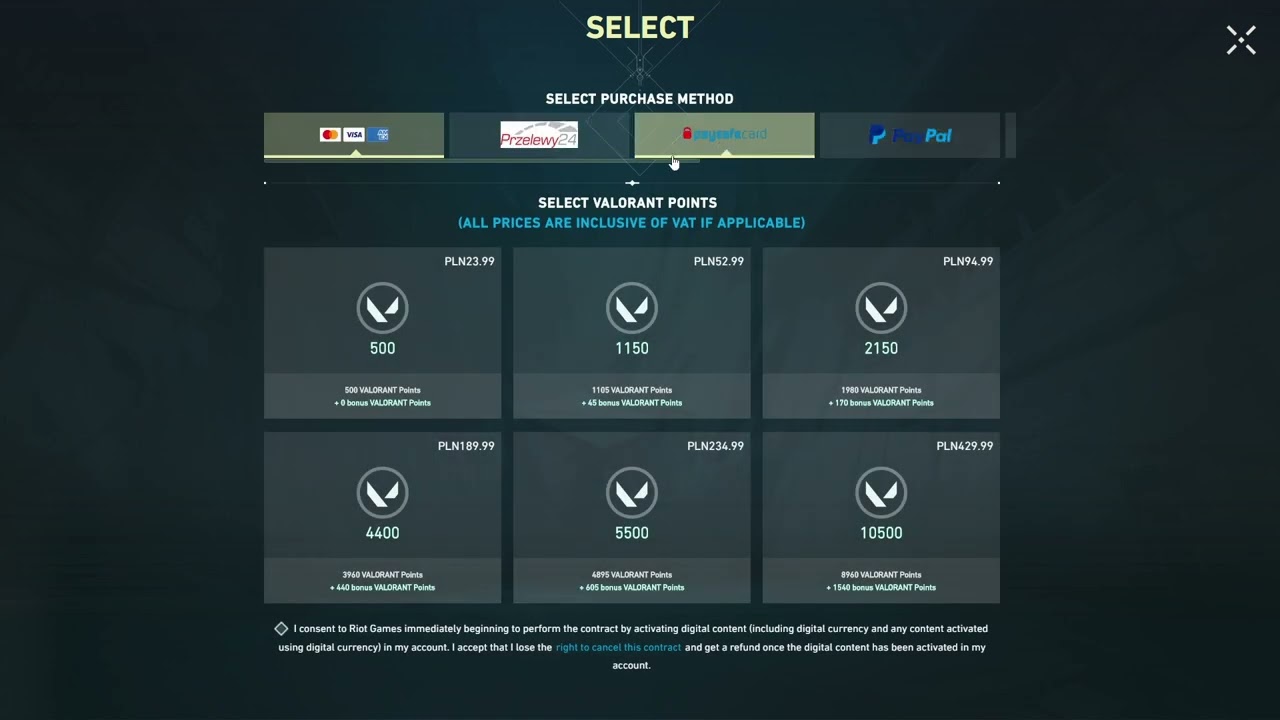
- Select Your VP Amount: Choose the desired Valorant Points package from the available catalog on the product page.
- Enter Your Riot UID: Type your full Riot ID and Tagline (e.g.,
PlayerName#NA1orAgent#1234) into the UID field. - Verify Your Region: Double-check that your Riot ID matches the server region of the package you selected.
- Proceed to Live Checkout: Review the final order details and select your preferred payment method on the checkout screen.
- Receive Your VP: Once payment processing finishes, your Valorant Points credit directly to your in-game wallet. Launch VALORANT or refresh your client to see your updated VP balance.
How to Find Your Valorant Riot ID and Region
Your Riot ID functions as your account UID for top-up purposes. It consists of your in-game display name followed by a hashtag and a unique tagline identifier.
Finding Your Riot ID In-Game
- Launch the VALORANT client on your PC.
- Look at the top-right corner of the main lobby or open your Friends List on the right sidebar.
- Hover your mouse cursor over your avatar card.
- Your full Riot ID will appear in the format
Username#TAG(for example,Viper#1024).
Finding Your Riot ID via Web Browser
- Log in to the official Riot Games account management portal.
- Navigate to the Riot ID section on the main dashboard.
- Copy the exact combination of your Riot ID and Tagline.
Make sure to enter both the name and the tag correctly in the UID field on XPTopup so your order is routed to the proper account.
Valorant Points Denominations and Radianite Points Comparison
VALORANT uses two primary currencies to handle store purchases and weapon cosmetics. Knowing how they interact helps you plan your balance.
| Currency / Item | Primary Acquisition Method | Main Purpose | Account Transferable? |
|---|---|---|---|
| Valorant Points (VP) | Direct Top-Up / Recharge | Buying Bundles, Daily Skins, Battle Pass | No (Bound to Riot Account) |
| Radianite Points (RP) | Battle Pass Tiers or VP Conversion | Upgrading VFX, Finishers, Color Variants | No (Bound to Riot Account) |
| Premium Battle Pass | 1,000 VP Purchase | Unlocking 50 Tiers of cosmetics and RP | No (Progress resets per Act) |
| Select/Deluxe Skins | Direct VP in Daily Store | Individual weapon cosmetic purchases | No (Permanent inventory item) |
VP cannot be transferred between separate Riot accounts once credited, so verify your UID before confirming payment.
Account Safety: Why UID-Only Top Up Requires No Password
XPTopup processes your Valorant Points recharge exclusively through your public Riot ID / UID. Here is why this method keeps your account secure:
- Zero Password Sharing: You never have to share your Riot password, two-factor authentication (2FA) codes, or email recovery access.
- No Account Hijacking Risks: Because third parties never log into your client, your personal details, friend list, and competitive MMR remain untouched.
- Direct System Crediting: The transaction communicates directly with your account identifier, adding the VP balance remotely while your game client remains safe.
Always avoid services that request your login credentials to add points. Legitimate recharges require only your public player identifier.
Server Regions and Troubleshooting Top Up Issues
Riot Games segments player accounts into distinct geographic shards, including North America (NA), Europe (EU), Asia-Pacific (AP), Korea (KR), Brazil (BR), and Latin America (LATAM).
Common Issues and Fixes
- Points Not Showing Immediately: If your VP balance does not update within a few moments after checkout, restart your VALORANT game client to force a server synchronization.
- Region Mismatch: If your Riot ID is registered to an EU shard but you order a region-restricted package for another territory, the delivery will fail. Verify your account country in your Riot Account Settings before submitting your order.
- Typo in Tagline: Double-check numbers and letters in your tagline. If you recently changed your Riot ID name or tag, use the current active version shown in your client.
If you experience any transaction discrepancies, check your live order status on XPTopup or reach out to 24/7 customer support with your order number for fast resolution.
Frequently Asked Questions
How do I recharge Valorant Points using my UID?
Select the VP amount you want on XPTopup, enter your complete Riot ID and Tagline (e.g., Name#1234) into the UID box, and proceed to checkout. After completing your payment, your Valorant Points deposit directly into your game account.
How much does it cost to top up VALORANT Points?
Prices depend on the specific VP package and regional currency selected. Live pricing, bundle rates, and available denominations are displayed directly on the XPTopup product selection menu before you complete checkout.
Do I need to share my Riot Games password to buy Valorant Points?
No. You only need to provide your public Riot ID and Tagline (UID). XPTopup will never ask for your account password, email access, or security codes.
Are Valorant Points region-locked to my Riot account?
Riot Games assigns accounts to specific server regions (such as North America, Europe, or Asia-Pacific). Make sure the package you choose matches the registered region of your Riot ID to ensure proper balance crediting.
Can I buy Valorant Points for a friend using their Riot ID?
Yes. As long as you know your friend's exact Riot ID and Tagline (and their account matches the correct region), you can enter their UID at checkout on XPTopup to send VP directly to their balance as a gift.
What is the difference between Valorant Points (VP) and Radianite Points (RP)?
Valorant Points (VP) are the primary currency used to buy weapon skin bundles, individual cosmetics, and the Battle Pass from the store. Radianite Points (RP) are utility points used to evolve skins you already own by unlocking special animations, reload effects, finishers, and alternative color variants.
Current package prices
Current package prices are shown below. Prices exclude Tax. Tax, payment fees and applicable coupons are shown at checkout.
| Package | Price |
|---|---|
| 475 Valorant Points | USD 2.68 |
| 1000 Valorant Points | USD 9.49 |
| 2050 Valorant Points | USD 10.72 |
| 3650 Valorant Points | USD 18.62 |
| 5350 Valorant Points | USD 26.76 |
| 11000 Valorant Points | USD 52.61 |