Yoki Top Up: Direct and Secure Player ID Recharge
Yoki provides an engaging digital experience where credits allow users to unlock premium features, access exclusive content, and interact with the platform without limits. To keep your account active and ready, getting a timely balance top-up is essential.
XPTopup offers a direct, secure Yoki recharge process designed to credit your account using only your Yoki Player ID. There is no requirement to share sensitive login credentials, passwords, or verification codes. Choose your desired denomination, enter your Player ID, and complete your order through our live checkout system.
How to Top Up Yoki Credits Using Player ID
Recharging your Yoki balance on XPTopup takes only a few quick steps. Follow this direct guide to complete your purchase:
- Select Your Credit Denomination: Browse the available credit packages on the product page and select the amount you want to add to your Yoki balance.
- Enter Your Yoki Player ID: Type your unique Yoki Player ID accurately into the required input field. Double-check the numbers to prevent delivery delays.
- Proceed to Secure Checkout: Click the purchase button to view real-time regional pricing and available payment channels on the live checkout screen.
- Complete Payment: Choose your preferred payment method and finalize the transaction.
- Receive Your Credits: Once payment confirmation is received, your Yoki credits are automatically processed and delivered directly to your account.
Top-Up Process Overview
| Step | Action | Requirement |
|---|---|---|
| 1. Package Selection | Choose credit amount | Select from available denominations |
| 2. Identity Entry | Input Player ID | Numeric Player ID only (no password) |
| 3. Checkout | Review total & payment channel | Dynamic regional pricing on checkout |
| 4. Delivery | Balance updates in-app | Instant to near-instant automated delivery |
Where to Find Your Yoki Player ID in the App
Your Player ID is the unique identifier tied to your Yoki profile. You need this number so XPTopup can route your purchased credits to the correct account.
Follow these steps to find your Player ID inside the Yoki application:
- Launch the Yoki app on your mobile device.
- Tap your Profile or Avatar icon located in the navigation menu.
- Open your user profile information page.
- Look for the field labeled Player ID, User ID, or UID displayed beneath your username.
- Tap the copy icon next to the ID or carefully write down the exact sequence of numbers.
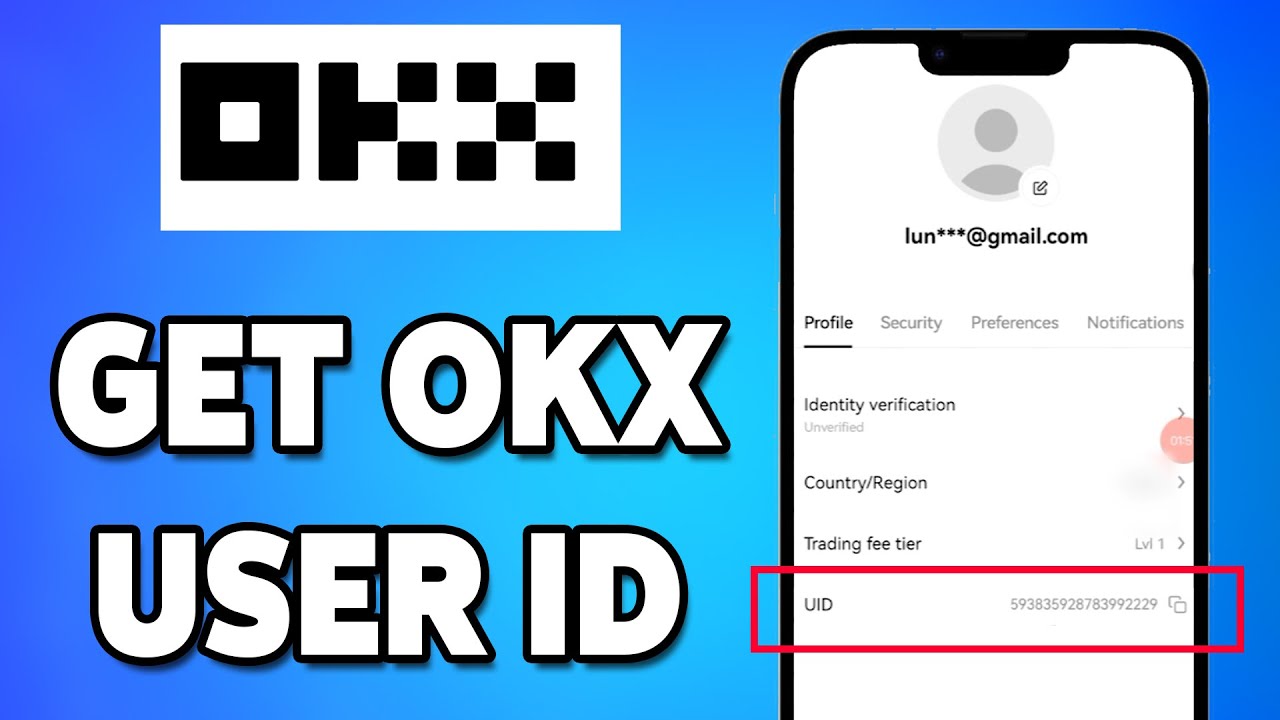
Make sure to paste your copied ID directly into the input field on XPTopup to avoid any manual typing mistakes.
Supported Payment Options for Yoki Recharge
XPTopup supports a wide variety of global and localized payment channels to ensure that recharging your Yoki balance is straightforward, regardless of your location.
When you proceed to checkout, our platform dynamically displays the available payment methods tailored to your region and currency. Available channels include major international credit and debit cards, digital e-wallets, online banking gateways, and localized instant payment systems. All payment flows are encrypted using industry-standard security protocols to keep your financial details protected throughout the entire transaction.
Always review the live checkout screen for the most up-to-date payment methods, local currency conversions, and processing details.
Safe Top-Up Without Sharing Account Password
Account safety is a top priority when purchasing digital currencies online. Traditional recharge methods that ask for account usernames and passwords expose users to unnecessary security risks, including unauthorized account modifications or data breaches.
XPTopup operates strictly on a Direct Player ID delivery model:
- Zero Password Requirements: We never ask for your Yoki account password, private security questions, or two-factor authentication (2FA) codes.
- Protection Against Account Takeover: Because you only provide your public Player ID, your login credentials stay completely private on your personal device.
- Secure Data Handling: All transaction details are processed through encrypted connections, ensuring your personal information remains confidential.
This method guarantees a safe, zero-risk recharge experience every time you buy Yoki credits.
How to Check Your Yoki Credit Balance After Recharge
Once your transaction is marked as complete on XPTopup, your credits are dispatched to your account. Follow these steps to confirm your new balance:
- Open the Yoki application on your device.
- If the app was open during checkout, close it completely and restart it to refresh the server connection.
- Navigate to your Wallet, Balance, or Profile section.
- Check your updated credit balance. The newly purchased credits will be reflected in your total available funds.
- You can also review your XPTopup order history to verify your order status, transaction ID, and timestamp.
Troubleshooting Common Yoki Top-Up Issues
If you experience any issues during or after your recharge, use the following troubleshooting solutions:
- Credits Have Not Arrived: While deliveries are typically instantaneous, minor network congestion can occasionally cause brief delays. Restart your Yoki app and wait a few minutes. Check your order status on XPTopup to confirm payment completion.
- Entered the Wrong Player ID: If you entered an incorrect or inactive Player ID, contact XPTopup customer support immediately with your transaction ID. If the order has not yet been processed by the automated system, support may be able to update your details.
- Payment Completed but Order Pending: Sometimes payment processors take a few moments to send transaction clearance. Keep your receipt and transaction reference number handy while the system synchronizes.
Frequently Asked Questions About Yoki Top Up
How do I top up Yoki credits on XPTopup?
To top up, select your desired Yoki credit package on XPTopup, enter your Yoki Player ID in the designated field, and click proceed to checkout. Choose your preferred payment option on the live checkout screen and finalize the payment. Your credits will be delivered directly to your Yoki account.
Where can I locate my Yoki Player ID?
Open the Yoki app, tap your profile avatar, and view your user profile details. Your Player ID or UID is displayed under your profile name. Use the copy button to copy the exact numeric code.
Do I need to share my Yoki account password to top up?
No. XPTopup only requires your public Yoki Player ID. You should never share your account password or login credentials with anyone.
Can I top up Yoki credits for a friend using their Player ID?
Yes. You can purchase credits for friends or family by entering their specific Yoki Player ID during the order process. The credits will be sent directly to their account once payment is complete.
How fast will Yoki credits appear in my account after checkout?
Credits are dispatched automatically as soon as your payment is confirmed. In most cases, your updated balance appears in your Yoki wallet almost immediately after restarting the app.
What should I do if my Yoki credits have not arrived?
First, restart the Yoki application to refresh your account data. If the balance has not updated within a short period, check your order status on XPTopup and contact our 24/7 customer support team with your order number for fast assistance.
Current package prices
Current package prices are shown below. Prices exclude Tax. Tax, payment fees and applicable coupons are shown at checkout.
| Package | Price |
|---|---|
| Yoki - Yoki*20000 | USD 1.06 |
| Yoki - Yoki*25000 | USD 1.32 |
| Yoki - Yoki*30000 | USD 1.59 |
| Yoki - Yoki*50000 | USD 2.65 |
| Yoki - Yoki*70000 | USD 3.71 |
| Yoki - Yoki*100000 | USD 5.30 |
| Yoki - Yoki*200000 | USD 10.59 |
| Yoki - Yoki*500000 | USD 26.48 |
| Yoki - Yoki*700000 | USD 37.07 |
| Yoki - Yoki*1000000 | USD 52.96 |
| Yoki - Yoki*2000000 | USD 105.91 |
| Yoki - Yoki*5000000 | USD 264.78 |