Jawaker Tokens Top Up: In-Game Uses for Baloot, Tarneeb, and Trix
Jawaker stands as the premier hub for classic Middle Eastern card and board games, hosting active tables for Baloot, Tarneeb, Trix Complex, Estimation, Hand, Leekha, Jackaroo, and dozens of regional favorites. In Jawaker, tokens serve as the core universal currency required to enter high-stakes matches, join competitive tournaments, send virtual gifts to friends, and unlock premium aesthetic customizations.
Running low on tokens prevents you from joining higher-tier rooms and entering official weekend tournament brackets. A direct Jawaker Tokens top up on XPTopup immediately adds tokens to your account balance using only your numeric Player Number. Whether you are aiming to climb the leaderboards in competitive Baloot or host private tables with custom rule sets, having an adequate token balance ensures continuous access to every game mode.
Step-by-Step Guide: How to Top Up Jawaker Tokens on XPTopup
Recharging your account takes less than a minute. Follow these simple steps to complete your order:
- Select Your Token Denomination: Review the available token packages on the live checkout selector at XPTopup and choose the bundle matching your gameplay needs.
- Enter Your Jawaker Player Number: Input your numeric account ID in the designated Player Number field. Ensure you double-check the digits to prevent delivery to an incorrect profile.
- Confirm and Checkout: Select your preferred payment method and finalize your transaction.
- Receive Tokens in Your Account: The system processes the order directly to your account. Open your Jawaker application to view your updated token balance.
All real-time package costs and available bundle sizes are clearly displayed on the product selector page before you confirm your order.
How to Locate Your Jawaker Player Number in the App
Your Player Number is a unique numeric identifier assigned to your Jawaker account upon creation. You do not need an email address or password to receive your tokens—only this public ID.
Here is how to retrieve your ID on iOS, Android, or desktop web browsers:
- Launch the Jawaker application on your mobile device or open the game in your web browser.
- Tap the Settings gear icon located in the corner of the main dashboard screen.
- Scroll to the bottom of the Settings menu.
- Locate the section labeled Player Number (or Account ID).
- Tap the copy icon or write down the series of numbers shown on the screen.
Make sure to paste the exact sequence into the Player Number field on XPTopup before proceeding to checkout.
Direct Token Top-Up vs Jawaker Voucher Code Redemption
When buying tokens online, players usually encounter two distinct fulfillment methods: direct Player Number top-ups and digital voucher codes. Understanding the difference helps you choose the fastest and most convenient option.
| Feature | Direct Player Number Top-Up (XPTopup) | Manual Voucher Code Redemption |
|---|---|---|
| Account Details Needed | Public Player Number only | Voucher PIN / Serial Code |
| Redemption Steps | 100% automated credit to balance | Requires visiting a web redemption portal |
| Risk of Typing Errors | None after verifying Player Number | Risk of mistyping long alphanumeric strings |
| Delivery Speed | Instant balance update upon processing | Manual copy-paste and verification required |
| Friend Gifting | Supported (enter friend's Player Number) | Supported (send code string to friend) |
Direct top-up eliminates the friction of copying voucher keys, visiting external redemption portals, and resolving code activation errors. Once entered on XPTopup, the balance credits automatically to your game profile.
Unlocking Jawaker Basha VIP Subscriptions and Custom In-Game Items
Beyond tournament entry stakes, tokens give you access to Jawaker's exclusive social and customization features. Recharging your balance allows you to activate:
- Basha VIP Membership: Gain access to private VIP lounges, exclusive badge emblems on your profile, priority seat reservations at high-stake tables, and custom game rules.
- Custom Table Felt & Card Decks: Stand out in Baloot and Trix rooms with custom card designs, specialized table cloths, and themed visual backgrounds.
- Interactive Emotes and Table Gifts: Send animated reactions, coffee cups, flowers, and celebratory items to your teammates or opponents during live play.
- Voice Chat Badges: Unlock custom voice chat frames and highlighted profile effects in group chat rooms.
Safe Account Recharge: Zero Password Sharing Required
Account safety is essential when purchasing digital gaming currency. XPTopup strictly adheres to direct ID top-up protocols:
- No Passwords Requested: We never ask for your Jawaker login credentials, Apple ID, Google Play login, or social media access.
- No SMS or Verification Codes: You will never be asked for temporary one-time passcodes (OTP).
- Secure Checkout: All transaction channels utilize encrypted payment gateways to protect your financial details.
- Safe for Friends and Family: Because only a public Player Number is required, you can recharge accounts for teammates and friends without needing access to their personal devices or logins.
Troubleshooting Common Recharge Issues and Delayed Balances
If your token balance does not update immediately after placing an order, review these troubleshooting steps:
- Restart the Jawaker App: Fully close the Jawaker application from your device app switcher and launch it again. This forces the client to sync with the server database.
- Verify Player Number Accuracy: Check your purchase receipt on XPTopup. If you submitted an incorrect digit, the order may have routed to another profile. Always verify your ID in the app settings before buying.
- Check Connection Quality: Weak Wi-Fi or mobile data connections can delay in-app notifications. Switch connections to ensure your balance refreshes.
- Contact Customer Support: If your tokens have not appeared after completing the transaction, reach out to XPTopup customer support with your Order ID and Jawaker Player Number for rapid assistance.
Frequently Asked Questions About Jawaker Tokens
What are Jawaker Tokens and what can I buy with them?
Jawaker Tokens are the primary virtual currency used across the Jawaker platform. You can spend tokens to enter competitive matches, join Baloot and Tarneeb tournaments, buy Basha VIP subscriptions, unlock custom card backs, and send gifts to other players at your table.
Where can I find my Jawaker Player Number?
Open the Jawaker app, tap the Settings gear icon, and scroll to the bottom of the screen. Your unique Player Number is displayed alongside a copy icon for easy retrieval.
Do I need to share my Jawaker password for token top-up?
No. XPTopup only requires your public Player Number. You should never share your account password, email credentials, or verification codes with anyone.
How long does it take for Jawaker Tokens to arrive in my account?
Direct top-ups are processed automatically once payment confirmation is received. In most cases, tokens reflect on your in-game balance within moments of order completion.
What is the difference between direct top-up and a Jawaker voucher code?
Direct top-up credits tokens straight to your in-game account using your Player Number without requiring any manual code entry. A voucher code gives you a 16-digit alphanumeric string that you must manually redeem on Jawaker's redemption website.
Can I top up Jawaker Tokens for a friend using their Player Number?
Yes. You can purchase tokens for any player by entering their unique Player Number at checkout. The tokens will credit directly to their profile.
What should I do if my Jawaker Tokens do not appear after purchase?
First, force-close and restart your Jawaker application to refresh your server connection. If the updated balance is still not visible, verify the Player Number on your receipt and contact XPTopup support with your transaction details for immediate assistance.
Current package prices
Current package prices are shown below. Prices exclude Tax. Tax, payment fees and applicable coupons are shown at checkout.
| Package | Price |
|---|---|
| 4,250 Tokens | USD 0.81 |
| 32,500 Tokens | USD 4.03 |
| 70,000 Tokens | USD 8.06 |
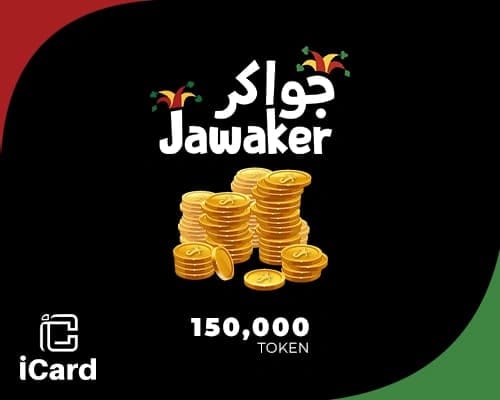
| 150,000 Tokens | USD 15.41 |
| 230,000 Tokens | USD 23.63 |
| 400,000 Tokens | USD 40.72 |
| 525,000 Tokens | USD 53.05 |
| 805,000 Tokens | USD 81.44 |