Beela Top Up: Fast, Direct Credit Delivery
Getting a Beela top up allows you to enjoy uninterrupted communication, room interactions, and digital gifting across the platform. Beela credits serve as the core in-app currency, enabling users to send virtual gifts, participate in premium voice rooms, unlock special profile effects, and support favorite hosts.
XPTopup provides a streamlined, direct recharge process designed specifically for Beela users. By processing orders directly through your unique player UID, your recharge is handled securely without needing your private login credentials. Check live rates on our checkout page to choose the credit package that fits your needs in 2026.
How to Top Up Beela Credits Online
Recharging your account on XPTopup is simple and requires only a few steps. Follow this guide to buy Beela credits directly:
- Select Your Credit Amount: Review the available Beela credit packs on the product page and choose your preferred denomination.
- Enter Your Beela UID: Input your numeric account ID in the UID field. Make sure to double-check every digit to avoid sending credits to another user.
- Select Your Preferred Payment Method: Choose your payment option from our secure checkout gateway.
- Complete the Transaction: Follow the on-screen prompts to confirm and finalize your payment.
- Check Your In-App Balance: Once the transaction completes, open the Beela application to verify that your new credits have been added to your wallet.
How to Find Your Beela UID
Your Beela UID is a unique numerical identifier assigned to your personal account. You must provide this number so your credit recharge reaches the correct profile.
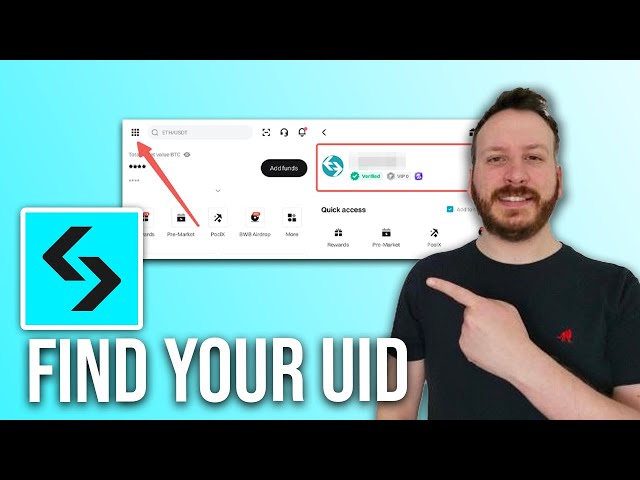
Follow these steps to locate your UID inside the app:
- Launch the Beela app on your mobile device and log into your account.
- Tap the Profile or Me icon located in the bottom navigation bar.
- Locate your user profile card near the top of the screen.
- Find the label marked ID or UID displayed beneath your display name and avatar.
- Tap the copy icon next to the number, or write down the exact digits to paste into the XPTopup order box.
Available Beela Credit Denominations
XPTopup offers multiple package sizes so you can select the precise amount of Beela credits required for your activities. Whether you need a small recharge for casual gifting or a larger bundle for hosting events and climbing leaderboards, various options are available.
| Credit Pack Tier | Recommended Usage | Delivery Method | Requirement |
|---|---|---|---|
| Starter Packs | Small gifts, casual room interactions, trial top-ups | Direct UID Delivery | Beela UID |
| Standard Packs | Active chat room participation, regular gifting | Direct UID Delivery | Beela UID |
| Advanced Packs | Special event contributions, animated gifts, badge unlocks | Direct UID Delivery | Beela UID |
| Elite Packs | High-tier gifting, room hosting, profile customization | Direct UID Delivery | Beela UID |
Note: Current pricing, currency exchange options, and available pack sizes are displayed in real time on the live order panel above.
Safe and Direct Recharge via UID
Account safety is a top priority when purchasing digital currencies online. XPTopup uses a direct UID delivery system, which offers several distinct security advantages:
- No Password Required: You never have to share your Beela password, social login details, or verification codes. Your account access remains entirely under your personal control.
- No Account Sharing: The entire transaction happens externally via your public UID. You do not need to give account access to third parties.
- Encrypted Checkout: All payments on XPTopup are processed through encrypted, compliant gateways to protect your billing information.
- Automated Processing: Digital delivery systems route the ordered credit amount directly to the specified UID once payment confirmation is received.
Accepted Payment Methods on XPTopup in 2026
XPTopup supports a wide variety of domestic and international payment solutions in 2026 to ensure convenient checkout for users across different regions. Depending on your location, you can complete your Beela credit recharge using:
- Major credit and debit cards (Visa, Mastercard, and regional card networks)
- Popular digital e-wallets
- Local bank transfers and online banking gateways
- Regional instant payment systems
All exchange rates and processing fees are shown clearly before you confirm payment. There are no hidden fees at checkout.
What to Do If Credits Are Not Received Immediately
Digital recharges through XPTopup are processed promptly once payment clears. If your Beela credits do not reflect in your account right away, follow these troubleshooting steps:
- Restart the Beela App: Completely close the Beela application from your background apps, reopen it, and check your wallet balance again. A fresh session often forces the app to update its balance display.
- Verify Payment Status: Check your payment confirmation receipt or bank statement to ensure the transaction was successfully completed.
- Check Your Order Details: Review your XPTopup order history and verify that the UID you entered matches your actual Beela account ID.
- Allow Brief Processing Windows: During peak server load or scheduled network maintenance on the app side, balance updates may take a few extra minutes.
- Contact Support: If your balance does not update after verifying the above points, reach out to XPTopup customer service with your Order ID, Beela UID, and proof of payment for quick assistance.
Frequently Asked Questions About Beela Top Up
How do I top up Beela credits on XPTopup?
Select your desired credit denomination on the Beela product page, enter your Beela UID in the designated box, select your preferred payment method, and complete the checkout. Your credits will be delivered directly to your account.
Where can I find my Beela UID?
Open the Beela app, tap the Profile or Me tab at the bottom of the screen, and locate the numeric ID shown directly beneath your profile avatar and username. Tap the copy icon to copy it.
Do I need to share my Beela account password to recharge?
No. Recharging on XPTopup requires only your public Beela UID. You should never share your account password, email credentials, or SMS verification codes with anyone.
How long does it take to receive Beela credits after payment?
Credits are sent directly through our automated system as soon as your payment is confirmed. In most cases, the balance updates in your Beela wallet shortly after transaction completion.
What should I do if I enter an incorrect UID during checkout?
Because UID recharges are processed automatically, orders delivered to an incorrect, valid UID cannot be reversed. If you notice an error immediately before payment processing completes, contact XPTopup customer support right away with your transaction details.
What payment methods can I use for Beela top up in 2026?
XPTopup offers a broad selection of payment methods in 2026, including global credit and debit cards, secure e-wallets, online banking, and localized regional payment providers. Available options and live prices are displayed at checkout.
Current package prices
Current package prices are shown below. Prices exclude Tax. Tax, payment fees and applicable coupons are shown at checkout.
| Package | Price |
|---|---|
| Beela - Beela*5000 | USD 0.40 |
| Beela - Beela*10000 | USD 0.80 |
| Beela - Beela*15000 | USD 1.21 |
| Beela - Beela*20000 | USD 1.61 |
| Beela - Beela*25000 | USD 2.01 |
| Beela - Beela*50000 | USD 4.02 |
| Beela - Beela*100000 | USD 8.05 |
| Beela - Beela*500000 | USD 40.23 |
| Beela - Beela*2000 | USD 0.16 |