80Gems

Total

USD 0.80

Skip to main content
XPTopup
Search...
Quick answer

To top up Clash Royale Gems, pick a package, enter your SuperCell Email, Role ID and Email and pay at checkout. It is credited to that account after payment is confirmed — no password needed.

Product specs
GameClash Royale Gems · Supercell
PlatformsMobile
Product typeDirect top-up to your game account
Account details neededSuperCell EmailRole IDEmail
Packages11
DeliveryAutomatic after payment is confirmed, usually within minutes
PaymentCards, e-wallets, local methods and crypto — options depend on your country

Clash Royale top up on XPTopup credits Gems, Grumpy Medals, Event Pass and Gold Pass to the account you identify at checkout. The form asks for a Supercell email, a Role ID and an email address, and never for a password. Delivery is automatic and usually completes within a few minutes after payment is confirmed.

Clash Royale top-up specs

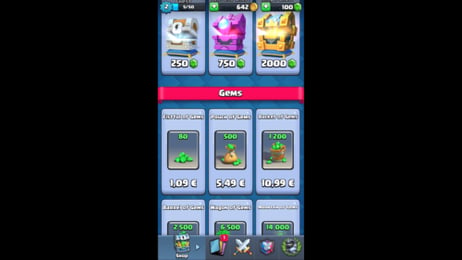
  • Currency: Gems (80, 500, 1200, 2500, 6500 and 14000 Gems)
  • Other items: Grumpy Medals (750, 2600 and 6000), Event Pass, Gold Pass
  • Required: SuperCell Email, Role ID, Email
  • Region: account region as shown at checkout
  • Delivery: automatic, usually within minutes
  • Login needed: no

What goes into each checkout field

Role ID is the player identifier of your Clash Royale account. In the game it is your player tag, the code that starts with # on your profile; copy it from there instead of retyping. SuperCell Email is the address linked to your Supercell ID, and Email is where you want order information to go. Type each one exactly, because a typo in the ID is the one mistake we cannot undo after delivery.

If a field looks unfamiliar, open your Clash Royale profile first and compare the value on screen with what you are about to paste.

Gems, medals or a pass: choosing what to buy

The Gems ladder starts at 80 and tops out at 14000, with 500, 1200, 2500 and 6500 in between. Gems in Clash Royale are the premium currency used for things like chests, emotes and the pass tracks, so a small stack covers a single purchase, while the 6500 and 14000 Gems packs suit players who buy several things per season. Gold Pass and Event Pass are listed as their own products: pick them when you want the pass itself rather than loose Gems. Grumpy Medals come in 750, 2600 and 6000 packs for the medal-based items.

The live price table below the picker shows current totals; they can change, so check before paying. Payment methods shown at checkout depend on your region.

If something goes wrong

Failed or undelivered orders get support help, and failed orders are refunded to the original payment method. Delivered value cannot be moved to another account.

Recharge Process

Top-up Procedures

  1. 1

    Place Your Order & Check Out

    Complete your purchase securely through our checkout process.

  2. 2

    Instant Auto-Delivery to Your UID

    Once your payment is confirmed, your top-up is automatically delivered to the UID you entered — fast, 100% secure, and no account login required.

Clash Royale Gems FAQ

01

Do I need my Supercell password to buy Clash Royale Gems?

No. The checkout only asks for the SuperCell Email, Role ID and Email fields. No password or login is required on XPTopup.

02

What is the Role ID for Clash Royale?

It is the identifier of your player account. In the game your player tag, starting with #, is shown on your profile; copy it exactly into the Role ID field.

03

Can I buy Gold Pass instead of Gems?

Yes. Gold Pass and Event Pass are separate options in the pack list, next to the Gems and Grumpy Medals packs, so choose the product you actually want.

04

How fast will my Gems arrive?

Delivery is automatic and usually completes within a few minutes after payment is confirmed. The order page shows the delivery status.

05

What happens if my Role ID is wrong?

Value delivered to the wrong account cannot be pulled back, so check the ID before paying. If an order fails, support helps and failed orders are refunded.

Clash Royale Gems
Clash Royale Gem Top Up

Clash Royale Gems

SupercellMobile4.3ksold

Prices exclude Tax. Tax is shown at checkout.

Payment Support

Toss PayNaver PayKakaoPaySBP (Faster Payments System)GCashCredit / debit cardBank transferTouch 'n Go eWalletOXXOBank card (Kazakhstan)Bank card (Belarus)BLIKFamilyMartPaotang PayLINE PayKNETNAPSConvenience store barcodeHi-LifeOK MartmadaPAYCOGASHOVODANAMayaGrabPay7-ElevenSamsung PayMercado PagoSPEIGrabPayBoletoJKOPAYPayUReal-time bank paymentBNIBoostMaybankTrueMoneyAlipayHKWeChat PayOctopusBinance PayGate PayTouch 'n Go eWalletE.SUN Bank transferBancontactFPSApple PayApple PayGoogle PayGoogle PayCredit / debit cardCredit / debit cardTrustlypaysafecardMyBankMultibancoXPTopup wallet balanceEps