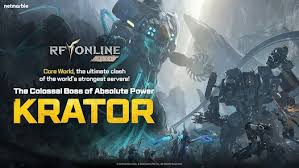
RF Online Next top up on XPTopup delivers Diamonds to the character behind the Player ID and Server you enter at checkout. Those two fields are all it takes: no password, no login, and delivery starts automatically once payment is confirmed, usually finishing within a few minutes.
RF Online Next top-up specs
- Currency: Diamonds
- Pack sizes: 109, 436, 2110, 3570 and 7950 Diamonds
- Required: Player ID + Server (picked from a list at checkout)
- Region: account region as shown at checkout
- Delivery: automatic, usually within minutes; progress on the order page
- Login needed: no
Find your Player ID and server in RF Online Next
This recharge needs two values that belong together: the Player ID of the character you want to fund and the server that character lives on. Take both from the game while that character is logged in.
- Log in to RF Online Next with the character that should receive the Diamonds.
- Open the character info, profile or settings screen and look for the Player ID; copy it if a copy option is offered.
- Note the server name shown for that character, for example on the server or character selection screen.
- Paste the Player ID at checkout and pick the identical server from the Server list.
- Compare both values with the game once more before paying.
Screens can be laid out differently between client versions and platforms. If the ID is not where you expect, check every profile-type screen before typing anything from memory; the character name alone is not an ID.
Which Diamonds pack should you pick?
The ladder has five steps and no bonus notation, so the number on each pack is its Diamonds amount.
- 109 Diamonds: the entry step, for topping off a balance that is slightly short.
- 436 Diamonds: a small, regular purchase in the in-game shop.
- 2110 Diamonds: the middle of the ladder for players who buy something most weeks.
- 3570 Diamonds: a planned bigger purchase covered in one order.
- 7950 Diamonds: the largest step, for stocking up once instead of ordering several times.
Shop prices inside RF Online Next are set by the game and can change with updates, so check the Diamonds cost of what you are after, then choose the smallest pack that covers it. Current prices for all five packs are in the live price table below.
If the Diamonds do not show up
- Check the order page first: it shows whether the order is still processing, delivered or failed.
- Make sure you are looking at the character and server you selected at checkout.
- Log out and back in, or restart the client, so the balance refreshes.
- Still missing? Contact support with your order number, the Player ID and the server you entered.
Failed orders are refunded to the original payment method. Diamonds that reached a different character because of a wrong ID or server cannot be pulled back, which is why the two-value check above matters.