Dragonheir: Silent Gods Dragon Crystals Top Up on XPTopup
Dragon Crystals serve as the core premium currency in Dragonheir: Silent Gods. They allow you to summon legendary heroes, restore stamina for artifact farming, and acquire high-value seasonal bundles. When building teams to tackle challenging dungeon bosses, temporal vortex encounters, and seasonal leaderboards, having immediate access to Dragon Crystals gives you the resources required to advance your roster.
To complete a top-up on XPTopup, follow these steps:
- Select your desired Dragon Crystals package from the available options.
- Enter your numerical Dragonheir: Silent Gods Player ID in the designated field.
- Verify your Player ID carefully to prevent order delivery delays.
- Proceed to checkout and select your preferred payment method.
- Complete the payment process.
- Open your game client to confirm that your Dragon Crystals have been credited to your account balance.
All top-ups processed through XPTopup use direct server integration based on your Player ID, eliminating manual account handoffs.
How to Find Your Dragonheir: Silent Gods Player ID
Your Player ID is the unique numerical identifier linked to your game account. You do not need to share login credentials or passwords to receive your items. Follow the steps below to copy your ID directly from the game client.
- Launch Dragonheir: Silent Gods on your mobile device or PC.
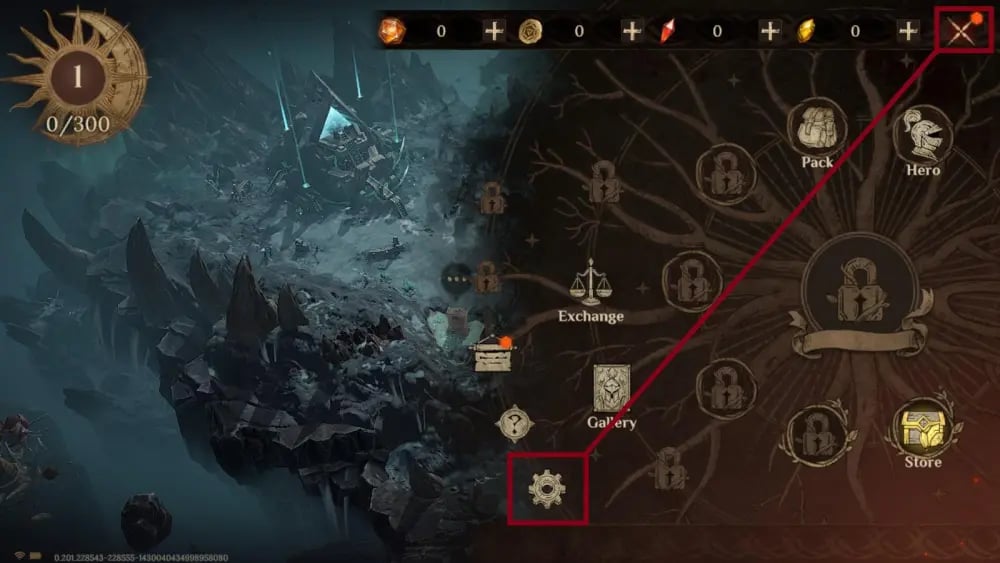
- Tap your character avatar located in the upper-left corner of the main game screen.
- Open the profile window.
- Locate your numerical Player ID displayed directly below your character name.
- Tap the copy icon next to your ID to copy the exact number to your clipboard.
Always paste the copied number directly into the order field on XPTopup to avoid typos.
What Are Dragon Crystals and How to Spend Them
Dragon Crystals are the direct cash-equivalent currency in Dragonheir: Silent Gods. Once credited to your account, you can use them directly or convert them into secondary resources to fund your progression across the season.
| Currency / Item | Conversion / Source | Primary In-Game Usage |
|---|---|---|
| Dragon Crystals | Direct Top-Up Purchase | Store bundles, monthly passes, direct conversion to Wyrmarrow |
| Wyrmarrow | Converted 1:1 from Dragon Crystals | Purchasing Heliolite Dice, stamina refreshes, resource resets |
| Heliolite Dice | Bought with Wyrmarrow / Bundles | Summoning Legendary and Epic heroes on limited and standard banners |
| Starlight Stone Dice | Event rewards / Wyrmarrow purchases | Summoning Rare and Epic heroes for skill inspiration and roster depth |
| Stamina (Bread) | Refreshed with Wyrmarrow | Farming gear domains, goblin lairs, and elemental ruins |
Converting to Wyrmarrow and Summoning Dice
Dragon Crystals convert to Wyrmarrow at an exact 1:1 ratio. Wyrmarrow is the primary resource spent in the in-game summons shop to purchase Heliolite Dice. Accumulating Heliolite Dice is essential for targeting specific elemental affinities and assembling synergistic team compositions for seasonal content.
Purchasing Bundles and Progression Passes
Certain premium packs, battle passes, and stamina bundles require direct Dragon Crystals rather than Wyrmarrow. Using your Dragon Crystals to buy seasonal progression passes provides steady supplies of skill scrolls, gold, forging materials, and bonus summon dice as you complete daily and weekly journey milestones.
First-Time Top-Up Double Bonus Tiers and Rewards
Dragonheir: Silent Gods features first-time purchase bonus rewards across individual Dragon Crystal packages. When you top up a specific denomination for the first time on your account, the game server grants extra bonus Wyrmarrow or Dragon Crystals corresponding to that specific tier.
Key rules regarding the first-purchase bonus:
- Tier-by-Tier Reset: Each denomination tier holds its own first-time bonus status. Claiming the bonus on a smaller pack does not consume the double bonus on higher-tier packs.
- Server-Side Validation: The bonus is tied directly to your in-game account history. If your account is eligible for a first-purchase bonus on the selected tier, the bonus automatically delivers to your account upon completing your order through XPTopup.
- Seasonal Resets: During major game updates or seasonal server resets, the developers occasionally refresh the first-time purchase bonuses for all players. When a reset occurs, you can claim the double bonus rewards again across all available tiers.
Direct Player ID Top Up vs Account Sharing Risks
Using a direct Player ID top-up service is the safest way to recharge in-game currency. Many unauthorized peer-to-peer marketplaces require you to hand over your login credentials, email address, and verification codes to unknown sellers. This exposes your account to significant security liabilities.
Direct Player ID Recharge on XPTopup
- Zero Password Requirements: You only supply your public Player ID.
- Account Integrity: Your account remains entirely in your control without third-party logins.
- Instant Processing: Automated routing delivers currency directly through the official game server infrastructure.
- No Account Sharing Violations: Avoiding third-party account logins keeps your account compliant with game rules.
Risks of Login-Based Third-Party Sellers
- Credential Theft: Handing over login passwords risks unauthorized access to your account and linked email addresses.
- Accidental Resource Loss: Unauthorized users may accidentally dismantle gear, spend existing summon resources, or alter account settings.
- Location Flags: Logins from remote or unusual IP addresses can trigger automated security flags and temporary account freezes.
- Long Queue Times: Peer-to-peer sellers process orders manually, leading to extended wait times.
Choosing direct Player ID recharges ensures you protect your account history and progression while securing your Dragon Crystals.
Cross-Platform Support: Mobile and PC Client Compatibility
Dragonheir: Silent Gods supports full cross-platform progression across Android, iOS, and the official PC client. Because player profiles are stored on central cloud servers, purchases made through your Player ID reflect across all devices linked to that account.
- Unified Account Data: When you top up using your Player ID, your balance updates globally. If you place an order while playing on PC, the Dragon Crystals will appear on your mobile device as well.
- Consistent Currency Balance: Dragon Crystals and Wyrmarrow remain synchronized across both platforms, allowing you to top up on XPTopup and spend your resources regardless of the device you use to play.
Dragonheir: Silent Gods Top Up Troubleshooting and Delivery Guide
If your Dragon Crystals do not appear in your balance immediately after payment confirmation, follow this checklist:
- Restart the Game Client: Completely close Dragonheir: Silent Gods and relaunch the application. This forces the client to synchronize its local data with the server.
- Check the In-Game Mailbox: Certain pack items, promotional bonus currencies, or bundle tickets are delivered directly to your in-game mailbox rather than your top-bar balance counter.
- Verify Your Player ID: Check your order confirmation receipt on XPTopup to confirm that the Player ID submitted matches your character profile.
- Check Server Connection: Ensure your device has a stable internet connection so the client can receive updated account balances.
- Contact Support: If the currency has not arrived after completing these steps, contact the XPTopup customer support team with your Order ID and Player ID for rapid verification.