Neverness to Everness top up on XPTopup adds Riftcrystal to your NTE account through a via-login order: you pick your server and login method, then enter the account email (or account name), password and userId that the checkout asks for. Once payment is confirmed the order runs automatically, usually within a few minutes, and the order page tracks its status.
NTE top-up specs at a glance
- Game: Neverness to Everness (NTE)
- Currency: Riftcrystal
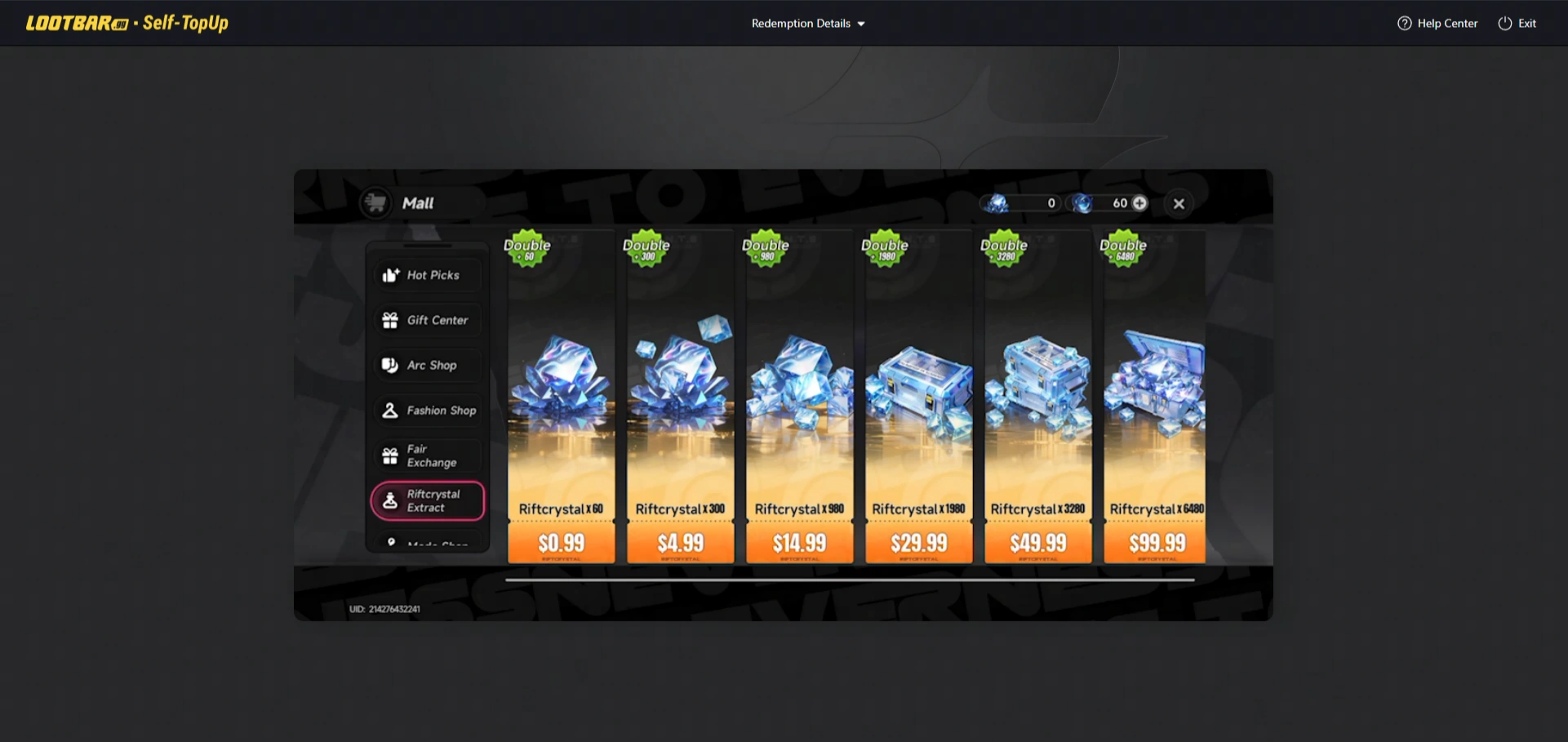
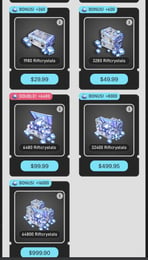
- Packs: 60, 300, 980, 1980, 3280 and 6480 Riftcrystal, each labelled First Top Up Get Double
- Bundle: All in One, the six packs (60+300+980+1980+3280+6480) in a single order
- Extra item: Riftcrystal Mining Permit
- Required: serverId, loginModel, Email (or account), password, userId
- Region: GLOBAL
- Delivery: automatic, usually within minutes of confirmed payment
- Login needed: yes, this is a via-login listing
Server, login method and userId: filling in the checkout
This recharge works through your account sign-in, so the form has five fields:
- serverId: open the dropdown and choose the server your character plays on. If you have characters on more than one server, pick the one that should receive the Riftcrystal.
- loginModel: choose the sign-in method you really use for NTE, from the methods this order accepts.
- Email: the email address or account name tied to that sign-in method; the field accepts either.
- password: the password for that same sign-in, typed carefully with no extra spaces.
- userId: your in-game user ID. It normally appears on the profile or settings screen inside the game; copy it instead of retyping it.
Three things must point at one character: the login details, the selected server and the userId. If they describe different accounts, the order cannot be matched to the right one, so compare them side by side before you pay.
Which Riftcrystal pack fits your plan?
Riftcrystal is the currency this listing sells. Look up what your target costs in the game's own shop or banner page first, then choose the smallest pack, or combination of packs, that covers it. The live price table below this guide shows the current price of every option.
- 60 Riftcrystal: closes a small gap, or tests the via-login flow on your account before a bigger order.
- 300 and 980 Riftcrystal: mid-size steps for one planned purchase or a steady top-up through a season.
- 1980 and 3280 Riftcrystal: for a larger target you have already priced in-game.
- 6480 Riftcrystal: the biggest single pack on the list.
- All in One: all six packs in one order instead of six separate checkouts.
- Riftcrystal Mining Permit: a separate item with no Riftcrystal amount in its name; read its description in the game's shop to see what it gives before you order it.
First Top Up Get Double is part of the pack names. Whether the double is applied is decided by the game for each account, so if the bonus matters to your plan, check the in-game shop to see which tiers your account still qualifies for.
Keeping your account safe on a via-login order
Sharing a login is a bigger step than sharing an ID, so keep these habits:
- Enter the email and password only in the checkout fields of this product and do not send them anywhere else.
- Do not change your password or sign-in method while the order is processing; a changed password means the login step cannot complete.
- Once the order page shows the order as delivered, you are free to change your password; Riftcrystal already credited stays on the account.
- If you are not comfortable sharing these details, do not order this listing.
If an order fails or does not arrive, contact support with your order number. Failed orders are refunded to the original payment method.