Nivi Top Up: Direct In-Game Credit Delivery via UID
Getting a Nivi top up on XPTopup is the fastest way to add credits directly to your game balance. Unlike unrelated entities that share the same name—such as European toll collection agencies like Nivi SpA or apparel retailers—this service is strictly designed for players seeking virtual credit recharges for the Nivi digital gaming platform.
XPTopup provides a direct, secure replenishment system that requires only your public Nivi Player User ID (UID). You never have to share account passwords, link social logins, or grant third-party account management permissions. Select your desired package, submit your player ID, and complete checkout to receive your credits directly in your game account.
How to Top Up Nivi Credits with UID on XPTopup
Completing your Nivi recharge takes only a few quick steps on XPTopup:
- Select Your Credit Package: Review the available denomination options and choose the credit bundle that fits your current in-game goals.
- Enter Your Nivi UID: Type or paste your exact player User ID into the designated input box. Double-check your numbers to ensure correct routing.
- Proceed to Secure Checkout: Click the checkout button to view real-time regional pricing and available payment methods for your location.
- Finalize Payment: Complete the transaction using your preferred payment option.
- Check Your In-Game Wallet: Launch Nivi and verify that your credit balance has updated.
Where to Locate Your Nivi Player UID
Your Nivi User ID is a unique numeric identifier assigned to your specific account. Finding it takes just a few seconds inside the game client.
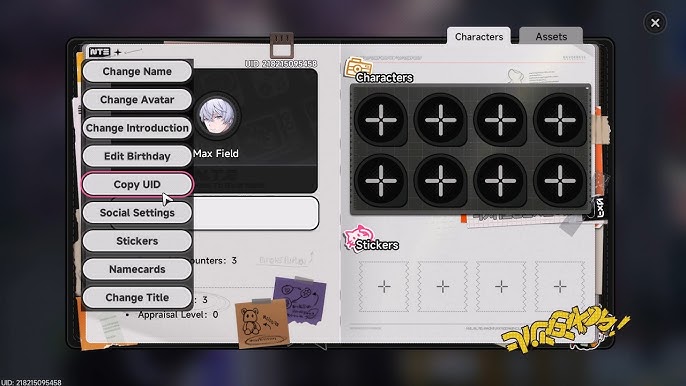
Follow these steps to find your UID:
- Launch the Nivi game application on your mobile device or client.
- Tap your Profile Avatar or user icon located in the upper corner of the main screen.
- Open the User Info or Account Settings tab.
- Locate the field labeled UID or Player ID.
- Tap the Copy icon next to the number, or write it down carefully to avoid mistyping during checkout.
Using the built-in copy button is the best way to prevent typo errors during the top-up process.
Available Nivi Credit Packages and Recharge Denominations in 2026
XPTopup offers multiple recharge tiers to accommodate quick boosts or large-scale credit purchases in 2026. The catalog provides various denominations suited for different player needs.
| Package Tier | Product Type | Delivery Method | Required Account Detail |
|---|---|---|---|
| Starter Pack | In-Game Credits | Direct Server Top-Up | Player UID |
| Basic Bundle | In-Game Credits | Direct Server Top-Up | Player UID |
| Standard Pack | In-Game Credits | Direct Server Top-Up | Player UID |
| Advanced Tier | In-Game Credits | Direct Server Top-Up | Player UID |
| Elite Pack | In-Game Credits | Direct Server Top-Up | Player UID |
| Ultimate Treasury | In-Game Credits | Direct Server Top-Up | Player UID |
Note: Exact pricing, localized currencies, and active promotional credit bonuses are displayed in real time on the live XPTopup checkout screen.
Account Safety: Why No Login Password Is Required for Top Up
Account safety is a critical priority for online players. XPTopup uses direct-to-account credit injection via official system protocols. This UID-only architecture protects your personal information in several ways:
- Zero Password Sharing: You never disclose your login email, phone number, social media links, or game passwords.
- No Risk of Account Takeover: Because nobody logs into your profile to deliver the credits, your account remains 100% under your control at all times.
- Private and Discreet: Only your public numerical player ID is used to route the top-up to the right server destination.
- Protected Payments: All transactions on XPTopup are processed through encrypted payment gateways, safeguarding your billing information.
Nivi Top Up Delivery Timeline and Order Tracking
Credit top-ups processed through XPTopup are handled by an automated delivery pipeline. Once your payment clears through the live checkout gateway, the system transmits your order directly to the Nivi game servers using the provided UID.
You can track the progress of your order right on the XPTopup order status page. In most instances, the delivery completes shortly after payment confirmation. If you are actively running the game while the transaction is processed, simply restart the game application or visit the in-game shop menu to refresh your credit display balance.
Common First-Time Top Up Mistakes and How to Avoid Them
To ensure your recharge goes smoothly without delays, keep these practical tips in mind:
- Do Not Submit Nicknames: The system processes transactions using the exact numeric UID. Entering a display name or character nickname will cause delivery failures.
- Verify Digits Before Paying: Always verify the last few digits of your UID on the order confirmation screen to prevent sending credits to another player.
- Check Active Server Region: If your Nivi profile is tied to a specific global server, make sure your game client is fully updated to the latest 2026 patch to reflect incoming balances immediately.
- Save Your Order Reference: Keep your XPTopup order confirmation number handy if you ever need customer support assistance with an order verification.
Frequently Asked Questions About Nivi Top Up
Is Nivi top up on XPTopup secure and legitimate?
Yes. XPTopup provides a secure, direct-to-UID top-up service. The process relies solely on your public User ID, meaning your private login credentials and passwords remain untouched and secure.
How do I find my Nivi UID for a credit recharge?
Open Nivi, select your profile avatar from the home lobby, and look for the UID section in your account profile overview. Use the copy button next to the numeric code to copy it directly to your clipboard.
Do I need to share my Nivi password to complete a top up?
No. You never need to share your password or log in through third-party forms on XPTopup. Only your player UID is required to complete the delivery.
How fast will the Nivi credits arrive in my account?
Orders are processed immediately once payment confirmation is received. You can view real-time status updates on your XPTopup receipt screen and verify the new balance by opening your game wallet.
What should I do if I entered the wrong UID during checkout?
Because UID top-ups are dispatched automatically to game servers upon payment completion, incorrectly entered IDs that belong to active accounts cannot be recalled once delivered. If your order has not yet been processed, contact XPTopup customer support immediately with your transaction ID for assistance.
What payment methods are supported for Nivi top up in 2026?
XPTopup supports a wide variety of global and localized payment methods. To see the specific payment options, digital wallets, bank transfers, and regional gateways available for your country, select your desired Nivi package and proceed to the live checkout page.
Current package prices
Current package prices are shown below. Prices exclude Tax. Tax, payment fees and applicable coupons are shown at checkout.
| Package | Price |
|---|---|
| Nivi - Nivi*10000 | USD 2.06 |
| Nivi - Nivi*15000 | USD 3.08 |
| Nivi - Nivi*20000 | USD 4.11 |
| Nivi - Nivi*25000 | USD 5.14 |
| Nivi - Nivi*50000 | USD 10.28 |
| Nivi - Nivi*100000 | USD 20.56 |
| Nivi - Nivi*500000 | USD 102.82 |
| Nivi - Nivi*1000000 | USD 205.64 |
| Nivi - Nivi*5000 | USD 1.03 |