Olamet Top Up: Fast Diamond Refills via UID
Olamet connects people across the globe through live video chat, real-time messaging, and interactive live broadcasts. To initiate private 1-on-1 video calls, send premium animated gifts to your favorite broadcasters, and access priority discovery features, you need Olamet diamonds. Diamonds serve as the core in-app currency that powers interactive features across the social platform.
Running low on diamonds during an active conversation can interrupt your interaction. An Olamet top up through XPTopup allows you to add diamonds straight to your account balance without interrupting your calls. By entering only your unique User ID (UID), your recharge processes directly to your profile, ensuring you stay connected whenever you want.
How to Recharge Olamet Diamonds on XPTopup
Refilling your balance on XPTopup takes only a few quick steps. Follow this guide to purchase your diamonds:
- Select your desired diamond package from the product options on this page. Check the live checkout interface for available denominations and updated pricing.
- Enter your Olamet UID in the designated player ID input box. Double-check your numbers to ensure accurate delivery.
- Choose your preferred payment method and proceed to checkout.
- Complete the transaction. Once payment is confirmed, the diamonds will be credited directly to your in-app Olamet wallet.
- Open the Olamet app on your mobile device and refresh your profile page to verify your updated diamond balance.
How to Find Your Olamet UID
Your Olamet User ID (UID) is a unique sequence of digits tied directly to your account profile. Because diamond recharges are delivered via UID, locating the correct number is critical before placing your order.
Here is how to locate your UID inside the mobile application:
- Launch the Olamet application on your smartphone or tablet.
- Tap the Profile icon located in the bottom-right corner of the home screen.
- Look directly beneath your avatar and display name on the profile screen.
- You will see your User ID labeled as "ID" or "UID" followed by a series of numbers.
- Tap the copy icon next to the number to copy your UID directly to your clipboard, or write down the exact sequence.
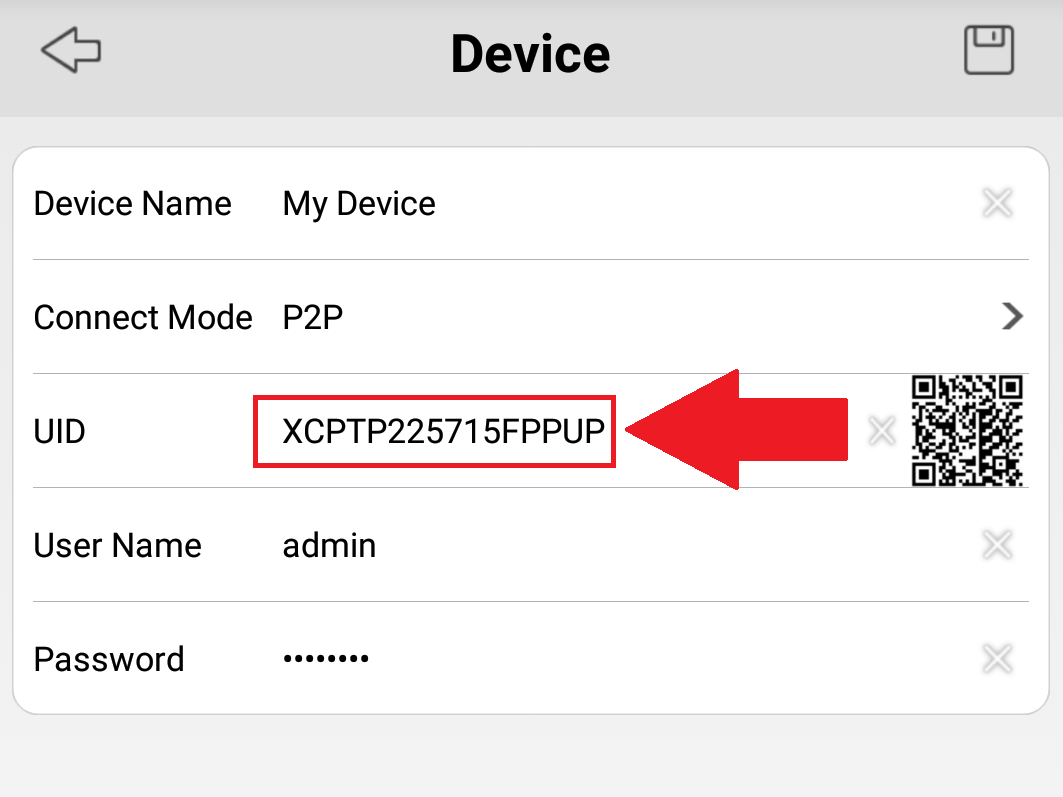
Tip: Always copy and paste your UID directly into the XPTopup checkout field instead of typing it manually. This simple step prevents delivery delays caused by typographical errors.
What Are Olamet Diamonds Used For?
Diamonds give you full access to Olamet's social and interactive capabilities. Understanding how diamonds work helps you choose the right recharge package for your social activity:
- 1-on-1 Private Video Calls: Connect directly with broadcasters and friends in high-definition video sessions. Calls consume diamonds per minute based on the host's room settings.
- Virtual Gifts: Send animated gifts, stickers, and luxury effects to hosts during live broadcasts. Gifting shows appreciation, raises your profile status, and catches the broadcaster's attention.
- Direct Messaging Privileges: Send direct messages and media to users outside of standard messaging limits.
- Profile Badges and Status: Active diamond spenders gain distinctive profile flair, entry effects when joining live stream rooms, and higher visibility in search feeds.
| In-App Activity | Diamond Purpose | Primary Benefit |
|---|---|---|
| Private Video Calls | Pay-per-minute call duration | Direct real-time 1v1 conversation |
| Live Stream Gifting | Send animated stickers & tokens | Boost streamer ranking and gain recognition |
| Direct Messages | Enable extended chat access | Continue conversations beyond basic limits |
| Special Room Effects | Custom entry banners & badges | Stand out in crowded broadcast rooms |
Safe and Password-Free Top Up on XPTopup
Account security is a top priority when recharging digital currencies. XPTopup uses a direct UID delivery system that requires zero sensitive login credentials.
- No Passwords Required: You never need to share your Olamet password, verification codes, or linked social media credentials.
- Account Safety: Because no third party logs into your account, your personal chats, friend lists, and stored details remain completely private.
- Direct Server Credit: The recharge is sent directly to your account ID through secure digital processing channels.
- Zero Account Risk: Direct UID recharges comply with standard digital account crediting protocols, keeping your account safe from security flags.
How to Gift Olamet Diamonds to Friends and Streamers
You do not need to be logged into someone else's account to send them diamonds. With XPTopup, gifting diamonds to a friend, favorite creator, or family member is straightforward:
- Ask the recipient for their Olamet UID.
- Choose the diamond package you wish to send them on the XPTopup product page.
- Paste their UID into the checkout box instead of your own.
- Complete the checkout.
- The diamonds will arrive directly in the recipient's Olamet balance without requiring any action on their part.
This makes UID top ups an ideal way to support creators, surprise friends on special occasions, or help contacts continue video calls without sharing account access.
Troubleshooting Olamet Diamond Top Up Issues
While diamond top ups process quickly, occasional network congestion or incorrect inputs can cause delays. If your diamonds do not appear immediately, follow these troubleshooting steps:
- Restart the App: Close the Olamet app completely from your background applications, reopen it, and check your wallet balance again under the profile tab.
- Check Order Confirmation: Verify that your payment went through successfully and that you received an order confirmation on XPTopup.
- Verify the Submitted UID: Review your order receipt to make sure the UID you entered matches your in-app ID number exactly.
- Check Internet Connection: A poor network connection can prevent the app from fetching your updated account balance from the server.
- Contact Customer Support: If your order shows as completed on XPTopup but your balance remains unchanged after a few minutes, reach out to XPTopup customer service with your order number and Olamet UID for swift assistance.
Frequently Asked Questions
How do I find my Olamet UID for top up?
Open the Olamet app and tap the profile icon at the bottom right of the screen. Your UID is displayed under your profile picture and nickname. You can tap the copy icon next to the number to copy it directly.
Do I need to share my Olamet account password to recharge diamonds?
No. Recharging through XPTopup requires only your Olamet UID. You will never be asked for your account password, email login, or two-factor authentication codes.
What are Olamet diamonds used for in the app?
Olamet diamonds are used to start 1-on-1 private video calls with users, send virtual animated gifts during live streams, obtain premium messaging privileges, and access special room entry effects.
Can I top up Olamet diamonds for a friend using their UID?
Yes. You can top up diamonds for any Olamet user by entering their specific UID into the ID field at checkout on XPTopup. The diamonds will be credited directly to their account.
How fast will the recharged diamonds appear in my Olamet balance?
Recharges are processed automatically once your payment is confirmed. In most cases, the diamonds appear in your in-app wallet within moments. Refreshing your profile page will update your current balance.
What should I do if I entered the wrong UID during checkout?
Top ups are processed instantly based on the UID submitted. If you entered an incorrect UID that belongs to an active account, the diamonds will be credited to that account and cannot be reversed. If the UID does not exist on the server, contact XPTopup customer support immediately with your transaction details to assist with order resolution.
Current package prices
Current package prices are shown below. Prices exclude Tax. Tax, payment fees and applicable coupons are shown at checkout.
| Package | Price |
|---|---|
| Olamet - Olamet*15000 | USD 1.94 |
| Olamet - Olamet*20000 | USD 2.59 |
| Olamet - Olamet*25000 | USD 3.23 |
| Olamet - Olamet*50000 | USD 6.47 |
| Olamet - Olamet*100000 | USD 12.93 |
| Olamet - Olamet*500000 | USD 64.67 |
| Olamet - Olamet*1000000 | USD 129.35 |
| Olamet - Olamet*10000 | USD 1.29 |