Party Star Diamonds Top Up: Essential In-App Currency
Party Star is an interactive audio live streaming and social party platform where users gather in themed voice rooms, participate in mini-games, and support their favorite content creators. Party Star Diamonds serve as the primary premium virtual currency within the application. With diamonds in your account balance, you gain access to interactive features that enhance your presence across voice chat rooms, live events, and community broadcasts.
What You Can Do With Party Star Diamonds
- Send Premium Virtual Gifts: Support room hosts, performers, and friends by sending animated gifts ranging from simple roses to luxury 3D animated banners.
- Unlock Exclusive Entrance Effects: Stand out the moment you join a public or private voice room with customized vehicles, animations, and audio notifications.
- Acquire VIP Badges and Profile Frames: Display special status indicators next to your nickname on rankings and user lists.
- Participate in Room Games: Use diamonds to join interactive party activities, prize draws, and community challenges hosted inside voice channels.
- Boost Broadcaster Rankings: Sending diamond-based gifts pushes your favorite streamers up the daily, weekly, and monthly leaderboards.
Party Star Diamonds vs Coins Explained
Users often encounter both Diamonds and Coins within the Party Star ecosystem. While both currencies play a role in the social experience, they function differently in terms of acquisition and utility.
| Currency | How to Obtain | Primary Uses | Transferability |
|---|---|---|---|
| Diamonds | Direct recharge / top up via UID | Buying luxury gifts, VIP frames, entrance cars, event participation | Sent to broadcasters as virtual gifts |
| Coins / Points | Free in-app tasks, mini-game wins, gift conversions | Casual mini-games, basic store items, creator earnings withdrawal | Used internally or cashed out by creators |
Diamonds represent the paid top-tier currency required for high-tier room interactions and gifting. Coins are typically earned through platform activities or received by broadcasters when gifts are sent to them. To participate in major gifting battles or acquire premium avatar decorations, you need a direct Party Star Diamonds recharge.
How to Find Your Party Star UID in the App
To ensure your recharge reaches your account without errors, you only need to provide your Party Star User ID (UID). You do not need to share login credentials or phone numbers.
Follow these steps on your mobile device:
- Launch the Party Star application and log into your account.
- Tap the Profile (or Me) icon in the bottom right corner of the navigation bar.
- Look directly below your profile picture and nickname at the top of the screen.
- Locate the numerical ID labeled UID or ID.
- Tap the Copy icon next to the number to copy your UID directly to your clipboard.
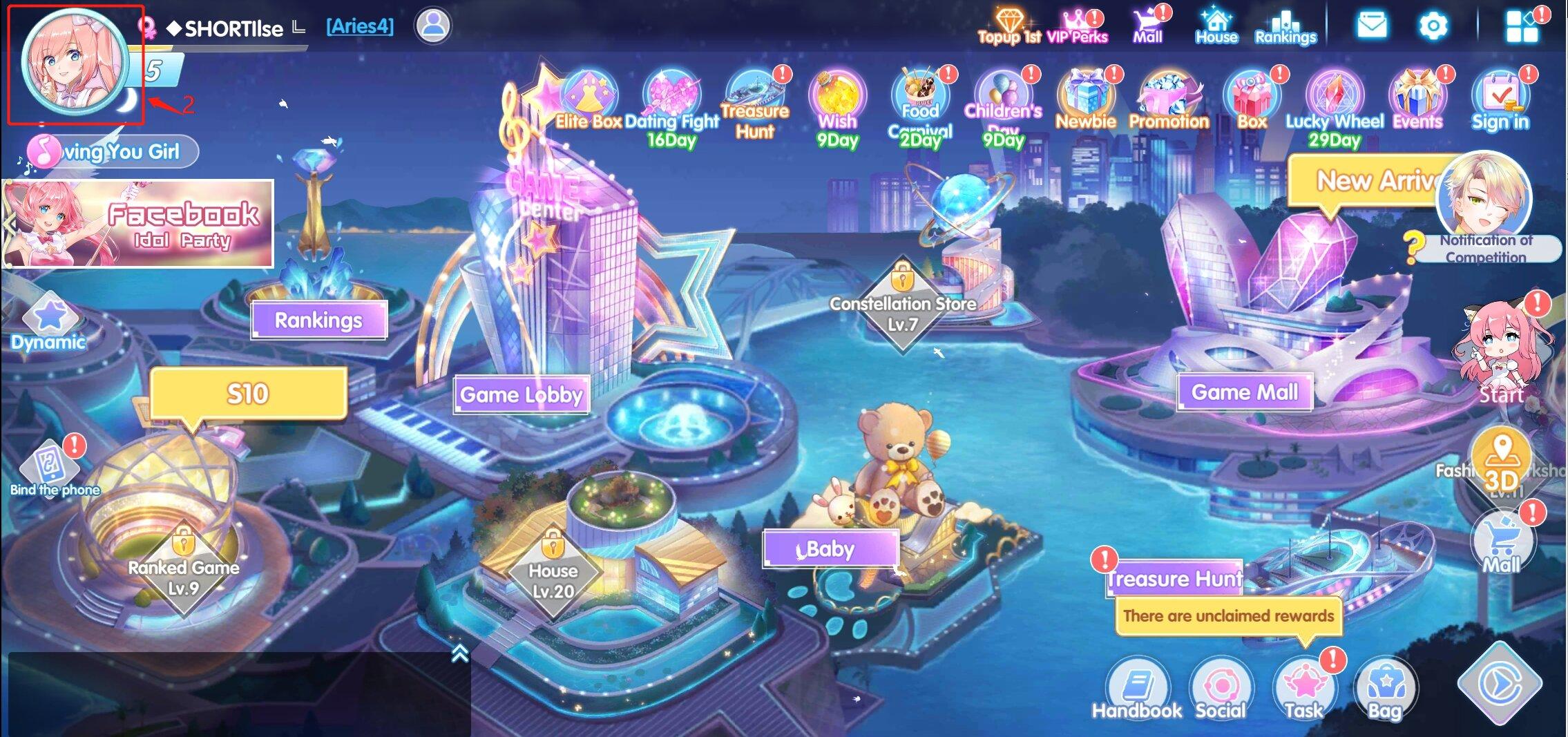
Double-check that you copied the complete numeric string. Providing the correct UID ensures immediate delivery straight to your profile.
How to Top Up Party Star Diamonds on XPTopup
Recharging your Party Star account on XPTopup is straightforward and requires only a few clicks:
- Select the Diamond Package: Choose the specific amount of Party Star Diamonds you wish to purchase from the live product list above.
- Enter Your UID: Paste your numeric Party Star UID into the designated player input field.
- Confirm Details: Verify that the package and entered UID are accurate.
- Proceed to Checkout: Choose your preferred payment method from the available secure checkout options.
- Receive Diamonds: Once your payment is verified, the order is processed automatically and diamonds are credited directly to your Party Star account balance.
Current pack rates, unit values, and live offers are displayed directly on the selection cards above.
Why Choose UID-Only Party Star Recharge for Security
Account safety is essential when purchasing digital goods online. XPTopup utilizes a direct-to-UID processing system that offers multiple security advantages:
- Zero Password Requirement: You never need to reveal your account password, email access, social logins, or verification SMS codes. Your private credentials stay entirely in your hands.
- No Risk of Account Sharing: Third parties do not log into your device or profile, eliminating risks related to account lockouts or unauthorized profile changes.
- Direct System Delivery: Orders are fulfilled directly to the specified numeric ID on the official platform servers, ensuring clean and authorized balance updates.
- Secure Payment Processing: All checkout interactions on XPTopup use encrypted payment protocols to safeguard your financial details.
- 24/7 Customer Assistance: Dedicated customer support is available around the clock to assist you with order status inquiries or technical questions.
Troubleshooting Party Star Balance Updates After Top Up
While most recharges reflect immediately, network delays or server synchronization issues can occasionally occur. If your updated diamond balance does not show right away, follow these troubleshooting steps:
- Restart the Application: Completely close the Party Star app from your recent apps switcher and reopen it to force a fresh balance synchronization.
- Switch Voice Rooms: If you are currently sitting in a live audio room, exit to the main lobby and re-enter. Balance numbers often refresh upon changing rooms.
- Verify the UID on Your Receipt: Check the order confirmation receipt on XPTopup to confirm that the UID entered matches your in-app profile ID exactly.
- Check Your Network Connection: Ensure your mobile device has an active Wi-Fi or cellular data connection to communicate with Party Star servers.
- Contact Support: If the balance has not updated after a few minutes, reach out to XPTopup customer service with your Order ID and UID. Our support team will trace the delivery status immediately.
Party Star Diamonds FAQ
What are Party Star Diamonds used for?
Party Star Diamonds are the primary premium currency used to purchase animated gifts for room hosts, activate VIP entry animations, unlock special profile frames, join in-app prize draws, and participate in room-based interactive games.
Where can I find my Party Star UID for recharge?
Open the Party Star app, tap the Profile (Me) tab in the bottom right corner, and look below your avatar and nickname. Your UID is the numeric code shown there. Tap the copy button to grab it.
Do I need to provide my password to top up Party Star Diamonds?
No. Top-ups on XPTopup require only your public Party Star UID. Never share your password, social login details, or verification codes with anyone.
How long does it take to receive Party Star Diamonds after payment?
Orders processed through XPTopup are handled automatically. Once payment is confirmed, diamonds are sent directly to your account balance within moments.
Are Party Star Diamonds and Party Star Coins the same?
No. Diamonds are premium purchased currency used for gifting, VIP privileges, and special effects. Coins or points are generally earned through activities, mini-games, or gift redemptions by streamers.
What should I do if my Party Star Diamonds do not appear in my account?
First, restart the Party Star app to refresh your profile balance. If the diamonds still do not appear, check your order receipt to verify that your UID was entered correctly, then contact XPTopup 24/7 customer support with your Order ID for rapid assistance.
Current package prices
Current package prices are shown below. Prices exclude Tax. Tax, payment fees and applicable coupons are shown at checkout.
| Package | Price |
|---|---|
| 3,500 Diamonds | USD 3.40 |
| 7,520 Diamonds | USD 7.31 |
| 11,750 Diamonds | USD 11.43 |
| 23,500 Diamonds | USD 22.85 |
| 47,000 Diamonds | USD 45.70 |
| 70,500 Diamonds | USD 68.56 |
| 94,000 Diamonds | USD 91.41 |
| 117,500 Diamonds | USD 114.26 |
| 200,000 Diamonds | USD 194.49 |
| 500,000 Diamonds | USD 486.22 |