UM NOW Top Up: Direct Credit Recharge with Player ID
Getting a UM NOW top up on XPTopup provides an immediate way to reload your in-app credits without exposing your personal account credentials. UM NOW uses an account identification system that allows credits to be credited straight to your balance using only your public Player ID.
Whether you need credits for in-app features, activities, or profile customization, completing your recharge on XPTopup takes only a few straightforward steps:
- Select Your Credit Amount: Review the available credit denominations on this page and choose the package that fits your needs.
- Provide Your Player ID: Enter your UM NOW Player ID into the required input field. Double-check the number to ensure accuracy.
- Proceed to Secure Checkout: Click to continue to the checkout screen. Real-time pricing and supported local payment methods are presented on the live payment page.
- Confirm Payment: Complete the transaction using your selected payment method.
- Check Your Account: Open UM NOW on your mobile device to verify that your new credit balance has been credited.
Where to Find Your UM NOW Player ID
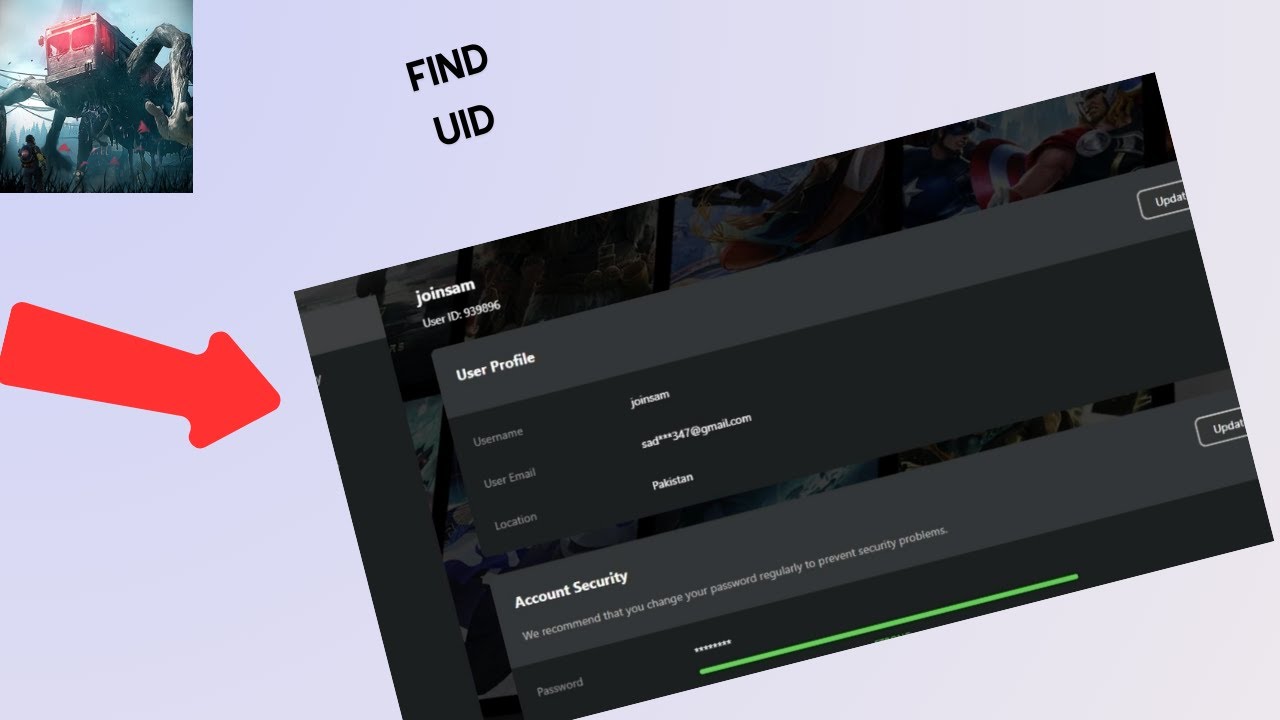
To ensure your recharge reaches your profile without delay, you must enter the exact Player ID linked to your UM NOW account. Finding your ID takes only a few seconds inside the application.
Follow these steps on your device:
- Launch the UM NOW app and log in to your profile.
- Tap your user avatar or profile icon in the upper corner of the main menu.
- Open your profile overview page.
- Locate the numeric or alphanumeric string labeled Player ID or User ID beneath your profile name.
- Tap the copy icon next to the ID string to copy the entire code directly to your clipboard.
Paste this copied string directly into the Player ID box on XPTopup before submitting your order.
Available UM NOW Credit Packs (10,000 to 2,000,000 Credits)
XPTopup offers a comprehensive selection of UM NOW credit denominations to accommodate small top-ups as well as high-volume credit refills. Every package is processed via direct account delivery using your Player ID.
| Credit Package | Required Account Info | Account Delivery Method |
|---|---|---|
| 10,000 Credits | Player ID | Direct Server Top Up |
| 50,000 Credits | Player ID | Direct Server Top Up |
| 100,000 Credits | Player ID | Direct Server Top Up |
| 250,000 Credits | Player ID | Direct Server Top Up |
| 500,000 Credits | Player ID | Direct Server Top Up |
| 1,000,000 Credits | Player ID | Direct Server Top Up |
| 2,000,000 Credits | Player ID | Direct Server Top Up |
Note: Exact currency rates, regional pricing, and final totals are calculated live at checkout based on your selected region and payment method.
Account Safety and Secure Top Up Without Passwords
Account safety is essential when purchasing digital credits. XPTopup uses a direct ID-based fulfillment process designed to keep your private account information secure at all times.
- No Passwords Requested: You never have to share your UM NOW password, email login credentials, or phone verification codes.
- Zero Account Handover: Your profile stays completely in your possession. Fulfillment occurs externally via public server routing to your Player ID.
- Encrypted Checkout: All transactions on XPTopup are processed through secure, encrypted payment gateways to protect your financial data.
- Risk-Free Processing: Because your private login is never shared, your account remains fully compliant with standard security practices.
Never provide your password or authorization codes to any person or third-party service claiming to process credit top-ups.
Delivery Times and Checking Your In-App Credit Balance
Orders submitted on XPTopup are sent for automated fulfillment immediately after payment confirmation. Once the payment clears, the credits are routed directly to the UM NOW account tied to your submitted Player ID.
How to Verify Credit Delivery in UM NOW
- If UM NOW is currently open on your phone or tablet, close the application completely.
- Relaunch the app to refresh server communication.
- Check the credit indicator on your main profile dashboard or top navigation bar.
- Go to your in-app balance history or transaction log to review the newly credited amount.
If the credits do not show immediately after payment, wait 2 to 5 minutes for the game servers to complete the sync cycle before refreshing the app again.
Troubleshooting Common UM NOW Recharge Issues
If you experience an issue with your credit recharge, use the following troubleshooting checklist to resolve the situation quickly:
- Incorrect Player ID Entered: If you accidentally submitted an invalid or misspelled Player ID, the transaction may fail at the server level. If you entered an active ID belonging to another user, direct server top-ups are irreversible once delivered. Always use the in-app copy function to avoid errors.
- Pending Payment Status: Some payment providers require additional verification time. Your top up will process automatically once your payment method changes from pending to confirmed.
- App Cache and Sync Delay: If your payment shows complete on XPTopup but your balance inside UM NOW has not updated, clear your app cache or restart your device to force a server refresh.
- Contacting Support: If your order shows complete and your balance does not update after 15 minutes, prepare your XPTopup Order ID, payment receipt, and UM NOW Player ID, then contact XPTopup customer support for direct investigation.
UM NOW Top Up Frequently Asked Questions
How do I top up UM NOW credits on XPTopup?
Select the credit package you wish to purchase, enter your UM NOW Player ID in the designated field, and click to continue to checkout. Choose your payment method, finalize the transaction, and your credits will be deposited directly into your game account balance.
Where do I find my UM NOW Player ID?
Open the UM NOW app, tap your user avatar on the home screen to open your profile page, and locate the Player ID string displayed under your username. Use the copy button next to it to paste it accurately into XPTopup.
Do I need to share my UM NOW password to recharge?
No. Recharging on XPTopup only requires your public Player ID. You should never share your password, login credentials, or SMS verification codes with anyone.
What credit pack denominations can I buy for UM NOW in 2026?
XPTopup offers credit packages ranging from 10,000 credits up to 2,000,000 credits. Check the live package selector at the top of this page for the full range of currently active packs and pricing.
How long does it take for UM NOW credits to arrive?
Credits are dispatched automatically as soon as your payment is validated. Most top-ups appear in your UM NOW balance within a few minutes. Restarting your app helps force an immediate balance update.
What should I do if I entered the wrong Player ID?
Because direct top-ups process automatically via server routing, orders delivered to an existing third-party ID cannot be recalled. If your transaction fails due to an invalid ID, reach out to XPTopup customer support immediately with your order details.
Current package prices
Current package prices are shown below. Prices exclude Tax. Tax, payment fees and applicable coupons are shown at checkout.
| Package | Price |
|---|---|
| UM NOW - UM NOW*10000 | USD 2.12 |
| UM NOW - UM NOW*30000 | USD 6.36 |
| UM NOW - UM NOW*50000 | USD 10.61 |
| UM NOW - UM NOW*70000 | USD 14.85 |
| UM NOW - UM NOW*100000 | USD 21.21 |
| UM NOW - UM NOW*200000 | USD 42.42 |
| UM NOW - UM NOW*500000 | USD 106.06 |
| UM NOW - UM NOW*700000 | USD 148.48 |
| UM NOW - UM NOW*1000000 | USD 212.11 |
| UM NOW - UM NOW*2000000 | USD 424.22 |