T3 Arena Gems Top Up: Secure Direct Delivery to Your Account
T-Gems are the primary premium currency in T3 Arena, allowing players to purchase exclusive hero skins, premium battle passes, arcade crates, and immediate hero unlocks. Recharging your balance through XPTopup gives you direct access to the latest season content without hassle.
Our service is built to provide global players with a safe and efficient checkout experience. You only need to supply your in-game Current Account ID to complete a T3 Arena Gems top up. The entire process requires zero login credentials, keeping your personal gaming account completely secure at all times.
| Item Category | Primary Currency Used | What It Grants |
|---|---|---|
| Premium Season Pass | T-Gems | Seasonal skins, bonus loot boxes, and rapid rank progression |
| Hero Unlocks | T-Gems / T-Coins | Instant access to newly released characters and archetypes |
| Legendary Skins | T-Gems | Unique visual models, custom voice lines, and special VFX |
| Arcade & Supply Boxes | T-Gems | Direct cosmetics, weapon holos, badges, and profile frames |
What Are T3 Arena T-Gems and What Can You Unlock
T-Gems serve as the core currency driving character customization and competitive progression across all game modes. While standard T-Coins are earned through match completion and daily quests, T-Gems grant direct access to premium store items that cannot be obtained through standard grinding.
Premium Season Pass
Every season features a dual-track reward system. Activating the Premium Pass using T-Gems opens up exclusive seasonal skins, custom spawn effects, kill banners, and high-tier loot boxes. Players who complete seasonal milestones also reclaim a portion of their spent currency alongside exclusive cosmetics.
Direct Hero Acquisition
Instead of waiting to unlock heroes through extended trophy road progression or random crate drops, you can spend T-Gems to immediately recruit heroes into your roster. This allows you to master competitive characters right on release day.
Exclusive Hero Outfits and Weapon VFX
From dynamic cyberpunk outfits to seasonal holiday costumes, premium hero skins offer customized animations, unique reload effects, and tailored sound design. T-Gems let you purchase these items directly from the featured rotation or seasonal flash sales.
How to Locate Your T3 Arena Current Account ID
To ensure your T-Gems arrive without delay, you must provide your exact Current Account ID. This identifier is unique to your profile and differs from your visible nickname.
- Launch T3 Arena on your mobile device.
- Tap your Player Avatar located in the top-left corner of the main lobby screen.
- Stay on the main Profile tab.
- Look for the Current Account field displayed directly below your player name.
- Tap the Copy icon next to your ID string to copy the complete alphanumeric sequence to your clipboard.
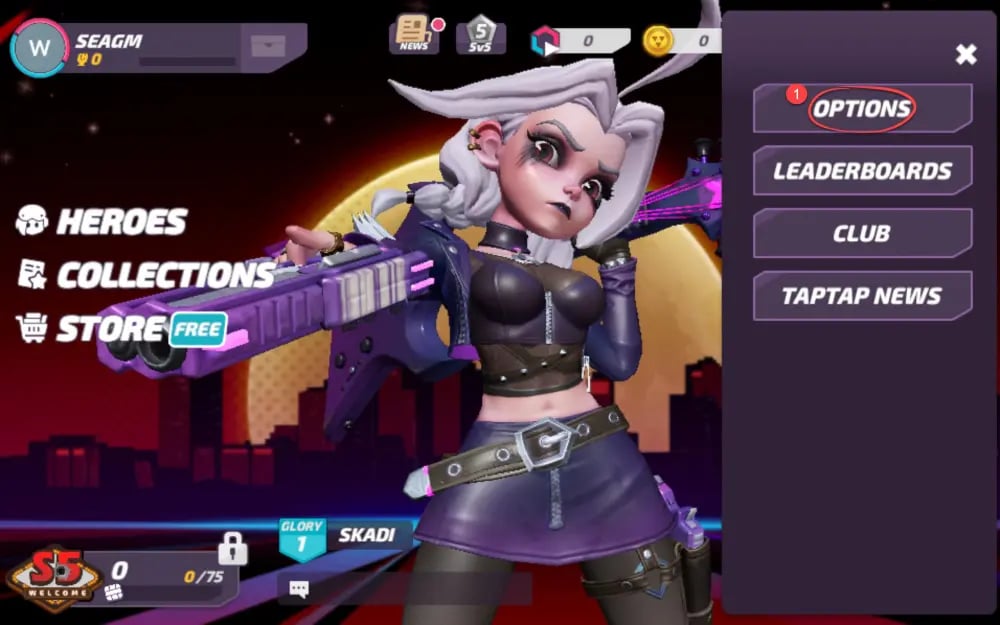
Always use the in-game copy feature rather than typing the ID manually. This eliminates typographical errors and guarantees accurate order routing.
How to Top Up T3 Arena T-Gems on XPTopup
Refilling your T-Gem balance takes just a few steps on XPTopup:
- Select Denomination: Browse the available T-Gem packages on the product page and pick the exact quantity you require.
- Enter Account Details: Paste your Current Account ID into the input field provided on the page.
- Verify Your Entry: Check that the pasted ID matches the ID shown inside your T3 Arena profile.
- Proceed to Checkout: Select your preferred payment option shown on the live checkout page.
- Confirm Order: Finalize the payment. Your transaction will be processed and the T-Gems will be delivered directly to your game balance.
Safe and Secure ID-Only Top Up Without Sharing Passwords
Account safety is a major priority when buying digital game currencies. Many risky third-party services ask for full login details, social media logins, or cloud access passwords, exposing your personal information to unauthorized use.
XPTopup operates strictly through a direct-to-account delivery method using only your public Current Account ID.
- No Password Required: We will never request your account password, email verification code, or social login credentials.
- No Account Sharing: Your account remains completely in your hands. You do not need to log out or transfer access to anyone.
- Full Terms Compliance: Orders are routed directly to your account identifier, maintaining normal account standing and safety.
Global Delivery and Available Payment Methods
XPTopup provides 2026 global coverage for mobile players across all regions. Whether your account is based in North America, Europe, Latin America, Southeast Asia, or elsewhere, our system processes your Current Account ID accurately.
- Transparent Live Pricing: Current package prices and available regional payment solutions are displayed clearly at checkout without hidden processing surcharges.
- Multi-Currency Support: Players worldwide can choose payment methods tailored to their local region for quick checkout.
- Order Status Tracking: You can monitor the real-time status of your recharge directly within your XPTopup order panel from the moment payment clears until delivery completes.
What to Do If T-Gems Do Not Appear Immediately
If your T-Gems do not reflect in your account immediately after payment confirmation, follow these basic troubleshooting steps:
- Restart the Game Application: Completely close the T3 Arena app from your device's background task manager and reopen it. This forces the client to fetch updated wallet balances from the game servers.
- Check Your In-Game Mailbox: Some promotional T-Gem bundles or event bonuses arrive as an attached claim item in your mailbox rather than going straight into the top-right counter.
- Review Your Order Status: Log into your XPTopup account and check the order dashboard to verify that your transaction has completed successfully.
- Contact Customer Support: If the balance has not updated after restarting, reach out to the XPTopup support team with your Order ID and Current Account ID. Our support team will review your order logs and assist you promptly.
Frequently Asked Questions
What are T-Gems used for in T3 Arena?
T-Gems are the premium currency in T3 Arena used to unlock new heroes, buy the Premium Season Pass, purchase legendary and epic character skins, acquire weapon effects, and open premium store crates.
How do I find my T3 Arena Current Account ID?
Open T3 Arena, tap your avatar in the upper-left corner of the lobby to open your Profile, and locate the "Current Account" string directly under your player nickname. Tap the copy icon beside it to copy the ID.
Do I need to provide my game password to top up T-Gems?
No. You only need to provide your Current Account ID. XPTopup never asks for your password, email login, or account credentials.
How long does it take to receive T-Gems after payment?
Once payment is confirmed, orders are processed and credited directly to your Current Account ID. You can track your order status in real time on the platform.
What should I do if I entered the wrong Current Account ID?
If you realize you entered an incorrect ID, contact XPTopup customer support immediately with your Order ID and correct account information. If the order has not yet been processed, our support agents will update the destination ID.
Can I top up T3 Arena T-Gems from any region in 2026?
Yes. XPTopup supports global account top-ups in 2026. As long as you provide a valid Current Account ID, you can purchase T-Gems regardless of your regional location.
Current package prices
Current package prices are shown below. Prices exclude Tax. Tax, payment fees and applicable coupons are shown at checkout.
| Package | Price |
|---|---|
| 15 Gems | USD 0.67 |
| 80 Gems | USD 3.36 |
| 165 Gems | USD 6.05 |
| 275 Gems | USD 10.09 |
| 490 Gems | USD 17.37 |
| 960 Gems | USD 33.52 |
| 2,000 Gems | USD 67.18 |