Vilaa Top Up: What Are In-App Credits and How Do They Work?
Vilaa is an interactive voice chat and social entertainment platform that brings people together through real-time audio rooms, interactive games, and live community broadcasting. Within the platform, in-app credits function as the primary virtual currency used to unlock premium features and express support for your favorite room creators.
When you complete a Vilaa top up, your credits are added directly to your account balance. You can utilize these credits across various social activities on the platform, including:
- Sending Virtual Gifts: Reward broadcast hosts and room speakers with special animated gifts, luxury vehicle effects, and dynamic room banners.
- Profile Customization: Purchase exclusive avatar frames, entrance banners, custom chat bubbles, and unique profile badges that stand out in crowded voice rooms.
- Unlocking Special Room Effects: Activate entrance spotlight effects and sound triggers when joining popular voice channels.
- Participating in Community Events: Support your preferred teams or creators during seasonal ranking tournaments and platform competitions.
Using XPTopup for your Vilaa recharge ensures your account receives credits directly via your public Player ID, keeping your personal account login details completely private.
How to Find Your Vilaa Player ID
To ensure your purchased credits arrive without delay, you must provide your exact Vilaa Player ID during checkout. Your Player ID is a permanent numeric string assigned to your profile.
Follow these steps within the mobile app to copy your ID:
- Launch the Vilaa application on your mobile device and ensure you are logged into your profile.
- Tap the profile tab (usually labeled Me or Profile) located in the lower right corner of the screen.
- Locate your profile avatar at the top of the personal dashboard.
- Your numeric identifier is displayed directly beneath your username, labeled as ID or UID.
- Tap the copy icon next to the number sequence to save your Player ID directly to your device clipboard.
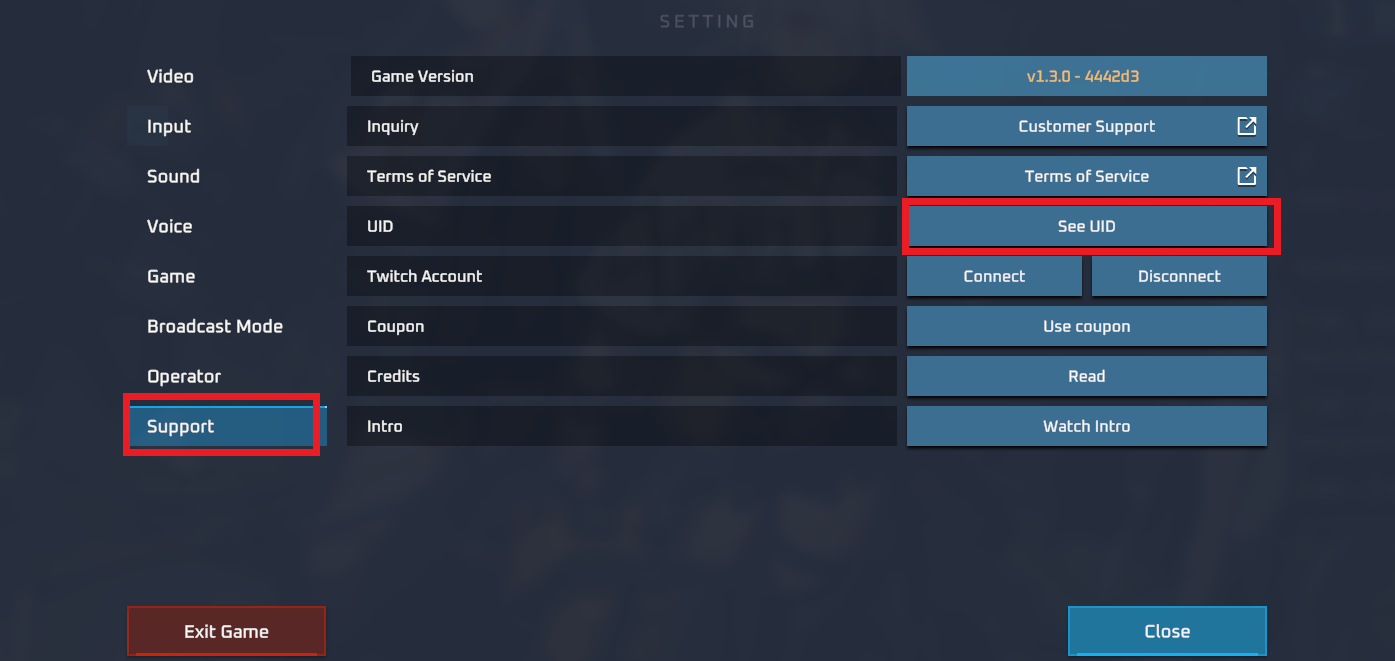
Paste this exact number into the Player ID input field on XPTopup to direct your credits to the correct account.
Step-by-Step Guide to Top Up Vilaa Credits on XPTopup
Recharging your Vilaa balance on XPTopup is designed to be straightforward and fast. Follow this order guide:
- Choose Your Credit Package: Browse the available denomination options and select the credit pack that fits your budget and gifting goals.
- Enter Your Vilaa Player ID: Paste your numeric identifier into the designated Player ID field. Confirm that there are no extra spaces or missing digits.
- Review Your Order Details: Check the selected pack size and account details displayed on the checkout overview.
- Select a Payment Option: Pick your preferred payment method and proceed to the secure transaction portal.
- Complete Checkout: Authorize the payment through your provider.
- Confirm Delivery: Open the Vilaa application, navigate to your wallet section, and verify that your updated credit balance is visible.
Available Vilaa Credit Packs: 50,000 to 10,000,000 Credits
XPTopup provides a full range of credit packages to accommodate every type of user, from casual room listeners to top-tier event contributors.
| Credit Package | Best For | Delivery Type |
|---|---|---|
| 50,000 Credits | Small gift interactions and daily room support | Direct Account Recharge |
| 100,000 Credits | Routine chat room gifting and basic entrance badges | Direct Account Recharge |
| 250,000 Credits | Profile decorations and medium-tier gift packages | Direct Account Recharge |
| 500,000 Credits | Extended room hosting support and premium animations | Direct Account Recharge |
| 1,000,000 Credits | Event participation and competitive leaderboard gifting | Direct Account Recharge |
| 2,500,000 Credits | High-tier room banners and exclusive entry effects | Direct Account Recharge |
| 5,000,000 Credits | VIP community status and massive broadcast support | Direct Account Recharge |
| 10,000,000 Credits | Maximum tier balance for major platform campaigns | Direct Account Recharge |
Note: Current pricing for all denominations is updated in real time on the live XPTopup checkout screen based on your selected local currency.
Account Safety: Secure Recharge Without Account Passwords
Maintaining the safety of your gaming and social profiles is essential. When you buy Vilaa credits on XPTopup, you benefit from a password-free fulfillment model built around direct Player ID crediting.
- No Passwords Requested: You never have to share your account password, email login, or temporary SMS verification codes.
- No Social Account Linking: We do not ask you to link your Google, Apple, or social network credentials to our portal.
- Zero Account Takeover Risk: Because your private credentials remain strictly in your own hands, your chat logs, private contacts, and account ownership remain secure.
- Encrypted Checkout Infrastructure: All order submissions and transactions on XPTopup operate over industry-standard encrypted connections.
Payment Methods and Instant Digital Delivery in 2026
XPTopup provides modern, reliable payment channels designed for players worldwide in 2026. You can complete your purchase using international debit and credit cards, trusted digital e-wallets, online bank transfers, and local payment gateways suited to your region.
All exchange rates and totals are calculated clearly on the checkout page before you pay. Because our direct system handles top-ups automatically, credits are transferred straight to your Vilaa balance upon payment confirmation. You do not need to wait for physical gift cards or type in lengthy redemption codes.
Troubleshooting Common Vilaa Recharge and Delivery Issues
If your credits do not appear immediately in your account balance after purchasing, use the following troubleshooting checklist:
- Refresh the App Session: Close the Vilaa mobile application completely from your background app switcher and relaunch it. This forces the app to query the server for your updated balance.
- Check Your Internet Stability: A weak cellular data connection or high Wi-Fi latency can prevent the wallet screen from refreshing properly. Switch networks or reconnect.
- Review Your Order Player ID: Check the order receipt sent to your email or order history on XPTopup. Verify that the Player ID you typed matches your actual in-app UID.
- Confirm Payment Completion: Ensure your bank or payment provider marked the transaction as successful and did not place a temporary verification hold on the funds.
- Contact Support: If your balance has not updated after verifying these points, reach out to XPTopup customer assistance with your Order ID and Player ID for rapid resolution.
Frequently Asked Questions About Vilaa Top Up
What information is required to top up Vilaa credits?
You only need to provide your numeric Vilaa Player ID and pick your desired credit package. No private passwords or identity verification documents are required.
Where can I find my Vilaa Player ID?
Open the Vilaa app, tap your profile icon (Me) in the lower right corner, and look right below your username at the top of the screen. Your numeric ID is displayed there alongside a quick-copy button.
Do I need to share my Vilaa account password for top up?
No. XPTopup never asks for your Vilaa password, social login credentials, or SMS verification codes. Recharges are delivered using only your public Player ID.
How long does it take for Vilaa credits to reflect on my account?
Credits are dispatched automatically as soon as your payment clears. In most cases, the balance updates in your Vilaa wallet within moments. Restarting the Vilaa app will display your new balance immediately.
What should I do if I entered an incorrect Player ID?
Because digital recharge orders are fulfilled automatically via direct transfer, completed transactions cannot be recalled or redirected once delivered. Please double-check your numeric ID before completing checkout.
Can I buy Vilaa credits for another player using their Player ID?
Yes. You can recharge credits for friends, family members, or favorite room hosts by simply entering their unique Vilaa Player ID on the XPTopup product page.
What payment methods are supported for Vilaa top up on XPTopup?
XPTopup supports credit cards, debit cards, popular digital wallets, and region-specific online payment solutions. View the live checkout page to see the complete list of options available in your local currency.
Current package prices
Current package prices are shown below. Prices exclude Tax. Tax, payment fees and applicable coupons are shown at checkout.
| Package | Price |
|---|---|
| Vilaa - Vilaa*50000 | USD 1.19 |
| Vilaa - Vilaa*70000 | USD 1.66 |
| Vilaa - Vilaa*100000 | USD 2.37 |
| Vilaa - Vilaa*200000 | USD 4.74 |
| Vilaa - Vilaa*500000 | USD 11.86 |
| Vilaa - Vilaa*700000 | USD 16.61 |
| Vilaa - Vilaa*1000000 | USD 23.72 |
| Vilaa - Vilaa*2000000 | USD 47.45 |
| Vilaa - Vilaa*5000000 | USD 118.62 |
| Vilaa - Vilaa*10000000 | USD 237.24 |