How to Top Up GIGB Coins Online with GIGB Top Up
Topping up your in-game coin balance on XPTopup is direct and straightforward. You only need your character identifiers to complete an order. Follow these clear steps to finish your recharge:
- Select your coin denomination: Browse the available GIGB coin packages on the live checkout interface and choose the pack that fits your in-game requirements.
- Enter your User ID: Input your numeric GIGB User ID directly into the designated player identifier field.
- Select your game server: Choose your correct regional server from the dropdown menu (Asia, America, Europe, or TW_HK_MO).
- Review your order details: Double-check your entered ID and chosen server to ensure your coins reach the right character profile.
- Select a payment method: Pick your preferred payment channel from the real-time options listed on the checkout screen.
- Complete the transaction: Confirm the payment. Once approved, the coins will be dispatched directly to your GIGB account.
How to Find Your GIGB User ID and Server
Locating your player details inside GIGB takes only a few seconds. Follow this walkthrough to copy your exact account information:
- Launch the GIGB application on your mobile device or emulator and log in to your account.
- From the main game lobby screen, tap your avatar icon in the upper-left corner to open your player profile.
- Look at your profile summary page, where your numeric User ID is displayed under your character name.
- Tap the copy icon next to your User ID to copy the exact string to your clipboard.
- Check the current server name shown on your login screen or settings tab to verify your regional server allocation.
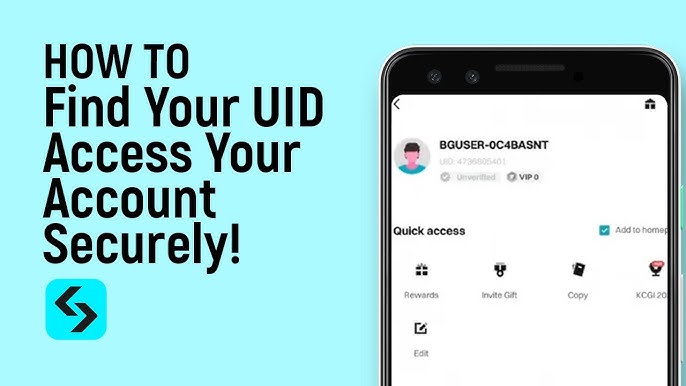
Always copy and paste your User ID directly into XPTopup rather than typing it manually. This prevents typos and guarantees that your coin order is credited to the right account without delay.
Selecting the Correct Server: Asia, America, Europe, TW_HK_MO
GIGB operates separate regional game clusters. Each server maintains an isolated player database. Because of this architecture, entering a valid User ID with the wrong server selection will prevent the system from finding your profile or could route coins to another player sharing that ID index on a different server.
| Server Option | System Server ID | Region Coverage |
|---|---|---|
| Asia | os_asia | Players registered in Asian regional zones |
| America | os_usa | North America, Central America, and South America |
| Europe | os_euro | European regional player base |
| TW_HK_MO | os_cht | Taiwan, Hong Kong, and Macau regional accounts |
Before completing your payment on XPTopup, confirm that the server chosen in the dropdown matches the server you select when logging into the GIGB game client.
Safe and Secure Top Up: Why No Login Credentials Are Required
Account safety is a top priority for every player. Traditional third-party top-up methods often ask for account usernames, social login passwords, or verification codes, creating security risks. XPTopup uses a direct UID top-up system that operates without sensitive login information.
- Zero password requirement: You never share your account password, email access, Google credentials, or Apple ID.
- Direct database delivery: Transactions credit directly through official player routing protocols based strictly on your User ID and server.
- No risk of unauthorized account access: Since you never reveal private credentials, your account inventory, personal data, and security settings remain untouched.
- Full compliance: UID recharges function as standard gift or direct top-up orders, keeping your profile compliant with fair play guidelines.
Payment Options and Live Checkout on XPTopup
XPTopup provides a clear, reliable checkout experience tailored for gamers worldwide. You can select from various secure global and regional payment methods on the live order screen.
All pricing, currency conversions, and available payment gateways update dynamically on the live checkout interface. This transparency ensures you see the exact cost before confirming your order, without surprise fees or unexpected currency markups. Advanced checkout encryption protects your transaction data throughout the entire payment process.
GIGB Coin Delivery Time and Troubleshooting Tips
Once your payment is confirmed, the system processes your GIGB coin recharge automatically. The balance typically arrives in your game balance shortly after payment verification. If you experience any delay in seeing your coins, follow these troubleshooting recommendations:
- Restart your game application: Fully close GIGB from your background app tray and relaunch it to force a fresh data sync with the game servers.
- Check your in-game mailbox: Some recharge items or bonus coins are delivered via the in-game system mail tab. Open your mailbox and claim any uncollected attachments.
- Verify your transaction status: Log into your XPTopup account order history to confirm that your payment has completed successfully.
- Verify entered details: Check your order receipt to make sure the User ID and server match your actual game profile.
- Contact support: If your coins have not appeared after restarting the game, reach out to XPTopup customer support with your order number, User ID, and selected server for quick assistance.
Frequently Asked Questions About GIGB Top Up
How do I find my GIGB User ID?
Open GIGB, log in to your profile, and tap your character avatar in the main lobby. Your numerical User ID is listed on your basic information page. Tap the copy button beside your ID to copy it to your clipboard for easy entry on XPTopup.
Do I need to share my GIGB login password to top up?
No. XPTopup only requires your public User ID and selected server. You never need to provide your game password, email login, or two-factor authentication codes.
Which servers are supported for GIGB coin recharge?
XPTopup supports all primary regional servers for GIGB: Asia (os_asia), America (os_usa), Europe (os_euro), and TW_HK_MO (os_cht). Select the server corresponding to your account profile on the checkout screen.
How long does it take for GIGB coins to reflect in my account?
Orders process automatically upon payment confirmation. In most cases, coins reflect in your in-game account shortly after the transaction is finalized. Restarting your game app helps refresh your coin total.
What should I do if I entered the wrong GIGB User ID or server?
Because coin deliveries process automatically once placed, verify all details before payment. If you realize an error immediately after placing the order, contact XPTopup customer support right away with your order number and correct profile details so our team can check the order status.
Can I recharge GIGB coins for another player using their User ID?
Yes. Because the checkout system only requires a User ID and server selection, you can top up coins for friends, teammates, or family members. Enter their User ID, pick their correct server, and complete the order on their behalf.