Super Sus Top Up: Direct In-Game Recharge
Super Sus is a social deduction game where crew members maintain the spaceship while impostors sabotage systems and eliminate players. Upgrading your visual flair, unlocking exclusive character roles, and acquiring rare costume sets requires premium in-game currency. A direct Super Sus top up on XPTopup allows you to credit Golden Stars (Goldstar) straight to your game profile in a few simple steps.
All transactions on XPTopup process through your unique in-game Space ID. You never need to share sensitive account login details, social media credentials, or account passwords to receive your items. Live pricing and package selections are always displayed clearly on the checkout page.
What are Super Sus Golden Stars and What Are They Used For?
Golden Stars represent the primary premium currency in Super Sus. While basic game progression grants Cookies and standard tickets, Golden Stars give you direct access to the highest-tier cosmetic items and seasonal passes.
Here is how you can use Golden Stars in the game:
- Gacha and Mystery Boxes: Draw exclusive skins, legendary outfits, headgear, and weapon finishes from limited-time supply crates.
- Role Unlocks: Acquire specialized character roles faster to expand your tactical options during matches.
- Super Pass Activation: Unlock the premium tier of the seasonal Super Pass to earn exclusive milestone outfits, chat bubbles, and elimination effects.
- Name Changes and Cards: Purchase profile customization items, name change cards, and social gifts for teammates.
Step-by-Step Guide: How to Top Up Super Sus on XPTopup
Recharging your Super Sus balance takes less than two minutes. Follow this step-by-step process to complete your purchase:
- Select Your Package: Choose the number of Golden Stars or the pass pack you wish to purchase from the product catalog.
- Enter Your Space ID: Type your numeric Super Sus Space ID into the required field. Double-check the digits to ensure accurate delivery.
- Select Your Payment Method: Pick from the available localized and international payment options shown on the checkout screen.
- Complete Payment: Follow the prompts to confirm your payment. Once verified, the items are automatically credited to your in-game mailbox or directly added to your balance.
- Check In-Game Balance: Open Super Sus on your mobile device to verify that your Golden Stars or items have arrived.
How to Find Your Super Sus Space ID in the Game
Your Space ID is a permanent numeric identifier linked to your Super Sus profile. You do not need to provide your username or nickname, as your Space ID ensures the top up reaches the correct account regardless of server regions.
To locate your Space ID:
- Launch Super Sus on your iOS or Android device.
- Tap your Avatar/Profile Icon located in the top-left corner of the main lobby screen.
- Select the Personal Info tab.
- Locate your Space ID displayed clearly beneath your profile username.
- Tap the copy icon next to the number to copy it directly to your clipboard.
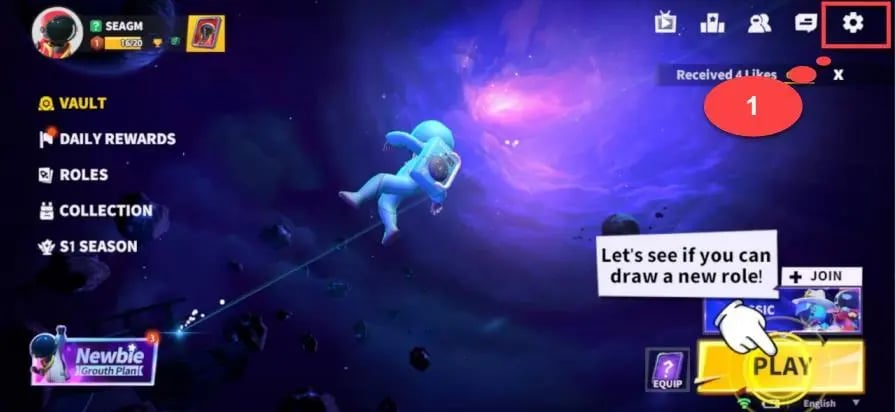
Paste this number into the Space ID field on XPTopup before proceeding to checkout.
Super Sus Super Pass vs Golden Stars: Which Should You Buy?
Choosing between buying Golden Stars directly or saving for the Super Pass depends on how actively you play the game each season.
| Item / Currency | How It Is Acquired | Main Uses | Best Suited For |
|---|---|---|---|
| Golden Stars (Goldstar) | Direct top up on XPTopup | Gacha crates, instant skin purchases, role bundles, gifts | Players seeking immediate cosmetics, crate pulls, or specific shop bundles |
| Super Pass (Premium) | Unlocked with Golden Stars / Pass top up | Tiered seasonal rewards, exclusive milestone sets, bonus items | Active daily players who complete seasonal missions for maximum value |
| Cookies | In-game matches and events | Basic store items, standard roles, trial cards | Free-to-play progression without spending real currency |
If you play matches daily, purchasing the Super Pass offers high cumulative reward value across an entire season. If you prefer instant access to a specific limited-time banner or outfit in the shop, buying a Golden Star package directly is the fastest route.
Account Safety: Why You Only Need Space ID (No Password Required)
Account security is critical when purchasing game top ups online. XPTopup uses a direct-to-ID delivery system that requires only your public Space ID.
- Zero Password Requests: You will never be asked for your game password, Google Play login, Apple ID, or social login credentials.
- No Account Sharing: Your account remains strictly in your hands. Nobody logs into your account to process orders.
- Safe Public Identifiers: A Space ID is a public account number that cannot be used by third parties to access your private data or alter account settings.
Always avoid any third-party service that asks for your login credentials or authentication codes. Keeping your login details private ensures your game progress and inventory stay protected.
Troubleshooting Delivery Delays and Incorrect Space IDs
Direct top ups process automatically, but occasional network congestion can cause minor delays. If your items do not appear right away, use the following troubleshooting checklist:
- Restart the Game App: Fully close the Super Sus application on your device and launch it again. This forces the client to synchronize with the game server and update your Golden Star tally.
- Check In-Game Mail: Certain package bundles or bonus items arrive inside your in-game mailbox rather than updating your top-bar balance instantly. Open your mailbox and claim any pending rewards.
- Verify Your Space ID Receipt: Check the order confirmation email or receipt on XPTopup to verify the Space ID entered during checkout.
- Handling Mistyped IDs: Because top ups are processed automatically to the provided ID, entering an incorrect Space ID that belongs to another active player may result in irreversible delivery. If you notice a typo immediately after ordering, contact customer support with your transaction reference number right away to check the processing status.
Frequently Asked Questions About Super Sus Recharge
How do I find my Super Sus Space ID?
Open Super Sus, tap your profile avatar in the top-left corner of the home screen, and look at the number listed under your nickname in the Personal Info menu. Tap the copy icon next to the number to copy your Space ID.
Do I need to share my password to top up Super Sus?
No. You only need to provide your numeric Space ID. XPTopup will never ask for your account password, email login, or verification codes.
How long does it take for Super Sus Golden Stars to arrive?
Deliveries are processed automatically upon payment confirmation. In most cases, Golden Stars appear in your account within a few moments. If there is a slight delay, restart your game client to refresh your balance.
What can I buy with Golden Stars in Super Sus?
Golden Stars can be spent on premium cosmetic crates, character roles, limited-edition costumes, weapon finishes, the Super Pass, profile frames, and exclusive emotes.
Can I buy the Super Pass through online top-up?
Yes. You can purchase Golden Star packs on XPTopup to unlock the Super Pass inside the game, or select available pass-specific packages directly on the product list.
What should I do if I entered an incorrect Space ID?
Always verify your Space ID before finalizing payment. If you realize an error occurred, reach out to XPTopup customer support immediately with your order details. If the order has already been processed to an existing account on the game server, completed transfers cannot be reversed.
Current package prices
Current package prices are shown below. Prices exclude Tax. Tax, payment fees and applicable coupons are shown at checkout.
| Package | Price |
|---|---|
| Weekly Card | USD 0.66 |
| 100 Golden Stars | USD 0.66 |
| 310 Golden Stars | USD 1.96 |
| 520 Golden Stars | USD 3.28 |
| Super Pass | USD 3.28 |
| 1060 Golden Stars | USD 6.62 |
| Super Pass Bundle | USD 6.62 |
| Monthly Card | USD 7.14 |
| Super VIP Card | USD 7.97 |
| 2180 Golden Stars | USD 13.60 |
| 5600 Golden Stars | USD 34.86 |