Mazyoun Zena Top Up: Coins and Credits for Voice Chat
Mazyoun Zena provides a social space for group voice chatting, real-time audio rooms, interactive games, and digital gifting. To participate actively in group rooms, support room hosts, send animated gifts, and access special room themes, you need an active balance of Mazyoun Zena coins. A direct Mazyoun Zena top up on XPTopup transfers coins straight into your profile using your unique User ID (UID), ensuring you never have to pause a live session or miss an interactive room event.
Recharging your account directly guarantees fast processing so your credits appear in your balance quickly. Whether you want to send grand gifts during room battles or customize your profile presence, acquiring coins through a direct recharge provides immediate access to every in-app feature.
What is Mazyoun Zena (Xena Live) and How Voice Room Credits Work
Mazyoun Zena, also recognized across several regions as Xena Live, is an audio-first social networking app where users gather in public and private voice rooms. The platform centers on voice interaction, social networking, host performances, and real-time room competitions.
Coins serve as the central economy within Mazyoun Zena. Here is how credits function across the platform:
- Virtual Gifting: Send standard and animated gifts to room hosts and speakers to show appreciation, raise room hype, and climb contributor leaderboards.
- Room Effects and Entrances: Unlock custom entry banners, microphone rings, and special badges that show when entering high-traffic rooms.
- Interactive Games: Use credits to participate in community mini-games and room activities hosted by creators.
- Level Progression: Gifting and spending coins increases your account wealth level, giving you distinctive visual identifiers throughout the platform.
How to Locate Your Mazyoun Zena Account UID
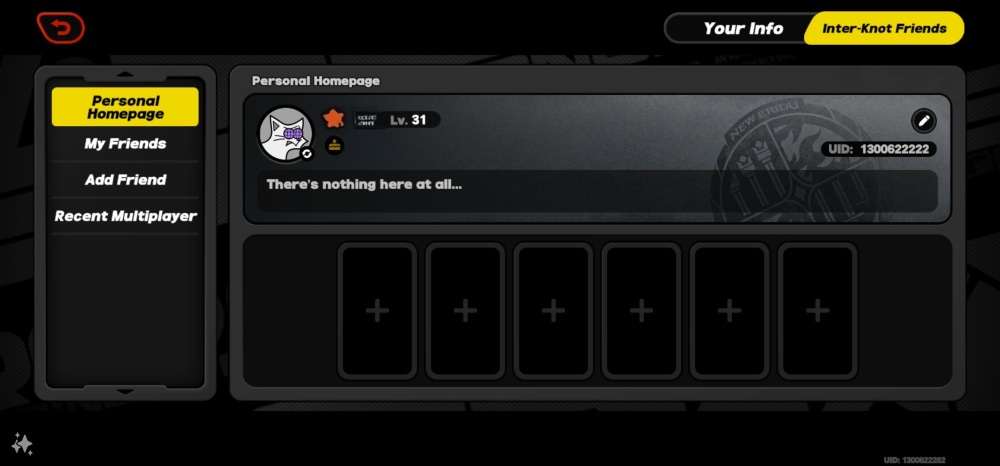
To ensure your recharge reaches your profile without errors, you must submit your correct numeric User ID (UID). Your UID is permanently tied to your profile and is different from your custom display name.
Follow these steps to find your UID:
- Open the Mazyoun Zena application on your mobile device.
- Tap the Profile or Mine tab located in the bottom-right corner of the screen.
- Locate the numeric UID displayed directly below your profile picture and nickname.
- Tap the copy icon next to the number or write down the exact numeric digits.
Double-check your copied UID before entering it during order placement to prevent delivery to an incorrect account.
How to Top Up Mazyoun Zena Coins on XPTopup
Getting your credits on XPTopup requires only a few straightforward steps without complicated forms or account logins:
- Select Package: Choose your preferred Mazyoun Zena coin denomination from the available options.
- Enter Account Details: Input your numeric Mazyoun Zena UID in the designated field.
- Proceed to Checkout: Select your preferred local or international payment method on the live checkout screen.
- Confirm Payment: Complete the payment verification process.
- Receive Credits: Once processed, your coins are credited directly to your Mazyoun Zena account. Re-open your app or refresh your profile page to see the updated balance.
Available Mazyoun Zena Coin Packs and Package Options in 2026
XPTopup provides a variety of coin denominations suited for both casual room listeners and active room hosts. Live rates and promotional rates are displayed in real time during checkout based on your region.
| Package Tier | Primary In-App Purpose | Delivery Method |
|---|---|---|
| Starter Tier | Sending small tips, basic emoji reactions, and entry-level gifts | Direct UID Credit |
| Popular Tier | Supporting standard room battles, host rankings, and animated gifts | Direct UID Credit |
| Advanced Tier | Medium room competitions, unlocking entry banners, and room leveling | Direct UID Credit |
| Elite / VIP Tier | High-tier animated gifts, leadership board climbing, and host sponsorship | Direct UID Credit |
Note: Current coin amounts, local currency conversions, and applicable regional bonuses appear on the live checkout interface.
Safe and Secure Recharge: Why Passwords Are Never Needed
Security is a fundamental priority when purchasing digital currencies. On XPTopup, you never need to provide your account password, social login credentials, phone verification codes, or personal security details.
Direct UID recharges operate entirely through public identifier routing. This method prevents unauthorized access to your personal messages, private friend lists, and account settings. Because transactions only require your numeric ID, your account security remains completely in your own hands.
Troubleshooting Delivery Issues and UID Verification Steps
While direct top-ups process rapidly, occasional delays can happen due to network synchronization or server load. Follow these troubleshooting steps if your balance does not update instantly:
- Restart the Application: Fully close Mazyoun Zena from your background apps and re-open it to force a fresh data sync with the server.
- Verify Order Status: Check your order confirmation on XPTopup to verify that the transaction marked as completed.
- Check the Submitted UID: Review your receipt to confirm that the numeric UID submitted matches your profile ID exactly.
- Contact Customer Support: If your order status is completed but your balance has not refreshed after a few minutes, reach out to the XPTopup support team with your order number and UID for fast resolution.
Frequently Asked Questions
How do I recharge Mazyoun Zena coins with my UID?
Select your desired coin package on XPTopup, enter your numeric Mazyoun Zena UID in the input box, and complete payment at checkout. The coins will be delivered directly to your profile balance.
Where can I find my Mazyoun Zena account UID?
Open the Mazyoun Zena app, tap the Profile (Mine) icon in the bottom navigation bar, and find the numeric ID located underneath your profile photo and nickname.
Do I need to provide my Mazyoun Zena password to top up?
No. Top-ups on XPTopup require only your public numeric UID. You should never share your account password or SMS verification codes with anyone.
What is the difference between Mazyoun Zena and Xena Live?
Mazyoun Zena and Xena Live refer to the same voice chat and audio streaming platform across different regional app store listings and localized community brands. Recharge credits purchased for your account UID work seamlessly across the platform.
What can Mazyoun Zena credits and coins be used for?
Coins are used to purchase virtual gifts for room hosts, trigger room-wide animations, acquire entrance effects, unlock custom profile decorations, and participate in audio room activities.
What should I do if my Mazyoun Zena coins do not appear immediately?
Close and restart the Mazyoun Zena app to update your balance. If your balance does not show the added coins shortly after order completion, contact XPTopup customer support with your order details for assistance.
Current package prices
Current package prices are shown below. Prices exclude Tax. Tax, payment fees and applicable coupons are shown at checkout.
| Package | Price |
|---|---|
| Mazyoun Zena - Mazyoun Zena*15000 | USD 1.82 |
| Mazyoun Zena - Mazyoun Zena*20000 | USD 2.43 |
| Mazyoun Zena - Mazyoun Zena*25000 | USD 3.03 |
| Mazyoun Zena - Mazyoun Zena*50000 | USD 6.07 |
| Mazyoun Zena - Mazyoun Zena*100000 | USD 12.14 |
| Mazyoun Zena - Mazyoun Zena*500000 | USD 60.68 |
| Mazyoun Zena - Mazyoun Zena*1000000 | USD 121.36 |
| Mazyoun Zena - Mazyoun Zena*10000 | USD 1.21 |