MICO Coins Top Up: What Are MICO Coins and How to Use Them
MICO Live is a global social entertainment platform where millions of users connect through live streaming, voice rooms, and interactive video chat. MICO Coins serve as the primary premium in-app currency used across the entire MICO ecosystem. By acquiring coins, users can access exclusive interactive features, participate in streamer communities, and customize their social presence.
Core Uses for MICO Coins
- Virtual Gifting: Send dynamic gifts—ranging from simple roses and reaction badges to full-screen animated sports cars, yachts, and castles—directly to your favorite content creators during live streams.
- PK Battle Support: Boost your chosen creator during live competitive PK battles against other broadcasters. Gifting coins helps streamers climb real-time leaderboards and win community challenges.
- 1v1 Video and Voice Matches: Use coins to connect with verified global broadcasters for private video calls or direct audio conversations.
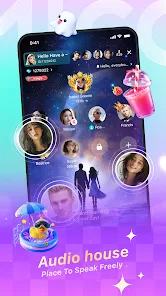
- Voice Party Rooms: Join multi-guest audio rooms and send gifts to host broadcasters, participate in interactive group mini-games, and play music requests.
- Profile Customization and VIP Status: Unlock distinctive avatar frames, entrance animation effects, and chat bubbles that distinguish your profile inside crowded broadcast rooms.
How to Find Your MICO ID
To ensure your coins reach your profile without delay, you must provide your exact numeric MICO ID during checkout. Your MICO ID is a unique numerical identifier linked to your account.
- Launch the MICO Live app on your mobile device.
- Tap the Me (Profile) tab located in the bottom right corner of the main screen.
- Locate your profile avatar at the top of the screen. Your numeric Mico ID is printed directly beneath your display name.
- Tap the Copy icon next to the number to copy your ID directly to your clipboard.
Tip: Always paste your ID directly into the order field rather than typing it manually to prevent typos or failed deliveries.
Step-by-Step Guide to Top Up MICO Coins on XPTopup
Recharging your MICO balance on XPTopup is straightforward and requires no account login credentials.
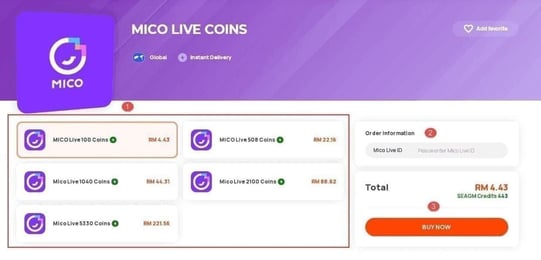
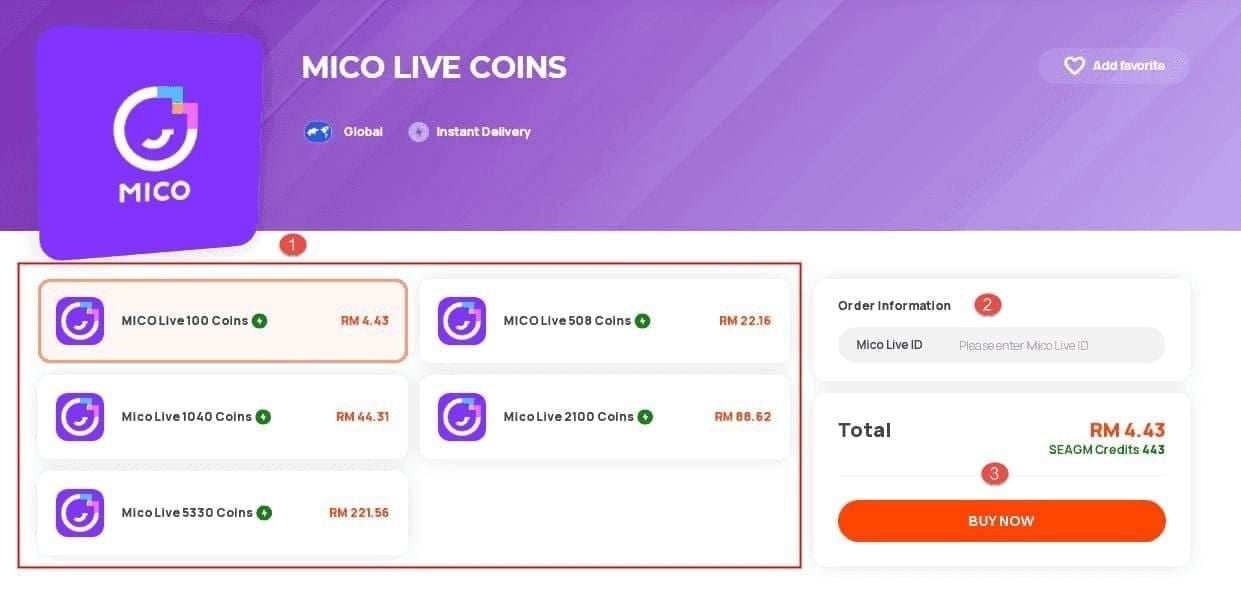
- Select Coin Denomination: Browse the available coin packages on the product page. Live package sizes and prices appear directly in the selection menu.
- Input Your MICO ID: Paste your numeric Mico ID into the required user field.
- Select Payment Method: Choose your preferred local or international payment option.
- Confirm and Pay: Review your order summary and complete the checkout process.
- Receive Your Coins: Once your payment is confirmed, the coin balance is credited directly to your MICO Live account. Open or refresh your app to verify your updated total.
Regional Restrictions and Account Eligibility for MICO Top Up
MICO Live operates across multiple regional server clusters. Direct UID top-up is compatible with global standard accounts. Review the regional compatibility table below before placing your order:
| Region Category | ID Requirement | Compatibility Status | Notes |
|---|---|---|---|
| Global (North America, LATAM, APAC) | Numeric MICO ID | Fully Supported | Direct credit to standard MICO Live apps |
| Southeast Asia (SEA) | Numeric MICO ID | Fully Supported | Standard processing across all regional app builds |
| Europe (UK, DE, FR, IT, ES) | Numeric MICO ID | Fully Supported | Requires standard official MICO Live client |
| MENA & Special Regional Builds | Numeric MICO ID | Check Account Build | Must match standard global UID formatting |
Note: Ensure your account is registered on the standard global version of MICO Live available on the official App Store or Google Play Store. Accounts created on restricted or third-party modified builds may experience delivery issues.
Supported Payment Methods for MICO Recharge
XPTopup provides a variety of localized and international payment options to accommodate buyers worldwide. Supported methods include major credit and debit cards, secure e-wallets, online banking channels, and regional payment gateways.
All applicable fees, final totals, and accepted currencies are displayed on the live checkout screen prior to payment confirmation, ensuring total transparency with no hidden charges.
Account Safety: Why Password-Free UID Checkout Matters
Protecting your personal data is essential when purchasing digital currency. XPTopup processes your MICO Coins recharge using only your public numeric MICO ID.
- Zero Password Sharing: You never need to provide your account password, email access, or social login credentials.
- No Account Handover: Your account remains completely in your control throughout the entire checkout process.
- Official Delivery Protocol: Recharges are transferred directly to your ID via standard distribution channels, eliminating the risk of account bans or security flags.
Frequently Asked Questions
Where can I buy MICO recharge safely?
You can purchase MICO recharge safely on XPTopup. The platform uses secure payment encryption and requires only your public numeric MICO ID to credit coins directly to your account.
What is MICO recharge used for?
MICO recharge provides MICO Coins, which you can spend on virtual gifts for live streamers, entry to 1v1 video chats, voice party room perks, streamer PK support, and profile cosmetic upgrades.
How do I find my MICO ID?
Open the MICO Live app, tap the Me icon in the bottom right corner, and find the numeric ID displayed directly beneath your profile picture and username. Tap the copy icon next to it to copy the numbers.
Do I need to share my MICO account password to top up on XPTopup?
No. XPTopup requires only your numeric MICO ID. Never share your password or verification codes with anyone.
What payment methods are accepted for MICO recharge?
Accepted payment methods include major bank cards, international debit cards, regional digital wallets, and local online payment gateways. Available options for your country are displayed directly on the checkout screen.
Why haven't my MICO Coins arrived after completing checkout?
Most recharges process promptly after payment confirmation. If your coins do not show up immediately, try closing and restarting the MICO Live app. If your balance does not update within a few minutes, check your order status on XPTopup and contact customer support with your order number and MICO ID for assistance.
Current package prices
Current package prices are shown below. Prices exclude Tax. Tax, payment fees and applicable coupons are shown at checkout.
| Package | Price |
|---|---|
| 445 Mico Coins | USD 3.57 |
| 500 Mico Coins | USD 4.01 |
| 900 Mico Coins | USD 7.21 |
| 1,100 Mico Coins | USD 8.81 |
| 2,200 Mico Coins | USD 17.62 |
| 2,730 Mico Coins | USD 21.86 |
| 3,300 Mico Coins | USD 26.43 |
| 4,400 Mico Coins | USD 35.23 |
| 5,500 Mico Coins | USD 44.05 |
| 5,700 Mico Coins | USD 45.65 |
| 6,600 Mico Coins | USD 52.86 |
| 7,700 Mico Coins | USD 61.69 |
| 8,550 Mico Coins | USD 68.48 |
| 8,800 Mico Coins | USD 70.48 |
| 11,000 Mico Coins | USD 88.09 |
| 22,000 Mico Coins | USD 176.19 |
| 33,000 Mico Coins | USD 264.28 |
| 55,000 Mico Coins | USD 440.47 |