Nahki Top Up: Step-by-Step Guide Using UID
Recharging your Nahki balance is straightforward and secure on XPTopup. Because orders are processed directly through your player identifier, you do not need to share sensitive account login details. Follow this simple walkthrough to complete your recharge:
- Select Credit Package: Browse the available credit amounts listed on the product page and pick the bundle that matches your needs.
- Enter Account UID: Input your Nahki UID into the required player ID field.
- Verify Profile Details: Double-check your numbers to ensure the credits are routed to the intended profile.
- Select Payment Method: Pick your preferred regional or international payment option at checkout.
- Confirm and Pay: Complete your transaction. Once processed, your credits will reflect directly in your Nahki app wallet.
| Order Step | Required Action | Verification Check |
|---|---|---|
| 1. Select Package | Choose credit denomination | Check current listed price |
| 2. Enter UID | Type or paste your Nahki ID | Confirm numerical digits |
| 3. Checkout | Select payment method | Review total before payment |
| 4. Delivery | Open Nahki app | Verify updated in-app balance |
How to Find Your Nahki Account UID
Your Nahki User Identification Number (UID) is a distinct sequence of numbers linked to your personal profile. Locating this number takes only a few seconds inside the app:
- Launch the Nahki application on your mobile device.
- Tap the Profile or Me icon located in the bottom right corner of the main screen.
- Look beneath your profile picture and display nickname.
- Locate your UID line and tap the copy icon next to it, or carefully write down the full string of numbers.
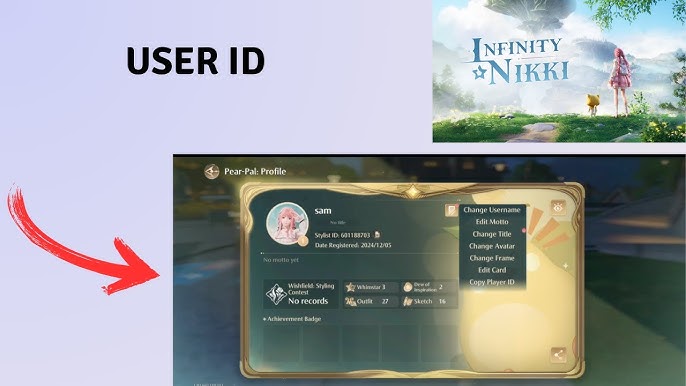
Always use the direct copy function whenever possible. Copying the number eliminates typing mistakes and guarantees that your credit delivery reaches your account without delay.
What You Can Unlock with Nahki In-App Credits
Nahki credits serve as the core currency across the platform's social and voice chat ecosystems. Refilling your balance gives you direct access to interactive features and premium profile customizations:
- Animated Virtual Gifts: Send dynamic gifts to room hosts, performers, and friends in public or private voice rooms to show appreciation and boost room rankings.
- Custom Room Themes and Banners: Personalize your own voice rooms with exclusive visual themes, custom sound effects, and unique room layouts.
- Profile Decorations: Stand out across public chat channels with special avatar frames, colorful username titles, and high-tier status badges.
- Exclusive Entry Animations: Announce your arrival inside voice rooms with customized entrance graphics and sound cues.
- Community Events and Competitions: Use credits to back your favorite creators and community leaders during periodic seasonal leaderboard battles.
Account Safety: UID-Only Recharge Without Password Sharing
Account security is vital when purchasing digital currencies online. XPTopup processes your order strictly using your public Nahki UID.
- No Password Required: You never have to share your login credentials, email passwords, or third-party authentication codes.
- Protection Against Unauthorized Access: Keeping your credentials private ensures your chat logs, private messages, and account settings remain completely secure.
- Gifting Made Easy: Because only a UID is required, you can top up for friends, content hosts, or family members simply by entering their public ID number.
- Encrypted Processing: All payment flows on XPTopup use standard security encryption protocols to safeguard your personal transaction data.
Supported Payment Methods and Checkout on XPTopup
XPTopup provides a clear and accessible checkout system designed for users worldwide. When purchasing Nahki credits, you can choose from various secure payment channels based on your region.
- Up-to-Date Pricing: Live prices and available currency bundles are always displayed directly on the live checkout interface before you place your order.
- Multiple Payment Channels: Choose from credit cards, debit options, digital wallets, and local payment methods available in your territory.
- Clear Order Tracking: Receive immediate order confirmation numbers to verify transaction fulfillment anytime.
Troubleshooting Common Nahki Top-Up Issues
If you run into any delays or issues while recharging, refer to the following solutions to resolve them quickly:
- Credits Have Not Appeared: Pull down on your profile screen to refresh the Nahki app wallet, or close and restart the application. If server traffic is heavy, allow a few moments for the balance update to sync.
- Incorrect UID Provided: UID top-ups process automatically once submitted. If you notice a typo right away, contact XPTopup customer support immediately with your transaction ID. Note that successfully fulfilled orders to valid existing accounts cannot be reversed.
- Payment Complete but Order Pending: Check your payment confirmation email or banking statement to confirm the transaction cleared. Keep your transaction reference code ready for support verification.
Frequently Asked Questions About Nahki Top Up
How do I find my Nahki UID to complete a top-up?
Open the Nahki app, navigate to your profile page via the bottom menu, and locate the numerical UID displayed directly under your avatar and display name. Tap the copy icon next to it to copy the exact number.
Do I need to share my Nahki login password to receive credits?
No. You only need to provide your public Nahki UID. XPTopup never asks for your password, phone login code, or social login credentials.
Can I top up Nahki credits for a friend's account?
Yes. Enter your friend's Nahki UID in the account field instead of your own. Once payment is finalized, the credits will deposit directly into their account balance.
How long does it take for Nahki credits to appear in my account?
Deliveries are processed quickly after payment verification. In most cases, the balance updates within moments. If you experience a slight delay, restart the Nahki app to refresh your wallet.
What should I do if I entered the wrong Nahki UID during checkout?
Contact customer support as quickly as possible with your order number. If the order has already been processed to the specified UID on the system, the transaction cannot be refunded or transferred.
What payment methods are supported for Nahki recharge on XPTopup?
XPTopup supports a variety of global and regional payment options, including major bank cards, digital wallets, and localized checkout channels. Available options and real-time prices are listed directly on the checkout screen.
Current package prices
Current package prices are shown below. Prices exclude Tax. Tax, payment fees and applicable coupons are shown at checkout.
| Package | Price |
|---|---|
| Nahki - Nahki*15000 | USD 1.51 |
| Nahki - Nahki*20000 | USD 2.02 |
| Nahki - Nahki*25000 | USD 2.52 |
| Nahki - Nahki*50000 | USD 5.05 |
| Nahki - Nahki*100000 | USD 10.10 |
| Nahki - Nahki*500000 | USD 50.49 |
| Nahki - Nahki*1000000 | USD 100.99 |
| Nahki - Nahki*10000 | USD 1.01 |