4CHAT Top Up with Instant UID Delivery
4CHAT is an interactive social app designed for live voice rooms, instant matching, and interactive community chats. To send animated gifts to room hosts, unlock exclusive avatar frames, or access premium matching features, you need 4CHAT credits in your balance.
XPTopup provides a direct, secure way to complete your 4CHAT top up using only your numeric User ID (UID). You do not need to link third-party social logins or share private credentials. Select your credit amount, enter your UID, finish payment, and your credits will be added directly to your 4CHAT account.
How to Top Up 4CHAT Credits Using UID
Recharging your 4CHAT account on XPTopup takes less than a minute. Follow these simple steps to complete your purchase:
- Select Credit Package: Choose the desired amount of 4CHAT credits from the product catalog above.
- Enter Your UID: Type or paste your 4CHAT User ID into the designated input box.
- Verify Your Details: Double-check your numeric UID to ensure your credits go to the correct profile.
- Choose Payment Method: Select your preferred payment option from the available secure checkout methods.
- Complete Checkout: Finalize the payment. Once confirmed, your credits will be automatically credited to your in-app balance.
- Check In-App Balance: Open 4CHAT, go to your profile or wallet tab, and confirm your updated balance.
How to Locate Your 4CHAT UID in the App
Finding your 4CHAT User ID takes just a few seconds. Follow this walkthrough:
- Launch the 4CHAT app on your mobile device.
- Tap the Profile (or Me) icon located at the bottom right corner of the main screen.
- Locate your profile avatar at the top of the screen.
- Directly below or beside your display name, find the numeric string labeled ID or UID.
- Tap the copy icon next to the number to copy your UID directly to your clipboard.
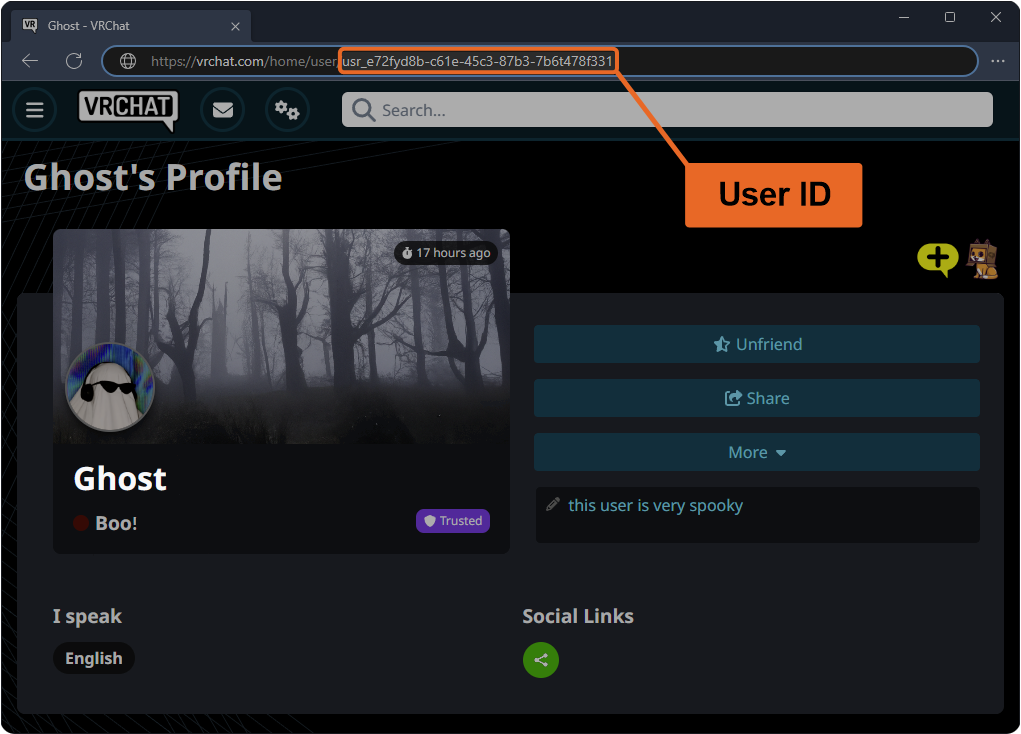
Tip: Always use the copy button rather than typing out the numbers manually to avoid delivery errors caused by typos.
What Are 4CHAT Credits and How to Use Them
4CHAT credits serve as the main premium currency across the 4CHAT platform. Having an active credit balance allows you to participate in community activities and personalize your account:
- Live Voice Room Gifts: Send virtual animated gifts to voice room hosts, speakers, and friends during group chats.
- Match System Features: Use credits for instant direct matches, conversation boosts, and extended chat features.
- Profile Customization: Purchase distinctive avatar borders, chat bubbles, entrance effects, and personalized badges.
- Exclusive Room Badges: Stand out in popular chat rooms with premium supporter tiers and special nameplate effects.
- Private Chat Requests: Send priority direct messages and interact with popular creators across the platform.
Available 4CHAT Credit Pack Options in 2026
Whether you need a small top-up to send a quick gift or a larger pack to support live room events, XPTopup offers flexible pack options to suit your needs.
| Credit Package Type | Primary In-App Purpose | Delivery Method | Required Information |
|---|---|---|---|
| Starter Credit Packs | Casual gifting and quick match interactions | Direct UID Top-Up | 4CHAT UID Only |
| Standard Value Packs | Daily voice room participation & chat effects | Direct UID Top-Up | 4CHAT UID Only |
| Premium Bundle Packs | Animated entrance effects, badges & room support | Direct UID Top-Up | 4CHAT UID Only |
| Mega / Event Packs | Heavy host gifting, community events & VIP perks | Direct UID Top-Up | 4CHAT UID Only |
Live pricing and available denominations are displayed directly on the checkout module at the top of this page.
Safe 4CHAT Recharge Without Password Sharing
Account safety is essential when purchasing digital goods online. XPTopup processes your 4CHAT recharge strictly through your public User ID.
- No Password Required: You never have to share your 4CHAT password, verification codes, or linked social media logins.
- No Account Sharing: Your account stays entirely in your hands, protecting you from unauthorized access or privacy leaks.
- Safe Transactions: All checkout processes on XPTopup use encrypted payment protocols to safeguard your personal and financial information.
- Safe for Friends: Because only a UID is needed, you can safely send credit gifts directly to friends by entering their UID at checkout.
Why Choose XPTopup for 4CHAT Recharges
- Fast Order Delivery: Automated processing ensures your 4CHAT credits arrive directly in your wallet promptly after payment.
- Transparent Pricing: Current rates and pack options are visible directly on the live checkout interface without hidden transaction fees.
- Broad Payment Selection: XPTopup supports a wide array of international and local payment methods for your convenience.
- Dedicated Support: Our customer support team is available to assist with any questions regarding your order status or UID submission.
Troubleshooting 4CHAT Top Up and Delivery Inquiries
If your credits do not appear immediately after completing your order, follow these troubleshooting steps:
- Restart the 4CHAT App: Completely close 4CHAT from your recent apps switcher and reopen it to force a wallet refresh.
- Verify Network Connection: Ensure your mobile device has a stable internet connection so the app can fetch updated server data.
- Check Order Confirmation: Review your XPTopup order confirmation email to verify that the transaction was completed successfully.
- Verify UID Accuracy: Ensure the UID submitted during checkout matches your current 4CHAT profile ID.
- Contact XPTopup Support: If your balance has not updated after a few minutes, reach out to customer support with your Order ID and UID for immediate assistance.
Frequently Asked Questions
How do I find my 4CHAT UID to complete a top up?
Open 4CHAT, tap the Profile or "Me" tab in the bottom menu, and locate the numeric ID displayed near your avatar and nickname. Tap the copy icon next to the number to copy your UID.
Do I need to provide my 4CHAT password to top up credits?
No. XPTopup only requires your 4CHAT UID. You should never share your account password, email login, or SMS verification codes with anyone.
What can I use 4CHAT credits for inside the app?
4CHAT credits are used to send animated gifts in voice chat rooms, purchase avatar frames and entrance effects, access special matching features, and unlock premium profile decorations.
Can I top up 4CHAT credits for another user using their UID?
Yes. Simply enter your friend's 4CHAT UID into the input field instead of your own. Once checkout is complete, the credits will be added directly to their account.
What should I do if my 4CHAT credits do not appear immediately?
First, restart the 4CHAT app and check your wallet balance again. If the credits still do not show up, check your order receipt on XPTopup and contact customer support with your Order ID.
What payment methods are supported for 4CHAT recharges?
XPTopup provides a variety of secure global and regional payment options. You can view all currently supported payment channels during the checkout process on this page.
Current package prices
Current package prices are shown below. Prices exclude Tax. Tax, payment fees and applicable coupons are shown at checkout.
| Package | Price |
|---|---|
| 4CHAT - 4CHAT*10000 | USD 2.08 |
| 4CHAT - 4CHAT*15000 | USD 3.12 |
| 4CHAT - 4CHAT*20000 | USD 4.16 |
| 4CHAT - 4CHAT*25000 | USD 5.20 |
| 4CHAT - 4CHAT*50000 | USD 10.40 |
| 4CHAT - 4CHAT*100000 | USD 20.81 |
| 4CHAT - 4CHAT*500000 | USD 104.05 |
| 4CHAT - 4CHAT*1000000 | USD 208.10 |
| 4CHAT - 4CHAT*5000 | USD 1.04 |